
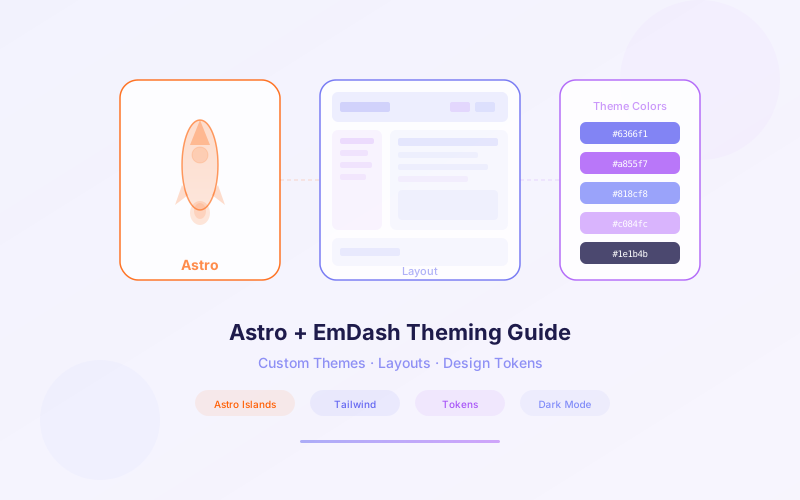
When Cloudflare acquired the Astro Technology Company in January 2026, the move signaled a clear vision: Astro would become the theming engine for EmDash, Cloudflare's open-source CMS built as a spiritual successor to WordPress. With Astro 6 shipping a rebuilt dev server on the workerd runtime, EmDash themes now run on the same engine in development and production.
EmDash themes aren't a proprietary format. They're standard Astro projects with pages, layouts, components, styles, and a seed file that tells the CMS what content types to create. If you've built anything with Astro, you already know 90% of what you need.
This guide walks through building a custom EmDash theme from scratch: project structure, content collections, islands architecture, Tailwind integration, seed files, security model, and deployment on Cloudflare Workers.
📋 Table of Contents
- 1.Why Astro 6 for CMS Theming
- 2.Theme Anatomy: Pages, Layouts, Components, Styles & Seed File
- 3.Creating Your First EmDash Theme
- 4.Content Collections and the emdash:content API
- 5.Islands Architecture for Interactive Components
- 6.Tailwind CSS Integration
- 7.Seed Files and Content Type Definitions
- 8.Theme Security: No Database Access Unlike WordPress
- 9.Deploying Themes on Cloudflare Workers
- 10.How Lushbinary Designs EmDash Themes
1Why Astro 6 for CMS Theming
Astro was already the fastest-growing web framework before Cloudflare acquired the Astro Technology Company in January 2026. The acquisition wasn't just strategic — it was architectural. Cloudflare needed a theming engine for EmDash that could deliver zero JavaScript by default, run on the edge, and give developers a familiar component model.
Astro 6 shipped shortly after the acquisition with a rebuilt dev server running on Cloudflare's workerd runtime. This means your local development environment uses the same engine as production — no more "works on my machine" surprises when deploying to Cloudflare Workers.
The key advantages of Astro 6 for CMS theming:
- Zero JavaScript by default: Pages are rendered to static HTML at build time. No client-side framework bundle is shipped unless you explicitly opt in.
- Islands architecture: Interactive components (search bars, comment forms, carousels) are hydrated independently without loading a full SPA framework.
- Framework-agnostic components: Use React, Vue, Svelte, Solid, or Preact for interactive islands — all within the same theme.
- Content-first design: Astro's content collections map directly to EmDash's schema system, making data fetching intuitive.
- workerd parity: Dev and production run on the same runtime, eliminating deployment surprises.
WordPress themes use PHP templates that execute server-side on every request. Astro 6 themes pre-render to static HTML and only hydrate interactive islands, resulting in dramatically faster page loads and lower server costs.
2Theme Anatomy: Pages, Layouts, Components, Styles & Seed File
An EmDash theme is a standard Astro project with five key parts. If you've built an Astro site before, this structure will feel immediately familiar:
my-emdash-theme/
├── src/
│   ├── pages/          # Astro routes
│   │   ├── index.astro         # Homepage
│   │   ├── blog/
│   │   │   ├── index.astro     # Blog listing
│   │   │   └── [slug].astro    # Individual post
│   │   └── [slug].astro        # Generic page
│   ├── layouts/
│   │   ├── Base.astro          # Root HTML shell
│   │   └── Post.astro          # Blog post layout
│   ├── components/
│   │   ├── Header.astro        # Static navigation
│   │   ├── Footer.astro        # Site footer
│   │   └── SearchBar.tsx       # Interactive island (React)
│   └── styles/
│       └── global.css          # Global styles or Tailwind
├── seed.json                   # Content type definitions
├── astro.config.mjs            # Astro configuration
└── package.json
- Pages: File-based routing. Each
.astrofile insrc/pages/becomes a URL route. Dynamic routes use bracket syntax like[slug].astro. - Layouts: Shared HTML structure (doctype, head tags, navigation, footer). Pages reference layouts to avoid duplication.
- Components: Reusable UI elements. Static components use
.astrofiles; interactive components use.tsx,.vue, or.svelte. - Styles: Global CSS, scoped component styles, or Tailwind CSS configuration.
- Seed file: A
seed.jsonthat declares the content types, fields, and optional default content the CMS should create when the theme is installed.
This separation keeps themes clean and predictable. Unlike WordPress where functions.php can contain arbitrary PHP that modifies core behavior, EmDash themes are purely presentational — they render content but never modify it.
3Creating Your First EmDash Theme
The fastest way to start is with the EmDash theme scaffold command:
npm create emdash@latest -- --template theme-starter
This generates a minimal theme with a homepage, blog listing, single post page, and a base layout. Let's look at the core page template:
---
// src/pages/index.astro
import Layout from "../layouts/Base.astro";
import { getCollection } from "emdash:content";

const posts = await getCollection("posts", {
  limit: 10,
  sort: { publishedAt: "desc" },
  filter: { status: "published" },
});
---

<Layout title="Home">
  <section class="max-w-4xl mx-auto py-12 px-4">
    <h1 class="text-4xl font-bold mb-8">Latest Posts</h1>
    <div class="grid gap-6">
      {posts.map((post) => (
        <a href={`/blog/${post.slug}`} class="block p-6 border rounded-lg
          hover:shadow-md transition-shadow">
          <h2 class="text-xl font-semibold">{post.title}</h2>
          <time class="text-sm text-gray-500">{post.publishedAt}</time>
          <p class="mt-2 text-gray-600">{post.excerpt}</p>
        </a>
      ))}
    </div>
  </section>
</Layout>
The frontmatter block (between the --- fences) runs at build time on the server. It imports the layout, queries content from EmDash via the emdash:content API, and passes data to the template below. No JavaScript is shipped to the browser for this page.
The base layout wraps every page with shared HTML structure:
---
// src/layouts/Base.astro
import Header from "../components/Header.astro";
import Footer from "../components/Footer.astro";
import "../styles/global.css";

const { title } = Astro.props;
---

<!doctype html>
<html lang="en">
  <head>
    <meta charset="UTF-8" />
    <meta name="viewport" content="width=device-width" />
    <title>{title}</title>
  </head>
  <body>
    <Header />
    <main>
      <slot />
    </main>
    <Footer />
  </body>
</html>4Content Collections and the emdash:content API
EmDash exposes content to themes through the emdash:content virtual module. This API maps directly to Astro's content collections pattern but pulls data from EmDash's database instead of local Markdown files.
The two primary functions you'll use:
getCollection(name, options)— Fetches multiple entries from a collection with optional filtering, sorting, and pagination.getEntry(name, slug)— Fetches a single entry by its slug.
---
// src/pages/blog/[slug].astro
import Layout from "../../layouts/Post.astro";
import { getEntry, getCollection } from "emdash:content";

const { slug } = Astro.params;
const post = await getEntry("posts", slug);

if (!post) return Astro.redirect("/404");

// Fetch related posts by category
const related = await getCollection("posts", {
  limit: 3,
  filter: {
    status: "published",
    category: post.category,
    slug: { neq: slug },
  },
});
---

<Layout title={post.title} description={post.excerpt}>
  <article class="max-w-3xl mx-auto py-12 px-4">
    <h1 class="text-4xl font-bold mb-4">{post.title}</h1>
    <div class="flex gap-4 text-sm text-gray-500 mb-8">
      <time>{post.publishedAt}</time>
      <span>{post.category}</span>
    </div>
    <div class="prose" set:html={post.body} />
  </article>

  {related.length > 0 && (
    <aside class="max-w-3xl mx-auto px-4 pb-12">
      <h2 class="text-2xl font-bold mb-4">Related Posts</h2>
      {related.map((r) => (
        <a href={`/blog/${r.slug}`} class="block mb-3">
          {r.title}
        </a>
      ))}
    </aside>
  )}
</Layout>
Collections are defined by the theme's seed file and created in the CMS when the theme is installed. Each collection gets its own database table — a clean break from WordPress's approach of storing everything in a single wp_posts table.
The emdash:content API is read-only within themes. Themes can query and display content but cannot create, update, or delete it. Content mutations happen through the admin interface, CLI, or plugins with the appropriate capabilities.
5Islands Architecture for Interactive Components
Most CMS pages are static content: headings, paragraphs, images. But some parts need interactivity — search bars, comment forms, image carousels, newsletter signups. Astro's islands architecture lets you hydrate only those specific components while keeping the rest as static HTML.
An "island" is an interactive component embedded in a sea of static HTML. You mark a component for hydration using Astro's client:* directives:
---
// src/pages/blog/[slug].astro
import Layout from "../../layouts/Post.astro";
import SearchBar from "../components/SearchBar.tsx";
import CommentForm from "../components/CommentForm.tsx";
import ShareButtons from "../components/ShareButtons.tsx";
import { getEntry } from "emdash:content";

const { slug } = Astro.params;
const post = await getEntry("posts", slug);
---

<Layout title={post.title}>
  <!-- Static: zero JS -->
  <article set:html={post.body} />

  <!-- Island: hydrates on page load -->
  <SearchBar client:load />

  <!-- Island: hydrates when visible in viewport -->
  <CommentForm client:visible postId={post.id} />

  <!-- Island: hydrates only on idle -->
  <ShareButtons client:idle url={Astro.url.href} />
</Layout>
The hydration directives control when JavaScript loads:
client:load— Hydrates immediately on page load. Use for above-the-fold interactive elements.client:visible— Hydrates when the component scrolls into the viewport. Ideal for comments, forms below the fold.client:idle— Hydrates when the browser is idle. Good for non-critical interactive elements.client:media— Hydrates only when a CSS media query matches. Useful for mobile-only interactions.
Each island can use a different framework. Your search bar can be React, your comment form can be Svelte, and your share buttons can be Solid — all in the same theme. Astro bundles each island independently, so users only download the JavaScript they actually need.
6Tailwind CSS Integration
Tailwind CSS is the most popular styling approach for Astro projects, and EmDash themes are no exception. Astro 6 includes first-class Tailwind support with zero-config setup:
npx astro add tailwindcss
This installs Tailwind, creates the configuration file, and updates your Astro config automatically. For EmDash themes, we recommend defining a design token system in your Tailwind config that maps to your theme's visual identity:
// tailwind.config.mjs
export default {
  content: ["./src/**/*.{astro,html,js,jsx,ts,tsx}"],
  theme: {
    extend: {
      colors: {
        brand: {
          50: "#f0f9ff",
          500: "#3b82f6",
          900: "#1e3a5f",
        },
      },
      fontFamily: {
        heading: ["Inter", "sans-serif"],
        body: ["Source Sans Pro", "sans-serif"],
      },
    },
  },
};
For rendering CMS content (which arrives as HTML from the emdash:content API), use Tailwind's typography plugin to style prose content without adding classes to every element:
<!-- Renders CMS HTML with proper typography -->
<div class="prose prose-lg dark:prose-invert max-w-none"
set:html={post.body} />7Seed Files and Content Type Definitions
The seed file is what makes an EmDash theme more than just a visual template. It's a JSON file that declares the content types, fields, and optional default content the CMS should create when the theme is installed. Think of it as a schema migration for your content.
{
  "collections": {
    "posts": {
      "label": "Blog Posts",
      "fields": {
        "title": { "type": "text", "required": true },
        "slug": { "type": "slug", "from": "title" },
        "excerpt": { "type": "textarea", "maxLength": 300 },
        "body": { "type": "richtext" },
        "featuredImage": { "type": "media", "accept": "image/*" },
        "category": {
          "type": "select",
          "options": ["Engineering", "Design", "Product"]
        },
        "author": { "type": "relation", "collection": "authors" },
        "publishedAt": { "type": "datetime" },
        "status": {
          "type": "select",
          "options": ["draft", "published"],
          "default": "draft"
        }
      }
    },
    "authors": {
      "label": "Authors",
      "fields": {
        "name": { "type": "text", "required": true },
        "bio": { "type": "textarea" },
        "avatar": { "type": "media", "accept": "image/*" }
      }
    },
    "pages": {
      "label": "Pages",
      "fields": {
        "title": { "type": "text", "required": true },
        "slug": { "type": "slug", "from": "title" },
        "body": { "type": "richtext" }
      }
    }
  },
  "defaultContent": {
    "posts": [
      {
        "title": "Welcome to Your New Site",
        "slug": "welcome",
        "excerpt": "Get started with your EmDash-powered site.",
        "body": "<p>This is your first post.</p>",
        "status": "published"
      }
    ]
  }
}
When a user installs your theme, EmDash reads the seed file and creates the declared collections and fields in the CMS. If defaultContent is provided, it populates the collections with starter content so the site isn't empty on first load.
Key seed file features:
- Field types: text, textarea, richtext, slug, media, select, relation, datetime, number, boolean, and JSON.
- Relations: Link entries across collections (e.g., posts to authors) with type-safe references.
- Validation: Required fields, max lengths, accepted media types, and custom validation rules.
- Default content: Pre-populate collections so themes ship with a working demo out of the box.
Seed files replace the WordPress pattern of bundling demo content as XML imports. Because the schema and content are declared together, themes are self-describing — the CMS knows exactly what content structure the theme expects.
8Theme Security: No Database Access Unlike WordPress
This is one of the most important architectural differences between EmDash and WordPress. In WordPress, themes can execute arbitrary PHP through functions.php. This file has the same level of access as a plugin: it can query the database, modify content, make network requests, and even install other plugins.
EmDash themes cannot perform database operations. Period. They are purely presentational layers that:
- Query content through the read-only
emdash:contentAPI - Render HTML using Astro templates
- Include static assets (CSS, images, fonts)
- Hydrate interactive islands using client-side JavaScript frameworks
That's it. No filesystem access, no network requests from the server, no database mutations. This eliminates an entire class of security vulnerabilities that plague WordPress:
| Capability | WordPress Theme | EmDash Theme |
|---|---|---|
| Database queries | Full access via $wpdb | Read-only via emdash:content |
| Write/delete content | Yes (functions.php) | No |
| Execute server code | Arbitrary PHP | Astro templates only |
| Network requests | Unrestricted | None (server-side) |
| Install plugins | Yes | No |
| Modify core behavior | Via hooks/filters | No |
| File system access | Full read/write | None |
This security model means you can install any EmDash theme without worrying about malicious code. The worst a theme can do is render content poorly — it can never compromise your data or server.
9Deploying Themes on Cloudflare Workers
EmDash themes are deployed as part of your EmDash site on Cloudflare Workers. The theme is bundled with the EmDash runtime and deployed globally across Cloudflare's 300+ data centers. Because Astro 6 runs on the workerd runtime, there's zero translation layer between your development environment and production.
Deployment is a single command:
npx emdash deploy
This builds your Astro theme, bundles it with the EmDash runtime, and deploys the result to Cloudflare Workers. The deployment model gives you:
- Scale to zero: No requests means no cost. A low-traffic site costs essentially nothing.
- Global distribution: Your theme renders at the edge closest to each visitor, minimizing latency.
- Near-zero cold starts: V8 isolates spin up in milliseconds, not seconds.
- CPU-time billing: You pay for actual compute, not idle server time.
- Free tier: 100,000 requests per day on Cloudflare's free plan.
For teams that need CI/CD integration, EmDash supports deployment via Cloudflare's Wrangler CLI and GitHub Actions. A typical workflow deploys on every push to main:
# .github/workflows/deploy.yml
name: Deploy EmDash
on:
  push:
    branches: [main]
jobs:
  deploy:
    runs-on: ubuntu-latest
    steps:
      - uses: actions/checkout@v4
      - uses: actions/setup-node@v4
        with:
          node-version: 22
      - run: npm ci
      - run: npx emdash deploy
        env:
CLOUDFLARE_API_TOKEN: ${{ secrets.CF_API_TOKEN }}10How Lushbinary Designs EmDash Themes
At Lushbinary, we've been building with Astro since before the Cloudflare acquisition, and EmDash theming is a natural extension of our existing workflow. Our approach to EmDash theme development focuses on three principles: performance, content flexibility, and developer handoff.
What we deliver for EmDash theme projects:
- Custom Astro 6 themes designed to your brand with Tailwind CSS design token systems
- Seed file architecture that models your content structure with proper relations, validation, and default content
- Interactive islands built in React or Svelte for search, filtering, forms, and dynamic UI elements
- Full Cloudflare Workers deployment with CI/CD pipelines and preview environments
- WordPress migration support including custom post type mapping and theme porting
- Performance optimization targeting sub-second page loads with zero unnecessary JavaScript
Every theme we build ships with comprehensive seed files so the CMS is ready to use the moment the theme is installed. We also provide documentation for content editors so they understand the content model and how to use the admin interface effectively.
🚀 Free EmDash Theme Consultation
Need a custom EmDash theme for your project? We'll review your design requirements, content structure, and deployment needs. Book a free 30-minute call with our team to get started.
❓ Frequently Asked Questions
What is an EmDash theme?
An EmDash theme is a standard Astro project that includes pages, layouts, components, styles, and a seed file. Themes control the visual presentation of an EmDash site and are built using Astro 6 with zero JavaScript shipped to the browser by default.
Can EmDash themes access the database like WordPress themes?
No. Unlike WordPress themes that can execute arbitrary PHP through functions.php with full database access, EmDash themes are purely presentational. They query content through the emdash:content API and cannot perform database operations, eliminating an entire class of security vulnerabilities.
What is a seed file in EmDash theming?
A seed file (seed.json) is a JSON file included in an EmDash theme that defines the content types, fields, and default content the CMS should create when the theme is installed. It acts as a schema declaration for the theme's expected content structure.
Does Astro 6 ship JavaScript to the browser?
No. Astro 6 ships zero JavaScript by default. Interactive components use the islands architecture, where only explicitly marked components are hydrated on the client. This results in extremely fast page loads for EmDash themes.
How do I deploy an EmDash theme?
EmDash themes are deployed as part of your EmDash site on Cloudflare Workers. The theme is bundled with the EmDash runtime and deployed globally across Cloudflare's 300+ data centers with scale-to-zero billing.
📚 Sources
- Cloudflare Blog: Introducing EmDash
- Astro 6.0 Release
- Astro Documentation: Islands Architecture
- Cloudflare Workers Documentation
Content was rephrased for compliance with licensing restrictions. Technical details sourced from official Cloudflare and Astro documentation as of April 2026. Features and availability may change — always verify on the official EmDash documentation.
Ready to Build Your EmDash Theme?
Whether you need a custom theme from scratch or help migrating your WordPress theme to EmDash, our team can help you ship fast.
Build Smarter, Launch Faster.
Book a free strategy call and explore how LushBinary can turn your vision into reality.

