
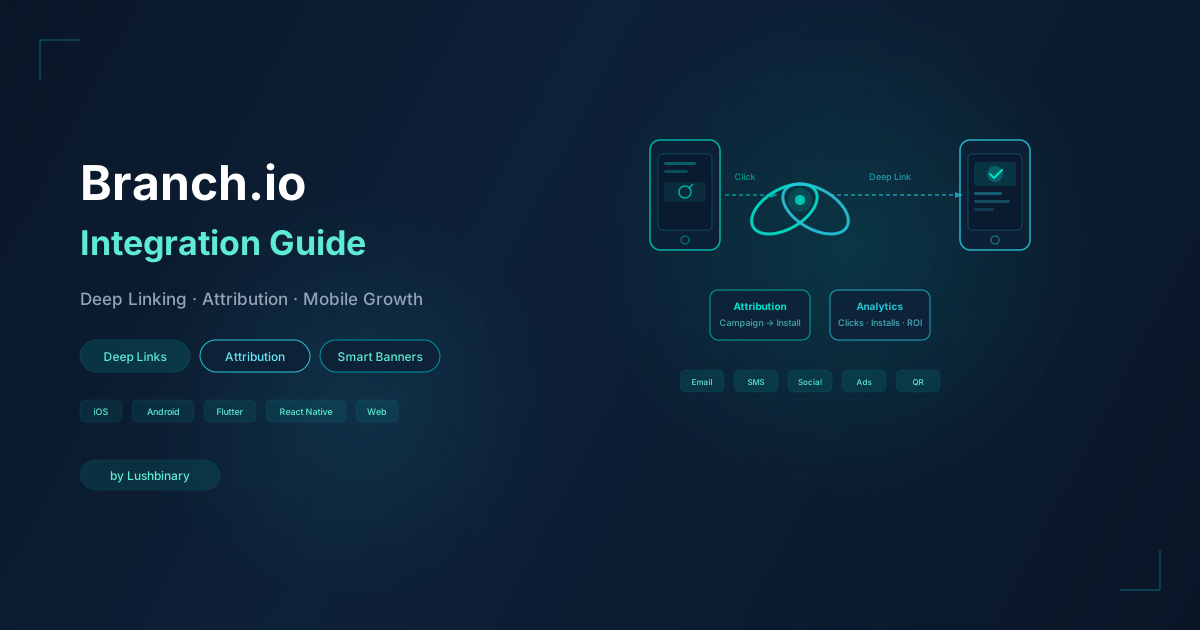
You spent months building your app. The design is polished, the features are solid, and your marketing team is finally driving real traffic. But something is off. Users click a link in an email and land on the App Store instead of the product page they were promised. Your paid campaigns show installs, but you have no idea which channel actually drove them. Referral links break the moment someone doesn't have the app installed. And your re-engagement numbers? Flat.
This is the reality for most mobile teams operating without a proper deep linking and attribution layer. The good news: there is a platform built specifically to solve every one of these problems. It's called Branch.io, and if you're serious about mobile growth in 2026, it should be at the center of your linking and attribution stack.
In this guide, we go deep. Not just what Branch.io does, but how it works under the hood, how to integrate the SDK across iOS, Android, React Native, and Flutter, how to leverage advanced features like NativeLink™ deferred deep linking, SKAN attribution, and cross-platform Journeys, and how LushBinary can get you from zero to production-ready in weeks instead of months.
📋 What We Cover
- 1.What Is Branch.io & How Deep Linking Actually Works
- 2.Branch Link Types: Quick Links, App Links & Universal Links
- 3.Deferred Deep Linking & NativeLink™
- 4.SDK Integration: iOS, Android, React Native & Flutter
- 5.In-App Routing & Deep Link Handling
- 6.Attribution, SKAN & Privacy-First Measurement
- 7.Advanced Features: Journeys, Smart Banners & QR Codes
- 8.Email & SMS Deep Linking
- 9.Branch Dashboard, Analytics & Data Exports
- 10.Pricing, Plans & What You Actually Get
- 11.Common Pitfalls & How to Avoid Them
- 12.How LushBinary Integrates Branch.io for Clients
1What Is Branch.io & How Deep Linking Actually Works
Branch.io is a mobile linking and measurement platform used by companies like Airbnb, Pinterest, Reddit, Yelp, and Ticketmaster. It provides deep linking, attribution, and cross-channel analytics for mobile apps. But to understand why Branch matters, you need to understand the problem it solves.
On the web, linking is simple. A URL points to a page, and the browser renders it. On mobile, linking is a mess. A link might need to open an app, or redirect to the App Store, or fall back to a mobile website, or handle an in-app browser that strips context. Each platform (iOS, Android) has its own deep linking standard, and those standards have changed multiple times over the years.
Branch abstracts all of this complexity into a single link that works everywhere. When a user clicks a Branch link, the platform determines the best destination based on the user's device, OS, whether the app is installed, and the context of the click. It handles:
- iOS Universal Links: Apple's standard for opening apps directly from HTTPS links, bypassing the browser
- Android App Links: Google's equivalent, verified via Digital Asset Links
- URI Schemes: Legacy deep linking (e.g.,
myapp://product/123) as a fallback - Web fallbacks: Graceful redirect to your mobile site or desktop site when the app isn't installed
- In-app browser handling: Special routing for clicks inside Facebook, Instagram, Twitter, LinkedIn, and other social apps that use embedded WebViews
Branch combines every deep linking standard into a single link that routes users to the right destination with the industry's highest matching accuracy. One link, every platform, every edge case.
2Branch Link Types: Quick Links, App Links & Universal Links
Branch offers several link types, each designed for different use cases. Understanding which to use where is key to a clean implementation.
Quick Links
Quick Links are created in the Branch Dashboard or via the API. They are the most common link type for marketing campaigns, social sharing, and referral programs. Each Quick Link has a short URL (e.g., yourapp.app.link/summer-sale), custom metadata, OG tags for social previews, and analytics tracking built in.
Deep Links (SDK-Generated)
These are created programmatically inside your app using the Branch SDK. They're ideal for user-generated content sharing, in-app referrals, and dynamic content links. The SDK lets you attach custom key-value data that gets passed through to the receiving user, even through an install.
Long Links
Long links encode all parameters directly in the URL query string. They don't require an API call to create, making them useful for server-side link generation at scale (e.g., generating millions of personalized email links). The tradeoff is a longer, less clean URL.
// Branch link types comparison
// Quick Link (Dashboard/API)
https://yourapp.app.link/summer-sale

// SDK-generated deep link
https://yourapp.app.link/AbCdEfGhIj

// Long link (no API call needed)
https://yourapp.app.link/?%24deeplink_path=product%2F123
  &campaign=email_feb&feature=referral
iOS Universal Links & Android App Links
Under the hood, Branch links leverage platform-native deep linking standards. On iOS, this means Universal Links backed by an Apple-App-Site-Association (AASA) file hosted on Branch's domain. On Android, it means App Links verified via a Digital Asset Links JSON file. Branch manages both of these files for you, which eliminates one of the most common sources of deep linking bugs.
The key advantage of Universal Links and App Links over legacy URI schemes is that they are HTTPS-based, verified by the OS, and open the app directly without a browser redirect. This means faster routing, better user experience, and no interstitial "Open in App?" dialogs.
3Deferred Deep Linking & NativeLink™
Standard deep linking works when the app is already installed. But what happens when a user clicks a link and doesn't have the app? That's where deferred deep linking comes in, and it's one of Branch's most powerful capabilities.
With deferred deep linking, Branch remembers the link context (the product ID, referral code, campaign data, or any custom parameters) across the app install process. The flow looks like this:
- User clicks a Branch link (e.g., a referral link shared on WhatsApp)
- Branch detects the app isn't installed and redirects to the App Store or Play Store
- User installs and opens the app for the first time
- Branch SDK initializes and retrieves the original link data
- Your app routes the user to the exact content from the original link
The user never sees a generic home screen. They land on the product page, the referral welcome screen, or whatever content was in the original link. This single capability can improve onboarding conversion rates by 30-50%.
NativeLink™: 100% Matching on iOS
Apple's privacy changes have made traditional fingerprinting unreliable for matching users across the install gap. Branch's answer is NativeLink™, a privacy-safe deferred deep linking mechanism that achieves 100% matching accuracy on iOS without requiring any personally identifiable information.
NativeLink works by utilizing the native clipboard (pasteboard) functionality built into iOS. When a user clicks a Branch link, a small, encrypted token is copied to the device clipboard. After the app is installed and opened, the Branch SDK reads this token to match the user to their original link click. The token is immediately cleared after use.
Privacy note: NativeLink does not use IDFA, IP fingerprinting, or any PII. The clipboard token is encrypted, single-use, and expires quickly. It complies with Apple's App Tracking Transparency (ATT) framework.
For React Native apps, enabling NativeLink is straightforward. You add the enableNativeLink flag during SDK initialization, and Branch handles the rest. This is especially important in 2026 where probabilistic matching accuracy continues to decline due to tighter privacy controls.
4SDK Integration: iOS, Android, React Native & Flutter
Branch provides native SDKs for every major mobile platform. Here is how integration looks across the four most common stacks we work with at LushBinary.
iOS (Swift)
The iOS SDK is installed via CocoaPods, Swift Package Manager, or Carthage. Setup requires configuring your Branch key in Info.plist, adding the Associated Domains entitlement (e.g., applinks:yourapp.app.link), and initializing the SDK in your AppDelegate or SceneDelegate.
// iOS Swift - AppDelegate setup
import BranchSDK

func application(
  _ application: UIApplication,
  didFinishLaunchingWithOptions launchOptions:
    [UIApplication.LaunchOptionsKey: Any]?
) -> Bool {
  // Initialize Branch
  Branch.getInstance().initSession(
    launchOptions: launchOptions
  ) { params, error in
    guard let data = params as? [String: AnyObject] else { return }

    if let productId = data["product_id"] as? String {
      // Route to product screen
      self.navigateToProduct(id: productId)
    }
  }
  return true
}
Android (Kotlin)
On Android, the SDK is added via Gradle. You configure your Branch key in AndroidManifest.xml, add intent filters for App Links, and initialize in your Application class or launcher Activity.
// Android Kotlin - Activity setup
import io.branch.referral.Branch

class MainActivity : AppCompatActivity() {
  override fun onStart() {
    super.onStart()
    Branch.sessionBuilder(this)
      .withCallback { referringParams, error ->
        if (error == null && referringParams != null) {
          val productId = referringParams
            .optString("product_id")
          if (productId.isNotEmpty()) {
            navigateToProduct(productId)
          }
        }
      }
      .withData(this.intent?.data)
      .init()
  }

  override fun onNewIntent(intent: Intent?) {
    super.onNewIntent(intent)
    this.intent = intent
    Branch.sessionBuilder(this)
      .withCallback { params, _ -> handleDeepLink(params) }
      .reInit()
  }
}
React Native
The React Native SDK (react-native-branch) wraps the native iOS and Android SDKs. You still need to configure the native side (Associated Domains on iOS, intent filters on Android), but the JavaScript API provides a clean interface for handling deep links.
// React Native - Deep link listener
import branch from 'react-native-branch';

// Subscribe to deep link events
branch.subscribe({
  onOpenStart: ({ uri, cachedInitialEvent }) => {
    console.log('Deep link opening:', uri);
  },
  onOpenComplete: ({ error, params, uri }) => {
    if (error) {
      console.error('Deep link error:', error);
      return;
    }
    if (params['+clicked_branch_link']) {
      const productId = params.product_id;
      const campaign = params['~campaign'];
      navigation.navigate('Product', { id: productId });
    }
  },
});

// Create a deep link
const buo = await branch.createBranchUniversalObject(
  'product/123',
  {
    title: 'Blue Running Shoes',
    contentDescription: 'Lightweight trail runners',
    contentMetadata: {
      customMetadata: {
        product_id: '123',
        category: 'shoes',
      },
    },
  }
);

const { url } = await buo.generateShortUrl({
  feature: 'sharing',
  campaign: 'product_share',
});
Flutter
The Flutter SDK (flutter_branch_sdk) follows a similar pattern. Initialize in your main widget, listen for deep link events, and route accordingly.
// Flutter - Deep link handling
import 'package:flutter_branch_sdk/flutter_branch_sdk.dart';

void initBranch() {
  FlutterBranchSdk.listSession().listen((data) {
    if (data.containsKey('+clicked_branch_link') &&
        data['+clicked_branch_link'] == true) {
      final productId = data['product_id'];
      Navigator.pushNamed(
        context, '/product',
        arguments: {'id': productId},
      );
    }
  });
}

// Create a Branch link
Future<String> createShareLink(String productId) async {
  final buo = BranchUniversalObject(
    canonicalIdentifier: 'product/$productId',
    title: 'Check out this product',
    contentMetadata: BranchContentMetaData()
      ..addCustomMetadata('product_id', productId),
  );
  final lp = BranchLinkProperties(
    feature: 'sharing',
    campaign: 'in_app_share',
  );
  final response = await FlutterBranchSdk
    .getShortUrl(buo: buo, linkProperties: lp);
  return response.result ?? '';
}5In-App Routing & Deep Link Handling
Getting the SDK installed is only half the battle. The other half is building robust in-app routing logic that handles every deep link scenario correctly. This is where most teams run into trouble.
When Branch delivers deep link data to your app, it comes as a key-value dictionary. Your app needs to parse this data and navigate to the correct screen. The challenge is handling all the edge cases:
- Cold start: app was not running, user taps a link, app launches fresh. Deep link data arrives during initialization.
- Warm start: app is in the background, user taps a link, app comes to foreground. Deep link data arrives via
onNewIntent(Android) orscene(_:continue:)(iOS). - Deferred: app was not installed, user installs and opens for the first time. Deep link data arrives after SDK initialization completes.
- Authentication gates: the target screen requires login. You need to queue the deep link, complete auth, then route.
- Navigation stack: the target screen is deep in your navigation hierarchy. You may need to build up the back stack so the user can navigate back naturally.
// Robust deep link router pattern (React Native)
class DeepLinkRouter {
  private pendingLink: DeepLinkData | null = null;
  private isReady = false;

  setReady() {
    this.isReady = true;
    if (this.pendingLink) {
      this.route(this.pendingLink);
      this.pendingLink = null;
    }
  }

  handle(params: Record<string, any>) {
    if (!params['+clicked_branch_link']) return;

    const link: DeepLinkData = {
      type: params['$deeplink_path'] || params['type'],
      id: params['content_id'] || params['product_id'],
      campaign: params['~campaign'],
      feature: params['~feature'],
    };

    if (!this.isReady) {
      this.pendingLink = link;
      return;
    }
    this.route(link);
  }

  private route(link: DeepLinkData) {
    switch (link.type) {
      case 'product':
        navigate('Product', { id: link.id });
        break;
      case 'profile':
        navigate('Profile', { userId: link.id });
        break;
      case 'promo':
        navigate('Promo', { code: link.id });
        break;
      default:
        navigate('Home');
    }
  }
}
The pattern above queues deep links until the app is ready (auth complete, navigation initialized), then routes. This prevents crashes from trying to navigate before the navigation container is mounted, which is one of the most common deep linking bugs we see in production apps.
6Attribution, SKAN & Privacy-First Measurement
Beyond linking, Branch is a full mobile measurement partner (MMP). Its attribution engine tracks the complete user journey from first touch to install to in-app conversion. In 2026, this is more important and more complex than ever due to Apple's privacy framework changes.
How Branch Attribution Works
Branch uses a combination of deterministic and probabilistic matching to attribute installs and events to their source:
Deterministic Matching
Uses device identifiers (IDFA on iOS with ATT consent, GAID on Android) for exact matching. Highest accuracy but limited by opt-in rates.
NativeLink™ Matching
Branch’s proprietary clipboard-based matching for iOS. 100% accuracy without IDFA. Privacy-safe and ATT-compliant.
Probabilistic Matching
Uses device signals (IP, user agent, screen size) to match with ~80-90% accuracy. Used as a fallback when deterministic methods aren’t available.
SKAN Attribution
Apple’s SKAdNetwork framework for privacy-preserving install attribution. Branch processes SKAN postbacks and maps them to campaigns.
SKAdNetwork (SKAN) Support
Apple's SKAdNetwork is the privacy-preserving framework for measuring ad-driven installs on iOS. Branch provides full SKAN support, including:
- Accepting SKAN postbacks sent directly to advertisers, including individual postbacks from self-attributing networks (SANs) like Meta and Google
- Conversion value management with configurable schemas that map in-app events to SKAN conversion values
- SKAN dashboard with campaign-level reporting, conversion value distribution, and install validation
- Support for SKAN 4.0+ features including multiple conversion windows and coarse-grained values
Privacy-First Compliance
Branch's attribution stack is designed for the post-ATT world. Key compliance features include:
- ATT-aware SDK: automatically adjusts matching behavior based on the user's tracking authorization status
- GDPR & CCPA controls: SDK methods to disable tracking, delete user data, and respect consent preferences
- HIPAA-ready: advanced compliance mode for healthcare apps that handles protected health information (PHI) safely
- No fingerprinting: NativeLink replaces probabilistic fingerprinting with a deterministic, privacy-preserving mechanism
// Privacy controls in the SDK
// Disable tracking for GDPR opt-out
Branch.getInstance().disableTracking(true)

// Set GDPR/CCPA compliance
Branch.getInstance().setTrackingDisabled(true)

// Clear user data on request
Branch.getInstance().logout()

// Check ATT status before enabling features
if ATTrackingManager.trackingAuthorizationStatus
    == .authorized {
  // Full attribution available
} else {
  // NativeLink handles deferred deep linking
  // SKAN handles install attribution
}7Advanced Features: Journeys, Smart Banners & QR Codes
Beyond core deep linking and attribution, Branch offers a suite of growth tools that leverage its linking infrastructure. These are the features that turn Branch from a developer tool into a growth platform.
Journeys: Smart App Banners & Interstitials
Journeys is Branch's tool for converting mobile web visitors into app users. It lets you create customizable banners, interstitials, and full-page overlays on your mobile website. Unlike generic smart banners, Journeys banners carry deep link data, so users who tap them land on the exact content they were viewing on the web.
Journeys supports advanced targeting based on:
- Device type and OS version
- Whether the user has the app installed
- Referral source (organic, paid, social, email)
- Geographic location
- Custom audience segments
- Page URL patterns and content categories
Teams we've worked with have seen mobile web-to-app conversion rates jump by 20-30% after implementing Journeys with proper deep link routing. The key is targeting: showing the right banner to the right user at the right time, not blasting everyone with a generic "Download our app" prompt.
QR Code Campaigns
Branch generates branded QR codes that carry full deep link data. Every scan is tracked and attributed, giving you real measurement of offline-to-online conversion. Use cases include:
Product Packaging
QR on a physical product links to setup guides, warranty registration, or reorder pages inside the app.
Retail & In-Store
QR codes on shelf tags or displays link to product details, reviews, or exclusive in-app offers.
Events & Conferences
QR on badges, posters, or booths links to event schedules, speaker profiles, or networking features.
Print & OOH Advertising
QR on billboards, flyers, or magazine ads with full attribution tracking for offline campaigns.
Organic Search & App Indexing
Branch can surface your app content in Google search results through App Indexing. When users search for something your app offers, they can tap a result and land directly inside the app. Branch tracks these organic installs and in-app opens, giving you visibility into a channel that most teams completely overlook.
For content-heavy apps (news, recipes, marketplaces, social platforms), organic search attribution is a significant growth lever. Branch's App Indexing integration works with both Firebase App Indexing on Android and Apple's Spotlight/Handoff on iOS.
8Email & SMS Deep Linking
If your app sends transactional or marketing emails, Branch can turn every link in those emails into a deep link. Users who tap a link in an email on their phone go straight into the app instead of a mobile web page. This is one of the highest-impact, lowest-effort wins we see when working with clients.
Branch integrates with all major email service providers:
The integration works by wrapping your existing email links with Branch's Universal Email system. When a user clicks a link in an email, Branch detects whether the app is installed and routes accordingly. If the app is installed, the user goes directly to the relevant screen. If not, they land on your mobile web experience with a smart banner prompting them to install.
SMS deep linking follows the same pattern. Branch links in SMS messages route users to the app with full context and attribution. This is particularly effective for:
- Order status and delivery notifications
- Appointment reminders with one-tap check-in
- Abandoned cart recovery messages
- Referral program invitations
- Re-engagement campaigns for dormant users
9Branch Dashboard, Analytics & Data Exports
The Branch Dashboard is where you manage links, view analytics, configure campaigns, and monitor attribution data. It provides real-time visibility into your entire linking and attribution ecosystem.
Key dashboard capabilities include:
Link Analytics
Click, install, open, and conversion metrics for every link. Filter by campaign, channel, feature, stage, and custom tags.
Attribution Reports
See which channels, campaigns, and creatives drive installs and in-app events. Supports last-click and multi-touch models.
Liveview
Real-time stream of link clicks, installs, and events. Invaluable for debugging during integration and QA.
Data Exports
Export raw event data to your warehouse via webhooks, CSV exports, or direct integrations with Segment, mParticle, and Amplitude.
Link Management
Create, edit, and organize Quick Links. Set OG tags, custom redirects, and deep link parameters from the dashboard.
Fraud Detection
Built-in fraud protection that identifies and filters click injection, click flooding, and device farms from your attribution data.
Branch also provides a comprehensive HTTP API for programmatic link creation, event tracking, and data retrieval. This is essential for server-side integrations, batch link generation, and building custom analytics pipelines.
For teams using Mixpanel, Amplitude, or other product analytics tools, Branch's data export integrations let you pipe attribution data directly into your analytics stack. This gives you a unified view of acquisition and in-app behavior in a single dashboard.
10Pricing, Plans & What You Actually Get
Branch offers a tiered pricing model. Here is what each tier includes as of early 2026:
| Plan | Price | Key Features |
|---|---|---|
| Free (Launch) | $0 | Deep linking, 10K MAU, basic attribution, link analytics, Journeys (limited) |
| Startup | Custom | Higher MAU limits, full attribution, email deep linking, data integrations, QR codes |
| Enterprise | Custom | Unlimited MAU, SKAN support, advanced fraud detection, SLA, dedicated support, SSO, custom contracts |
The free tier is genuinely useful for early-stage apps. You get full deep linking functionality, basic attribution, and enough MAU to validate your linking strategy before committing to a paid plan. Most startups we work with start on the free tier and upgrade once they hit scale or need advanced features like email deep linking or SKAN reporting.
Branch's pricing is based on Monthly Active Users (MAU), not link clicks or events. This makes costs predictable and avoids surprise bills from viral campaigns or high-traffic periods.
11Common Pitfalls & How to Avoid Them
After integrating Branch across dozens of client apps, we've seen the same mistakes come up repeatedly. Here are the most common pitfalls and how to avoid them:
1. Misconfigured Associated Domains (iOS)
The most common cause of broken Universal Links. Make sure your Associated Domains entitlement matches exactly what Branch expects (applinks:yourapp.app.link and applinks:yourapp-alternate.app.link). A single typo breaks all deep linking on iOS.
2. Missing Intent Filters (Android)
Android App Links require properly configured intent filters in AndroidManifest.xml with autoVerify="true". Missing or incorrect filters mean links open in the browser instead of the app.
3. Not Handling onNewIntent / SceneDelegate
Deep links that arrive while the app is already running (warm start) require separate handling. If you only handle deep links during cold start, warm-start links silently fail.
4. Testing Only in Debug Mode
Branch links behave differently in debug vs. production. Always test with your live key and a production build before shipping. The Branch test key uses different link domains.
5. Ignoring Social In-App Browsers
Links clicked inside Facebook, Instagram, Twitter, and LinkedIn open in embedded WebViews that don’t support Universal Links. Branch handles this with fallback routing, but you need to test these flows explicitly.
6. Not Setting Up Fallback URLs
If a user clicks a Branch link on a device where the app isn’t available (desktop, unsupported OS), they need somewhere to go. Configure your fallback URLs in the Branch Dashboard for web, desktop, and unsupported platforms.
Pro tip: Use Branch's Liveview in the dashboard during integration. It shows you every link click, match attempt, and routing decision in real time. This is the fastest way to debug deep linking issues.
12How LushBinary Integrates Branch.io for Clients
At LushBinary, we specialize in mobile growth infrastructure. Branch.io integration is one of our core services, and we've done it enough times to know where the landmines are. Our team handles the entire process so your developers can stay focused on building features instead of debugging link configurations.
Here is what we cover:
Full SDK Integration
Branch SDK setup for iOS, Android, React Native, and Flutter with proper platform configurations, Associated Domains, intent filters, and NativeLink.
Deep Link Architecture
Custom routing logic that handles every edge case: cold start, warm start, deferred, auth gates, and navigation stack building.
Attribution & SKAN Setup
Full attribution configuration with your ad networks, SKAN conversion value schemas, and integration with your analytics stack.
Journeys & Smart Banners
Design, configure, and deploy targeted banners and interstitials that convert mobile web visitors to app users with proper deep link routing.
Email & SMS Deep Linking
Universal Email setup with your ESP (Braze, SendGrid, Iterable, etc.) so every link in every email routes to the app.
QA, Testing & Launch
Comprehensive testing across devices, OS versions, browsers, install states, and social in-app browsers before go-live.
We work with both existing apps that need Branch added to their stack and brand-new builds where we bake it in from day one. Either way, the result is the same: a clean, tested, production-ready integration that your marketing and product teams can rely on.
If you found this guide useful, check out these related posts:
- Mixpanel Developer Guide — pair Branch attribution with Mixpanel for full-funnel visibility
- MedusaJS E-Commerce Guide — deep linking works great with headless commerce platforms
- How OpenClaw Works Behind the Scenes — AI-powered automation for your marketing workflows
🚀 Get started with a free 30-minute consultation. We'll review your current linking setup, identify gaps, and put together an integration plan with a timeline. No strings attached.
Ready to Fix Your App's Linking & Attribution?
LushBinary's integration experts will get Branch.io running in your app the right way. Book a free consultation and we'll map out exactly how deep linking fits into your growth strategy.
Build Smarter, Launch Faster.
Book a free strategy call and explore how LushBinary can turn your vision into reality.

