

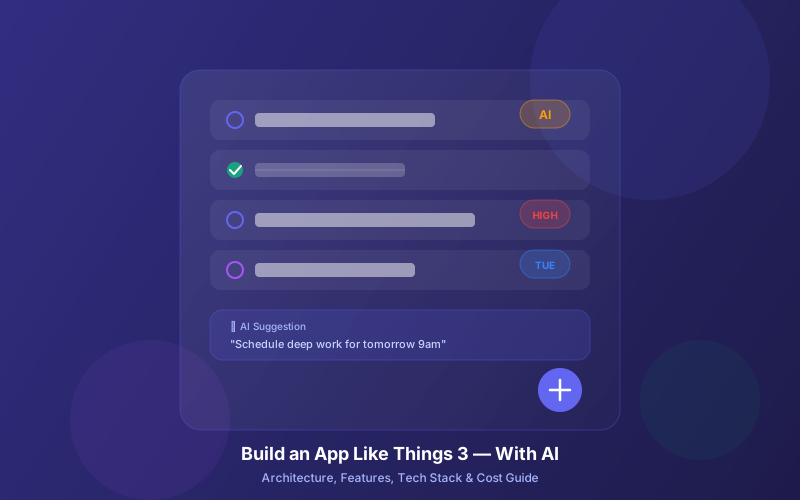
Things 3 by Cultured Code is one of the most beloved task management apps ever built. It won an Apple Design Award, holds a 4.8-star rating across the App Store, and has been the go-to personal productivity tool for power users since 2017. Its design is so refined that reviewers call it "the rare to-do list app that doesn't try to force you into a particular way of thinking."
But Things 3 also has real gaps. No collaboration. No Android or web app. No public API. No AI features. No file attachments. Users have been requesting these for years, and Cultured Code's development pace is famously slow. The AI task manager app market hit $2.66 billion in 2026 and is growing at 8.97% CAGR — there's a massive opportunity to build something that keeps what makes Things 3 great while fixing what it gets wrong.
This guide breaks down exactly how to build a Things 3-caliber task management app in the AI era: the features that make it special, the gaps you can exploit, the tech stack decisions, AI capabilities that didn't exist when Things 3 launched, and how Lushbinary can help you ship it.
📋 Table of Contents
- 1. What Makes Things 3 So Good
- 2. Things 3 Limitations & User Feature Requests
- 3. Market Opportunity: AI-Powered Task Management
- 4. Core Feature Set for Your Things 3 Alternative
- 5. AI Features That Change the Game
- 6. Tech Stack Decision: Native vs Cross-Platform
- 7. Architecture & System Design
- 8. Sync, Offline-First & Data Layer
- 9. Design Principles from Things 3
- 10. Monetization Strategy
- 11. Development Timeline & Cost Estimates
- 12. How Lushbinary Builds Apps Like This
1What Makes Things 3 So Good
Before building a competitor, you need to understand why Things 3 has such a loyal following. It's not just a to-do list — it's a carefully designed system built around the Getting Things Done (GTD) methodology by David Allen. Here's what Cultured Code nailed:
GTD-Native Architecture
Things 3 organizes work into Inbox (capture everything), Today (daily focus), Upcoming (scheduled future), Anytime (available but not urgent), Someday (on hold), and Logbook (completed archive). This maps directly to GTD's workflow stages, making it intuitive for productivity enthusiasts.
Projects, Areas & Headings
Areas represent ongoing responsibilities (Work, Health, Family). Projects live inside areas and have clear completion criteria. Headings within projects let you break work into phases or milestones. This three-level hierarchy is powerful enough for complex work without becoming overwhelming.
Design That Disappears
Things 3's UI is famously minimal. To-dos open as clean white cards. Extra fields (tags, checklists, dates, deadlines) are tucked away until needed. Animations are smooth and purposeful. The Magic Plus button lets you drag-and-drop new tasks exactly where you want them. Every interaction feels deliberate.
Key Features That Users Love
- Today & This Evening — Split your day into daytime and evening tasks with calendar events inline
- Quick Find (Type Travel) — Start typing anywhere on Mac to instantly search and navigate
- Natural language dates — Type "next Tuesday 3pm" and Things parses it automatically
- Checklists — Sub-steps within a to-do for multi-step tasks that don't need a full project
- Repeating to-dos — Flexible recurrence patterns for habits and routines
- Tags — Cross-cutting labels for context filtering (e.g., @errands, @calls, @deep-work)
- Siri & Shortcuts integration — Voice capture and automation workflows
- Markdown support — Rich notes within tasks
- Things Cloud sync — Fast, reliable sync across all Apple devices via iCloud
- Mail to Things — Forward emails to create tasks automatically
💡 Design Insight
Things 3's pricing model is one-time purchase: $9.99 (iPhone), $19.99 (iPad), and $49.99 (Mac). No subscription. This is rare in 2026 and a major selling point for users tired of subscription fatigue — but it also limits Cultured Code's revenue for ongoing development.
2Things 3 Limitations & User Feature Requests
Despite its polish, Things 3 has significant gaps that long-time users consistently flag. These represent your biggest opportunities when building a competitor:
| Limitation | User Impact | Opportunity |
|---|---|---|
| No collaboration / task sharing | Can't share projects with teams or family | Add shared workspaces with real-time sync |
| Apple-only (no Android, Windows, web) | Locks out 72% of global smartphone users | Cross-platform from day one |
| No public API | No Zapier, no custom integrations | REST/GraphQL API + webhooks + MCP server |
| No file attachments | Can't attach documents, images, or files to tasks | S3-backed file attachments with preview |
| No calendar integration | Calendar events are read-only, can't block time | Two-way calendar sync with time blocking |
| No location-based reminders | Can't trigger tasks when arriving at a location | Geofence-triggered task surfacing |
| Limited recurring tasks | Can't check off future repeats or skip instances | Flexible recurrence with skip/defer/complete-ahead |
| No AI features | No smart scheduling, no NLP, no priority suggestions | AI-powered task creation, scheduling & insights |
| Vendor lock-in | Proprietary format, painful to migrate away | Open export formats (JSON, CSV, Markdown) |
| Slow development pace | Major features take years to ship | Agile releases with community feedback loops |
⚠️ What Users Are Saying
Product Hunt reviews in 2026 consistently praise Things 3's reliability and design but criticize its slow evolution. Multiple long-time users (8-10 years) have publicly documented switching away due to the lack of collaboration, integrations, and cross-platform support. The common sentiment: "excellent for personal task management, but less convincing for broader team work."
3Market Opportunity: AI-Powered Task Management
The timing for building a Things 3 alternative has never been better. The AI task manager app market reached $2.66 billion in 2026 and is projected to grow to $5.76 billion by 2035 at an 8.97% CAGR (source). The broader productivity apps market is even larger at $14.46 billion in 2026, growing to $30.85 billion by 2034 (Fortune Business Insights).
Why Now?
- AI capabilities are production-ready — GPT-4o, Claude Opus 4.6, and on-device models like Apple Intelligence make NLP task parsing, smart scheduling, and context-aware suggestions viable at consumer-app scale
- Cross-platform frameworks have matured — Flutter 3.41 and React Native deliver near-native performance with shared codebases, eliminating Things 3's biggest limitation
- Users expect AI — Todoist, ClickUp, and Notion have all shipped AI features. A premium task manager without AI feels incomplete in 2026
- Subscription fatigue creates an opening — Things 3's one-time purchase model is beloved. A hybrid model (one-time + optional AI subscription) could capture both audiences
- Remote work is permanent — The need for personal + team task management in a single tool keeps growing
🎯 Target Users
Freelancers, solopreneurs, small teams, and productivity enthusiasts who want Things 3's elegance with modern AI features and cross-platform access
💰 Revenue Model
One-time purchase for core features ($14.99-$49.99 per platform) + optional AI Pro subscription ($4.99/mo) for smart scheduling, NLP, and advanced analytics
4Core Feature Set for Your Things 3 Alternative
Your MVP needs to match Things 3's core experience while adding the features users have been requesting. Here's the feature breakdown by priority:
Phase 1: MVP (Months 1-4)
- Inbox, Today, Upcoming, Anytime, Someday, Logbook — GTD-native list structure
- Projects with headings — Hierarchical task organization with progress tracking
- Areas of responsibility — Top-level categories for life domains
- Tags & filtering — Cross-cutting labels with multi-tag filter views
- Checklists within tasks — Sub-steps for multi-part to-dos
- Natural language date parsing — "Tomorrow 3pm", "next Friday", "in 2 weeks"
- Repeating tasks — Daily, weekly, monthly, custom patterns with skip/defer
- Reminders & notifications — Time-based push notifications
- Offline-first sync — Works without internet, syncs when connected
- Markdown notes — Rich text within tasks
- Quick capture widget — Home screen widget for instant task entry
Phase 2: Differentiation (Months 5-7)
- Collaboration & shared projects — Invite team members, assign tasks, comment threads
- File attachments — Images, PDFs, documents attached to tasks with preview
- Two-way calendar sync — Google Calendar, Apple Calendar, Outlook integration with time blocking
- Public REST API & webhooks — Enable Zapier, Make, and custom integrations
- Web app — Full-featured browser version for any platform
- Location-based reminders — Geofence triggers for context-aware task surfacing
- Data export — JSON, CSV, Markdown export for zero vendor lock-in
Phase 3: AI-Powered Features (Months 6-9)
- AI task creation from voice/text — Describe what you need to do in natural language
- Smart priority scoring — AI ranks tasks by urgency, importance, and deadlines
- Automatic time estimation — Predict how long tasks will take based on history
- Intelligent scheduling — AI suggests optimal time slots based on calendar and energy patterns
- Project breakdown assistant — Describe a goal and AI generates a project with tasks and milestones
- Productivity analytics — Weekly reports on completion rates, focus time, and patterns
5AI Features That Change the Game
This is where your app leapfrogs Things 3. AI capabilities that weren't feasible when Things 3 launched in 2017 are now production-ready and affordable. Here's how to implement each one:
Natural Language Task Creation
Things 3 has basic natural language date parsing ("tomorrow", "next week"). Your app should go further: parse full sentences into structured tasks. "Email the Q2 report to Sarah by Friday, it's high priority" should create a task with the title "Email Q2 report to Sarah", deadline Friday, priority high, and tag @email.
// Example: AI task parsing with structured output
Input: "Buy groceries for dinner tonight, need chicken, rice, and vegetables"
Output: {
title: "Buy groceries for dinner",
when: "today_evening",
tags: ["@errands"],
checklist: ["Chicken", "Rice", "Vegetables"]
}
Use OpenAI's GPT-4o with structured outputs or Claude's tool use to extract task fields reliably. For on-device privacy, Apple Intelligence or smaller models like Gemma can handle basic parsing without sending data to the cloud.
Smart Priority Scoring
Instead of manual priority levels (Things 3 doesn't even have these), use AI to calculate a dynamic priority score based on:
- Deadline proximity (urgency increases as deadlines approach)
- Task dependencies (blocked tasks drop, unblocking tasks rise)
- Historical patterns (tasks you tend to procrastinate get flagged)
- Energy level matching (deep work tasks surface during focus hours)
- Context awareness (location, time of day, current calendar)
AI Project Breakdown
One of the hardest parts of task management is breaking big goals into actionable steps. Your AI assistant can take a goal like "Launch my podcast" and generate a complete project with tasks, estimated durations, dependencies, and suggested deadlines. The user reviews, edits, and confirms — the AI does the heavy lifting of planning.
Intelligent Scheduling & Time Blocking
Connect to the user's calendar and use AI to suggest when to work on each task. The system learns their patterns: when they do deep work, when they handle admin, when they exercise. It then auto-suggests time blocks that respect existing commitments and energy cycles.
🤖 AI Implementation Tip
Start with cloud-based AI (GPT-4o or Claude) for the MVP, then add on-device models for latency-sensitive features like quick capture parsing. A hybrid approach keeps costs manageable while delivering instant responses where they matter most.
Productivity Analytics & Insights
Things 3 has no analytics. Your app can show weekly completion rates, average task age, most productive hours, overdue patterns, and personalized suggestions. "You complete 40% more tasks when you plan the night before" is the kind of insight that keeps users engaged and improves their workflow.
6Tech Stack Decision: Native vs Cross-Platform
This is the most consequential architectural decision you'll make. Things 3 went native Apple (Swift/Objective-C) and it shows in the polish — but it also means they can't serve Android, Windows, or web users. Here are your options:
| Approach | Stack | Pros | Cons |
|---|---|---|---|
| Native Apple | SwiftUI + CloudKit + Core Data | Best UX, deepest OS integration, Apple Intelligence | Apple-only (same limitation as Things 3) |
| Flutter | Flutter 3.41 + Dart 3.7 + Supabase/Firebase | Single codebase for iOS, Android, web, desktop. Hot reload | Slightly less native feel on iOS. Larger app size |
| React Native | React Native + TypeScript + Expo | Large ecosystem, web code sharing, OTA updates | Performance ceiling for complex animations |
| Hybrid | SwiftUI (Apple) + Kotlin Multiplatform (Android) + shared backend | Native UX on both platforms, shared business logic | Higher cost, two UI codebases to maintain |
✅ Our Recommendation
For most teams, Flutter 3.41 is the best balance of reach, performance, and development speed. You get iOS, Android, web, and desktop from a single codebase. Flutter's Impeller rendering engine delivers smooth 120fps animations that rival native apps. Pair it with a Node.js + PostgreSQL backend on AWS for the API, sync, and AI orchestration layer. At Lushbinary, we've shipped production Flutter apps with this exact stack — see our Flutter development guide.
7Architecture & System Design
A Things 3-caliber app needs a thoughtful architecture that supports offline-first operation, real-time sync, AI processing, and collaboration. Here's the high-level system design:
Key Architecture Decisions
Offline-First with CRDTs
Use Conflict-free Replicated Data Types for seamless offline editing. Changes merge automatically when connectivity returns — no conflict dialogs.
Event Sourcing for Sync
Store every task change as an immutable event. This enables undo/redo, audit trails, and reliable multi-device sync without data loss.
AI as a Microservice
Keep AI processing in a separate service behind a queue. This isolates latency, allows model swapping, and prevents AI failures from affecting core task operations.
WebSocket for Real-Time
Socket.IO with Redis adapter for horizontal scaling. Collaboration features (shared projects, live cursors) need sub-second updates across devices.
8Sync, Offline-First & Data Layer
Sync is the hardest engineering problem in a task management app. Things 3 built their own "Things Cloud" sync engine, and it's one of their strongest features — fast, reliable, and invisible. Your sync layer needs to match this quality.
Sync Strategy: Event Sourcing + CRDTs
Every user action (create task, move task, check off, edit title) becomes an immutable event with a timestamp and device ID. Events sync to the server and fan out to other devices. CRDTs handle concurrent edits — if you edit a task title on your phone while editing the same task's due date on your Mac, both changes merge cleanly.
// Event sourcing model for task changes
interface TaskEvent {
id: string; // UUID
taskId: string; // Target task
type: "create" | "update" | "delete" | "move" | "complete";
payload: Record<string, unknown>;
timestamp: number; // Lamport clock
deviceId: string; // Origin device
userId: string;
}
Local Database
For Flutter, use Drift (SQLite wrapper) or Isar for the local database. For React Native, WatermelonDB is purpose-built for offline-first sync. For native SwiftUI, Core Data + CloudKit gives you Apple's built-in sync for free.
Server Database Schema
PostgreSQL with tables for users, workspaces, areas, projects, tasks, tags, task_tags, checklists, events (for sync), and attachments. Use row-level security (RLS) with Supabase or custom middleware for multi-tenant isolation. Index on (user_id, updated_at) for efficient sync queries.
9Design Principles from Things 3
Things 3's design is its moat. If you want to compete, you need to match its level of craft. Here are the design principles to steal:
Progressive Disclosure
Show only what's needed. Extra fields (tags, dates, checklists) appear on demand, not by default. Reduce cognitive load.
Direct Manipulation
Drag-and-drop everything. Tasks, headings, projects. The Magic Plus button pattern — grab and place — is genius UX.
Purposeful Animation
Every animation communicates state change. Tasks slide into place, completed items fade with satisfaction. Never animate for decoration.
Spatial Consistency
Lists always appear in the same sidebar position. Navigation is predictable. Users build muscle memory fast.
Keyboard-First (Desktop)
Things 3's Type Travel lets you navigate the entire app by typing. Power users never touch the mouse. Build keyboard shortcuts from day one.
Touch-First (Mobile)
Swipe gestures for common actions (schedule, move, delete). Multi-select with finger swipe. Haptic feedback on completion.
🎨 Design Reality Check
Cultured Code spent years perfecting Things 3's custom animation toolkit. You don't need to match every micro-interaction at launch. Focus on getting the information architecture right (GTD flow, progressive disclosure) and nail 3-4 signature interactions (task completion, drag-to-reorder, quick capture). Polish the rest iteratively.
10Monetization Strategy
Things 3's one-time purchase model ($9.99 iPhone, $19.99 iPad, $49.99 Mac) is beloved by users but limits recurring revenue. The total cost for all platforms is $79.97 — a one-time investment that funds years of use. Here's how to build a sustainable business model:
Recommended: Hybrid Model
| Tier | Price | Includes |
|---|---|---|
| Free | $0 | Core task management, 1 device, local storage, 50 tasks |
| Pro (one-time) | $29.99-$49.99 | Unlimited tasks, all devices, sync, tags, areas, projects, file attachments, API access |
| AI Pro (subscription) | $4.99/mo or $39.99/yr | AI task creation, smart scheduling, priority scoring, project breakdown, analytics, collaboration (5 members) |
| Team | $8.99/user/mo | Everything in AI Pro + unlimited collaboration, admin controls, team analytics, priority support |
This model respects the Things 3 audience (one-time purchase for core features) while creating sustainable recurring revenue through AI features that have real ongoing costs (LLM API calls, compute). The free tier drives adoption, the one-time Pro purchase captures the anti-subscription crowd, and AI Pro/Team tiers fund continued development.
11Development Timeline & Cost Estimates
Here's a realistic breakdown for building a Things 3-caliber app with AI features. Costs assume a mid-senior development team and include design, development, QA, and infrastructure:
| Phase | Timeline | Cost Range | Deliverables |
|---|---|---|---|
| Discovery & Design | 3-4 weeks | $15,000-$25,000 | User research, wireframes, UI design system, architecture docs |
| MVP (Phase 1) | 12-16 weeks | $80,000-$130,000 | Core task management, sync, iOS + Android + web, basic NLP dates |
| Differentiation (Phase 2) | 8-12 weeks | $50,000-$80,000 | Collaboration, file attachments, calendar sync, API, web app |
| AI Features (Phase 3) | 8-12 weeks | $40,000-$70,000 | AI task creation, smart scheduling, priority scoring, analytics |
| Total | 7-11 months | $185,000-$305,000 | Full-featured AI task management app |
💡 Cost Optimization
Using AI-assisted development tools (Claude Code, Cursor, Kiro) can reduce development time by 30-40% for boilerplate code, API integrations, and test writing. At Lushbinary, we use these tools daily to ship faster without sacrificing quality — see our AI coding tools comparison.
Ongoing Costs (Monthly)
- AWS infrastructure: $200-$800/mo for early stage (ECS Fargate, RDS, ElastiCache, S3, CloudFront)
- AI API costs: $0.50-$2.00 per active AI user/month (GPT-4o mini for most tasks, GPT-4o for complex parsing)
- Push notifications: $50-$200/mo (Firebase Cloud Messaging + APNs)
- Monitoring & logging: $100-$300/mo (Datadog or CloudWatch)
12How Lushbinary Builds Apps Like This
At Lushbinary, we've built production mobile apps, AI integrations, and real-time systems for clients across industries. A Things 3-caliber task management app sits squarely in our wheelhouse. Here's what we bring to the table:
- Flutter & React Native expertise — We've shipped cross-platform apps with offline-first sync, push notifications, and native platform integrations
- AI integration experience — We integrate OpenAI, Claude, and on-device models into production apps with proper error handling, fallbacks, and cost optimization
- AWS infrastructure — ECS Fargate, RDS, ElastiCache, S3, CloudFront — we design and deploy scalable backends with cost optimization built in from day one
- Real-time systems — WebSocket-based collaboration, live sync, and push notification architectures
- UI/UX design — We design interfaces that match the polish users expect from premium productivity apps
- App Store submission — End-to-end iOS and Android store submission, including TestFlight, review handling, and compliance
We don't just write code — we help you define the product strategy, prioritize features for market fit, and architect systems that scale. Whether you're building a Things 3 competitor, a niche task management tool for a specific industry, or adding AI productivity features to an existing app, we can help.
🚀 Free Consultation
Have an idea for a task management app or productivity tool? Book a free 30-minute call with our team. We'll review your concept, discuss the tech stack, estimate costs, and outline a development roadmap — no strings attached. Book your call →
❓ Frequently Asked Questions
How much does it cost to build an app like Things 3?
A cross-platform MVP with AI features typically costs $80,000-$250,000. A full-featured app with collaboration, file attachments, and advanced AI ranges from $185,000-$305,000 over 7-11 months. Native Apple-only development costs more due to separate codebases for each platform.
What tech stack should I use to build a task management app like Things 3?
For cross-platform: Flutter 3.41 + Node.js + PostgreSQL + Redis on AWS. For Apple-only: SwiftUI + CloudKit + Core Data. Add AI with OpenAI GPT-4o for NLP task parsing and smart scheduling, or on-device models for privacy-first features.
What are the main limitations of Things 3 that users complain about?
No collaboration or task sharing, Apple-only (no Android/Windows/web), no public API, no file attachments, limited recurring tasks, no location-based reminders, slow development pace, and vendor lock-in with proprietary data format.
How can AI improve a task management app beyond what Things 3 offers?
AI enables natural language task creation from voice or text, smart priority scoring, automatic time estimation, intelligent calendar-aware scheduling, project breakdown from goals, context-aware reminders, and personalized productivity analytics.
Should I build a Things 3 alternative as Apple-only or cross-platform?
Cross-platform is the stronger business move. Things 3's Apple-only limitation is its most criticized gap. Flutter lets you reach iOS, Android, web, and desktop from a single codebase while keeping costs 40-60% lower than separate native apps.
📚 Sources
- Things 3 Official Features Page — Cultured Code
- Things 3 on the App Store — Apple
- Things 3 Reviews 2026 — Product Hunt
- AI Task Manager App Market Size — Business Web Wire
- Productivity Apps Market Size — Fortune Business Insights
Content was rephrased for compliance with licensing restrictions. Market data sourced from official industry reports as of April 2026. Pricing and feature details sourced from official product pages. Pricing and features may change — always verify on the vendor's website.
Related reading: How to Hire a Flutter Developer · How to Hire an Expert Software Developer · AI Coding Agents Comparison
Ready to Build Your Task Management App?
Whether you're building a Things 3 alternative, an AI-powered productivity tool, or a niche task manager for your industry — Lushbinary can take you from concept to App Store. Let's talk.
Build Smarter, Launch Faster.
Book a free strategy call and explore how LushBinary can turn your vision into reality.

