
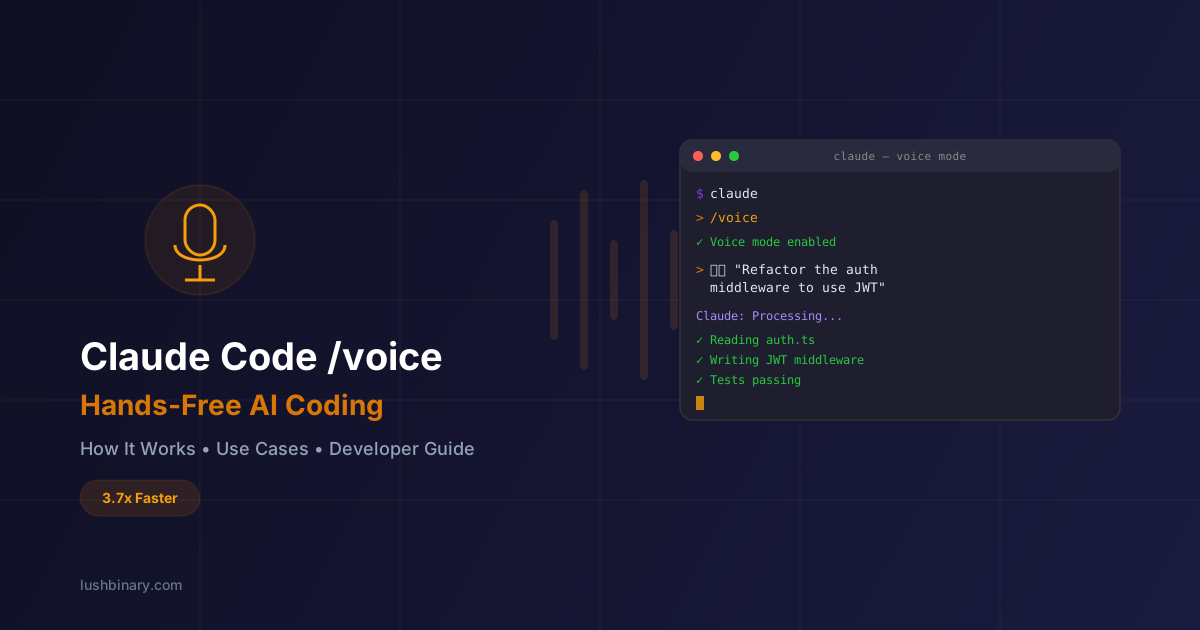
On March 3, 2026, Anthropic quietly shipped one of the most interesting updates to Claude Code yet: Voice Mode. Instead of typing every prompt, you can now speak to your terminal and have Claude write, refactor, and execute code based on your verbal instructions. It sounds simple, but the implications for developer workflow are significant.
The feature was announced by Anthropic engineer Thariq Shihipar on X, noting that it's currently live for about 5% of users with a broader rollout planned over the coming weeks. In this guide, we break down how it works, why the 3.7x speed gap between speaking and typing matters, practical use cases, limitations, and how it stacks up against the competition.
Whether you're already on Claude Code or evaluating AI coding tools, this is a feature worth understanding.
📋 Table of Contents
- 1.What Is Claude Code Voice Mode?
- 2.How to Activate & Use /voice
- 3.The 3.7x Speed Gap: Why Voice Matters
- 4.Practical Use Cases for Voice Coding
- 5.Who Gets Access & What It Costs
- 6.Limitations & Open Questions
- 7.Voice Mode vs the Competition
- 8.Tips for Getting the Most Out of Voice Mode
- 9.What This Means for the Future of Coding
- 10.How Lushbinary Can Help
1What Is Claude Code Voice Mode?
Claude Code Voice Mode is a hands-free input method for Anthropic's terminal-native AI coding assistant. Instead of typing prompts into the CLI, you speak naturally and Claude processes your verbal instructions — writing code, running commands, explaining logic, or refactoring files.
This builds on the voice capabilities Anthropic first introduced for the general-purpose Claude chatbot in May 2025, which allowed conversational voice interactions on iOS and Android. Extending voice to Claude Code — a developer-focused, terminal-native tool — signals a strategic shift toward making AI coding assistants truly conversational.
Key point: Voice Mode doesn't replace the keyboard. It's an additional input channel. Spoken commands are transcribed at the cursor position, so you can seamlessly switch between typing and speaking within the same session.
2How to Activate & Use /voice
Getting started with Voice Mode is straightforward:
Step 1: Check Access
Look for a note on the Claude Code welcome screen indicating voice mode is available. It's currently rolling out to ~5% of users.
Step 2: Toggle It On
Type /voice in your Claude Code session to enable voice mode. Type it again to toggle it off.
Step 3: Speak Your Command
Long-press the spacebar to start speaking. Release to have Claude process your instruction. Your speech is transcribed at the cursor position.
Step 4: Watch Claude Execute
Claude processes your verbal instruction the same way it handles typed prompts — reading files, writing code, running terminal commands, and iterating.
// Example voice workflow
$ claude
> /voice                    # Toggle voice mode on
> [long-press spacebar]     # "Refactor the auth middleware
                            #  to use JWT tokens instead of
                            #  session cookies"
> [release spacebar]        # Claude processes and executes

Claude: I'll refactor the auth middleware...
  ✓ Reading src/middleware/auth.ts
  ✓ Writing updated JWT-based middleware
  ✓ Updating 3 route handlers
✓ Running tests... all passing3The 3.7x Speed Gap: Why Voice Matters
The core thesis behind Voice Mode is simple math: humans speak at roughly 150 words per minute but type at around 40 WPM. That's a 3.7x efficiency gap on the single most common action in AI-assisted coding — telling the AI what to do.
With AI coding tools, the bottleneck has shifted. The model can generate code faster than you can read it. The limiting factor is no longer the AI's output speed — it's your input speed. Voice mode attacks this bottleneck directly.
| Input Method | Speed (WPM) | Relative Speed | Best For |
|---|---|---|---|
| Typing | ~40 | 1x | Precise code edits, syntax-heavy input |
| Voice | ~150 | 3.7x | Describing intent, architecture, bug reports |
| Voice + Typing (hybrid) | Varies | 2-3x | Best of both — voice for intent, keyboard for precision |
The real productivity gain isn't just raw WPM. It's cognitive. When you type a complex prompt, you're simultaneously thinking about what to say and how to type it. Voice removes the typing overhead entirely, letting you focus purely on describing the problem. Early adopters report reduced cognitive load and faster iteration cycles, particularly for tasks that involve explaining context rather than writing precise syntax.
Think of it this way: You wouldn't type out a bug report to a colleague sitting next to you. You'd just describe it. Voice Mode brings that same natural interaction to AI-assisted coding.
4Practical Use Cases for Voice Coding
Voice Mode isn't a replacement for typing — it's an accelerator for specific workflows. Here's where it shines:
Bug Triage
Describe the bug verbally — what you expected, what happened, and where you think the issue is. Claude investigates and proposes a fix.
Architecture Discussions
Talk through design decisions out loud. "Should we use a queue here or go with direct API calls?" Claude can reason through trade-offs.
Refactoring Requests
"Refactor the payment service to use the strategy pattern" is faster to say than type, especially with context about why.
Code Reviews
Walk through a PR verbally, pointing out concerns. Claude can generate review comments or suggest improvements.
Test Generation
"Write integration tests for the checkout flow covering edge cases around expired coupons and out-of-stock items."
Documentation
Dictate documentation naturally. Explaining a system verbally often produces clearer docs than writing from scratch.
The pattern is clear: voice works best when you're describing intent, context, or high-level instructions. For precise syntax edits or single-line changes, typing is still faster. The ideal workflow combines both — voice for the "what" and "why," keyboard for the "exactly this character on line 47."
5Who Gets Access & What It Costs
Voice Mode is rolling out gradually. Here's the current state as of March 2026:
| Plan | Price | Voice Mode | Notes |
|---|---|---|---|
| Free | Free | ❌ | Not available on free tier |
| Pro | $20/mo | ✅ | Included, no extra cost |
| Max 5x | $100/mo | ✅ | Included, no extra cost |
| Max 20x | $200/mo | ✅ | Included, no extra cost |
| Teams | $150/user/mo | ✅ | Included for all team members |
| Enterprise | Custom | ✅ | Included |
Rollout status: As of March 3, 2026, Voice Mode is live for approximately 5% of paid users. Anthropic is ramping access over the coming weeks. You'll see a notification on the Claude Code welcome screen once you have access.
6Limitations & Open Questions
Voice Mode is promising, but there are unknowns. Anthropic hasn't published detailed documentation yet, and several questions remain:
- Language support: It's unclear whether voice input supports languages beyond English. The general Claude chatbot voice mode launched in English first, with multilingual support added later.
- Accuracy in noisy environments: Terminal-based voice input in a busy office or coffee shop could produce transcription errors. No noise cancellation details have been shared.
- Technical jargon handling: How well does it transcribe framework names, library names, and code-specific terminology? "Refactor the useEffect hook" vs "refactor the use effect hook" matters.
- Voice provider: Anthropic hasn't confirmed whether the speech-to-text is built in-house or uses a third-party provider like ElevenLabs, with whom they've reportedly been in discussions.
- Privacy: Voice data handling and retention policies haven't been detailed. For enterprise users working with sensitive codebases, this matters.
- Latency: The gap between releasing the spacebar and seeing the transcription hasn't been benchmarked publicly. Any noticeable delay could break the conversational flow.
These are early-rollout concerns. Anthropic will likely address most of them as the feature matures and reaches general availability. For now, it's worth trying if you have access, but don't restructure your entire workflow around it yet.
7Voice Mode vs the Competition
Claude Code isn't the first AI coding tool to explore voice input, but it's the first major one to ship it natively. Here's how the landscape looks:
| Tool | Native Voice | Voice Approach |
|---|---|---|
| Claude Code | ✅ | Built-in /voice command with spacebar activation |
| Cursor | ❌ | No native voice; third-party tools like AquaVoice work |
| GitHub Copilot | ❌ | No native voice support |
| Windsurf | ❌ | No native voice support |
| Google Antigravity | ❌ | No native voice (yet — Google has the tech) |
| OpenAI Codex | ❌ | No native voice in CLI; ChatGPT voice is separate |
| Kiro | ❌ | No native voice support |
Third-party voice input tools like AquaVoice have filled the gap for other IDEs, offering voice-to-text that works across any application. But native integration has advantages: tighter context awareness, no extra subscription, and a seamless push-to-talk experience designed specifically for coding workflows.
Expect competitors to follow. Google has deep speech recognition expertise (Whisper, Gemini), and OpenAI already has voice in ChatGPT. The question is when, not if, voice becomes standard across all AI coding tools.
8Tips for Getting the Most Out of Voice Mode
Based on early usage patterns and the general principles of voice-driven development, here are practical tips:
- Use voice for high-level intent, keyboard for precision: Say "add error handling to the payment service with retry logic and exponential backoff" verbally, then use the keyboard to tweak specific values or variable names.
- Speak in complete thoughts: Unlike typing where you might iterate on a prompt, voice works best when you describe the full task in one go. Think before you press the spacebar.
- Include context verbally: "In the user service, the getUserById function is throwing a null reference when the cache misses. Add a fallback to the database query." The more context you provide, the better Claude's response.
- Combine with /clear: After completing a voice-driven task, use
/clearto reset context before starting a new one. This prevents token bloat from accumulated voice transcriptions. - Use a decent microphone: Built-in laptop mics work, but a dedicated microphone or headset will improve transcription accuracy, especially for technical terms.
- Speak framework and library names clearly: Enunciate "Next.js" not "next js," "PostgreSQL" not "postgres sequel." The transcription model needs clear input for technical vocabulary.
Pro tip: Voice Mode pairs well with Claude Code's plan mode (Shift+Tab twice). Describe the task verbally, let Claude create a plan, review it visually, then approve execution. This gives you the speed of voice input with the safety of plan-first development.
9What This Means for the Future of Coding
Voice Mode in Claude Code is an early signal of a broader shift. The trajectory is clear: AI coding tools are moving from text-in-text-out interfaces toward multimodal, conversational development environments.
Consider what's coming next:
- Full-duplex voice: Real-time back-and-forth conversation while coding, similar to pair programming with a human colleague. No push-to-talk, just continuous dialogue.
- Voice + visual context: Describing a UI bug while the AI sees your screen. "See that button? It's overlapping the nav on mobile."
- Ambient coding assistants: Always-listening development environments that proactively suggest improvements as you discuss code with teammates.
- Accessibility improvements: Voice-first coding opens doors for developers with RSI, mobility limitations, or visual impairments who find keyboard-heavy workflows challenging.
Claude Code's run-rate revenue surpassing $2.5 billion in February 2026 — more than doubling since the start of the year — shows the market is ready for these innovations. Weekly active users have doubled since January. Voice Mode is Anthropic's bet that reducing input friction is the next frontier, not just making models smarter.
The future of programming may not just be written. It may be spoken.
10How Lushbinary Can Help
At Lushbinary, we help teams adopt AI-powered development workflows that actually ship results. Whether you're integrating Claude Code into your team's stack, optimizing your AI tool spend, or building products that leverage the latest AI capabilities, we bring hands-on experience with every major AI coding tool.
AI Tool Strategy
We help you pick the right AI coding tools for your team size, budget, and workflow — and avoid overspending.
Workflow Integration
From Claude Code to Cursor to Kiro, we set up AI-assisted development pipelines that fit your existing processes.
Cost Optimization
AI tool costs can spiral. We audit your usage, optimize token consumption, and recommend the right plan tiers.
Custom AI Solutions
Need AI capabilities beyond off-the-shelf tools? We build custom integrations, MCP servers, and AI-powered features.
🚀 Want to integrate AI coding tools into your team's workflow? Get a free 30-minute consultation. We'll assess your current setup and recommend the right tools and strategies.
📚 Sources
- TechCrunch — Claude Code rolls out a voice mode capability
- Innovation Village — Anthropic Launches Voice Mode for Claude Code
- NewsBytes — Anthropic's Claude Code now lets you use voice commands
Content was rephrased for compliance with licensing restrictions.
Build Smarter, Launch Faster.
Book a free strategy call and explore how LushBinary can turn your vision into reality.

