

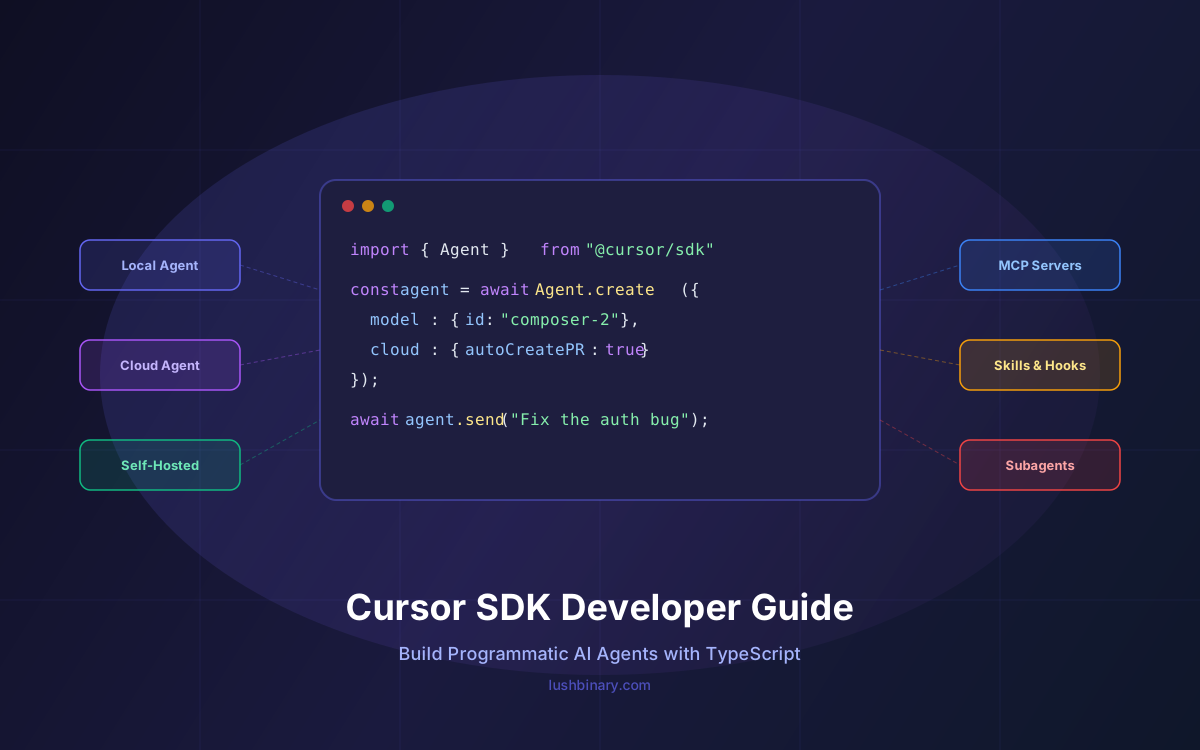
Cursor just shipped the most significant addition to its platform since Composer 2: the Cursor SDK. With a single npm install @cursor/sdk, you get programmatic access to the same agent runtime, model harness, and cloud infrastructure that powers the Cursor desktop app, CLI, and web app — all from a few lines of TypeScript.
This isn't just another API wrapper. The SDK lets you spin up coding agents that run locally on your machine, on Cursor's cloud VMs, or on self-hosted workers — with full access to codebase indexing, MCP servers, skills, hooks, and subagents. Teams are already using it to automate CI/CD pipelines, build internal agent platforms, and embed coding agents directly into customer-facing products.
In this guide, we break down everything developers need to know: the SDK's architecture, execution modes, the Composer 2 model that makes it cost-effective, real-world use cases, pricing, and how it compares to Claude Code SDK and OpenAI Codex. Whether you're evaluating it for your team or ready to build, this is the complete picture.
📋 Table of Contents
- What Is the Cursor SDK & Why It Matters
- Getting Started: Installation & First Agent
- Three Execution Modes: Local, Cloud & Self-Hosted
- The Full Cursor Harness: Indexing, MCP, Skills, Hooks & Subagents
- Composer 2: The Model That Makes It Affordable
- Architecture & How It Works Under the Hood
- Real-World Use Cases & What Teams Are Building
- Pricing & Cost Optimization
- Cursor SDK vs Claude Code SDK vs OpenAI Codex
- Building Programmatic Agents with Lushbinary
1What Is the Cursor SDK & Why It Matters
The Cursor SDK (@cursor/sdk) is a TypeScript package released in public beta that exposes the same agent runtime powering Cursor's desktop app, CLI, and web app as a programmatic API. Instead of interacting with agents through a GUI, you create, configure, and orchestrate them from code.
The timing is significant. Cursor (built by Anysphere) has grown from roughly $1M ARR in December 2023 to over $2B ARR by Q1 2026, with a valuation approaching $50B. The company launched Cursor 3 on April 2, 2026 — a complete interface redesign built around autonomous agents rather than files. The SDK is the programmatic counterpart to that vision: agents as infrastructure, not just interactive tools.
What makes the SDK different from simply calling an LLM API is the harness. When you create an agent through the SDK, it gets the full Cursor stack:
- Codebase indexing — semantic search and instant grep across your repo
- MCP servers — connect to external tools and data sources via stdio or HTTP
- Skills — agents pick up skills from your repo's
.cursor/skills/directory - Hooks — observe, control, and extend the agent loop via
.cursor/hooks.json - Subagents — delegate subtasks to named subagents with their own prompts and models
This is the difference between "call an LLM and parse the output" and "deploy a production-grade coding agent that understands your codebase."
2Getting Started: Installation & First Agent
Getting started takes about two minutes. You need Node.js 18+ and a Cursor API key (generate one at Cursor Dashboard → Integrations).
npm install @cursor/sdk
Here's the minimal example — a local agent that summarizes a repository:
import { Agent } from "@cursor/sdk";

const agent = await Agent.create({
  apiKey: process.env.CURSOR_API_KEY!,
  model: { id: "composer-2" },
  local: { cwd: process.cwd() },
});

const run = await agent.send(
  "Summarize what this repository does"
);

for await (const event of run.stream()) {
  console.log(event);
}
The Agent.create() call configures the agent with a model and execution mode. The agent.send() method dispatches a prompt and returns a run object with an async iterable stream. Events include tool calls, file edits, terminal commands, and the final response.
Cursor also provides a Cursor SDK plugin for the IDE, so Cursor itself can help you write code against the SDK — a nice meta touch.
💡 Starter Projects
Cursor maintains a public cookbook repo with four starter projects: a quickstart, a prototyping web app, an agent-powered kanban board, and a coding agent CLI. Fork and extend for your own use case.
3Three Execution Modes: Local, Cloud & Self-Hosted
The SDK supports three execution modes, each suited to different workflows. You switch between them by changing the configuration object — the agent API stays the same.
Local Mode
The agent runs on your machine, reading and writing files in the specified working directory. Best for fast iteration, local testing, and development workflows where you want to see changes in real time.
const agent = await Agent.create({
  apiKey: process.env.CURSOR_API_KEY!,
  model: { id: "composer-2" },
  local: { cwd: "/path/to/your/repo" },
});
Cloud Mode
Cloud sessions run on Cursor's optimized runtime — the same infrastructure used for Cloud Agents in the desktop app. Each agent gets a dedicated VM with strong sandboxing, a clone of your repo, and a fully configured development environment. Agents keep running when your laptop sleeps or your network drops.
const agent = await Agent.create({
  apiKey: process.env.CURSOR_API_KEY!,
  model: { id: "gpt-5.5" },
  cloud: {
    repos: [{
      url: "https://github.com/your-org/your-repo",
      startingRef: "main",
    }],
    autoCreatePR: true,
  },
});

const run = await agent.send("Fix the auth token expiry bug");
console.log(`Started ${run.id}`);

// Check back later from anywhere:
const result = await (
  await Agent.getRun(run.id, {
    runtime: "cloud",
    agentId: run.agentId,
  })
).wait();
console.log(result.git?.branches[0]?.prUrl);
Cloud runs show up in Cursor's Agents Window and web app. You can start a task programmatically and then jump into the IDE to inspect progress or take over. When the agent finishes, it can open a PR, push a branch, or attach demos and screenshots.
Self-Hosted Mode
For teams that need code and tool execution inside their own network, the SDK can run agents on self-hosted workers. This keeps everything on your infrastructure while still using Cursor's model routing and harness capabilities. Ideal for enterprises with strict data residency or compliance requirements.
4The Full Cursor Harness: Indexing, MCP, Skills, Hooks & Subagents
The harness is what separates the Cursor SDK from a raw LLM API call. Every agent launched through the SDK benefits from the same infrastructure that powers Cursor across all its surfaces.
🔍 Intelligent Context Management
Codebase indexing, semantic search, and instant grep help agents navigate large repos efficiently. The agent doesn't just see the file you point it at — it understands the full codebase structure.
🔌 MCP Servers
Agents connect to external tools and data sources over stdio or HTTP via the Model Context Protocol. Configure via .cursor/mcp.json or pass inline.
🧠 Skills
Agents automatically pick up skills from your repo's .cursor/skills/ directory. Skills are markdown files that teach agents domain-specific workflows, coding patterns, and project conventions.
🪝 Hooks
Observe, control, and extend the agent loop with a .cursor/hooks.json file. Hooks work across cloud, self-hosted, and local execution — same config, same behavior.
🤖 Subagents
Delegate subtasks to named subagents with their own prompts and models. The main agent spawns subagents via the Agent tool, enabling hierarchical task decomposition for complex workflows.
All of these features are configured through your repo's .cursor/ directory. The SDK reads the same config files the desktop app uses, so there's zero duplication between interactive and programmatic workflows.
5Composer 2: The Model That Makes It Affordable
The SDK's default model is Composer 2, Cursor's in-house coding model released on March 18, 2026. It's the reason programmatic agents are now economically viable at scale.
| Metric | Composer 2 | Claude Opus 4.7 | GPT-5.5 |
|---|---|---|---|
| CursorBench | 61.3 | ~55 | ~53 |
| Terminal-Bench 2.0 | 61.7 | ~57 | ~55 |
| SWE-bench Multilingual | 73.7 | ~70 | ~68 |
| Input ($/M tokens) | $0.50 | $5.00 | $2.50 |
| Output ($/M tokens) | $2.50 | $25.00 | $15.00 |
| Context Window | 200K | 200K | 1M |
Benchmark data sourced from Cursor's official announcement and DataCamp's analysis. Opus 4.7 and GPT-5.5 scores are approximate comparisons based on Cursor's infrastructure testing.
The numbers tell a clear story: Composer 2 matches or exceeds frontier models on coding benchmarks while costing 10x less than Claude Opus 4.7 per input token and 5x less than GPT-5.5. For programmatic agents that might run hundreds of tasks per day, this cost difference is the difference between viable and prohibitive.
Composer 2 also ships with a fast variant at $1.50/$7.50 per million tokens for real-time interactive sessions where latency matters more than cost. The standard variant is better for batch and background workloads.
💰 Cost Example
A typical CI/CD agent run that reads ~50K tokens of context and generates ~10K tokens of output costs roughly $0.05 with Composer 2 standard. Running 100 such tasks per day would cost about $5/day or ~$150/month — compared to ~$1,500/month with Claude Opus 4.7 for the same workload.
6Architecture & How It Works Under the Hood
The Cursor SDK sits between your application code and Cursor's agent infrastructure. Here's how the pieces fit together:
The key architectural insight is that the SDK doesn't just proxy API calls. It manages the full agent lifecycle:
- Session creation — provisions the execution environment (local process, cloud VM, or self-hosted worker)
- Context loading — indexes the codebase, loads skills, configures MCP servers and hooks
- Task execution — the agent reasons, reads files, writes code, runs commands, and spawns subagents as needed
- Streaming — events are streamed back to your application in real time via an async iterable
- Completion — the agent can push branches, open PRs, attach artifacts, or return structured results
Cloud runs are durable — they survive network disconnections and laptop sleep. You can reconnect to a running agent from anywhere using Agent.getRun() with the run ID.
7Real-World Use Cases & What Teams Are Building
The SDK is already being used in production by companies like Faire, Rippling, Notion, and C3 AI. Here are the patterns emerging:
CI/CD Pipeline Agents
The most common use case. Teams trigger SDK agents from GitHub Actions, GitLab CI, or Jenkins to:
- Summarize PR changes and generate release notes automatically
- Identify root causes for CI failures and push fixes
- Run automated code reviews with project-specific rules via skills
- Generate and update documentation when code changes
- Enforce coding standards and architectural patterns
Internal Agent Platforms
Some teams are building internal applications on top of the SDK. For example, a GTM team querying product data without writing code, or an ops team running database migrations through a chat interface backed by SDK agents.
Customer-Facing Products
The most ambitious use case: embedding Cursor agents directly into customer-facing products. End users get an agent experience — code generation, debugging, refactoring — without leaving the host application. The SDK handles all the complexity of sandboxing, model routing, and context management.
Agent-Powered Kanban
One of Cursor's sample projects demonstrates an agent-powered kanban board where engineers drag a card and agents programmatically pick up the work, open a PR, and post the result back as an attachment. This pattern — human intent → agent execution → artifact delivery — is the template for most SDK integrations.
🏢 Enterprise Adoption
Faire's engineering team highlighted the SDK as a path to running programmatic agents on Cursor's cloud runtime without managing VMs or working around memory limits. Their goal: keep the codebase healthy without constant developer intervention.
8Pricing & Cost Optimization
The Cursor SDK uses token-based consumption pricing — you pay for the tokens your agents consume, not per-seat or per-run. This aligns costs with actual usage, which is important for programmatic workloads that can vary wildly in volume.
| Model | Input ($/M) | Output ($/M) | Best For |
|---|---|---|---|
| Composer 2 (Standard) | $0.50 | $2.50 | Batch / CI/CD |
| Composer 2 (Fast) | $1.50 | $7.50 | Interactive |
| Claude Opus 4.7 | $5.00 | $25.00 | Complex reasoning |
| GPT-5.5 | $2.50 | $15.00 | Omnimodal tasks |
| Gemini 3.1 Pro | $1.25 | $5.00 | Long context |
Pricing sourced from Cursor's pricing policy and Vantage's cost analysis. Prices as of April 2026.
Cost Optimization Strategies
- Default to Composer 2 Standard for all background and batch workloads. It's frontier-level at coding tasks and 10x cheaper than Opus.
- Use model routing — route simple tasks (linting, formatting, doc generation) to Composer 2 and complex reasoning tasks (architecture decisions, security reviews) to Opus 4.7 or GPT-5.5.
- Minimize context size by using skills and hooks to pre-filter relevant files instead of loading entire repos into context.
- Batch similar tasks into single agent sessions to amortize the context-loading cost across multiple operations.
- Use local mode for development and cloud mode only for production workloads that need durability and isolation.
9Cursor SDK vs Claude Code SDK vs OpenAI Codex
The Cursor SDK enters a market with two established programmatic agent platforms. Here's how they compare:
| Feature | Cursor SDK | Claude Code SDK | OpenAI Codex |
|---|---|---|---|
| Paradigm | IDE-grade harness | Terminal-first | Async fire-and-forget |
| Language | TypeScript | Python / TypeScript | REST API |
| Default Model | Composer 2 | Claude Opus 4.7 | GPT-5-Codex |
| Multi-Model | ✅ Any Cursor model | ❌ Claude only | ❌ OpenAI only |
| Codebase Indexing | ✅ Built-in | ✅ 200K context | ⚠️ Limited |
| MCP Support | ✅ Native | ✅ Native | ❌ No |
| Cloud Execution | ✅ Dedicated VMs | ❌ Local only | ✅ Cloud sandbox |
| Self-Hosted | ✅ Yes | ✅ Yes | ❌ No |
| Skills / Rules | ✅ .cursor/skills/ | ✅ CLAUDE.md | ⚠️ Basic |
| Hooks | ✅ .cursor/hooks.json | ✅ Hooks system | ❌ No |
| Subagents | ✅ Named subagents | ✅ Agent teams | ✅ Worktrees |
| PR Creation | ✅ Auto | ✅ Via git | ✅ Auto |
| Cheapest Option | $0.50/M input | $3.00/M input | $2.50/M input |
When to Choose Each
- Cursor SDK — Best for teams that want the full IDE-grade harness (indexing, MCP, skills, hooks, subagents) in programmatic workflows. The multi-model support and Composer 2 pricing make it the most cost-effective option for high-volume agent workloads.
- Claude Code SDK — Best for teams that prioritize deep reasoning and are already invested in the Anthropic ecosystem. Claude Opus 4.7's 200K context window and agent teams are strong for complex, multi-step tasks.
- OpenAI Codex — Best for teams that want async, fire-and-forget execution with tight GitHub/Slack integration. The worktree-based parallel execution is unique. But the lack of MCP support and model lock-in are limitations.
For most teams building programmatic agents in 2026, the Cursor SDK offers the best combination of capability, flexibility, and cost. The multi-model support alone is a significant advantage — you're not locked into a single provider's pricing or capabilities. Read our full AI coding agents comparison for a broader view of the landscape.
10Building Programmatic Agents with Lushbinary
The Cursor SDK lowers the barrier to building programmatic agents, but deploying them reliably at scale still requires thoughtful architecture. At Lushbinary, we help teams design, build, and operate agent-powered workflows that actually ship.
Here's what we bring to the table:
- Agent architecture design — we help you decide which tasks to automate, which models to route to, and how to structure skills and hooks for your codebase
- CI/CD agent integration — we build SDK-powered agents into your GitHub Actions, GitLab CI, or Jenkins pipelines with proper error handling, retries, and cost monitoring
- Multi-model routing — we implement intelligent model selection that routes tasks to the right model based on complexity, cost, and latency requirements
- Custom MCP servers — we build MCP integrations that connect your agents to internal tools, databases, and APIs
- Production guardrails — we implement the safety guardrails that prevent agents from causing damage in production environments
- Cost optimization — we monitor token usage, optimize context sizes, and implement caching strategies to keep your agent costs predictable
🚀 Free Consultation
Want to build programmatic agents with the Cursor SDK? Lushbinary specializes in AI-powered developer tooling and agent infrastructure. We'll scope your use case, recommend the right architecture, and give you a realistic timeline — no obligation.
❓ Frequently Asked Questions
What is the Cursor SDK?
The Cursor SDK (@cursor/sdk) is a TypeScript package that lets developers build programmatic AI coding agents using the same runtime, harness, and models that power the Cursor IDE. It supports local, cloud, and self-hosted execution modes.
How much does the Cursor SDK cost?
The SDK uses token-based consumption pricing. With Composer 2, standard pricing is $0.50 per million input tokens and $2.50 per million output tokens. A fast variant costs $1.50/$7.50 per million tokens. Other models like Claude Opus 4.7 and GPT-5.5 are available at their respective rates.
Can I run Cursor SDK agents in CI/CD pipelines?
Yes. The SDK is designed for programmatic use in CI/CD pipelines, scheduled automations, and backend services. Teams use it to summarize PR changes, auto-fix CI failures, generate documentation, and run code reviews without human intervention.
What models does the Cursor SDK support?
The SDK supports every model available in Cursor, including Composer 2 (Cursor's in-house model), Claude Opus 4.7, GPT-5.5, Gemini 3.1 Pro, and others. You select the model via a single field in the Agent.create() configuration.
How does the Cursor SDK compare to Claude Code SDK and OpenAI Codex?
The Cursor SDK provides a full agent harness with codebase indexing, MCP servers, skills, hooks, and subagents out of the box. Claude Code SDK is terminal-first with deep reasoning via Opus 4.7. OpenAI Codex is async fire-and-forget with cloud sandboxes. Cursor SDK is best for teams wanting IDE-grade tooling in programmatic workflows.
📚 Sources
- Cursor SDK Official Announcement — cursor.com
- Cursor SDK Changelog Entry — cursor.com
- Introducing Composer 2 — cursor.sh
- Composer 2: Benchmarks, Pricing, and How It Compares — DataCamp
- Cursor's Composer 2: What It Means for Your AI Coding Costs — Vantage
- Cursor Pricing Policy — cursor.com
- What Is Cursor 3? Agents, Worktrees, and What's New — DataCamp
Content was rephrased for compliance with licensing restrictions. Pricing and benchmark data sourced from official Cursor announcements and independent analyses as of April 2026. Pricing and features may change — always verify on the vendor's website.
Build Programmatic Agents with Lushbinary
From CI/CD automation to customer-facing agent products, we help teams design and deploy Cursor SDK agents that ship real value. Let's talk about your use case.
Ready to Build Something Great?
Get a free 30-minute strategy call. We'll map out your project, timeline, and tech stack - no strings attached.
Prefer email? Reach us directly:


