
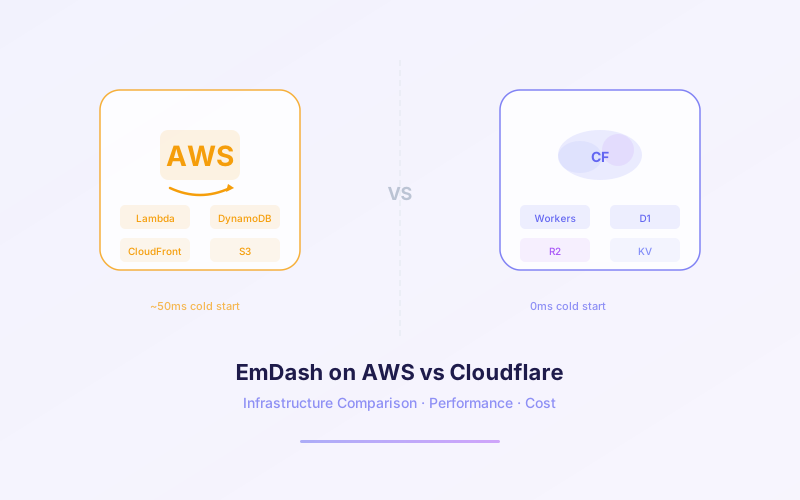
EmDash — Cloudflare's open-source, MIT-licensed CMS built as a modern successor to WordPress — was designed to run serverless on Cloudflare Workers. But it's also a standard Astro 6 / TypeScript application that runs on any Node.js server. That means you have a real choice: deploy on Cloudflare's edge network, or host on AWS infrastructure you already know.
This guide compares both options across cost, performance, architecture, plugin sandboxing, database choices, and deployment workflows — with real pricing numbers and benchmarks so you can make an informed decision. If you're new to EmDash, start with our complete EmDash developer guide first.
📋 Table of Contents
- 1.Why Hosting Choice Matters for EmDash
- 2.Cloudflare Workers Architecture for EmDash
- 3.Deploying EmDash on AWS
- 4.Cost Comparison at Different Traffic Levels
- 5.Performance Benchmarks: Cold Start, Latency & Throughput
- 6.Plugin Sandboxing Differences
- 7.Database Options: Cloudflare vs AWS
- 8.CI/CD and Deployment Workflows
- 9.When to Choose Each Option
- 10.How Lushbinary Deploys EmDash
1Why Hosting Choice Matters for EmDash
EmDash isn't locked to Cloudflare. Unlike WordPress — which practically requires LAMP — EmDash is a TypeScript application built on Astro 6 that compiles to standard JavaScript. It runs anywhere Node.js runs. But "runs anywhere" doesn't mean "runs the same everywhere."
Your hosting choice affects three things directly:
- Cost structure: Cloudflare bills per-request with generous free tiers. AWS bills per-hour (EC2/Fargate) or per-invocation (Lambda) with separate charges for networking, storage, and data transfer.
- Plugin security model: EmDash's signature feature — sandboxed plugins via Dynamic Workers — only works on Cloudflare. On AWS, plugins run in the main Node.js process.
- Global latency: Cloudflare deploys to 300+ edge locations automatically. AWS requires you to architect multi-region deployments yourself.
💡 Key Insight
For most teams, the decision comes down to: do you need Cloudflare's plugin sandboxing and edge performance, or do you need AWS's ecosystem of managed services (RDS, ElastiCache, SQS, etc.) and existing infrastructure? Both are valid — the right answer depends on your stack.
2Cloudflare Workers Architecture for EmDash
Cloudflare Workers is the native deployment target for EmDash. When you run npx create-emdash, the default output is a Workers-ready project. Understanding the architecture explains why EmDash was built this way.
V8 Isolates: Not Containers, Not VMs
Workers don't run in containers or virtual machines. Each request executes inside a V8 isolate — the same JavaScript engine that powers Chrome. Isolates start in under 5 milliseconds (compared to 200ms+ for Lambda cold starts and seconds for containers). They share no memory with other isolates, providing security isolation without the overhead of a full OS or container runtime.
For EmDash, this means every incoming request — page render, API call, admin action — spins up in milliseconds with near-zero overhead. There are no warm-up pools to manage, no provisioned concurrency to pay for.
Scale-to-Zero
Workers scale to zero automatically. If your EmDash site gets no traffic at 3 AM, you pay nothing. When traffic spikes, Workers scales horizontally across Cloudflare's network without any configuration. There are no Auto Scaling groups, no minimum task counts, no idle instances burning money.
300+ Data Centers
Your EmDash site deploys to every Cloudflare data center simultaneously — over 300 locations in 100+ countries. A visitor in Tokyo hits the Tokyo edge. A visitor in São Paulo hits the São Paulo edge. There's no CDN configuration, no origin-pull architecture, no multi-region deployment to manage. The compute runs at the edge.
# EmDash on Cloudflare Workers — Architecture
┌─────────────────────────────────────────────────┐
│              Cloudflare Edge Network             │
│                 300+ Locations                   │
│                                                  │
│  ┌──────────┐  ┌──────────┐  ┌──────────┐      │
│  │ V8 Isolate│  │ V8 Isolate│  │ V8 Isolate│     │
│  │ (EmDash) │  │ (EmDash) │  │ (EmDash) │      │
│  └────┬─────┘  └────┬─────┘  └────┬─────┘      │
│       │              │              │             │
│  ┌────┴──────────────┴──────────────┴────┐      │
│  │         Cloudflare D1 (SQLite)        │      │
│  │         Cloudflare KV (Cache)         │      │
│  │         R2 (Object Storage)           │      │
│  └───────────────────────────────────────┘      │
└─────────────────────────────────────────────────┘

Cold start: <5ms  |  Scale: Automatic  |  Regions: All
3Deploying EmDash on AWS
EmDash runs on AWS as a standard Node.js application. You have three primary compute options, each with different cost and operational trade-offs. For a deeper look at AWS cost strategies, see our AWS cost optimization guide.
Option 1: ECS Fargate
The most straightforward path. Containerize EmDash with Docker, push to ECR, and run on Fargate. No EC2 instances to manage, no patching, no SSH. Fargate bills per vCPU-hour and GB-hour of memory.
- Minimum cost: ~$30–50/month for a single 0.25 vCPU / 0.5 GB task running 24/7
- Scaling: ECS Service Auto Scaling based on CPU, memory, or request count via ALB
- Cold start: 30–60 seconds for new tasks (image pull + container startup)
- Best for: Teams already using ECS, need persistent connections, or want predictable billing
Option 2: EC2 (Direct or via ASG)
Run EmDash directly on an EC2 instance with Node.js. The cheapest option for always-on workloads, especially with Reserved Instances or Savings Plans.
- Minimum cost: ~$12/month for a t4g.small (2 vCPU, 2 GB RAM, ARM64/Graviton) with a 1-year Savings Plan
- Scaling: Auto Scaling Groups with ALB health checks
- Cold start: Minutes (new instance launch), but near-zero for warm instances
- Best for: Cost-sensitive deployments, teams comfortable with server management, or when you need full OS access
Option 3: AWS Lambda
Run EmDash as a Lambda function behind API Gateway or a Lambda Function URL. This gives you scale-to-zero like Workers, but with higher cold starts and different constraints.
- Cost: $0.20 per 1M invocations + $0.0000166667 per GB-second. Free tier: 1M requests + 400,000 GB-seconds/month.
- Scaling: Automatic, up to 1,000 concurrent executions (default, can be increased)
- Cold start: 200–800ms depending on bundle size and memory allocation. Provisioned concurrency eliminates cold starts but adds cost.
- Best for: Low-traffic sites that need scale-to-zero, or as a cost-effective alternative to Fargate for intermittent workloads
# EmDash on AWS — Architecture Options
┌─────────────────────────────────────────────────┐
│                   AWS Region                     │
│                                                  │
│  Option A: ECS Fargate          Option B: EC2   │
│  ┌──────────────────┐    ┌──────────────────┐   │
│  │  ALB → Fargate   │    │  ALB → EC2 (ASG) │   │
│  │  Task (Node.js)  │    │  Node.js process  │   │
│  └────────┬─────────┘    └────────┬─────────┘   │
│           │                       │              │
│  Option C: Lambda                                │
│  ┌──────────────────┐                            │
│  │  API GW → Lambda │                            │
│  │  (Node.js 22)    │                            │
│  └────────┬─────────┘                            │
│           │                                      │
│  ┌────────┴──────────────────────────────┐      │
│  │  RDS/Aurora (PostgreSQL/MySQL)        │      │
│  │  DynamoDB (NoSQL)                     │      │
│  │  S3 (Object Storage)                  │      │
│  │  ElastiCache (Redis)                  │      │
│  └───────────────────────────────────────┘      │
└─────────────────────────────────────────────────┘

Cold start: 200ms–60s  |  Scale: Configured  |  Regions: You choose
4Cost Comparison at Different Traffic Levels
The cost picture changes dramatically depending on traffic volume. Cloudflare dominates at low traffic thanks to its free tier. AWS becomes competitive at scale, especially with commitment discounts. Here's a side-by-side comparison across four traffic tiers.
| Traffic Tier | CF Workers | AWS Fargate | AWS EC2 | AWS Lambda |
|---|---|---|---|---|
| Hobby (100K req/mo) | $0 (free tier) | ~$35/mo | ~$12/mo | ~$0 (free tier) |
| Startup (3M req/mo) | ~$6.50/mo | ~$35–50/mo | ~$12–24/mo | ~$4–8/mo |
| Growth (30M req/mo) | ~$20/mo | ~$60–120/mo | ~$24–48/mo | ~$40–80/mo |
| Scale (100M+ req/mo) | ~$55/mo | ~$150–300/mo | ~$48–96/mo | ~$120–200/mo |
📊 Pricing Assumptions
Cloudflare Workers: Free tier = 100,000 requests/day (~3M/month). Paid plan = $5/month base + $0.50 per million requests. CPU time included up to 10ms/request on free, 30ms on paid. AWS Fargate: 0.25 vCPU / 0.5 GB task, us-east-1 on-demand pricing. EC2: t4g.small with 1-year Compute Savings Plan (~$12/mo). On-demand ~$24/mo. Lambda: 256 MB memory, 100ms avg duration, ARM64. All AWS estimates exclude data transfer, ALB ($16/mo), and database costs. See our AWS hidden costs guide for the full picture.
The Hidden Costs on AWS
The table above shows compute costs only. On AWS, you also pay for:
- Application Load Balancer: ~$16/month base + $0.008 per LCU-hour (required for Fargate and EC2 behind ASG)
- NAT Gateway: $0.045/GB processed + $32/month per gateway (if your tasks need internet access from private subnets)
- Data transfer: $0.09/GB for internet egress (first 100 GB/month free)
- CloudWatch Logs: $0.50/GB ingested, $0.03/GB stored
- ECR storage: $0.10/GB/month for Docker images
On Cloudflare, all of these are included. There are no separate charges for load balancing, logging, or egress. The pricing is what you see: $5/month + $0.50 per million requests.
5Performance Benchmarks: Cold Start, Latency & Throughput
Performance is where the architectural differences become most visible. Cloudflare's edge model and V8 isolates give it structural advantages in latency and cold start. AWS offers more raw compute power and flexibility for CPU-intensive workloads.
| Metric | CF Workers | AWS Lambda | AWS Fargate | AWS EC2 |
|---|---|---|---|---|
| Cold start | <5ms | 200–800ms | 30–60s (new task) | N/A (always warm) |
| P50 latency (same region) | 1–3ms | 5–15ms | 2–5ms | 1–3ms |
| P50 latency (cross-continent) | 5–15ms | 80–200ms | 80–200ms | 80–200ms |
| Max CPU time/request | 30ms (paid) / 10ms (free) | 15 min timeout | Unlimited | Unlimited |
| Max memory | 128 MB | 10 GB | 120 GB | Instance-dependent |
| Concurrent scaling | Automatic (no limit) | 1,000 default | Configured (ASG) | Configured (ASG) |
Why Edge Latency Matters for CMS
For a CMS like EmDash, most requests are page renders and asset serves — latency-sensitive operations where time-to-first-byte (TTFB) directly impacts user experience and SEO. Cloudflare's edge deployment means TTFB is consistently low regardless of where your visitors are. On AWS, a single-region deployment in us-east-1 serves US East visitors fast but adds 150–250ms of network latency for visitors in Asia or Europe.
You can mitigate this on AWS with CloudFront caching for static assets, but dynamic page renders (admin panel, API calls, preview mode) still hit the origin. Multi-region deployments on AWS are possible but add significant complexity and cost — you need database replication, cross-region load balancing, and deployment coordination.
⚡ Workers CPU Limit
The 30ms CPU time limit on Workers (paid plan) is wall-clock CPU time, not total request duration. I/O operations (database queries, fetch calls) don't count against this limit. For a typical EmDash page render that queries D1 and returns HTML, 30ms of CPU is more than enough. Heavy image processing or complex computations may hit this limit — for those, AWS Lambda or Fargate gives you more headroom.
6Plugin Sandboxing Differences
EmDash's plugin system is its most significant architectural innovation over WordPress. Every plugin declares capabilities in a manifest file and runs in a sandboxed environment. But the sandboxing implementation differs fundamentally between Cloudflare and AWS.
Cloudflare: Dynamic Workers (V8 Isolates)
On Cloudflare, each plugin runs in its own Dynamic Worker — a separate V8 isolate with its own memory space. A plugin that declares capabilities: ["content:read", "email:send"] can literally do nothing else. It cannot access the filesystem, read other plugins' data, or make network requests to undeclared endpoints. If a plugin is compromised, the blast radius is limited to its declared capabilities.
This is the security model that addresses WordPress's biggest vulnerability: plugins with unrestricted access. Patchstack's 2026 report found that 91% of WordPress vulnerabilities originate in plugins. EmDash's isolate model makes that class of attack structurally impossible on Cloudflare.
AWS: Node.js Process (No Isolate Sandboxing)
When running EmDash on AWS with Node.js, plugins execute in the main Node.js process. The capability manifest is still enforced at the application level — EmDash's runtime checks that plugins only call APIs they've declared. But there's no V8 isolate boundary. A malicious or buggy plugin could theoretically access process memory, environment variables, or the filesystem.
Mitigation strategies on AWS:
- Container isolation: Run each EmDash instance in its own Fargate task with minimal IAM permissions. A compromised plugin can't escape the container.
- Strict IAM policies: Use least-privilege IAM roles so the EmDash process can only access the specific AWS resources it needs (its database, its S3 bucket, nothing else).
- Plugin vetting: Without isolate-level sandboxing, code review of third-party plugins becomes critical. Only install plugins from trusted sources.
- Network policies: Use VPC security groups and NACLs to restrict outbound network access from the EmDash container.
⚠️ Security Trade-off
If plugin security is your primary concern — especially if you plan to install third-party plugins from the EmDash marketplace — Cloudflare's Dynamic Workers provide a fundamentally stronger security boundary than anything achievable on AWS without significant custom infrastructure. For sites using only first-party plugins you control, the AWS approach is perfectly adequate.
7Database Options: Cloudflare vs AWS
EmDash needs a database for content storage, a key-value store for caching and sessions, and object storage for media uploads. Both platforms offer these, but with very different characteristics.
| Need | Cloudflare | AWS |
|---|---|---|
| Relational DB | D1 (SQLite at edge, 5 GB free, $0.75/M reads) | RDS PostgreSQL (~$15–30/mo), Aurora Serverless v2 (scales to zero) |
| Key-Value Store | KV (free tier: 100K reads/day, $0.50/M reads paid) | DynamoDB ($1.25/M writes, $0.25/M reads) or ElastiCache (~$13+/mo) |
| Object Storage | R2 (10 GB free, $0.015/GB/mo, zero egress fees) | S3 ($0.023/GB/mo, $0.09/GB egress) |
| Full-Text Search | Vectorize or external (Algolia, Meilisearch) | OpenSearch (~$25+/mo) or external |
| Edge Caching | Built-in (Cache API, KV, Workers Cache) | CloudFront + ElastiCache or DAX |
D1 vs RDS: The Core Trade-off
Cloudflare D1 is a globally distributed SQLite database that runs at the edge. It's fast for reads (data is replicated close to your Workers), has a generous free tier (5 GB storage, 5M reads/day), and costs almost nothing at moderate scale. The trade-off: D1 is SQLite, not PostgreSQL. You get SQL, but not the full feature set of a traditional RDBMS — no stored procedures, limited concurrent writes, and a 10 GB max database size.
AWS gives you the full power of RDS PostgreSQL, Aurora, or DynamoDB. If your EmDash site needs complex queries, joins across large datasets, or integration with existing AWS databases, RDS is the better choice. But it comes with a minimum cost floor (~$15/month for the smallest RDS instance) and single-region latency.
R2 vs S3: Egress Is the Difference
Both R2 and S3 are S3-compatible object stores. The key difference: R2 charges zero egress fees. S3 charges $0.09/GB for data transfer out. For a media-heavy EmDash site serving images and videos, this can be a significant cost difference. A site serving 1 TB of media per month pays $0 in R2 egress vs ~$90 in S3 egress (before CloudFront). You can also use R2 as your object store even when running EmDash on AWS — R2 is S3-compatible and accessible from anywhere.
8CI/CD and Deployment Workflows
Deployment experience is a practical differentiator. Cloudflare optimizes for simplicity. AWS optimizes for flexibility. Both support modern CI/CD pipelines, but the setup effort differs significantly.
Cloudflare: Wrangler CLI
EmDash ships with Wrangler integration out of the box. Deployment is a single command:
# Deploy EmDash to Cloudflare Workers
npx wrangler deploy

# Preview deployment (staging URL)
npx wrangler dev

# GitHub Actions workflow
name: Deploy EmDash
on:
  push:
    branches: [main]
jobs:
  deploy:
    runs-on: ubuntu-latest
    steps:
      - uses: actions/checkout@v4
      - uses: actions/setup-node@v4
        with:
          node-version: 22
      - run: npm ci
      - run: npx wrangler deploy
        env:
          CLOUDFLARE_API_TOKEN: ${{ secrets.CF_API_TOKEN }}
That's it. No Docker builds, no ECR pushes, no task definition updates, no rolling deployments to configure. Wrangler handles bundling, uploading, and atomic deployment. Rollbacks are instant — Cloudflare keeps previous versions and you can roll back from the dashboard or CLI.
AWS: Container Pipeline
Deploying EmDash on AWS (Fargate/EC2) requires a container pipeline:
# AWS deployment pipeline (simplified)
# 1. Build Docker image
docker build -t emdash-app .

# 2. Push to ECR
aws ecr get-login-password | docker login --username AWS --password-stdin \
  123456789.dkr.ecr.us-east-1.amazonaws.com
docker tag emdash-app:latest 123456789.dkr.ecr.us-east-1.amazonaws.com/emdash:latest
docker push 123456789.dkr.ecr.us-east-1.amazonaws.com/emdash:latest

# 3. Update ECS service (triggers rolling deployment)
aws ecs update-service \
  --cluster emdash-cluster \
  --service emdash-service \
  --force-new-deployment

# Deployment time: 3-5 minutes (image pull + health check)
For Lambda deployments, you can use the Serverless Framework, AWS SAM, or CDK. The pipeline is simpler than containers but still requires bundling configuration and API Gateway setup.
For teams already running AWS infrastructure, this pipeline integrates naturally with CodePipeline, CodeBuild, or GitHub Actions with AWS credentials. For teams starting fresh, the Cloudflare path is meaningfully faster to set up. For a complete guide on hosting static assets alongside your EmDash deployment, see our S3 + CloudFront startup hosting guide.
🔄 Deployment Speed Comparison
Cloudflare Workers deployment: ~10 seconds from wrangler deploy to live globally. AWS Fargate deployment: 3–5 minutes (image build + push + rolling update). AWS Lambda deployment: 30–60 seconds (bundle + upload). For teams that deploy frequently, the Cloudflare speed advantage compounds.
9When to Choose Each Option
There's no universal answer. The right choice depends on your team's existing infrastructure, traffic patterns, security requirements, and operational preferences. Here's a decision framework.
Choose Cloudflare Workers When:
- You want the lowest possible cost — especially for sites under 3M requests/month where the free tier covers you
- Global latency matters — your audience is distributed across continents and you need consistent sub-10ms TTFB
- Plugin security is critical — you plan to use third-party plugins and need isolate-level sandboxing
- You want zero ops — no servers, no containers, no scaling configuration, no patching
- Fast deployment cycles — 10-second deploys with instant global propagation
- You're starting fresh — no existing AWS infrastructure to integrate with
Choose AWS When:
- You have existing AWS infrastructure — RDS databases, VPCs, IAM policies, monitoring already in place
- You need managed relational databases — PostgreSQL, Aurora, or MySQL with full SQL capabilities beyond SQLite
- CPU-intensive workloads — image processing, PDF generation, or heavy computation that exceeds Workers' 30ms CPU limit
- Compliance requirements — specific region restrictions, VPC isolation, or audit logging that requires AWS infrastructure controls
- Integration with AWS services — SQS, SNS, Step Functions, Cognito, or other AWS services your application depends on
- Team expertise — your team knows AWS deeply and the operational overhead is already absorbed
| Factor | Winner | Why |
|---|---|---|
| Cost (low traffic) | Cloudflare | Free tier covers most hobby/startup sites |
| Cost (high traffic) | Tie | AWS with Savings Plans can match CF at scale |
| Global latency | Cloudflare | 300+ edge locations vs 1-3 AWS regions |
| Plugin security | Cloudflare | V8 isolate sandboxing per plugin |
| Database flexibility | AWS | Full PostgreSQL/Aurora vs SQLite (D1) |
| Compute power | AWS | No CPU time limits, up to 120 GB RAM |
| Deployment speed | Cloudflare | 10s global deploy vs 3-5 min container pipeline |
| Ecosystem breadth | AWS | 200+ managed services vs CF's focused set |
10How Lushbinary Deploys EmDash
At Lushbinary, we've deployed EmDash for clients on both platforms. Our default recommendation depends on the client's situation:
- New projects without existing AWS infrastructure: We deploy on Cloudflare Workers. The cost savings, deployment speed, and plugin security make it the clear default. Most client sites run well within the free tier during development and early launch.
- Clients with existing AWS stacks: We deploy EmDash on ECS Fargate alongside their existing services. This lets EmDash connect to their RDS databases, use their VPC networking, and integrate with their CI/CD pipelines without introducing a new platform.
- Hybrid approach: For some clients, we use Cloudflare Workers for the public-facing site (edge performance, scale-to-zero) and AWS for backend services (database, media processing, integrations). R2 serves as the shared object store since it's S3-compatible and egress-free.
Our typical Cloudflare deployment pipeline:
# Lushbinary EmDash deployment workflow
# 1. Developer pushes to main branch
# 2. GitHub Actions triggers:

- npm ci
- npm run build          # Astro 6 build
- npm run test           # Unit + integration tests
- npx wrangler deploy    # Deploy to CF Workers (10s)
- npm run smoke-test     # Hit production endpoints

# Total pipeline time: ~90 seconds
# Rollback: wrangler rollback (instant)

# For AWS clients:
- docker build + push to ECR
- aws ecs update-service --force-new-deployment
- Wait for health check (3-5 min)
- Smoke test production endpoints
We monitor all EmDash deployments with Cloudflare Analytics (for Workers) or CloudWatch + X-Ray (for AWS). Both platforms provide sufficient observability for production CMS workloads. The key metrics we track: P99 latency, error rate, cache hit ratio, and database query time.
💡 Our Recommendation
If you're starting a new EmDash project and don't have strong reasons to use AWS, start with Cloudflare Workers. You can always migrate to AWS later if your needs change — EmDash's Node.js compatibility makes the migration straightforward. Going the other direction (AWS → Cloudflare) is also possible but requires adapting your database layer from RDS to D1.
❓ Frequently Asked Questions
How much does it cost to host EmDash on Cloudflare Workers vs AWS?
Cloudflare Workers offers a free tier of 100,000 requests per day and a paid plan at $5/month plus $0.50 per million requests. AWS hosting starts at roughly $12/month for a t4g.small EC2 instance, $30-50/month for ECS Fargate, or pay-per-invocation with Lambda. For sites under 3 million requests per month, Cloudflare is significantly cheaper.
Can EmDash run on AWS instead of Cloudflare?
Yes. EmDash is built on Astro 6 and can run on any Node.js server. You can deploy it on AWS using ECS Fargate, EC2, Lambda with a custom runtime, or App Runner. However, plugin sandboxing via Dynamic Workers is only available on Cloudflare — on AWS, plugins run in the main Node.js process.
What are the performance differences between EmDash on Cloudflare vs AWS?
Cloudflare Workers run on V8 isolates across 300+ data centers worldwide, delivering sub-5ms cold starts and single-digit millisecond latency for most visitors. AWS deployments typically run in 1-3 regions with cold starts ranging from 200ms (Lambda) to near-zero (EC2/Fargate with warm instances), but higher baseline latency for users far from the deployment region.
Does EmDash plugin sandboxing work on AWS?
EmDash's plugin sandboxing via Dynamic Workers (V8 isolates) is a Cloudflare-specific feature. When running on AWS with Node.js, plugins execute in the main process without isolate-level sandboxing. You can mitigate this with container-level isolation, strict IAM policies, and code review processes.
Which hosting option is best for a high-traffic EmDash site?
For high-traffic sites (10M+ requests/month), both platforms are viable. Cloudflare Workers scales automatically at $5/month plus $0.50 per million requests. AWS can be cost-competitive at scale using Reserved Instances or Savings Plans, especially if you need custom infrastructure like RDS databases or complex networking.
📚 Sources
- Cloudflare Blog: Introducing EmDash
- Cloudflare Workers Pricing
- Cloudflare D1 Pricing
- AWS Fargate Pricing
- AWS Lambda Pricing
- AWS EC2 Pricing (Graviton)
- Cloudflare R2 Pricing
- Patchstack: State of WordPress Security 2026
Content was rephrased for compliance with licensing restrictions. Pricing data sourced from official Cloudflare and AWS documentation as of July 2026. Prices may change — always verify on the respective pricing pages.
🚀 Free EmDash Hosting Consultation
Not sure whether Cloudflare or AWS is right for your EmDash project? Lushbinary offers a free 30-minute consultation where we'll review your requirements, traffic expectations, and existing infrastructure to recommend the best hosting strategy. We've deployed EmDash on both platforms and can help you ship fast.
Ready to Deploy EmDash?
Whether you're deploying on Cloudflare Workers or AWS, our team can help you architect, deploy, and optimize your EmDash site. Get started with a free consultation.
Build Smarter, Launch Faster.
Book a free strategy call and explore how LushBinary can turn your vision into reality.

