
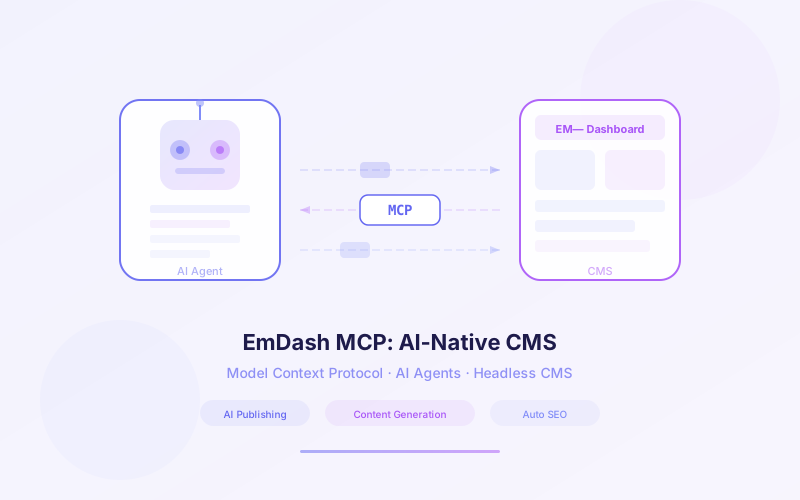
When Cloudflare launched EmDash, they didn't just build a WordPress replacement — they built the first CMS designed from the ground up to be managed by AI agents. Every EmDash instance ships with a built-in remote MCP server, a CLI for programmatic interaction, and Agent Skills files that teach AI models how to operate the entire system.
This isn't an afterthought or a plugin bolt-on. AI-native management is a core architectural decision. EmDash treats AI agents as first-class users alongside humans, giving them the same capabilities through structured interfaces that models can reason about.
This guide covers how to connect AI agents to EmDash, automate content workflows, migrate from WordPress with AI assistance, and build the kind of AI-powered content pipelines that simply aren't possible with traditional CMS platforms.
📋 Table of Contents
- 1.What Makes EmDash AI-Native
- 2.EmDash’s Built-in MCP Server
- 3.The Agent Skills System
- 4.EmDash CLI for Programmatic Management
- 5.Connecting Claude, GPT & Kiro to EmDash via MCP
- 6.Automating Content Workflows with AI Agents
- 7.Content Migration with AI Assistance
- 8.Block Kit Agent Skill for Theme Porting
- 9.Comparison with WordPress AI Capabilities
- 10.How Lushbinary Builds AI-Powered EmDash Workflows
1What Makes EmDash AI-Native
Most CMS platforms treat AI as an add-on. You install a plugin, connect an API key, and get basic text generation. EmDash takes a fundamentally different approach: every instance is designed to be managed by AI agents from day one.
The AI-native architecture rests on three pillars:
- Built-in remote MCP server: Every EmDash instance exposes a Model Context Protocol endpoint that AI clients can connect to directly. No plugins, no configuration — it's there out of the box.
- EmDash CLI: A command-line interface that mirrors every admin panel operation. AI agents can call CLI commands as tool invocations to create content, manage schemas, upload media, and configure plugins.
- Agent Skills files: Structured documentation bundled with every instance that describes capabilities, hooks, plugin structure, content schemas, and WordPress theme porting instructions. These files give AI models the context they need to operate EmDash effectively.
The distinction matters: EmDash doesn't just "support" AI — it's built so that an AI agent with zero prior knowledge can read the Skills files, connect via MCP, and fully manage a site without human intervention.
2EmDash's Built-in MCP Server
Every EmDash instance exposes a remote MCP server that AI clients can connect to over HTTP. The server implements the full Model Context Protocol specification, exposing EmDash operations as structured tools that AI models can discover and invoke.
The MCP server provides tools for every core CMS operation:
- Content management: Create, read, update, delete, and search posts across all collections
- Schema operations: Define and modify content types, fields, and validation rules
- Media handling: Upload, organize, and attach media assets to content
- Plugin management: Install, configure, enable, and disable plugins
- User administration: Manage roles, permissions, and access control
Authentication uses API tokens scoped to specific capabilities. You generate a token in the admin panel with the exact permissions the agent needs — following the same principle of least privilege that governs EmDash's plugin sandbox model.
// MCP server endpoint for any EmDash instance
// Available at: https://your-site.emdash.dev/mcp

{
  "mcpServers": {
    "emdash": {
      "url": "https://your-site.emdash.dev/mcp",
      "headers": {
        "Authorization": "Bearer em_token_xxxx"
      }
    }
  }
}
Because EmDash's MCP server is remote (HTTP-based), you don't need to run any local processes. This is different from most MCP servers that require a local stdio transport. Your AI client connects directly to the EmDash instance over the network.
3The Agent Skills System
Agent Skills are one of EmDash's most innovative features. Each instance includes structured documentation files that describe the CMS's full capabilities to AI agents. When you point an AI coding agent at an EmDash codebase, it gets everything it needs to understand and operate the system.
Skills files cover:
- Plugin capabilities: What each installed plugin can do, its manifest declarations, and how to interact with it
- Hooks reference: Every lifecycle hook available in the system, with parameters, return types, and usage examples
- Theme structure: How the Astro 6 theme is organized, what components exist, and how to modify layouts and pages
- Content schemas: All defined content types, their fields, validation rules, and relationships
- WordPress theme porting: Step-by-step instructions for converting WordPress themes to EmDash's Astro-based theming system
The Skills system works similarly to how MCP tool descriptions help AI clients understand available operations. But Skills go deeper — they provide architectural context, best practices, and migration guides that help agents make informed decisions rather than just execute commands.
# Example Agent Skill: plugin-development.md

## Plugin Capabilities
- read:content — Read posts and pages
- write:content — Create and update content
- email:send — Send transactional emails
- media:upload — Upload files to media library

## Hook Lifecycle
1. content:beforeSave — Runs before content is persisted
2. content:afterSave — Runs after content is saved
3. content:beforeDelete — Runs before content removal
4. media:afterUpload — Runs after media is stored

## Creating a Plugin
Use definePlugin() with capabilities array and hooks object.
Plugins run in isolated sandboxes with zero filesystem access.
4EmDash CLI for Programmatic Management
The EmDash CLI is the bridge between AI agents and EmDash instances. It mirrors every operation available in the admin panel, making it possible for agents to manage content, schemas, media, and plugins entirely through command-line invocations.
Core CLI commands include:
# Content operations
emdash content list --collection posts
emdash content create --collection posts --title "New Post" --status draft
emdash content update --id abc123 --status published
emdash content search --query "AI agents" --collection posts

# Schema management
emdash schema list
emdash schema create --name "tutorials" --fields title,body,difficulty

# Media operations
emdash media upload ./image.png --alt "Hero image"
emdash media list --type image

# Plugin management
emdash plugin install @emdash/seo
emdash plugin enable @emdash/seo
emdash plugin list
The CLI works with both local development instances and remote deployed sites. For remote management, you authenticate with an API token:
# Connect to a remote EmDash instance
emdash auth login --url https://your-site.emdash.dev --token em_token_xxxx

# All subsequent commands target the remote instance
emdash content list --collection posts
For AI agents, the CLI is particularly powerful because each command has predictable input/output formats. Agents can parse JSON responses, chain commands together, and build complex workflows without needing to understand the underlying API.
5Connecting Claude, GPT & Kiro to EmDash via MCP
Any MCP-compatible AI client can connect to EmDash's built-in server. Here's how to set it up with the most popular clients:
Claude Desktop
Add the EmDash server to your Claude Desktop MCP configuration file:
// claude_desktop_config.json
{
  "mcpServers": {
    "emdash": {
      "url": "https://your-site.emdash.dev/mcp",
      "headers": {
        "Authorization": "Bearer em_token_xxxx"
      }
    }
  }
}
Cursor & Kiro
Both Cursor and Kiro support remote MCP servers. Add the EmDash endpoint to your workspace MCP settings:
// .cursor/mcp.json or .kiro/mcp.json
{
  "mcpServers": {
    "emdash": {
      "url": "https://your-site.emdash.dev/mcp",
      "headers": {
        "Authorization": "Bearer em_token_xxxx"
      }
    }
  }
}
OpenAI GPT (via Custom Actions)
For GPT-based agents, you can use the EmDash CLI as a tool or configure the MCP endpoint through OpenAI's custom actions interface. The MCP server exposes an OpenAPI-compatible schema that GPT can consume directly.
Once connected, you can ask your AI assistant to "create a new blog post about serverless architecture" or "list all draft posts and publish the ones tagged as ready" — and it executes those operations directly against your EmDash instance.
6Automating Content Workflows with AI Agents
With MCP and CLI access, AI agents can orchestrate complex content workflows that would take humans hours of manual work. Here are practical patterns we've seen work well:
Automated Publishing Pipeline
An agent monitors a shared document or Git repository for new content. When a new article is ready, the agent:
- Creates a draft post in EmDash via the MCP server
- Uploads and attaches any referenced images via the media tools
- Applies SEO metadata based on content analysis
- Assigns the post to the correct collection and categories
- Notifies the editorial team for review
Content Audit & Optimization
An agent scans all published content, identifies posts with outdated information or broken links, and either flags them for review or applies fixes directly. With EmDash's search and update tools, this can run on a schedule without human involvement.
Multi-Language Content Sync
When a post is published in the primary language, an agent automatically creates translated drafts in other configured languages, preserving formatting and media references. Editors review the translations rather than creating them from scratch.
# Example: Agent workflow using EmDash CLI
# 1. Find all draft posts ready for review
emdash content list --collection posts --status draft --tag ready-for-review

# 2. Run SEO analysis on each post
emdash content get --id abc123 --format json | ai-seo-analyze

# 3. Update metadata based on analysis
emdash content update --id abc123 --meta-description "Updated description"

# 4. Publish approved posts
emdash content update --id abc123 --status published
7Content Migration with AI Assistance
Migrating from WordPress to EmDash is one of the most compelling use cases for AI-assisted CMS management. Traditional migrations require manual mapping of custom post types, reformatting content blocks, and rebuilding theme components. With EmDash's AI-native tools, an agent can handle most of this automatically.
The AI-assisted migration workflow:
- Export: The agent triggers a WXR export from WordPress or connects via the EmDash Exporter plugin
- Analyze: The agent reads the export data, identifies custom post types, taxonomies, and content structures
- Map schemas: Using the Agent Skills documentation, the agent creates matching EmDash content schemas for each WordPress post type
- Import content: The agent uses the CLI or MCP server to create content entries, preserving relationships and metadata
- Migrate media: Images and files are uploaded to EmDash's media library with correct associations
- Validate: The agent runs a comparison between source and destination to flag any missing or malformed content
For detailed setup and deployment instructions, see our Cloudflare EmDash Developer Guide, which covers installation, plugin development, theming, and deployment on both Cloudflare Workers and Node.js.
8Block Kit Agent Skill for Theme Porting
One of the most time-consuming parts of any CMS migration is rebuilding the theme. WordPress themes use PHP templates, custom blocks, and a mix of shortcodes that don't translate directly to any modern framework. EmDash solves this with the Block Kit Agent Skill.
The Block Kit Agent Skill is a specialized Skills file that gives AI agents step-by-step instructions for converting WordPress theme components into EmDash's Astro 6 theming system. It covers:
- PHP template to Astro conversion: Mapping WordPress template hierarchy (
single.php,archive.php,page.php) to Astro page routes and layouts - Gutenberg block rebuilding: Converting custom WordPress blocks into native Astro components with equivalent functionality
- Shortcode replacement: Identifying WordPress shortcodes and creating Astro component equivalents
- Style migration: Porting CSS from WordPress theme stylesheets to Tailwind or scoped Astro styles
- Widget to component mapping: Converting WordPress sidebar widgets into reusable Astro components
# Block Kit Agent Skill workflow example

## Input: WordPress theme analysis
Agent reads the WordPress theme directory structure,
identifies templates, blocks, and shortcodes.

## Conversion steps
1. Map template hierarchy to Astro routes
   single.php → src/pages/blog/[slug].astro
   archive.php → src/pages/blog/index.astro
   page.php → src/pages/[...slug].astro

2. Convert custom blocks to Astro components
   hero-block.php → src/components/Hero.astro
   testimonial-block.php → src/components/Testimonial.astro

3. Replace shortcodes with component imports
   [gallery ids="1,2,3"] → <Gallery ids={[1,2,3]} />
The result is a fully functional Astro theme that matches the original WordPress design. Because the agent has access to both the Skills documentation and the EmDash MCP server, it can test the converted theme against real content during the porting process.
9Comparison with WordPress AI Capabilities
WordPress has no native AI integration. Any AI functionality requires third-party plugins, each with its own API key management, security model, and limitations. Here's how the two platforms compare for AI-powered content management:
| Capability | WordPress | EmDash |
|---|---|---|
| MCP server | None (requires custom build) | Built-in with every instance |
| CLI for agents | WP-CLI (not AI-optimized) | EmDash CLI with JSON output |
| Agent documentation | None | Agent Skills files included |
| Programmatic content creation | REST API (complex auth) | MCP tools + CLI + REST API |
| AI-assisted migration | Manual or paid services | Block Kit Agent Skill |
| Content workflow automation | Plugin-dependent (Zapier, etc.) | Native via MCP + hooks |
| Theme porting with AI | Not supported | Block Kit Agent Skill |
| Security model for AI access | Application passwords (broad) | Scoped API tokens (granular) |
The gap is architectural. WordPress was built in 2003 for human users editing content in a browser. Retrofitting AI capabilities onto that foundation means working around limitations rather than leveraging native support. EmDash was designed in 2026 with the assumption that AI agents are primary users of the system.
WordPress's REST API does allow programmatic access, but it wasn't designed for AI agent consumption. There are no tool descriptions, no capability discovery, and no structured documentation for models. EmDash's MCP server provides all of these natively.
10How Lushbinary Builds AI-Powered EmDash Workflows
At Lushbinary, we've been building AI-powered content workflows on EmDash since its launch. Our team combines deep experience with MCP integrations, serverless architecture, and CMS migrations to deliver end-to-end solutions for businesses adopting EmDash.
What we offer:
- Custom MCP server configurations connecting your AI tools directly to EmDash for content management
- AI-assisted WordPress-to-EmDash migrations using the Block Kit Agent Skill and automated content transfer
- Automated publishing pipelines where AI agents handle drafting, SEO optimization, and scheduling
- Custom Agent Skills development for your specific content workflows and business logic
- EmDash plugin development with proper capability scoping and security review
- Deployment architecture on Cloudflare Workers or AWS (ECS/Lambda)
🚀 Free AI-Native CMS Consultation
Want to connect AI agents to your EmDash instance or migrate from WordPress with AI assistance? We'll review your current setup and design an AI-powered content workflow tailored to your needs. Book a free 30-minute call with our team.
❓ Frequently Asked Questions
What makes EmDash an AI-native CMS?
EmDash is designed from the ground up to be managed by AI agents. Every instance includes a built-in remote MCP server, a CLI for programmatic interaction, and Agent Skills files that describe the CMS capabilities to AI models.
How do I connect Claude or GPT to EmDash via MCP?
Every EmDash instance exposes a remote MCP server endpoint. You add the server URL and authentication token to your MCP client configuration in Claude Desktop, Cursor, Kiro, or any MCP-compatible tool, and the AI can then manage content directly.
What are EmDash Agent Skills?
Agent Skills are structured documentation files included with every EmDash instance. They describe plugin capabilities, hooks, theme structure, content schemas, and WordPress theme porting instructions so AI agents can understand and operate the CMS effectively.
Can AI agents migrate WordPress content to EmDash?
Yes. Using the EmDash CLI or MCP server, AI agents can orchestrate full WordPress-to-EmDash migrations including content import, media transfer, custom post type mapping, and theme porting via the Block Kit Agent Skill.
How does EmDash compare to WordPress for AI-powered content management?
WordPress has no native AI integration and requires third-party plugins for any AI functionality. EmDash ships with a built-in MCP server, CLI, and Agent Skills out of the box, making every instance immediately accessible to AI agents without additional configuration.
📚 Sources
- Cloudflare Blog: Introducing EmDash
- MCP Model Context Protocol Developer Guide 2026
- Cloudflare EmDash Developer Guide: Setup, Plugins & Deployment
- Model Context Protocol Specification
Content was rephrased for compliance with licensing restrictions. Technical details sourced from official Cloudflare and MCP documentation as of 2026. Features and availability may change — always verify on the official EmDash documentation.
Ready to Build AI-Powered Content Workflows?
Whether you're connecting AI agents to EmDash or migrating from WordPress, our team can help you ship fast.
Build Smarter, Launch Faster.
Book a free strategy call and explore how LushBinary can turn your vision into reality.

