
You're launching a startup. You need a website, an API, maybe a database. The last thing you want is a $500/month AWS bill before you even have paying customers. The good news: AWS's serverless stack lets you build a production-grade website with an API backend for almost $0/month, and it scales to handle millions of users without you touching a single server.
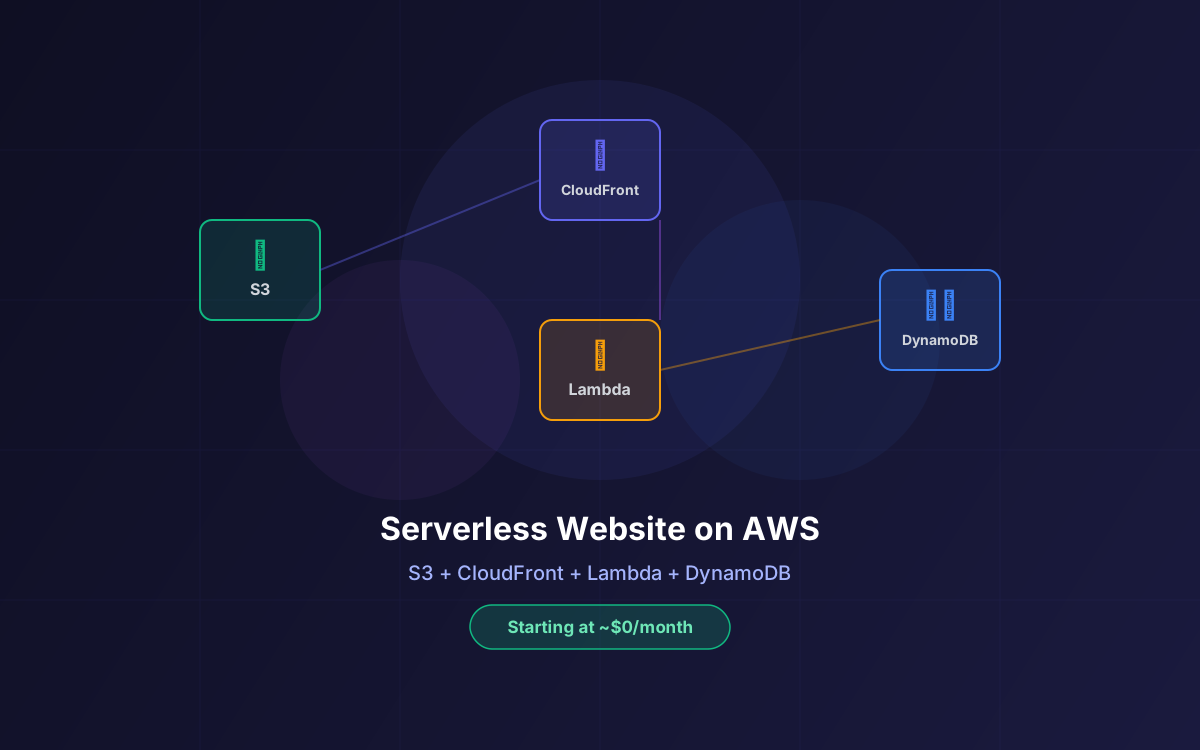
The architecture is simple: S3 for static hosting, CloudFront as your CDN, Lambda for backend logic, API Gateway for routing, and DynamoDB for data storage. Together, these services give you a globally distributed, auto-scaling platform that starts at ~$0.50/month and can handle traffic spikes that would crash a traditional server setup.
This guide walks through the full architecture, real cost breakdowns at every growth stage, the long-term trade-offs of DynamoDB, when this strategy is the right call (and when it isn't), and exactly how many customers this stack can handle before you need to rethink anything.
📋 Table of Contents
- 1.The Architecture: How It All Fits Together
- 2.S3: Your Static File Host ($0.023/GB)
- 3.CloudFront: Global CDN with 1TB Free
- 4.Lambda + API Gateway: Your Serverless Backend
- 5.DynamoDB: NoSQL Database That Scales to Zero
- 6.The DynamoDB Trade-Offs: What Breaks as You Grow
- 7.Real Cost Breakdown: $0 to $50/Month
- 8.How Many Customers Can This Handle?
- 9.When to Use This Stack (And When NOT To)
- 10.Security, SSL & Custom Domains
- 11.When to Migrate: Outgrowing Serverless & What Comes Next
- 12.How Lushbinary Helps Startups Ship on AWS
1The Architecture: How It All Fits Together
Before diving into individual services, here's how the pieces connect. This is the same architecture pattern used by companies serving millions of users, just at a fraction of the cost when you're starting out.
The flow is straightforward: users hit your domain, Route 53 resolves DNS, CloudFront serves cached static assets from the nearest edge location, and any API calls route through API Gateway to Lambda functions that read/write from DynamoDB. Every component auto-scales independently, and you pay only for what you use.
Key insight: This architecture has zero idle cost for compute. Unlike EC2 or ECS, Lambda and DynamoDB on-demand don't charge you when nobody is using your app. You literally pay $0 for compute during quiet hours.
2S3: Your Static File Host ($0.023/GB)
Amazon S3 is the foundation of this stack. It stores and serves your static website files: HTML, CSS, JavaScript, images, fonts, and any other assets. S3 is designed for 99.999999999% (11 nines) durability, meaning your files are essentially indestructible.
For a typical startup website (React/Next.js static export, Vue, or plain HTML), your total file size is usually 5-50MB. At S3 Standard pricing of $0.023 per GB/month (US East), that's less than $0.01/month for storage. The free tier includes 5GB of S3 Standard storage for the first 12 months.
S3 Static Website Hosting Setup
You don't actually need to enable S3's built-in static website hosting feature. The recommended approach is to keep the bucket private and use a CloudFront Origin Access Control (OAC) to serve files. This is more secure and gives you HTTPS, caching, and global distribution automatically.
With OAC, your S3 bucket stays completely private (no public access), and CloudFront is the only way to reach your files. You add a bucket policy that grants the CloudFront service principal read access, and that's it. This eliminates an entire class of security issues like accidental public bucket exposure.
3CloudFront: Global CDN with 1TB Free
CloudFront is AWS's content delivery network with 600+ edge locations worldwide. It caches your static files close to your users, so a visitor in Tokyo gets the same fast load time as someone in New York. For a startup, the pricing is incredibly generous.
CloudFront Always-Free Tier
Unlike most AWS free tiers that expire after 12 months, CloudFront's free tier is always free:
- 1 TB of data transfer out per month (that's roughly 10 million page views for a typical website)
- 10 million HTTP/HTTPS requests per month
- 2 million CloudFront Function invocations per month
- Free SSL/TLS certificates via AWS Certificate Manager (ACM)
Beyond the free tier, pricing starts at $0.085/GB for data transfer out to North America and Europe. Request pricing is $0.0075-$0.01 per 10,000 HTTPS requests depending on region.
Startup math: If your website averages 2MB per page load, 1TB of free transfer supports roughly 500,000 unique page views per month. That's more than enough for most startups in their first 1-2 years.
4Lambda + API Gateway: Your Serverless Backend
If your website needs any dynamic functionality (contact forms, user authentication, data processing, payment webhooks, etc.), Lambda is your backend. No servers to manage, no containers to orchestrate. You write a function, deploy it, and AWS handles everything else.
Lambda Free Tier (Always Free)
Lambda's free tier is always free (not just the first 12 months):
- 1 million requests per month
- 400,000 GB-seconds of compute time per month
To put that in perspective: if each Lambda invocation uses 128MB of memory and runs for 200ms, you get about 3.2 million free invocations per month. That's a lot of API calls.
Beyond the free tier, pricing is $0.20 per 1 million requests and $0.0000166667 per GB-second of compute.
API Gateway: The Front Door
API Gateway sits in front of your Lambda functions and handles routing, authentication, throttling, and CORS. Use the HTTP API type (not REST API) for the best price-performance:
| API Type | Price per Million | Free Tier |
|---|---|---|
| HTTP API | $1.00 | 1M calls/mo (12 months) |
| REST API | $3.50 | 1M calls/mo (12 months) |
HTTP APIs are 3.5x cheaper than REST APIs and support JWT authorization, Lambda integration, and CORS natively. Unless you need REST API-specific features like API keys, usage plans, or request validation, always go with HTTP API.
5DynamoDB: NoSQL Database That Scales to Zero
DynamoDB is AWS's fully managed NoSQL database. It's the natural fit for this serverless stack because it has no servers to manage, no connection pooling to worry about, and it scales from zero to millions of requests per second automatically.
DynamoDB Always-Free Tier
DynamoDB's free tier is always free (with provisioned capacity mode):
- 25 GB of storage
- 25 Write Capacity Units (WCU) and 25 Read Capacity Units (RCU), enough for up to 200 million requests per month
- 2.5 million stream read requests from DynamoDB Streams
For on-demand mode (which is simpler but doesn't include free tier for requests), pricing is $1.25 per million write request units and $0.25 per million read request units. Storage is free up to 25GB regardless of mode.
Provisioned vs On-Demand: For a startup, start with provisioned mode at 25 RCU / 25 WCU to stay within the free tier. This handles about 25 reads and 25 writes per second, which is plenty for early-stage traffic. Switch to on-demand when your traffic becomes unpredictable or bursty.
DynamoDB is ideal for use cases like user profiles, session data, contact form submissions, product catalogs, and analytics events. For a startup website, 25GB of free storage is massive. A typical user record is 1-2KB, so you can store 12-25 million user records before hitting the storage limit.
6The DynamoDB Trade-Offs: What Breaks as You Grow
DynamoDB is a great starting point, but it's not a universal database. Being honest about its limitations now saves you a painful migration later. Here's what you need to know before you commit your entire data model to it.
⚠️ The Cons of DynamoDB Long-Term
- No JOINs, ever. DynamoDB is a key-value / document store. If your app evolves to need relational queries (e.g., "show me all orders from users who signed up last month in region X"), you'll need to denormalize aggressively or add a second database. This gets painful fast as your data model grows.
- Query flexibility is limited. You can only query by partition key + sort key, or use Global Secondary Indexes (GSIs). Each GSI adds cost and has its own throughput limits. If you need ad hoc queries across arbitrary fields, DynamoDB fights you every step of the way.
- No native aggregations. There's no
SUM(),COUNT(),AVG(), orGROUP BY. Want to know your total revenue this month? You either scan the entire table (expensive) or maintain a separate counter/aggregation table manually. - Vendor lock-in is real. DynamoDB's data model, API, and query patterns are AWS-specific. There's no open-source equivalent you can run locally or migrate to. If you ever want to leave AWS, you're rewriting your entire data layer.
- On-demand pricing gets expensive at scale. At low traffic, on-demand is cheap. But at 100M+ reads/month, you're paying $25+ just for reads. Provisioned mode with auto-scaling is cheaper at predictable loads, but requires more operational overhead.
- Item size limit: 400KB. Each DynamoDB item can be at most 400KB. If you're storing rich content, documents, or nested objects, you'll hit this ceiling and need to split data across items or offload to S3.
- Single-table design is hard. The recommended DynamoDB pattern (single-table design) is powerful but has a steep learning curve. It requires you to know all your access patterns upfront. If your product pivots and access patterns change, you may need to rebuild your table structure.
- No full-text search. DynamoDB has no built-in search capability. If users need to search products, articles, or any text content, you'll need to add OpenSearch (Elasticsearch) or Algolia alongside DynamoDB.
When DynamoDB starts hurting: The inflection point usually comes when your app needs reporting dashboards, complex filtering, or cross-entity queries. If you find yourself writing Lambda functions that scan entire tables and stitch data together in code, that's the signal to add a relational database or analytics layer.
Migration Paths Out of DynamoDB
When DynamoDB no longer fits, here are the most common migration targets:
| Migrate To | When | Cost Impact |
|---|---|---|
| Aurora Serverless v2 (PostgreSQL) | Need JOINs, complex queries, reporting | ~$50-100/mo minimum (scales to zero ACU but has storage cost) |
| RDS PostgreSQL / MySQL | Predictable relational workloads | ~$15-60/mo (t4g.micro/small) |
| PlanetScale / Neon | Want serverless SQL without AWS lock-in | Free tier available, then ~$29+/mo |
| OpenSearch | Need full-text search alongside DynamoDB | ~$25+/mo (t3.small.search) |
| Keep DynamoDB + add read replicas | High read volume, simple access patterns | DAX cache ~$30+/mo |
7Real Cost Breakdown: $0 to $50/Month
Here's what this stack actually costs at different traffic levels. These numbers assume a typical startup website with a React/Next.js frontend (static export), 5-10 API endpoints, and DynamoDB for data storage.
🟢 Stage 1: Pre-Launch / MVP (0-1,000 monthly visitors)
| Service | Monthly Cost |
|---|---|
| S3 storage (50MB) | $0.00 |
| CloudFront (1GB transfer) | $0.00 (free tier) |
| Lambda (1,000 invocations) | $0.00 (free tier) |
| API Gateway (1,000 calls) | $0.00 (free tier) |
| DynamoDB (25 RCU/WCU) | $0.00 (free tier) |
| Route 53 hosted zone | $0.50 |
| ACM SSL certificate | $0.00 |
| Total | ~$0.50/month |
🟡 Stage 2: Early Traction (10,000-50,000 monthly visitors)
| Service | Monthly Cost |
|---|---|
| S3 storage (200MB) | $0.01 |
| CloudFront (100GB transfer) | $0.00 (free tier) |
| Lambda (100K invocations) | $0.00 (free tier) |
| API Gateway (100K calls) | $0.00 (free tier) |
| DynamoDB (25 RCU/WCU) | $0.00 (free tier) |
| Route 53 hosted zone + queries | $0.90 |
| Total | ~$1-2/month |
🟠 Stage 3: Growth (100,000-500,000 monthly visitors)
| Service | Monthly Cost |
|---|---|
| S3 storage (1GB) | $0.02 |
| CloudFront (800GB transfer) | $0.00 (free tier) |
| Lambda (500K invocations) | $0.00 (free tier) |
| API Gateway (500K calls) | $0.00-0.50 |
| DynamoDB (on-demand, 2M reads) | $0.50 |
| Route 53 | $1.00 |
| Total | ~$2-5/month |
🔴 Stage 4: Scale (1M+ monthly visitors)
| Service | Monthly Cost |
|---|---|
| S3 storage (5GB) | $0.12 |
| CloudFront (2TB transfer) | $~85 (1TB over free) |
| Lambda (2M invocations) | $0.20 |
| API Gateway (2M calls) | $2.00 |
| DynamoDB (on-demand, 10M reads) | $2.50 |
| Route 53 | $1.50 |
| Total | ~$50-90/month |
Compare that to a traditional setup: a single EC2 t3.medium instance with an RDS database would cost $80-120/month before you serve a single visitor. The serverless stack costs $0.50/month at launch and scales linearly with actual usage.
8How Many Customers Can This Handle?
This is the question every founder asks. The short answer: this architecture can handle millions of concurrent users. The long answer depends on which component you're asking about.
| Service | Default Limit | Can Increase To |
|---|---|---|
| CloudFront | 250,000 req/sec per distribution | Higher on request |
| API Gateway | 10,000 req/sec per region | Higher on request |
| Lambda | 1,000 concurrent executions | Tens of thousands |
| DynamoDB | 40,000 RCU / 40,000 WCU per table | Essentially unlimited |
| S3 | 5,500 GET/sec per prefix | Unlimited with prefix partitioning |
Translating to Real Users
Let's do the math for a typical SaaS or content website:
- Static pages (marketing site, blog): CloudFront handles 250,000 requests per second. If each page load triggers 20 asset requests, that's 12,500 simultaneous page loads per second, or ~1 billion page views per month at sustained load.
- API calls (forms, auth, data): With 1,000 concurrent Lambda executions (default) and each taking 200ms, you're handling 5,000 API requests per second, or ~13 million API calls per day.
- Database operations: DynamoDB on-demand scales automatically. With provisioned mode at 25 RCU, you handle 25 reads per second (2.16M/day). On-demand mode scales to tens of thousands of reads per second instantly.
Bottom line: For a startup doing 100,000 monthly active users with 10 page views each and 2-3 API calls per session, this stack handles it comfortably within free tier limits. You won't need to think about scaling until you're well past 1 million monthly visitors.
The real bottleneck for most startups isn't infrastructure capacity. It's Lambda cold starts (typically 100-500ms for Node.js) and DynamoDB query design. Both are solvable:
- Cold starts: Use Lambda SnapStart (Java) or Provisioned Concurrency for latency-sensitive endpoints. For most Node.js/Python functions, cold starts are under 300ms and only affect the first request after idle time.
- DynamoDB design: Use single-table design with well-planned partition keys. Avoid hot partitions by distributing writes across partition key values.
9When to Use This Stack (And When NOT To)
This serverless architecture is powerful, but it's not the right answer for every project. Here's a clear decision framework.
✅ Use This Stack When:
- You're pre-revenue or early-stage and need to minimize infrastructure costs while validating your idea
- Your frontend is a static site or SPA (React, Next.js static export, Vue, Angular, plain HTML)
- Your backend is API-driven with short-lived request/response patterns (REST, GraphQL)
- Your data access patterns are simple: key-value lookups, user profiles, session storage, form submissions, event logging
- Traffic is unpredictable or bursty: Product Hunt launches, viral moments, seasonal spikes. Serverless handles these without pre-provisioning.
- You have a small team (1-5 devs) and don't want to manage servers, patching, scaling, or on-call rotations
- You want global distribution out of the box. CloudFront's 600+ edge locations give you worldwide performance for free.
❌ Do NOT Use This Stack When:
- You need complex relational data from day one. If your MVP requires JOINs across 5+ tables, reporting dashboards, or SQL analytics, start with a managed PostgreSQL (RDS or Neon) instead of DynamoDB. Retrofitting relational logic onto DynamoDB is painful.
- You're building a real-time app. Chat apps, multiplayer games, live collaboration tools, or anything needing persistent WebSocket connections at high frequency. Lambda's cold starts and API Gateway's WebSocket pricing make this expensive. Use Fargate + AppSync or a dedicated WebSocket server.
- You need long-running background jobs. Lambda's 15-minute timeout kills video processing, ML training, large data imports, or PDF generation. Use ECS Fargate or Step Functions for these.
- You need consistent sub-10ms latency. Lambda cold starts (100-500ms) are fine for most web apps but unacceptable for trading platforms, gaming backends, or real-time bidding. Use containers (ECS/EKS) or bare EC2 for these.
- Your team is already experienced with containers. If you have Kubernetes/Docker expertise and your app is already containerized, ECS Fargate or App Runner may be simpler than refactoring into Lambda functions.
- You're building a data-heavy SaaS. If your core product is analytics, BI, or data processing with complex queries, DynamoDB will become a bottleneck fast. Start with Aurora Serverless v2 or a well-optimized RDS instance.
The hybrid approach: Many successful startups use this serverless stack for their marketing site and simple APIs, then add a managed PostgreSQL database when their product's data needs outgrow DynamoDB. You don't have to pick one or the other. S3 + CloudFront + Lambda works great as the frontend/API layer even when your database is RDS or Aurora.
10Security, SSL & Custom Domains
Security is built into this architecture by default, but there are a few things to get right:
SSL/TLS (Free)
AWS Certificate Manager provides free SSL certificates for CloudFront. Auto-renews. Zero config after initial DNS validation.
S3 Bucket Security
Keep the bucket private. Use Origin Access Control (OAC) so only CloudFront can read objects. Never enable public access.
API Authentication
Use Cognito User Pools or JWT tokens with API Gateway's built-in authorizers. Never expose Lambda functions directly.
WAF (Optional)
AWS WAF integrates with CloudFront for rate limiting, geo-blocking, and bot protection. Starts at $5/month + $1/million requests.
Monitoring
CloudWatch provides free basic monitoring. Set up billing alarms to catch unexpected cost spikes early.
CI/CD
Use GitHub Actions or AWS CodePipeline to auto-deploy on push. S3 sync for frontend, SAM deploy for backend.
Custom Domain Setup
Route 53 costs $0.50/month per hosted zone plus $0.40 per million queries. For a startup, that's typically under $1/month total. Point your domain's A record (as an alias) to your CloudFront distribution, and you're done.
If you registered your domain elsewhere (Namecheap, GoDaddy, etc.), you can either transfer it to Route 53 or just update the nameservers to point to Route 53's hosted zone. Both work fine.
11When to Migrate: Outgrowing Serverless & What Comes Next
This serverless stack is not a temporary solution. Companies like Netflix, Coca-Cola, and iRobot run production workloads on Lambda and DynamoDB. But there are concrete signals that tell you it's time to evolve parts of the architecture.
🚨 Red Flags: Time to Migrate a Component
- Lambda cold starts are hurting conversion rates. If you're seeing 500ms+ delays on critical API paths (checkout, login) and Provisioned Concurrency costs more than a container, migrate those endpoints to ECS Fargate or App Runner. Keep non-critical Lambdas as-is.
- You're writing "join" logic in Lambda code. If your Lambda functions are making 3-5 DynamoDB calls per request to stitch related data together, you need a relational database. Add Aurora Serverless v2 for the relational parts and keep DynamoDB for session/cache data.
- DynamoDB costs exceed $100/month. At this point, a provisioned RDS instance (t4g.medium at ~$50/month) with connection pooling via RDS Proxy may be cheaper and more flexible. Run the numbers.
- Your team is spending more time on DynamoDB data modeling than building features. If every new feature requires redesigning GSIs and access patterns, the productivity cost of DynamoDB exceeds its infrastructure savings.
- You need full-text search. Add OpenSearch or Algolia alongside DynamoDB rather than replacing it. Use DynamoDB Streams to sync data to the search index automatically.
- CloudFront transfer exceeds 1TB/month consistently. Look into CloudFront's flat-rate pricing plans or the Security Savings Bundle for up to 30% savings.
📋 Migration Playbook by Growth Stage
| Stage | What to Change | What to Keep |
|---|---|---|
| 0-100K users | Nothing. This stack handles it. | Everything |
| 100K-500K users | Add RDS/Aurora for relational data if needed | S3 + CloudFront + Lambda for API + DynamoDB for sessions/cache |
| 500K-2M users | Move hot API paths to Fargate; add OpenSearch for search | S3 + CloudFront for static; Lambda for async/webhooks; DynamoDB for simple lookups |
| 2M+ users | Full container backend (ECS/EKS); dedicated database cluster | S3 + CloudFront for static assets (this never changes) |
💰 RDS & Aurora Costs: What to Expect When You Migrate
The most common migration path is adding a relational database alongside DynamoDB. Here's what each option actually costs so you can plan ahead:
| Option | Best For | Monthly Cost |
|---|---|---|
| RDS db.t4g.micro (PostgreSQL/MySQL) | First relational workload, low traffic | ~$8-12/mo (free tier eligible for 12 months) |
| RDS db.t4g.small | Growing app with moderate queries | ~$15-25/mo + storage |
| RDS db.t4g.medium | Production SaaS with steady traffic | ~$50-65/mo + storage |
| Aurora Serverless v2 (PostgreSQL) | Unpredictable traffic, auto-scaling SQL | ~$50-100/mo minimum (0.5 ACU base + storage) |
| Aurora Provisioned (db.t4g.medium) | High availability, read replicas needed | ~$60-80/mo + storage |
Our recommendation: most startups should start considering RDS db.t4g.micro (PostgreSQL) around the 100K-500K users stage, specifically when you notice your Lambda functions making multiple DynamoDB calls per request to piece together related data. At ~$8/month (or free for the first 12 months), it's a low-risk addition. If your traffic is bursty and unpredictable, Aurora Serverless v2 is worth the higher minimum cost because it scales down to 0.5 ACU during quiet periods.
Keep DynamoDB for what it's good at: Even after adding RDS or Aurora, don't rip out DynamoDB entirely. Keep it for the workloads where it shines: landing page contact form submissions, session storage, feature flags, event logging, and simple key-value lookups. These use cases don't need JOINs, stay well within the free tier, and DynamoDB handles them with single-digit millisecond latency that RDS can't match.
🏗️ Recommended Hybrid Architecture
The sweet spot for most growing startups is a hybrid approach:
- DynamoDB → Contact form submissions, session data, user preferences, event/analytics logging, feature flags, rate limiting counters
- RDS/Aurora (PostgreSQL) → User accounts, orders, products, billing, anything that needs JOINs, foreign keys, or complex reporting queries
- S3 + CloudFront → Static frontend (this never changes regardless of backend)
- Lambda → API layer that talks to both DynamoDB and RDS depending on the endpoint
This hybrid setup keeps your simple workloads at $0/month on DynamoDB's free tier while giving you the full power of SQL for your core business data. You get the best of both worlds without over-paying for either.
The one thing that never changes: S3 + CloudFront for static assets is the right choice at every scale. Even companies with massive container backends serve their frontend through CloudFront. You'll never need to migrate away from that part of the stack.
12How Lushbinary Helps Startups Ship on AWS
At Lushbinary, we've built and deployed this exact serverless architecture for dozens of startups. We know the gotchas, the cost traps, and the shortcuts that save weeks of engineering time.
Here's what we bring to the table:
Architecture Design
We design your serverless stack from scratch, optimized for your specific use case, traffic patterns, and budget.
Full Deployment
Infrastructure as Code (CloudFormation/CDK), CI/CD pipelines, custom domains, SSL, and monitoring. Production-ready from day one.
Cost Optimization
We keep your AWS bill under control with free tier maximization, right-sized resources, and billing alerts.
Security Hardening
IAM policies, WAF rules, API authentication, and S3 bucket policies configured to AWS Well-Architected standards.
Free consultation: Not sure if serverless is right for your startup? We offer a free 30-minute architecture review. We'll look at your requirements and give you an honest recommendation, even if it means telling you to use a simpler solution. Book a call →
Ready to Launch Your Startup on AWS?
Tell us about your project and we'll design a serverless architecture that keeps your costs near zero while you grow.
Build Smarter, Launch Faster.
Book a free strategy call and explore how LushBinary can turn your vision into reality.

