
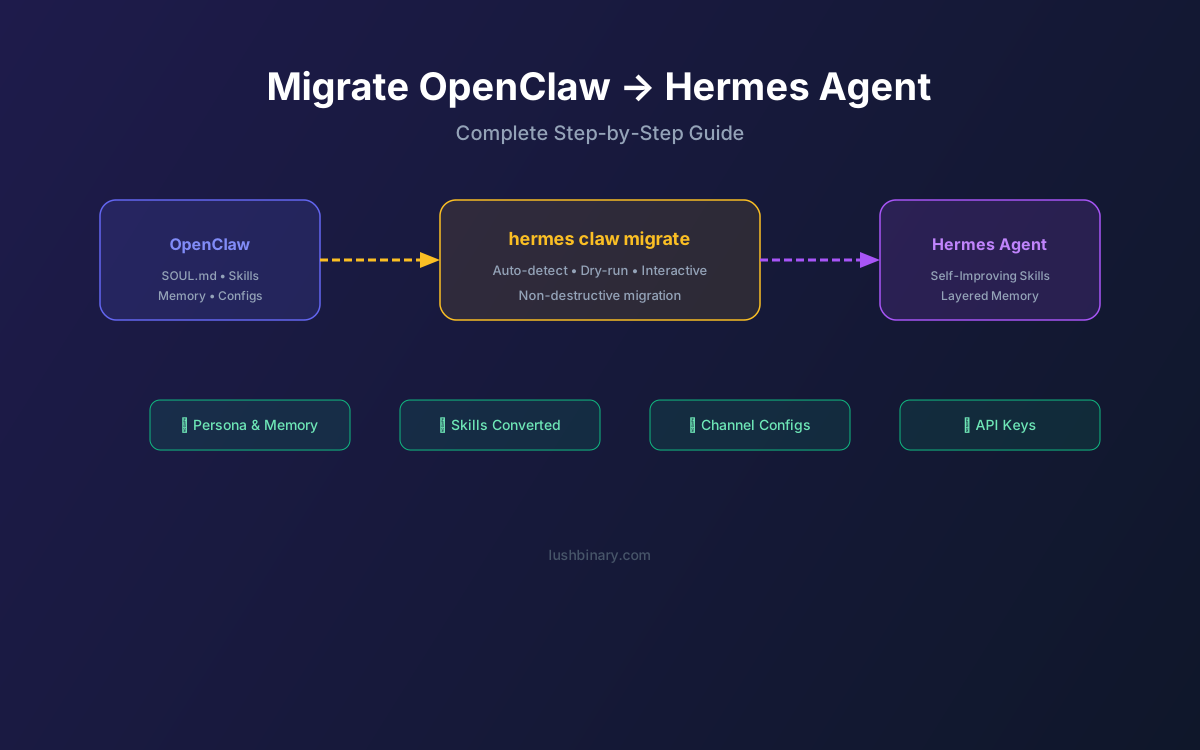
You've been running OpenClaw for weeks or months. Your SOUL.md is dialed in, your custom skills handle real workflows, and your messaging channels are configured. Now you want to try Hermes Agent — the self-improving alternative from Nous Research — without losing everything you've built.
Good news: Hermes ships with a dedicated migration tool that imports your persona, memory, skills, configs, and API keys in a single command. This guide walks through every step, from pre-migration backup to post-migration validation, so you can switch confidently.
For context on why you might want to migrate, see our Hermes vs OpenClaw comparison guide.
📑 Migration Steps
1Prerequisites & Backup
Before migrating, ensure you have:
- Python 3.10+ installed (
python3 --version) - pip or pipx available for package installation
- Your OpenClaw installation directory accessible
- At least one LLM provider API key ready
Back up your OpenClaw data first. The migration tool is non-destructive (it reads but doesn't modify OpenClaw files), but a backup is always smart:
# Back up your OpenClaw directory
cp -r ~/.openclaw ~/.openclaw-backup-$(date +%Y%m%d)
2Install Hermes Agent
Hermes Agent installs with a single command. On macOS:
brew install hermes-agent
# or via pip:
pip install hermes-agent
On Linux/WSL2:
pip install hermes-agent
Verify the installation: hermes --version should show v0.7.0 or later.
3Run the Migration Tool
The migration tool auto-detects your OpenClaw installation. Start with a dry run:
# Preview what will be migrated (no changes made)
hermes claw migrate --dry-run
# Run the actual migration
hermes claw migrate
The tool is interactive — it will show you each item being imported and ask for confirmation. If your OpenClaw installation is in a non-standard location, specify the path:
hermes claw migrate --source /path/to/openclaw
4What Gets Migrated
| OpenClaw Asset | Hermes Equivalent | Auto-Migrated? |
|---|---|---|
| SOUL.md (persona) | Agent persona config | ✅ Yes |
| MEMORY.md (notes) | Persistent memory notes | ✅ Yes |
| USER.md (user profile) | User model seed data | ✅ Yes |
| Custom skills | agentskills.io format | ✅ Yes (converted) |
| Command allowlists | Tool permissions | ✅ Yes |
| Messaging configs | Channel configs | ✅ Yes |
| API keys | Provider configs | ✅ Yes |
| TTS assets | TTS config | ✅ Yes |
| ClawHub community skills | — | ❌ Manual |
| Heartbeat cron jobs | Cron scheduler | ⚠️ Partial |
5Skill Format Conversion
OpenClaw skills use a custom Markdown format. Hermes uses the agentskills.io open standard. The migration tool handles the conversion automatically, but there are nuances:
- Simple skills (single-action, no branching) convert cleanly with no manual intervention
- Complex skills with conditional logic may need manual review after conversion
- Skills referencing OpenClaw-specific APIs (e.g., Gateway hooks) will need rewriting for Hermes's tool system
After migration, Hermes will start using your converted skills immediately. Over time, the self-improving loop will refine them based on actual usage patterns — something that never happens with OpenClaw.
💡 Pro Tip
Don't spend time perfecting your migrated skills. Hermes will improve them automatically through use. Focus on validating that the core functionality works, then let the learning loop handle optimization.
6Messaging Channel Setup
The migration tool imports your messaging platform configurations (bot tokens, webhook URLs, etc.), but you'll need to verify each channel works:
- Telegram: Bot token transfers directly. Test with a simple message.
- Discord: Bot token and guild IDs transfer. You may need to update webhook URLs if they point to OpenClaw's gateway port.
- Slack: App credentials transfer. Verify the OAuth redirect URL points to Hermes's gateway.
- WhatsApp: Business API credentials transfer. Update webhook callback URLs.
- Signal: Hermes supports Signal natively (OpenClaw does not). You can add it as a new channel post-migration.
Run hermes channels test after migration to verify all channels are connected and receiving messages.
7LLM Provider Configuration
Hermes supports more LLM providers than OpenClaw. Your existing API keys will be migrated, but you may want to explore additional options:
| Provider | OpenClaw | Hermes |
|---|---|---|
| OpenRouter (200+ models) | ✅ | ✅ |
| OpenAI (GPT-5.4) | ✅ | ✅ |
| Anthropic (Claude) | ✅ | ✅ |
| Ollama (local) | ✅ | ✅ |
| Nous Portal | ❌ | ✅ |
| z.ai | ❌ | ✅ |
| Kimi Moonshot | ❌ | ✅ |
| MiniMax | ❌ | ✅ |
| GLM models | ❌ | ✅ |
| Custom endpoints | Limited | ✅ Full |
Switch models with hermes model — no code changes needed. For cost optimization, consider using open-source LLMs via Ollama for routine tasks and premium models for complex reasoning.
8Post-Migration Validation
After migration, run through this checklist:
- Verify persona:
hermes persona show— confirm your SOUL.md content transferred - Check memory:
hermes memory list— verify persistent notes are present - Test skills: Ask the agent to perform a task that uses a migrated skill
- Test channels: Send a message from each connected messaging platform
- Test scheduling: If you had Heartbeat cron jobs, verify they're running via
hermes cron list - Monitor for 24 hours: Watch for any errors in
hermes logs
✅ Validation Complete
Once all checks pass, you can safely stop your OpenClaw instance. Keep the backup for at least 30 days in case you need to reference old configurations.
9Running Side by Side
For a gradual migration, you can run both agents simultaneously. Since OpenClaw uses Node.js and Hermes uses Python, they don't conflict at the runtime level. However, you'll need to manage messaging channel routing:
- Option A: Route different channels to different agents (e.g., Telegram → Hermes, Discord → OpenClaw)
- Option B: Use different bot accounts for each agent on the same platform
- Option C: Run Hermes on CLI only while keeping OpenClaw on messaging channels, then swap once validated
We recommend Option C for most teams — it lets you test Hermes thoroughly via CLI before committing to a full channel migration.
10Troubleshooting Common Issues
🔧 Migration tool can't find OpenClaw installation
Specify the path explicitly: hermes claw migrate --source ~/.openclaw
🔧 Skills fail after conversion
Check for OpenClaw-specific API calls in the skill. Rewrite using Hermes built-in tools or MCP.
🔧 Telegram bot doesn't respond
Verify the bot token with hermes channels test telegram. Check that only one process is polling the Telegram API.
🔧 Memory seems empty after migration
Run hermes memory list --all to check all memory layers. Some notes may be in archival (cold) storage.
🔧 Cron jobs not running
Hermes uses a different cron format. Check hermes cron list and recreate any jobs that didn't transfer.
11How Lushbinary Can Help
Migrating AI agent infrastructure is more than copying config files. At Lushbinary, we handle the full migration lifecycle:
- Pre-migration audit: Review your OpenClaw setup and identify potential issues
- Custom skill rewriting: Convert complex OpenClaw skills that don't auto-migrate
- Infrastructure setup: Deploy Hermes on AWS, VPS, or serverless with proper security
- Channel migration: Seamless handoff of all messaging channels with zero downtime
- Post-migration monitoring: 30-day support to ensure everything runs smoothly
🚀 Free Migration Assessment
Book a free 30-minute call and we'll review your OpenClaw setup, estimate migration complexity, and give you a clear timeline.
❓ Frequently Asked Questions
How do I migrate from OpenClaw to Hermes Agent?
Install Hermes (pip install hermes-agent), then run hermes claw migrate. It auto-detects your OpenClaw installation and imports everything interactively.
Will I lose my OpenClaw skills?
No. Custom skills are converted to agentskills.io format. ClawHub community skills need manual replacement with Hermes equivalents.
Can I run both side by side?
Yes. They use different runtimes and ports. Route different channels to each agent for a gradual migration.
How long does migration take?
The automated tool runs in under 5 minutes. Full validation takes 1-2 hours for a typical setup.
📚 Sources
Content was rephrased for compliance with licensing restrictions. Migration steps sourced from official Hermes Agent documentation as of April 2026. Commands and features may change — always verify on the official docs.
Need Help Migrating to Hermes Agent?
We handle the full migration — skill conversion, channel setup, infrastructure deployment, and 30-day post-migration support.
Build Smarter, Launch Faster.
Book a free strategy call and explore how LushBinary can turn your vision into reality.

