

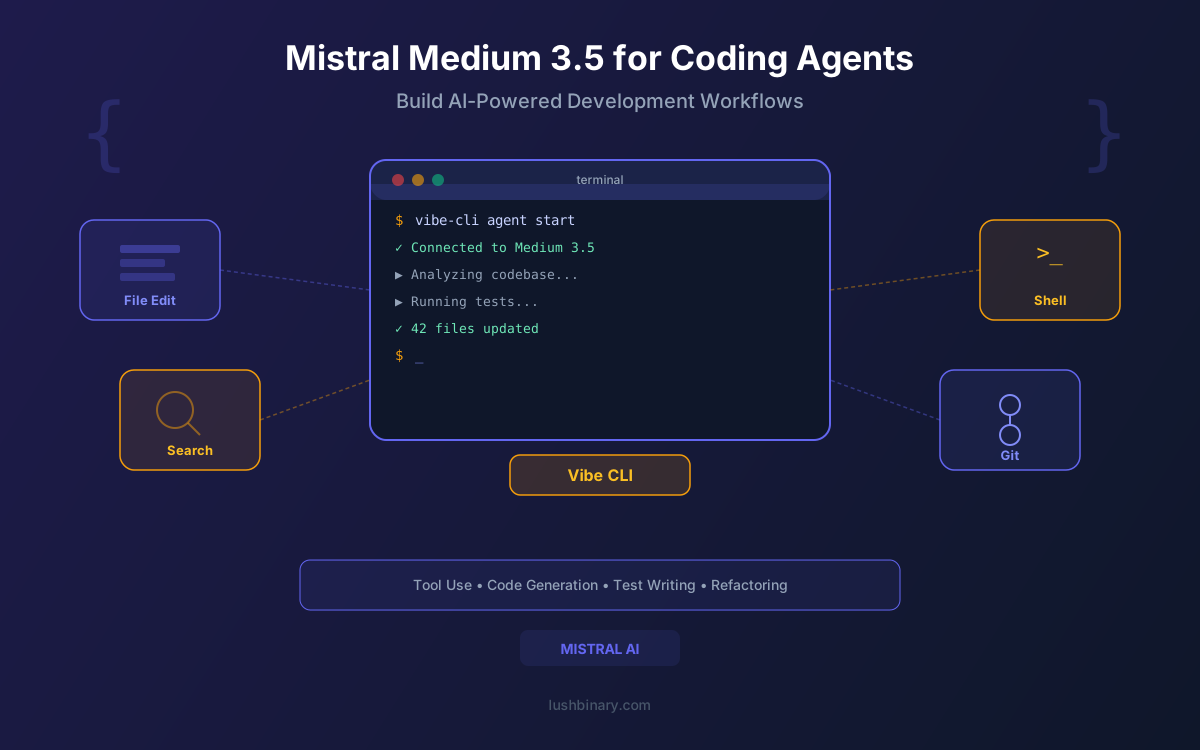
AI coding agents have moved from novelty to necessity. Tools like Claude Code, GitHub Copilot, and Cursor have shown that LLMs can do more than autocomplete - they can read entire codebases, plan multi-file changes, run tests, and iterate on failures autonomously. The bottleneck is no longer whether AI can write code, but which model you trust to drive the agent loop reliably.
Mistral Medium 3.5 enters this space with a strong argument: 77.6% on SWE-Bench Verified (just behind Gemini 3.1 Pro's 78.8%), native function calling, configurable reasoning effort, and a 256K context window. It replaces Devstral 2 as the default model in Mistral's own Vibe CLI and powers the new Le Chat Work Mode for agentic workflows. For teams building custom coding agents or evaluating open-weight alternatives to proprietary models, Medium 3.5 is worth a serious look.
This guide covers how to use Mistral Medium 3.5 for coding agents and agentic workflows. We walk through the Vibe CLI, remote agent execution, function calling patterns, the new Work Mode, and how to build your own coding agent with the API. Practical code examples included throughout.
What This Guide Covers
1Why Medium 3.5 for Coding Agents
Coding agents need a specific combination of capabilities: large context windows to hold entire codebases, reliable function calling to interact with tools, strong code generation to produce correct patches, and reasoning ability to plan multi-step changes. Mistral Medium 3.5 checks all of these boxes in a single model.
The headline number is 77.6% on SWE-Bench Verified, which measures whether a model can resolve real GitHub issues by generating correct code patches. Medium 3.5 also scores 91.4% on Tau3-Telecom, a domain-specific agentic benchmark that tests tool selection and multi-step task execution. These are not synthetic benchmarks - they reflect the kind of work coding agents actually do in production.
| Capability | Medium 3.5 |
|---|---|
| Parameters | 128B dense |
| Context Window | 256K tokens |
| SWE-Bench Verified | 77.6% |
| Tau3-Telecom | 91.4% |
| Function Calling | Native, JSON output |
| Reasoning | Configurable per request |
| Replaces | Devstral 2 (Vibe), Magistral & Medium 3.1 (Le Chat) |
The "unified model" approach is what sets Medium 3.5 apart from its predecessors. Previously, Mistral shipped Devstral for coding, Magistral for reasoning, and Medium 3.1 for general chat. Medium 3.5 collapses all three into one set of weights. For coding agent developers, this means you don't need to route between models based on task type. One model handles code generation, tool selection, planning, and natural language responses.
2SWE-Bench Performance Deep Dive
SWE-Bench Verified is the gold standard for evaluating coding agents. It presents models with real GitHub issues from popular Python repositories and asks them to generate patches that pass the project's test suite. The "Verified" variant uses human-validated test cases to ensure the benchmark accurately measures whether the fix is correct, not just whether it passes a flaky test.
Medium 3.5's 77.6% score puts it in elite territory. Here is how it compares to the current leaderboard:
| Model | SWE-Bench Verified |
|---|---|
| Gemini 3.1 Pro | 78.8% |
| Mistral Medium 3.5 | 77.6% |
| Claude Sonnet 4 | ~72-75% |
| GPT-4o | ~69-72% |
| Devstral 2 | ~72% |
The gap between Medium 3.5 (77.6%) and Gemini 3.1 Pro (78.8%) is just 1.2 percentage points. In practical terms, this means Medium 3.5 resolves roughly the same proportion of real-world coding issues. The more meaningful comparison is against Devstral 2 (~72%), the model it replaces in Vibe CLI. That 5+ point improvement translates to noticeably better patch quality and fewer failed attempts in agentic loops.
What SWE-Bench Doesn't Test
SWE-Bench focuses on Python repositories and single-issue patches. It does not measure multi-file refactoring across languages, test generation quality, or how well a model handles ambiguous requirements. Real coding agent performance depends on these factors too, so treat SWE-Bench as one signal among many.
3Mistral Vibe CLI
Vibe is Mistral's open-source coding agent CLI, similar in concept to Claude Code or OpenAI Codex CLI. It's a Python application licensed under Apache 2.0, built on Pydantic for data validation, Rich for terminal rendering, and Textual for the TUI interface. With over 2,000 GitHub stars, it has gained traction as a lightweight, hackable alternative to proprietary coding agents.
With the Medium 3.5 release, Vibe switched its default model from Devstral 2 to Medium 3.5. The built-in tool set covers the core operations a coding agent needs:
- File read/write/patch: Read files, write new files, and apply targeted patches to existing code
- Grep search: Search across the codebase for patterns, function definitions, and references
- Shell execution: Run terminal commands for testing, building, linting, and other development tasks
- Todo management: Track multi-step tasks with a built-in checklist that persists across the session
# Install Vibe CLI
pip install mistral-vibe

# Start a coding session in your project
cd your-project
vibe

# Or run with a specific task
vibe "Fix the failing test in tests/test_auth.py"

# Use remote execution (new with Medium 3.5)
vibe --remote "Refactor the database module to use connection pooling"
Because Vibe is Apache 2.0 licensed, you can fork it, extend the tool set, swap in different models, or embed it into your own CI/CD pipeline. The Pydantic-based architecture makes it straightforward to add custom tools - define a schema, implement the handler, and register it with the agent loop.
4Remote Agents & Cloud Execution
Remote agents are a new capability launched alongside Medium 3.5. Instead of running the coding agent locally on your machine, sessions execute in Mistral's cloud infrastructure. This unlocks several workflows that are impractical with local-only execution.
Key Remote Agent Features
- Parallel execution: Run multiple coding sessions simultaneously. Assign different tasks to separate agents and let them work in parallel, then review all results together.
- Session teleportation: Start a session locally in Vibe, then teleport it to the cloud to continue running while you close your laptop. Pick it back up later from any device.
- GitHub PR integration: Remote agents can create pull requests directly on GitHub when they finish a task, complete with diffs and descriptions.
- Cloud compute: Offload heavy tasks to cloud infrastructure without tying up your local machine's resources.
# Start a remote coding session
vibe --remote "Add pagination to the /users API endpoint"

# Run multiple tasks in parallel
vibe --remote "Fix the memory leak in the WebSocket handler" &
vibe --remote "Add input validation to the signup form" &
vibe --remote "Write integration tests for the payment module" &

# Teleport a local session to the cloud
vibe
> /teleport  # moves current session to remote execution
The parallel execution model is particularly useful for large refactoring projects. Instead of working through a list of tasks sequentially, you can spin up multiple remote agents, each handling a different module or feature. The GitHub PR integration means each completed task lands as a reviewable pull request without manual intervention.
5Function Calling & Tool Use
Reliable function calling is the foundation of any coding agent. Medium 3.5 supports native function calling with structured JSON output, meaning the model can select the right tool from a set of options and format the arguments correctly without prompt engineering hacks. This is critical for agentic loops where a single malformed tool call can derail an entire session.
Here is a practical example of defining tools for a coding agent and letting Medium 3.5 select the appropriate one:
from openai import OpenAI

client = OpenAI(
    api_key="your-mistral-api-key",
    base_url="https://api.mistral.ai/v1"
)

coding_tools = [
    {
        "type": "function",
        "function": {
            "name": "read_file",
            "description": "Read the contents of a file",
            "parameters": {
                "type": "object",
                "properties": {
                    "path": {"type": "string", "description": "File path relative to project root"}
                },
                "required": ["path"]
            }
        }
    },
    {
        "type": "function",
        "function": {
            "name": "write_file",
            "description": "Write content to a file",
            "parameters": {
                "type": "object",
                "properties": {
                    "path": {"type": "string", "description": "File path"},
                    "content": {"type": "string", "description": "File content to write"}
                },
                "required": ["path", "content"]
            }
        }
    },
    {
        "type": "function",
        "function": {
            "name": "run_command",
            "description": "Execute a shell command",
            "parameters": {
                "type": "object",
                "properties": {
                    "command": {"type": "string", "description": "Shell command to run"}
                },
                "required": ["command"]
            }
        }
    }
]

response = client.chat.completions.create(
    model="mistral-medium-3.5",
    messages=[
        {"role": "system", "content": "You are a coding agent. Use tools to complete tasks."},
        {"role": "user", "content": "Read the test file and fix the failing assertion."}
    ],
    tools=coding_tools,
    tool_choice="auto",
    temperature=0.1,
)

tool_call = response.choices[0].message.tool_calls[0]
print(f"Tool: {tool_call.function.name}")
print(f"Args: {tool_call.function.arguments}")
Medium 3.5 handles tool selection well in practice. In testing, it consistently picks the right tool for the task and structures arguments according to the schema. The low temperature setting (0.1) helps ensure deterministic tool selection, which is what you want in an automated agent loop where unpredictable behavior causes cascading failures.
6Configurable Reasoning for Code
Medium 3.5 lets you control reasoning effort per request using the reasoning_effort parameter. This is especially valuable for coding agents because different steps in the agent loop have different complexity requirements.
reasoning_effort="none"
Best for simple, fast operations:
- File reading and summarization
- Simple search queries
- Formatting and linting fixes
- Extracting function signatures
- Temperature: 0.0 - 0.3
reasoning_effort="high"
Best for complex coding tasks:
- Bug diagnosis and patch generation
- Multi-file refactoring plans
- Architecture decisions
- Test case generation
- Temperature: 0.7 recommended
# Fast mode for simple file reads (low latency, fewer tokens)
summary = client.chat.completions.create(
    model="mistral-medium-3.5",
    messages=[{"role": "user", "content": f"Summarize this file:\n{file_content}"}],
    temperature=0.1,
    extra_body={"reasoning_effort": "none"},
)

# Deep reasoning for complex bug fixes (higher accuracy)
fix = client.chat.completions.create(
    model="mistral-medium-3.5",
    messages=[
        {"role": "system", "content": "You are a senior developer debugging a production issue."},
        {"role": "user", "content": f"This test is failing:\n{test_output}\n\nHere is the source:\n{source_code}\n\nDiagnose the root cause and generate a patch."}
    ],
    temperature=0.7,
    extra_body={"reasoning_effort": "high"},
)
A well-designed coding agent uses both modes strategically. The initial codebase exploration phase (reading files, searching for references) runs with reasoning_effort="none" for speed. When the agent needs to diagnose a bug or generate a complex patch, it switches to reasoning_effort="high" for accuracy. This hybrid approach keeps costs down while maintaining quality where it matters most.
7Le Chat Work Mode
Le Chat Work Mode is a new agentic capability powered by Medium 3.5. Available on Pro, Team, and Enterprise Le Chat plans, Work Mode goes beyond simple chat by executing multi-step tasks that span multiple tools and services. For developers, this means coordinating workflows that touch code, project management, and communication tools in a single session.
Work Mode replaces both Magistral and Medium 3.1 as the default model in Le Chat. It integrates with external services including:
- Jira: Create tickets, update statuses, and query backlogs based on code analysis
- Slack: Send notifications, post summaries, and coordinate with team members
- Email & Calendar: Schedule meetings, send updates, and manage deployment windows
- Web search & browsing: Research documentation, find solutions, and verify API references
Cross-Tool Workflow Example
Ask Work Mode to "review the latest PR, create Jira tickets for any issues found, and post a summary to the #code-review Slack channel." Medium 3.5 breaks this into steps, executes each tool call in sequence, and delivers a consolidated result. This kind of cross-tool orchestration is what separates agentic workflows from simple chatbot interactions.
Work Mode is particularly useful for team leads and senior developers who spend significant time on coordination tasks. Instead of manually switching between Jira, Slack, and your IDE, you describe the workflow in natural language and let Medium 3.5 handle the execution.
8Building Custom Coding Agents
If Vibe CLI doesn't fit your workflow, you can build a custom coding agent using the Mistral API directly. The API is OpenAI-compatible, so existing agent frameworks and patterns work with minimal changes. Here is a minimal agent loop that reads files, runs commands, and iterates until the task is complete:
import json
import subprocess
from openai import OpenAI

client = OpenAI(
    api_key="your-mistral-api-key",
    base_url="https://api.mistral.ai/v1"
)

tools = [
    {
        "type": "function",
        "function": {
            "name": "read_file",
            "description": "Read a file from the project",
            "parameters": {
                "type": "object",
                "properties": {"path": {"type": "string"}},
                "required": ["path"]
            }
        }
    },
    {
        "type": "function",
        "function": {
            "name": "write_file",
            "description": "Write content to a file",
            "parameters": {
                "type": "object",
                "properties": {
                    "path": {"type": "string"},
                    "content": {"type": "string"}
                },
                "required": ["path", "content"]
            }
        }
    },
    {
        "type": "function",
        "function": {
            "name": "run_tests",
            "description": "Run the project test suite",
            "parameters": {
                "type": "object",
                "properties": {
                    "command": {"type": "string", "default": "pytest"}
                }
            }
        }
    }
]

def execute_tool(name, args):
    if name == "read_file":
        with open(args["path"]) as f:
            return f.read()
    elif name == "write_file":
        with open(args["path"], "w") as f:
            f.write(args["content"])
        return f"Wrote {args['path']}"
    elif name == "run_tests":
        result = subprocess.run(
            args.get("command", "pytest").split(),
            capture_output=True, text=True
        )
        return result.stdout + result.stderr

def agent_loop(task, max_iterations=10):
    messages = [
        {"role": "system", "content": "You are a coding agent. Use tools to complete the task. When done, reply with DONE."},
        {"role": "user", "content": task}
    ]

    for i in range(max_iterations):
        response = client.chat.completions.create(
            model="mistral-medium-3.5",
            messages=messages,
            tools=tools,
            tool_choice="auto",
            temperature=0.3,
            extra_body={"reasoning_effort": "high"},
        )

        msg = response.choices[0].message
        messages.append(msg)

        if not msg.tool_calls:
            if "DONE" in (msg.content or ""):
                return msg.content
            continue

        for tool_call in msg.tool_calls:
            args = json.loads(tool_call.function.arguments)
            result = execute_tool(tool_call.function.name, args)
            messages.append({
                "role": "tool",
                "tool_call_id": tool_call.id,
                "content": str(result)
            })

    return "Max iterations reached"

# Run the agent
result = agent_loop("Fix the failing test in tests/test_auth.py")
print(result)
This is a minimal example, but it demonstrates the core pattern. A production agent would add error handling, token budget tracking, sandboxed execution, and human approval gates for destructive operations. The key advantage of using Medium 3.5 here is the combination of strong code generation (77.6% SWE-Bench) with reliable tool selection, so the agent loop converges on correct solutions without excessive retries.
API Pricing for Agent Loops
Medium 3.5 costs $1.50 per million input tokens and $7.50 per million output tokens. A typical coding agent session with 5-10 tool calls might use 50K-100K tokens total, costing roughly $0.10-$0.50 per task. This is significantly cheaper than Claude Sonnet 4 ($3/$15) for equivalent workloads.
9Comparison with Other Coding Agents
The coding agent landscape has gotten crowded. Here is how Mistral Vibe CLI with Medium 3.5 stacks up against the major alternatives:
| Feature | Vibe + Medium 3.5 | Claude Code | GitHub Copilot | Cursor |
|---|---|---|---|---|
| Open Source | Yes (Apache 2.0) | No | No | No |
| Default Model | Medium 3.5 (128B) | Claude Sonnet 4 | GPT-4o / Custom | Multi-model |
| SWE-Bench | 77.6% | ~72-75% | ~69-72% | Varies by model |
| Remote Execution | Yes (new) | No | No | No |
| Pricing Model | Pay-per-token ($1.50/$7.50 per 1M) | Pay-per-token ($3/$15 per 1M) | $10-39/month subscription | $20/month + usage |
| Interface | CLI (terminal) | CLI (terminal) | IDE extension | Full IDE |
| Session Teleportation | Yes | No | No | No |
Vibe + Medium 3.5 vs Claude Code: Claude Code is the most direct competitor. Both are terminal-based coding agents with strong code generation. Vibe's advantages are open-source licensing, lower per-token costs, remote execution, and session teleportation. Claude Code's strengths are its mature tool set, broader language support, and Anthropic's safety features.
Vibe + Medium 3.5 vs GitHub Copilot: Copilot is an IDE-integrated assistant, not a standalone agent. It excels at inline completions and chat within VS Code but lacks the autonomous multi-step execution that Vibe provides. For developers who want an agent that can independently resolve issues, Vibe is the better fit.
Vibe + Medium 3.5 vs Cursor: Cursor is a full IDE with AI built in, supporting multiple models. It offers a richer editing experience but is a closed-source commercial product. Vibe is lighter weight, open source, and focused specifically on agentic coding rather than IDE features.
Vibe + Medium 3.5 vs OpenAI Codex: OpenAI Codex CLI is another terminal-based agent, powered by GPT models. Medium 3.5 outperforms GPT-4o on SWE-Bench (77.6% vs ~69-72%) and costs less per token. Vibe's remote execution and session teleportation features also give it an edge for teams running multiple parallel tasks.
10Why Lushbinary for AI Agent Development
Building a coding agent that works in demos is easy. Building one that works reliably in production, handles edge cases gracefully, and scales across a team is a different challenge entirely. At Lushbinary, we specialize in taking AI agent concepts from prototype to production.
- Custom agent development: We build coding agents tailored to your codebase, tech stack, and workflow. Whether you're using Mistral Medium 3.5, Claude, or a multi-model setup, we design the agent loop, tool set, and safety guardrails.
- Vibe CLI customization: We extend Vibe with custom tools, integrate it into CI/CD pipelines, and configure remote agent workflows for your team.
- Multi-model routing: We design systems that route between Mistral, OpenAI, and Anthropic models based on task complexity, cost targets, and latency requirements.
- Production guardrails: We implement sandboxed execution, human approval gates, token budget controls, and rollback mechanisms to keep agents safe in production.
- Cost optimization: We use reasoning effort routing, semantic caching, and prompt compression to keep API costs predictable as usage scales.
Free Consultation
Want to build a coding agent with Mistral Medium 3.5, integrate Vibe into your development workflow, or evaluate AI agent options for your team? Lushbinary will scope your project, recommend the right architecture, and give you a realistic timeline - no obligation.
Frequently Asked Questions
What makes Mistral Medium 3.5 good for AI coding agents?
Mistral Medium 3.5 scores 77.6% on SWE-Bench Verified, making it one of the top models for autonomous code generation. It combines native function calling, configurable reasoning effort, and a 256K context window in a single 128B dense model, which is ideal for building coding agents that need to read large codebases and use tools reliably.
What is Mistral Vibe CLI and how does it use Medium 3.5?
Mistral Vibe is an open-source Python CLI (Apache 2.0 license) for agentic coding. It uses Medium 3.5 as its default model, replacing Devstral 2. Vibe supports file read/write/patch, grep search, shell execution, and todo management. It has over 2,000 GitHub stars and is built on Pydantic, Rich, and Textual.
How do remote agents work with Mistral Medium 3.5?
Remote agents are a new feature launched with Medium 3.5. Coding sessions run in Mistral's cloud infrastructure, enabling parallel execution of multiple tasks. Session teleportation lets you move a local Vibe session to the cloud and back. Remote agents can also create GitHub pull requests directly.
How does Mistral Medium 3.5 compare to Claude Code and GitHub Copilot?
Mistral Medium 3.5 with Vibe CLI is open-source (Apache 2.0) and costs $1.50/$7.50 per million tokens. Claude Code uses Claude Sonnet 4 with a $3/$15 per million token cost. GitHub Copilot is subscription-based at $10-39/month. Medium 3.5's 77.6% SWE-Bench score is competitive with Claude's and ahead of most other models.
What is Le Chat Work Mode and how does it relate to coding agents?
Le Chat Work Mode is a new agentic mode powered by Medium 3.5 that handles multi-step tasks across tools like email, calendar, Jira, and Slack. For developers, it can coordinate coding workflows that span multiple services, such as creating Jira tickets from code review findings or scheduling deployments based on CI results.
Sources
- Mistral AI - Remote Agents in Vibe, Powered by Mistral Medium 3.5
- Hugging Face - Mistral Medium 3.5 128B Model Card
- GitHub - Mistral Vibe CLI Repository
- Mistral AI - API Pricing
- SWE-Bench - Software Engineering Benchmark
Content was rephrased for compliance with licensing restrictions. Benchmark data and pricing sourced from official Mistral AI documentation, Hugging Face model cards, and SWE-Bench leaderboards. Pricing and benchmarks may change - always verify on the vendor's website.
Build AI Coding Agents with Mistral Medium 3.5
Need help building a custom coding agent, integrating Vibe CLI into your workflow, or designing a multi-model AI architecture? Let's talk.
Ready to Build Something Great?
Get a free 30-minute strategy call. We'll map out your project, timeline, and tech stack - no strings attached.
Prefer email? Reach us directly:


