

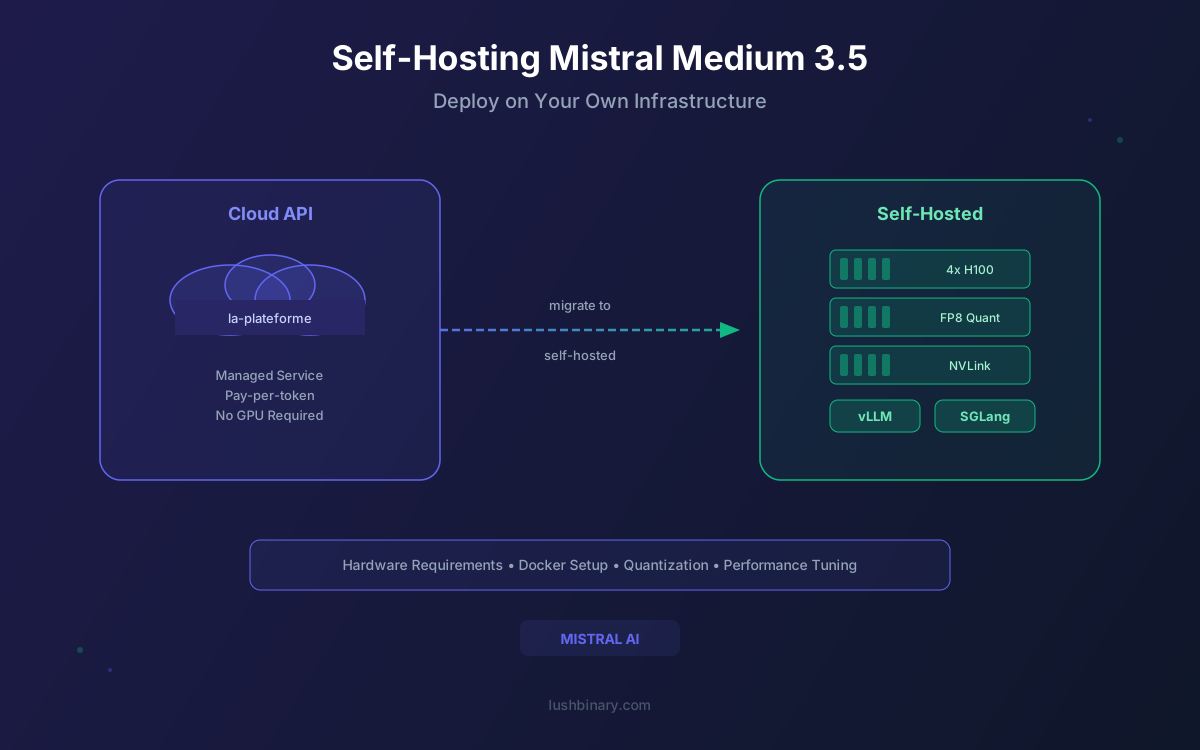
Mistral Medium 3.5 is Mistral AI's latest open-weight model, a 128-billion parameter dense architecture that competes with frontier models at a fraction of the cost. For teams processing millions of tokens daily, self-hosting eliminates per-token API fees and puts you in full control of your inference stack. Data never leaves your infrastructure, latency is predictable, and you can tune every parameter to match your workload.
The model ships under a Modified MIT License with open weights on HuggingFace, making it one of the most capable openly available models for commercial deployment. With native support in vLLM, SGLang, Ollama, and NVIDIA NIM, there are multiple paths to production depending on your scale and infrastructure preferences.
This guide covers everything from GPU sizing and inference engine selection to cost breakeven analysis and production hardening. Whether you're setting up a development environment on a single machine or architecting a multi-node cluster for enterprise workloads, you'll find the practical details here.
What This Guide Covers
1Why Self-Host Mistral Medium 3.5?
The Mistral API works well for prototyping and low-volume workloads. But as usage scales, four factors consistently push teams toward self-hosting:
💰 Cost Savings at Scale
API pricing at $1.50/$7.50 per 1M input/output tokens adds up quickly. At tens of millions of tokens per day, self-hosting on dedicated GPUs cuts inference costs by 50-80%. The fixed cost of GPU instances becomes far cheaper than linear per-token billing.
🔒 Data Sovereignty
Sensitive code, proprietary documents, and customer data never leave your infrastructure. This is non-negotiable for regulated industries like healthcare, finance, and defense where compliance requirements prohibit sending data to third-party APIs.
⚡ Latency Control
Self-hosting eliminates network round-trips to external APIs. Co-locate the model with your application for sub-100ms time to first token. Tune batch sizes, context lengths, and GPU memory utilization to match your specific latency requirements.
🔓 No Vendor Lock-In
The Modified MIT License gives you full freedom to deploy, modify, and use the model commercially. No usage caps, no rate limits, no dependency on a third-party service that could change pricing or terms without notice.
2Hardware Requirements
Mistral Medium 3.5 is a 128B dense model, meaning all parameters are active during inference (unlike MoE architectures). This makes VRAM requirements straightforward to calculate based on precision.
VRAM Requirements by Precision
| Precision | Bytes per Param | Model Weight Size | Min VRAM (with KV cache) |
|---|---|---|---|
| FP16 / BF16 | 2 | ~256 GB | ~320 GB+ |
| FP8 (recommended) | 1 | ~128 GB | ~200 GB+ |
| INT4 (GGUF) | 0.5 | ~64 GB | ~100 GB+ |
Recommended GPU Configurations
| Configuration | GPUs | Use Case |
|---|---|---|
| FP8 production (recommended) | 4× H100 80GB | Best balance of quality and cost |
| FP16 full precision | 8× H100 80GB | Maximum quality, research |
| FP8 high throughput | 8× H100 80GB | High concurrency production |
| INT4 quantized (Ollama/dev) | 2× H100 80GB or consumer GPUs | Development and testing |
💡 FP8 Is the Sweet Spot
FP8 precision is the recommended approach for most production deployments. It halves the VRAM footprint compared to FP16 while maintaining near-identical output quality. On H100 GPUs with native FP8 tensor core support, you also get a meaningful throughput boost.
3vLLM Deployment
vLLM is the recommended inference engine for Mistral Medium 3.5. It provides PagedAttention for efficient memory management, continuous batching for high throughput, and an OpenAI-compatible API out of the box. Mistral Medium 3.5 requires mistral_common >= 1.11.1 and transformers >= 5.4.0.
Step 1: Install vLLM (Nightly Build Recommended)
pip install vllm --pre --extra-index-url https://wheels.vllm.ai/nightly
pip install "mistral_common>=1.11.1"
pip install "transformers>=5.4.0"
Step 2: Launch the Server
vllm serve mistralai/Mistral-Medium-3.5-128B \
--tensor-parallel-size 8 \
--tool-call-parser mistral \
--enable-auto-tool-choice \
--reasoning-parser mistral \
--max_num_batched_tokens 16384 \
--max_num_seqs 128 \
--gpu_memory_utilization 0.8
Key flags explained:
--tensor-parallel-size 8- splits the model across 8 GPUs. Use 4 for FP8 on 4×H100--tool-call-parser mistral- enables native Mistral tool-calling format for function calling--enable-auto-tool-choice- lets the model decide when to invoke tools automatically--reasoning-parser mistral- activates the Mistral reasoning parser for chain-of-thought--gpu_memory_utilization 0.8- reserves 80% of VRAM for the model, leaving headroom for KV cache spikes
EAGLE Speculative Decoding
Mistral provides an EAGLE model for speculative decoding, which can significantly speed up token generation. The EAGLE draft model predicts multiple tokens ahead, and the main model verifies them in parallel, reducing the number of forward passes needed.
vllm serve mistralai/Mistral-Medium-3.5-128B \
--tensor-parallel-size 8 \
--tool-call-parser mistral \
--enable-auto-tool-choice \
--speculative-model mistralai/Mistral-Medium-3.5-128B-EAGLE \
--num-speculative-tokens 5 \
--gpu_memory_utilization 0.85
💡 EAGLE Performance
EAGLE speculative decoding can improve generation speed by 1.5-2x for typical workloads. The tradeoff is slightly higher VRAM usage for the draft model. Increase gpu_memory_utilization to 0.85 when using EAGLE to accommodate the additional model.
4SGLang Deployment
SGLang is a strong alternative to vLLM, with day-zero support for Mistral Medium 3.5 and optimized Docker images for both Hopper (H100) and Blackwell (B200) GPU architectures. It excels at structured generation, constrained decoding, and multi-turn conversation patterns.
Launch with SGLang
python -m sglang.launch_server \
--model-path mistralai/Mistral-Medium-3.5-128B \
--tp 8 \
--tool-call-parser mistral \
--reasoning-parser mistral
Docker Images
SGLang provides pre-built Docker images optimized for specific GPU architectures:
- Hopper (H100/H200) - use the standard SGLang Docker image with CUDA 12.x support for optimal tensor core utilization
- Blackwell (B200/GB200) - SGLang offers dedicated Blackwell images with day-zero support, taking advantage of the newer FP4 and FP8 capabilities
SGLang advantages for Mistral Medium 3.5:
- RadixAttention - caches KV states across conversation turns, reducing latency for multi-turn chat and agentic workflows
- Structured Generation - native support for constrained JSON output and regex-guided decoding, ideal for tool-calling patterns
- OpenAI-Compatible API - exposes
/v1/chat/completionsfor seamless integration with existing clients
⚠️ vLLM vs SGLang
Choose vLLM for the broadest ecosystem compatibility, EAGLE speculative decoding support, and proven production stability. Choose SGLang for structured generation workloads, Blackwell GPU support, and RadixAttention benefits in multi-turn scenarios. Both expose OpenAI-compatible APIs.
5Ollama for Development
For local development and testing, Ollama provides the simplest path to running Mistral Medium 3.5. It handles model downloading, quantization, and serving with a single command. GGUF quantized versions from Unsloth are available, making it possible to run the model on consumer hardware with reduced quality.
Quick Start
# Install Ollama (if not already installed)
curl -fsSL https://ollama.com/install.sh | sh
# Run Mistral Medium 3.5
ollama run mistral-medium-3.5
Ollama automatically selects the best quantization level for your available hardware. For machines with limited VRAM, it will use smaller GGUF quantizations (Q4_K_M, Q5_K_M) that trade some quality for reduced memory usage.
Vibe CLI Integration
You can point local development tools at your self-hosted vLLM instance. For example, configure ~/.vibe/config.toml to use a local vLLM provider:
[provider.local-mistral]
type = "openai-compatible"
base_url = "http://localhost:8000/v1"
model = "mistralai/Mistral-Medium-3.5-128B"
api_key = "not-needed"
⚠️ Not for Production
Ollama is designed for local development and testing. It lacks the continuous batching, tensor parallelism, and production monitoring features of vLLM and SGLang. For production workloads, use vLLM or SGLang with proper GPU infrastructure.
6NVIDIA NIM Containers
NVIDIA NIM (NVIDIA Inference Microservices) provides enterprise-grade containerized inference for Mistral Medium 3.5. NIM containers are available on build.nvidia.com and come pre-optimized with TensorRT-LLM for maximum throughput on NVIDIA hardware.
Key advantages of NIM containers:
- Pre-optimized - TensorRT-LLM compilation is done for you, eliminating the lengthy model compilation step
- Enterprise support - backed by NVIDIA AI Enterprise licensing with SLA guarantees
- Kubernetes-native - designed for deployment on Kubernetes with GPU operator integration
- OpenAI-compatible API - standard
/v1/chat/completionsendpoint for drop-in replacement
NIM is the best choice for enterprises already invested in the NVIDIA ecosystem, particularly those running on DGX systems or NVIDIA-managed Kubernetes clusters. For teams that prefer open-source tooling and more configuration flexibility, vLLM or SGLang remain the better fit.
7Configuration & Optimization
Mistral Medium 3.5 supports several configuration options that let you balance quality, speed, and resource usage for your specific workload.
Reasoning Effort Settings
The model supports a reasoning_effort parameter that controls how much compute the model spends on chain-of-thought reasoning before producing a final answer:
| Setting | Behavior | Best For |
|---|---|---|
low | Minimal reasoning, fast responses | Classification, simple Q&A |
medium | Balanced reasoning depth | General tasks, summarization |
high | Extended chain-of-thought | Complex coding, math, analysis |
Temperature Tuning
For deterministic outputs (code generation, structured data extraction), use a temperature of 0.1-0.3. For creative tasks and diverse completions, use 0.7-1.0. The default of 0.7 works well for most general-purpose workloads.
Context Length Management
Mistral Medium 3.5 supports long context windows, but longer contexts consume more VRAM for KV cache storage. Use the auto_compact_threshold setting to automatically compact conversation history when it exceeds a specified token count. This prevents OOM errors during long multi-turn conversations while preserving the most relevant context.
Batch Size Tuning
The --max_num_batched_tokens and --max_num_seqs flags in vLLM control how many tokens and sequences are processed in parallel. Higher values increase throughput but require more VRAM. Start with 16384 batched tokens and 128 max sequences, then adjust based on your GPU memory headroom and latency requirements.
8Cost Analysis: Self-Host vs API
Mistral API pricing for Medium 3.5 is $1.50 per 1M input tokens and $7.50 per 1M output tokens. Self-hosting has a fixed monthly GPU cost regardless of token volume. Here's how the economics compare:
| Daily Volume | API Cost (monthly est.) | Self-Host 4×H100 | Savings |
|---|---|---|---|
| 1M tokens/day | ~$135 | ~$10,000-$14,000 | API cheaper |
| 10M tokens/day | ~$1,350 | ~$10,000-$14,000 | API cheaper |
| 50M tokens/day | ~$6,750 | ~$10,000-$14,000 | Near breakeven |
| 100M tokens/day | ~$13,500 | ~$10,000-$14,000 | ~0-25% |
| 500M+ tokens/day | ~$67,500 | ~$10,000-$14,000 | ~80% |
📊 Breakeven Point
The breakeven for self-hosting on 4×H100 FP8 falls around 50-100M tokens per day (roughly 1.5-3B tokens per month). Below that, the API is more cost-effective. Above it, self-hosting saves 50-80% at scale. These estimates assume a blended input/output ratio of 3:1. Factor in engineering time for setup and ongoing maintenance when making your decision.
9Production Deployment Checklist
Running Mistral Medium 3.5 in production requires more than launching a server. Here are the critical operational patterns to get right before going live:
Monitoring
- Tokens per second (TPS) - track both prefill and decode throughput separately to identify bottlenecks
- Time to first token (TTFT) - critical for interactive applications, should stay under 2 seconds for good UX
- GPU utilization & memory - use
nvidia-smior Prometheus exporters to track per-GPU metrics - Queue depth - monitor pending request count to detect capacity bottlenecks before they impact latency
- Error rates - track OOM errors, timeout errors, and malformed response rates
Health Checks
Both vLLM and SGLang expose /health endpoints. Configure your load balancer to poll every 10-15 seconds and remove instances that fail three consecutive checks. Dense 128B models can experience GPU memory pressure under heavy load, so health checks catch OOM-related failures early.
Load Balancing
Run multiple vLLM or SGLang instances behind an NGINX or HAProxy load balancer. Use least-connections routing rather than round-robin. LLM requests have highly variable processing times, and least-connections prevents hot-spotting on instances handling long context requests.
Scaling
For cloud deployments, configure auto-scaling based on queue depth or GPU utilization thresholds. Scale up when queue depth exceeds 10 pending requests or GPU utilization stays above 90% for 5+ minutes. Scale down during off-peak hours to reduce costs. Kubernetes with GPU node pools provides the most automated orchestration.
Model Updates
Plan for rolling model updates. When Mistral releases new weights or patches, use blue-green deployment to swap models without downtime. Keep the previous model version available for rollback. Test new weights against your evaluation suite before promoting to production.
10Why Lushbinary for AI Infrastructure
Self-hosting a 128B dense model is a serious infrastructure undertaking. GPU provisioning, multi-GPU networking, precision tuning, load balancing, monitoring, and auto-scaling all require deep infrastructure expertise. At Lushbinary, we handle the full deployment pipeline so your team can focus on building products, not managing GPU clusters.
We've deployed large language models for production workloads across healthcare, fintech, and enterprise SaaS. Whether you need a 4×H100 FP8 setup for cost-efficient serving or an 8×H100 cluster with EAGLE speculative decoding for maximum throughput, we'll architect, deploy, and maintain it.
🚀 Free Infrastructure Consultation
Need help deploying Mistral Medium 3.5 on your own infrastructure? We offer a free 30-minute consultation to evaluate your use case, recommend the right GPU configuration, and plan your deployment architecture.
❓ Frequently Asked Questions
What hardware do I need to self-host Mistral Medium 3.5?
Mistral Medium 3.5 is a 128B dense model. The minimum production setup is 4x H100 80GB GPUs with FP8 precision (~200GB+ VRAM). For FP16 full precision, plan for 8x H100 80GB GPUs (~320GB+ VRAM). GGUF quantized versions can run on smaller setups for development.
What is the best inference engine for Mistral Medium 3.5?
vLLM is the recommended choice for most production workloads. It supports tensor parallelism, the Mistral tool-call parser, EAGLE speculative decoding, and provides an OpenAI-compatible API. SGLang is a strong alternative with day-zero Blackwell GPU support and RadixAttention for multi-turn optimization.
Can I run Mistral Medium 3.5 locally with Ollama?
Yes. Run 'ollama run mistral-medium-3.5' for a simplified local setup using GGUF quantized versions from Unsloth. This is suitable for development and testing but not recommended for production due to limited throughput and optimization options.
How does self-hosting compare to using the Mistral API?
Mistral API pricing is $1.50 per 1M input tokens and $7.50 per 1M output tokens. Self-hosting on 4x H100 GPUs costs roughly $10,000-$14,000/month. The breakeven is around 50-100M tokens per day. Above that, self-hosting saves 50-80%.
What license does Mistral Medium 3.5 use?
Mistral Medium 3.5 uses a Modified MIT License that allows open weights and commercial use. There are revenue-based exceptions for very large companies. Most businesses can deploy and use the model freely for commercial purposes.
📚 Sources
- HuggingFace - mistralai/Mistral-Medium-3.5-128B Model Weights
- Mistral AI Documentation - API Reference & Model Details
- vLLM Documentation - Deployment & Configuration Guide
Content was rephrased for compliance with licensing restrictions. Hardware recommendations and cost estimates are based on publicly available cloud GPU pricing as of July 2025. Actual costs may vary by provider and region. Always verify on the vendor's website.
Need Help Deploying Mistral Medium 3.5?
Let Lushbinary handle the full deployment pipeline - from GPU provisioning and model optimization to monitoring and auto-scaling.
Ready to Build Something Great?
Get a free 30-minute strategy call. We'll map out your project, timeline, and tech stack - no strings attached.
Prefer email? Reach us directly:


