

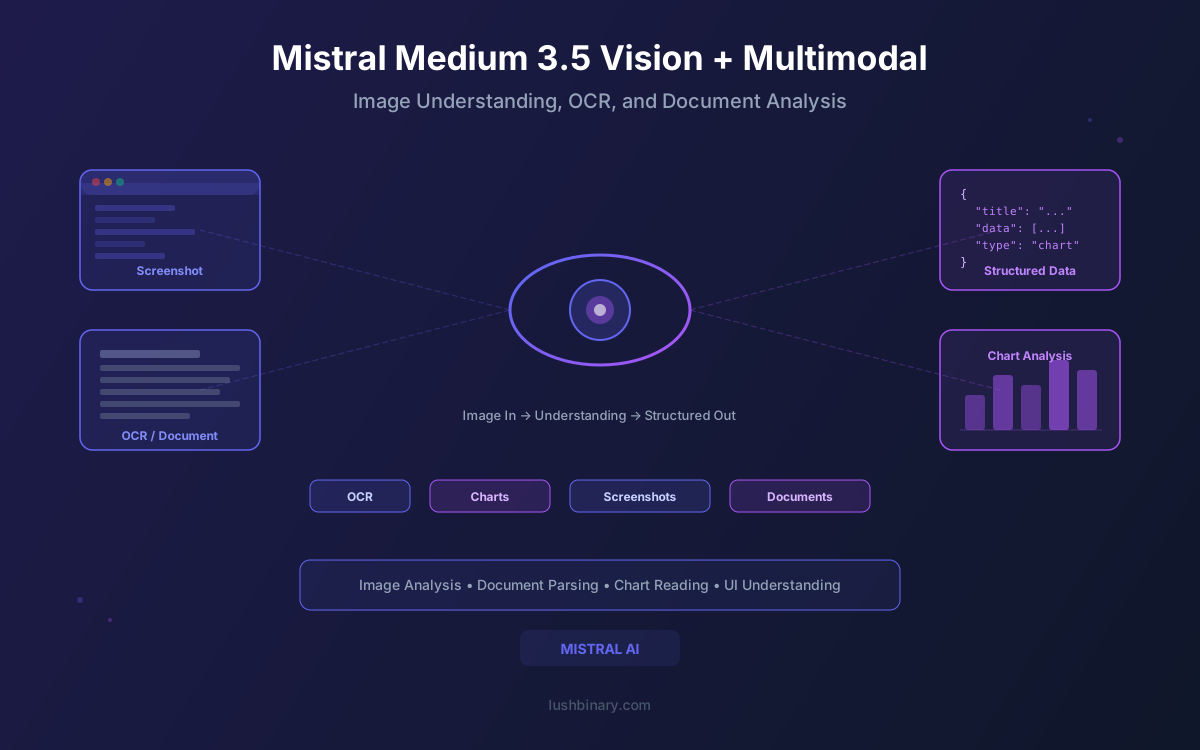
Multimodal AI has moved from research demos to production workloads. Teams are building document processing pipelines, visual QA systems, and automated report analysis tools that need models capable of understanding both text and images. But most multimodal models treat vision as a bolt-on feature, forcing images into fixed resolutions and losing critical detail in the process.
Mistral Medium 3.5 takes a different approach. Its vision encoder was trained from scratch, not adapted from an existing model, and it handles variable image sizes and aspect ratios natively. This means a tall receipt, a wide dashboard screenshot, and a standard photo are all processed without distortion or cropping. Combined with a 128B dense architecture, 256K context window, and support for dozens of languages, Medium 3.5 is built for real-world multimodal workloads where image fidelity matters.
This guide covers everything you need to know about Medium 3.5's vision capabilities: how the encoder works, what input types are supported, practical use cases from OCR to chart analysis, API integration with code examples, and how to combine vision with reasoning mode for complex visual tasks.
What This Guide Covers
1What Makes Medium 3.5's Vision Different
Most multimodal models add vision by attaching a pre-trained image encoder (often a CLIP variant) to an existing language model. The image gets resized to a fixed resolution, encoded into tokens, and fed into the text model. This works, but it introduces compromises: tall images get squashed, wide images lose detail, and the encoder was never optimized for the specific language model it's paired with.
Mistral took a different path with Medium 3.5. They trained the vision encoder from scratch, specifically for this model. The encoder handles variable image sizes and aspect ratios natively, which means images are not forced into a fixed square or rectangular grid before processing. A tall receipt stays tall. A wide panoramic screenshot keeps its full width. The model sees what you send it, not a distorted approximation.
Typical Multimodal Approach
- Pre-trained CLIP or SigLIP encoder
- Fixed image resolution (e.g., 336x336 or 448x448)
- Aspect ratio distortion on non-square images
- Encoder not co-trained with the language model
Medium 3.5's Approach
- Custom encoder trained from scratch
- Variable image sizes and aspect ratios
- No forced resizing or cropping
- Encoder designed specifically for this model
Why This Matters
Variable aspect ratio support is critical for document processing. Invoices, receipts, legal contracts, and technical diagrams all come in different dimensions. A model that forces everything into a square loses text at the edges, compresses fine print, and misreads table layouts. Medium 3.5 avoids these problems by design.
2Supported Input Types
Medium 3.5 accepts multimodal inputs through the standard OpenAI-compatible chat completions API. The model takes text and image inputs and produces text output. There is no image generation capability - this is a vision understanding model, not a generative image model.
| Input Method | Format | Best For |
|---|---|---|
| Image URL | image_url with HTTPS link | Publicly accessible images, CDN-hosted assets |
| Base64 Encoded | data:image/png;base64,... | Local files, private images, pipeline processing |
| Multiple Images | Array of image_url content blocks | Comparing documents, multi-page analysis |
| Text Only | Standard text content | Regular chat, coding, reasoning tasks |
You can mix text and multiple images in a single message. For example, you could send two screenshots of a UI and ask the model to compare them, or include a chart image alongside a text prompt asking for specific data extraction. The model processes all content blocks in order and generates a unified text response.
3Document Parsing & OCR
One of the most practical applications of Medium 3.5's vision capabilities is document parsing. The model can extract structured data from scanned documents, PDF pages rendered as images, invoices, receipts, contracts, and forms. The variable aspect ratio support is particularly valuable here, since documents come in letter, A4, legal, and custom sizes.
- Invoices and receipts: Extract line items, totals, tax amounts, vendor names, and dates from scanned financial documents.
- Contracts and legal documents: Pull out key clauses, party names, dates, and signature blocks from multi-page legal PDFs.
- Forms and applications: Read filled-in form fields, checkboxes, and handwritten notes from scanned paperwork.
- Business cards and labels: Extract contact information, product details, and shipping labels from photos.
from openai import OpenAI

client = OpenAI(
    api_key="your-mistral-api-key",
    base_url="https://api.mistral.ai/v1"
)

# Extract structured data from a scanned invoice
response = client.chat.completions.create(
    model="mistral-medium-3.5",
    messages=[
        {
            "role": "user",
            "content": [
                {
                    "type": "text",
                    "text": "Extract all line items, subtotal, tax, and total from this invoice. Return as JSON."
                },
                {
                    "type": "image_url",
                    "image_url": {"url": "https://example.com/invoice-scan.png"}
                }
            ]
        }
    ],
    temperature=0.1,
)

print(response.choices[0].message.content)
For production document processing, you can combine this with PDF rendering libraries like pdf2image or PyMuPDF to convert each page to an image, then send pages to Medium 3.5 for extraction. The 256K context window means you can include multiple pages in a single request when needed.
4Chart & Data Visualization Analysis
Medium 3.5 can interpret charts, graphs, and dashboards with surprising accuracy. It reads bar charts, line graphs, pie charts, scatter plots, and complex multi-axis visualizations. This opens up use cases like automated report summarization, dashboard monitoring, and data extraction from visual sources.
- Bar and line charts: Identify trends, compare values across categories, and extract specific data points.
- Pie charts and donut charts: Read segment labels, percentages, and relative proportions.
- Dashboards: Summarize key metrics from complex multi-widget dashboard screenshots.
- Tables in images: Extract tabular data from screenshots of spreadsheets, reports, or web pages.
# Analyze a dashboard screenshot
response = client.chat.completions.create(
    model="mistral-medium-3.5",
    messages=[
        {
            "role": "user",
            "content": [
                {
                    "type": "text",
                    "text": "Analyze this dashboard. List the top 3 metrics and their values. Identify any trends or anomalies."
                },
                {
                    "type": "image_url",
                    "image_url": {"url": "https://example.com/q2-dashboard.png"}
                }
            ]
        }
    ],
    temperature=0.2,
)

print(response.choices[0].message.content)
Practical Tip
For best results with chart analysis, use low temperature (0.1-0.2) and ask for specific data points rather than general descriptions. Prompts like "What was the revenue in Q3?" produce more accurate results than "Describe this chart."
5Code Screenshot Understanding
Developers frequently share code as screenshots in Slack, Discord, Twitter, and documentation. Medium 3.5 can read and understand these screenshots, making it useful for debugging workflows, code review assistance, and technical support scenarios.
- UI screenshots: Analyze component layouts, identify styling issues, and suggest CSS fixes based on visual output.
- Error messages: Read stack traces, compiler errors, and terminal output from screenshots and suggest fixes.
- Terminal output: Parse build logs, test results, and deployment output captured as images.
- Architecture diagrams: Interpret system design diagrams, flowcharts, and sequence diagrams to explain or critique the architecture.
# Debug an error from a screenshot
response = client.chat.completions.create(
    model="mistral-medium-3.5",
    messages=[
        {
            "role": "user",
            "content": [
                {
                    "type": "text",
                    "text": "This is a screenshot of an error in my terminal. What is the root cause and how do I fix it?"
                },
                {
                    "type": "image_url",
                    "image_url": {"url": "https://example.com/error-screenshot.png"}
                }
            ]
        }
    ],
    temperature=0.3,
)

print(response.choices[0].message.content)
This capability is especially useful for building internal developer tools. You could create a Slack bot that accepts screenshot uploads, sends them to Medium 3.5 for analysis, and returns debugging suggestions directly in the channel. The model handles syntax highlighting, dark and light themes, and various terminal emulators without issues.
6API Integration for Vision
Medium 3.5's vision API follows the OpenAI-compatible chat completions format. You send images as content blocks within the messages array, using either URLs or base64-encoded data. Here are complete examples for both approaches.
Image URL Example
from openai import OpenAI

client = OpenAI(
    api_key="your-mistral-api-key",
    base_url="https://api.mistral.ai/v1"
)

# Vision with image URL
response = client.chat.completions.create(
    model="mistral-medium-3.5",
    messages=[
        {
            "role": "user",
            "content": [
                {
                    "type": "text",
                    "text": "Describe the architecture shown in this diagram. List each component and how they connect."
                },
                {
                    "type": "image_url",
                    "image_url": {
                        "url": "https://example.com/system-architecture.png"
                    }
                }
            ]
        }
    ],
    temperature=0.3,
    max_tokens=2048,
)

print(response.choices[0].message.content)
Base64 Encoded Image Example
import base64
from pathlib import Path
from openai import OpenAI

client = OpenAI(
    api_key="your-mistral-api-key",
    base_url="https://api.mistral.ai/v1"
)

# Read and encode a local image
image_path = Path("./receipt.jpg")
image_data = base64.b64encode(image_path.read_bytes()).decode("utf-8")

# Vision with base64 image
response = client.chat.completions.create(
    model="mistral-medium-3.5",
    messages=[
        {
            "role": "user",
            "content": [
                {
                    "type": "text",
                    "text": "Extract the store name, date, items, and total from this receipt."
                },
                {
                    "type": "image_url",
                    "image_url": {
                        "url": f"data:image/jpeg;base64,{image_data}"
                    }
                }
            ]
        }
    ],
    temperature=0.1,
)

print(response.choices[0].message.content)
Multiple Images in One Request
# Compare two UI screenshots
response = client.chat.completions.create(
    model="mistral-medium-3.5",
    messages=[
        {
            "role": "user",
            "content": [
                {
                    "type": "text",
                    "text": "Compare these two UI designs. What changed between version A and version B?"
                },
                {
                    "type": "image_url",
                    "image_url": {"url": "https://example.com/ui-v1.png"}
                },
                {
                    "type": "image_url",
                    "image_url": {"url": "https://example.com/ui-v2.png"}
                }
            ]
        }
    ],
    temperature=0.3,
)

print(response.choices[0].message.content)7Vision with Reasoning Mode
Medium 3.5's configurable reasoning effort works with vision inputs. By setting reasoning_effort="high", you can make the model think more carefully about complex visual content before responding. This is useful for tasks that require multi-step visual reasoning, like interpreting dense financial charts, analyzing architectural diagrams with many components, or extracting structured data from complex document layouts.
Vision + No Reasoning
- Fast image description and captioning
- Simple OCR and text extraction
- Basic object identification
- Lower latency, lower cost
Vision + High Reasoning
- Complex chart interpretation with calculations
- Multi-step document analysis
- Architecture diagram critique
- Higher accuracy on ambiguous content
# Complex visual analysis with reasoning
response = client.chat.completions.create(
    model="mistral-medium-3.5",
    messages=[
        {
            "role": "user",
            "content": [
                {
                    "type": "text",
                    "text": "Analyze this financial report. Calculate the year-over-year growth rate for each metric and identify which business unit is underperforming."
                },
                {
                    "type": "image_url",
                    "image_url": {"url": "https://example.com/financial-report.png"}
                }
            ]
        }
    ],
    temperature=0.7,
    extra_body={"reasoning_effort": "high"},
)

print(response.choices[0].message.content)
The reasoning mode adds latency and increases token usage, so use it selectively. For simple OCR or image captioning, skip reasoning entirely. For tasks that require the model to calculate, compare, or draw conclusions from visual data, reasoning mode produces noticeably better results.
8Multilingual Vision
Medium 3.5 supports dozens of languages for both text and vision tasks. This means the model can perform OCR and document analysis on content written in languages beyond English, making it suitable for international document processing pipelines.
| Language Group | Languages |
|---|---|
| Western European | English, French, Spanish, German, Italian, Portuguese, Dutch |
| East Asian | Chinese (Simplified & Traditional), Japanese, Korean |
| Middle Eastern | Arabic (including right-to-left text recognition) |
| Additional | Many more languages supported for text understanding and OCR |
Multilingual vision is particularly useful for companies operating across borders. A logistics company can process shipping labels in Chinese, invoices in German, and customs forms in Arabic using the same model and API. You can also prompt the model in one language and have it extract text from an image in another, which simplifies translation workflows.
# Extract text from a Japanese document and translate to English
response = client.chat.completions.create(
    model="mistral-medium-3.5",
    messages=[
        {
            "role": "user",
            "content": [
                {
                    "type": "text",
                    "text": "Read the text in this Japanese document. Extract all key information and provide it in English."
                },
                {
                    "type": "image_url",
                    "image_url": {"url": "https://example.com/japanese-invoice.png"}
                }
            ]
        }
    ],
    temperature=0.2,
)

print(response.choices[0].message.content)9Production Use Cases
Medium 3.5's vision capabilities enable several production-ready workflows. Here are the most common patterns we see teams building with multimodal AI.
Document Processing Pipelines
Ingest scanned documents, extract structured data, validate against schemas, and route to downstream systems. Common in finance, insurance, and legal workflows.
Visual QA Systems
Let users upload images and ask questions about them. Useful for customer support, product identification, and technical troubleshooting.
Automated Report Analysis
Process dashboard screenshots, financial reports, and analytics exports to generate summaries, detect anomalies, and trigger alerts.
Product Image Classification
Categorize product photos, detect defects in manufacturing images, verify packaging compliance, and automate quality control checks.
Example: Document Processing Pipeline
import base64
import json
from pathlib import Path
from openai import OpenAI

client = OpenAI(
    api_key="your-mistral-api-key",
    base_url="https://api.mistral.ai/v1"
)

def process_document(image_path: str, doc_type: str) -> dict:
    """Extract structured data from a document image."""
    image_data = base64.b64encode(
        Path(image_path).read_bytes()
    ).decode("utf-8")

    prompts = {
        "invoice": "Extract: vendor, invoice_number, date, line_items (description, quantity, unit_price, total), subtotal, tax, grand_total. Return valid JSON.",
        "receipt": "Extract: store_name, date, items (name, price), subtotal, tax, total, payment_method. Return valid JSON.",
        "contract": "Extract: parties, effective_date, term, key_clauses (clause_name, summary), signatures. Return valid JSON.",
    }

    response = client.chat.completions.create(
        model="mistral-medium-3.5",
        messages=[
            {
                "role": "user",
                "content": [
                    {"type": "text", "text": prompts.get(doc_type, prompts["invoice"])},
                    {
                        "type": "image_url",
                        "image_url": {
                            "url": f"data:image/png;base64,{image_data}"
                        }
                    }
                ]
            }
        ],
        temperature=0.1,
    )

    return json.loads(response.choices[0].message.content)

# Usage
result = process_document("./scanned-invoice.png", "invoice")
print(json.dumps(result, indent=2))
Production Considerations
For production document processing, add retry logic with exponential backoff, validate extracted JSON against a schema, implement confidence scoring by asking the model to rate its certainty, and log all inputs and outputs for audit trails. Consider batching multiple pages per request to reduce API calls and cost.
10Why Lushbinary for Multimodal AI
Building multimodal AI systems that work reliably in production requires more than calling a vision API. You need image preprocessing pipelines, structured output validation, fallback strategies for ambiguous inputs, cost monitoring, and infrastructure that scales with your document volume. At Lushbinary, we specialize in building these systems end to end.
- Document processing pipelines: We build complete ingestion systems that handle PDF conversion, image preprocessing, structured extraction, validation, and downstream integration.
- Multi-model vision architectures: We design systems that route between Mistral, GPT-4o, and Claude based on document type, complexity, and cost targets.
- Self-hosting on AWS: We deploy open-weight models like Medium 3.5 on EC2 GPU instances with vLLM, auto-scaling, and monitoring for teams that need data sovereignty.
- Visual QA and support tools: We build customer-facing tools that accept image uploads, process them with vision models, and return structured answers in real time.
Free Consultation
Want to build a multimodal AI system with Mistral Medium 3.5, or evaluate vision models for your document processing workflow? Lushbinary will scope your project, recommend the right architecture, and give you a realistic timeline - no obligation.
Frequently Asked Questions
What vision capabilities does Mistral Medium 3.5 support?
Mistral Medium 3.5 accepts text and image inputs with text output. It supports image URLs and base64-encoded images, handles variable image sizes and aspect ratios natively, and can process multiple images per request. Use cases include document parsing, chart analysis, OCR, and visual QA.
How is the Mistral Medium 3.5 vision encoder different from other models?
Mistral trained the vision encoder from scratch rather than adapting one from another model. It handles variable image sizes and aspect ratios natively, so images are not forced into fixed resolutions. This reduces distortion and information loss when processing documents, screenshots, and photos of different dimensions.
Can Mistral Medium 3.5 do OCR and document parsing?
Yes. Mistral Medium 3.5 can extract text from scanned documents, PDFs rendered as images, invoices, receipts, and contracts. Its variable aspect ratio support is especially useful for document processing where pages come in different sizes and orientations.
Does Mistral Medium 3.5 vision work with the reasoning mode?
Yes. You can combine vision inputs with reasoning_effort set to high for complex visual analysis tasks. This is useful for interpreting dense charts, analyzing architectural diagrams, or extracting structured data from complex document layouts.
What languages does Mistral Medium 3.5 support for vision and OCR?
Mistral Medium 3.5 supports dozens of languages for OCR and document analysis, including English, French, Spanish, German, Italian, Portuguese, Dutch, Chinese, Japanese, Korean, and Arabic. This makes it suitable for multilingual document processing pipelines.
Sources
- Mistral AI - Remote agents in Vibe, Powered by Mistral Medium 3.5
- Hugging Face - Mistral Medium 3.5 128B Model Card
- Mistral AI - Vision Capabilities Documentation
- Mistral AI - API Pricing
Content was rephrased for compliance with licensing restrictions. Technical details and pricing sourced from official Mistral AI documentation and Hugging Face model cards. Pricing and capabilities may change - always verify on the vendor's website.
Build Multimodal AI with Mistral Medium 3.5
Need help building vision-powered document processing, visual QA, or multimodal AI systems? Whether you're using the Mistral API or self-hosting on your own infrastructure, we can help.
Ready to Build Something Great?
Get a free 30-minute strategy call. We'll map out your project, timeline, and tech stack - no strings attached.
Prefer email? Reach us directly:


