
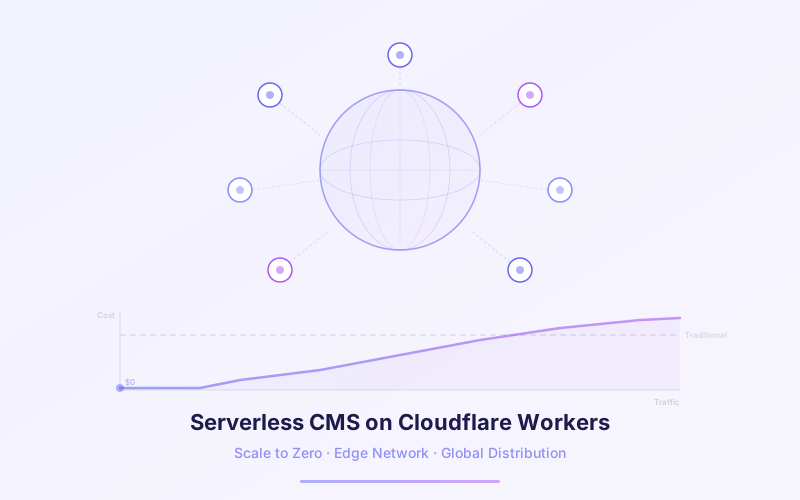
Traditional CMS platforms like WordPress require servers running 24/7 — even when nobody is visiting your site. You're paying for idle compute, patching OS vulnerabilities at 2 AM, and praying your $20/month VPS can handle a traffic spike from Hacker News. EmDash changes that equation entirely.
Built from scratch in TypeScript and designed to run on Cloudflare Workers, EmDash is the first CMS that truly scales to zero. No requests means no cost. When traffic arrives, V8 isolates spin up in under 5 milliseconds across 300+ data centers worldwide. No cold starts, no capacity planning, no servers to manage.
This article breaks down the serverless architecture behind EmDash, the economics of scale-to-zero hosting, how Cloudflare for Platforms enables hosting providers to run millions of EmDash instances, and the real trade-offs you need to understand before going serverless with your CMS.
📋 Table of Contents
- 1.Why Serverless Matters for CMS
- 2.The Problem with Traditional CMS Hosting
- 3.V8 Isolates vs Containers vs VMs
- 4.How EmDash Leverages Cloudflare Workers
- 5.Scale-to-Zero Economics
- 6.Cloudflare for Platforms: Millions of EmDash Instances
- 7.The workerd Open-Source Runtime
- 8.Performance at the Edge
- 9.Limitations and Trade-Offs
- 10.How Lushbinary Architects Serverless CMS Solutions
1Why Serverless Matters for CMS
Content management systems have a unique traffic pattern: long periods of near-zero activity punctuated by spikes when content goes viral or gets indexed. A personal blog might get 50 visits on a quiet Tuesday and 50,000 when a post hits the front page of Reddit. Traditional hosting forces you to provision for the peak and pay for the idle.
Serverless flips this model. Instead of renting a server that runs continuously, your CMS code executes only when a request arrives. The platform handles scaling automatically — from zero to millions of requests — and you pay only for what you use.
For a CMS specifically, serverless architecture delivers three critical advantages:
- Cost efficiency: No traffic means no bill. A staging site or low-traffic blog costs essentially nothing.
- Automatic scaling: No capacity planning, no load balancers to configure, no auto-scaling groups to tune.
- Zero ops burden: No OS patches, no server hardening, no SSH keys to rotate. The platform handles infrastructure security.
WordPress.org recommends a minimum of PHP 7.4, MySQL 5.7, and a web server like Apache or Nginx. That's three pieces of software to maintain, patch, and secure — before you even think about your content.
2The Problem with Traditional CMS Hosting
WordPress powers roughly 43% of all websites, and the vast majority run on traditional LAMP stacks: Linux, Apache, MySQL, and PHP. This architecture was revolutionary in 2003. In 2026, it's a liability.
The fundamental problem is that WordPress requires servers running 24/7. Even if your site gets zero visitors between midnight and 6 AM, your $20–$100/month VPS is still burning electricity, consuming memory, and exposing attack surface. Here's what that looks like in practice:
- Always-on costs: A basic DigitalOcean droplet for WordPress runs $12–$48/month regardless of traffic
- Scaling pain: Traffic spike? You need to vertically scale (bigger server) or horizontally scale (load balancer + multiple servers + shared sessions + database replication)
- Security surface: Every running server is an attack vector. WordPress sites face an average of 90,000 attacks per minute globally
- Maintenance overhead: OS updates, PHP version upgrades, MySQL patches, SSL certificate renewals, backup scripts, monitoring alerts
Managed WordPress hosts like WP Engine and Kinsta solve some of these problems, but at $30–$300+/month. You're still paying for provisioned capacity, and you're still running on servers that need to be up 24/7.
The irony: most WordPress sites spend over 95% of their compute time doing absolutely nothing — waiting for requests that never come. You're paying for a server to be bored.
3V8 Isolates vs Containers vs VMs
To understand why EmDash on Cloudflare Workers is fundamentally different from running a CMS on AWS Lambda or Google Cloud Run, you need to understand the three layers of compute isolation:
| Property | Virtual Machines | Containers | V8 Isolates |
|---|---|---|---|
| Cold start | Seconds to minutes | 500ms–5s | <5ms |
| Memory overhead | GBs per instance | 100s of MBs | ~2–5 MB |
| Isolation level | Full OS kernel | Shared kernel | V8 engine sandbox |
| Startup includes | OS + runtime + app | Runtime + app | Just your code |
| Density | 10s per host | 100s per host | 1000s per process |
| Billing granularity | Per hour/minute | Per second | Per millisecond (CPU time) |
V8 isolates are the same technology that powers every tab in Google Chrome. Each isolate gets its own heap, global scope, and execution context, but shares the underlying V8 engine with thousands of other isolates. This is what makes sub-5ms cold starts possible — there's no operating system to boot, no runtime to initialize, just your JavaScript/TypeScript code executing immediately.
The security model is battle-tested. Chrome has been isolating untrusted web content in V8 for over 15 years. Cloudflare applies the same isolation model to server-side code, running thousands of different customers' Workers within the same process without any cross-contamination.
For a CMS like EmDash, this means each request gets its own isolate that starts nearly instantly, processes the request, and is torn down. No warm servers sitting idle, no container images to pull, no VMs to provision.
4How EmDash Leverages Cloudflare Workers
EmDash was designed from day one to run on Cloudflare Workers. This isn't a "we ported it to serverless" story — the entire architecture assumes a Workers runtime. Here's how the pieces fit together:
- Workers: The core EmDash application runs as a Cloudflare Worker, handling HTTP requests, routing, and rendering pages via Astro 6
- D1: Cloudflare's serverless SQLite database stores content, schemas, user accounts, and plugin metadata
- R2: Object storage for media uploads (images, videos, documents) with S3-compatible API
- KV: Key-value storage for caching rendered pages, session data, and configuration
- Dynamic Workers: Each EmDash plugin runs in its own isolated Worker, enforcing the capability-based security model
- Durable Objects: Used for real-time collaboration features like concurrent editing and live preview
This architecture means every component of the CMS is serverless. There's no single point of failure, no database server to maintain, and no file system to back up. Everything is managed by Cloudflare's global infrastructure.
For developers coming from WordPress, the mental model shift is significant. Instead of a monolithic PHP application talking to a MySQL server on the same box, EmDash is a distributed system where compute, storage, and caching are all separate services that scale independently. Read our EmDash developer guide for a hands-on walkthrough of the full stack.
5Scale-to-Zero Economics
The financial case for serverless CMS hosting is compelling once you look at real numbers. Cloudflare Workers pricing is straightforward:
- Free tier: 100,000 requests per day (about 3 million per month)
- Paid plan: $5/month base, includes 10 million requests, then $0.50 per additional million
- CPU-time billing: You pay for actual CPU milliseconds consumed, not wall-clock time. A request that waits 200ms for a D1 query but uses 2ms of CPU costs you 2ms.
Here's how that compares to traditional hosting at different traffic levels:
| Monthly Traffic | WordPress VPS | Managed WP Host | EmDash on Workers |
|---|---|---|---|
| 0 requests (idle) | $12–$24/mo | $30+/mo | $0 (free tier) |
| 50K requests | $12–$24/mo | $30+/mo | $0 (free tier) |
| 500K requests | $24–$48/mo | $30–$60/mo | $0 (free tier) |
| 3M requests | $48–$96/mo | $60–$115/mo | $0 (free tier) |
| 10M requests | $96–$200/mo | $115–$300/mo | $5/mo |
| 50M requests | $200–$500+/mo | $300–$1,000+/mo | $25/mo |
| 100M requests | Custom / dedicated | $1,000+/mo | $50/mo |
The pattern is clear: serverless wins at every traffic level, but the advantage is most dramatic at the extremes. An idle site costs literally nothing. A high-traffic site at 100 million requests per month costs roughly $50 on Workers versus $1,000+ on managed WordPress hosting.
These estimates don't include D1 and R2 costs, which add modestly to the bill. D1 offers 5 million free reads per day and 100,000 free writes per day. R2 charges $0.015/GB/month for storage with no egress fees — a significant advantage over S3's egress pricing. For a deeper comparison of hosting costs, see our EmDash AWS vs Cloudflare hosting cost analysis.
CPU-time billing is the key differentiator. AWS Lambda charges for wall-clock duration — if your function waits 200ms for a database response, you pay for 200ms. Cloudflare Workers charges only for the CPU milliseconds your code actually executes. For I/O-heavy CMS workloads, this can reduce costs by 10–50x.
6Cloudflare for Platforms: Millions of EmDash Instances
Cloudflare for Platforms (formerly Workers for Platforms) is the infrastructure layer that makes managed EmDash hosting viable at massive scale. It allows a single platform provider to deploy and manage millions of customer Workers on their own Cloudflare account.
Here's why this matters for CMS hosting: imagine you're building the next WP Engine, but for EmDash. Each customer gets their own isolated CMS instance. With traditional hosting, you'd need to provision a server or container per customer. With Cloudflare for Platforms, each customer's EmDash site is a separate Worker — isolated, independently scalable, and billed only for actual usage.
The platform model enables:
- Dispatch Workers: A routing layer that maps incoming requests to the correct customer's EmDash Worker based on hostname or path
- Per-customer isolation: Each EmDash instance runs in its own V8 isolate with separate D1 databases, R2 buckets, and KV namespaces
- Dynamic deployment: Spin up a new EmDash instance for a customer in seconds via API, no infrastructure provisioning required
- Usage-based billing passthrough: Bill customers based on their actual resource consumption rather than fixed tiers
This is exactly how Cloudflare envisions EmDash being offered as a managed service. A hosting provider can run millions of EmDash sites on a single Cloudflare account, with each site scaling independently from zero to millions of requests. The economics work because idle sites cost nothing — you only pay for active compute.
Traditional managed WordPress hosting requires provisioning dedicated resources per customer, which means you pay for capacity whether customers use it or not. Cloudflare for Platforms eliminates this waste entirely — a hosting provider with 100,000 EmDash customers only pays for the aggregate compute those customers actually consume.
7The workerd Open-Source Runtime
Under the hood, Cloudflare Workers runs on workerd (pronounced "worker-dee"), an open-source JavaScript/TypeScript runtime that Cloudflare released in 2022. It's the same runtime that powers the production Workers platform, and it's available for anyone to run locally or on their own infrastructure.
workerd is built on V8 (the same engine as Chrome and Node.js) but differs from Node.js in critical ways:
- No filesystem access: Workers can't read or write files. All persistence goes through bindings (D1, R2, KV).
- No native modules: No
node_moduleswith C++ bindings. Everything runs in pure JavaScript/TypeScript. - Request-scoped execution: Each request gets a fresh execution context. No global state persists between requests (unless using Durable Objects).
- Web-standard APIs: workerd implements the WinterCG standard, using
fetch,Request,Response,crypto, and other Web APIs instead of Node.js-specific APIs.
For EmDash, workerd provides a critical guarantee: the same runtime that runs in development (via wrangler dev) is identical to what runs in production across Cloudflare's global network. There are no "works on my machine" surprises.
Astro 6's dev server also runs on workerd, which means the entire EmDash development experience — from theme development to plugin testing — uses the same runtime as production. This tight integration between the CMS, the framework, and the runtime is a direct result of Cloudflare acquiring the Astro Technology Company in early 2026.
8Performance at the Edge
Cloudflare operates 300+ data centers in over 100 countries. When a user requests an EmDash page, the request is handled by the nearest data center — not a server in us-east-1 that might be 200ms away.
The performance characteristics of EmDash on Workers are fundamentally different from traditional CMS hosting:
- Sub-5ms cold starts: V8 isolates initialize in under 5 milliseconds. Compare this to AWS Lambda cold starts of 100ms–1s+ depending on runtime and bundle size.
- Global distribution by default: Your CMS code runs in every Cloudflare data center automatically. No multi-region deployment configuration needed.
- Edge caching with KV: Rendered pages can be cached in Cloudflare KV, which replicates globally. Subsequent requests for the same page are served from the nearest edge location with single-digit millisecond latency.
- Smart placement: For requests that need database access, Cloudflare's Smart Placement automatically runs the Worker close to the D1 database to minimize latency, then serves the response from the edge.
In practice, a cached EmDash page loads in 10–30ms from anywhere in the world. Even uncached pages with D1 queries typically respond in 50–150ms, which is faster than most WordPress sites with full-page caching enabled.
For sites that need to serve content globally, this is a game-changer. A traditional WordPress site hosted in Virginia serves users in Tokyo with 150–200ms of network latency before the server even starts processing. EmDash on Workers processes the request at the Tokyo data center, eliminating that latency entirely. If you're evaluating hosting options, our guide to hosting on S3 and CloudFront covers the AWS alternative approach.
9Limitations and Trade-Offs
Serverless CMS architecture isn't a silver bullet. Running EmDash on Cloudflare Workers comes with real constraints that you need to understand before committing:
CPU Time Limits
The free tier allows 10ms of CPU time per request. The paid plan extends this to 30 seconds. For most CMS operations (rendering a page, saving content, processing a form), 30 seconds is more than enough. But heavy operations like bulk imports, image processing, or complex search indexing may need to be offloaded to Queues or Durable Objects that process work asynchronously.
Memory Constraints
Each V8 isolate is limited to 128 MB of memory. This is plenty for rendering pages and handling API requests, but it means you can't load a 500 MB dataset into memory for processing. EmDash works around this by streaming large operations and using D1 for data-heavy queries.
D1 vs Full RDBMS
D1 is serverless SQLite — not PostgreSQL or MySQL. It supports standard SQL but lacks features like stored procedures, triggers, full-text search (beyond basic LIKE), and advanced indexing. For most CMS use cases, D1 is sufficient. But if you need complex relational queries, geospatial data, or full-text search with ranking, you may need to supplement D1 with external services or use the Node.js deployment option with a full database.
No Persistent Filesystem
Workers have no filesystem. All file storage goes through R2 (object storage). This means WordPress plugins that write to wp-content/uploads or generate files on disk won't have a direct equivalent. EmDash handles this by routing all media through R2 with a clean API.
Vendor Considerations
While workerd is open-source and EmDash can run on Node.js, the full serverless experience is tied to Cloudflare's platform. D1, R2, KV, Dynamic Workers, and Durable Objects are Cloudflare services. If you need to run entirely on AWS, EmDash supports Node.js deployment, but you lose the scale-to-zero economics and V8 isolate performance. See our AWS vs Cloudflare hosting comparison for a detailed breakdown.
10How Lushbinary Architects Serverless CMS Solutions
At Lushbinary, we've been building on Cloudflare Workers since before EmDash existed. Our team has deep experience designing serverless architectures that scale from zero to millions of requests, and we're now applying that expertise to EmDash deployments.
What we offer:
- EmDash deployment architecture on Cloudflare Workers with D1, R2, and KV configuration optimized for your traffic patterns
- WordPress-to-EmDash migration with content mapping, media migration, and URL redirect strategies
- Custom EmDash plugin development with proper capability scoping and performance profiling within CPU time limits
- Cloudflare for Platforms setup for hosting providers who want to offer managed EmDash hosting at scale
- Hybrid architectures that combine EmDash on Workers with AWS services for workloads that exceed Workers' constraints
- Performance optimization including edge caching strategies, Smart Placement configuration, and D1 query tuning
🚀 Free Serverless CMS Consultation
Thinking about moving your CMS to a serverless architecture? We can assess your current hosting costs, estimate your Workers spend, and design a migration plan. Book a free 30-minute call with our team.
❓ Frequently Asked Questions
What does scale-to-zero mean for a CMS?
Scale-to-zero means the CMS consumes no compute resources and incurs no cost when there are no incoming requests. Unlike traditional CMS hosting that requires always-on servers, a serverless CMS like EmDash on Cloudflare Workers only runs when a request arrives and bills only for actual CPU time used.
How much does it cost to run EmDash on Cloudflare Workers?
Cloudflare Workers offers a free tier of 100,000 requests per day. The paid plan starts at $5 per month and includes 10 million requests, with additional requests billed at $0.50 per million. CPU-time billing means you only pay for actual compute, not idle wall-clock time.
What are V8 isolates and why are they faster than containers?
V8 isolates are lightweight execution contexts within the V8 JavaScript engine. They start in under 5 milliseconds compared to 500ms+ for containers and seconds for VMs. Each isolate shares the engine but has its own memory space, enabling thousands of isolates per process with strong security boundaries.
What is Cloudflare for Platforms and how does it relate to EmDash?
Cloudflare for Platforms allows hosting providers to run millions of customer Workers on their own account. This enables managed EmDash hosting where each customer gets their own isolated CMS instance running as a separate Worker, all managed by a single platform provider.
What are the limitations of running a CMS on Cloudflare Workers?
Key limitations include CPU time limits (10ms on free tier, 30s on paid), 128MB memory per isolate, no persistent filesystem, and D1 SQLite instead of a full RDBMS like PostgreSQL. These constraints require architectural decisions around caching, query optimization, and offloading heavy processing to queues or Durable Objects.
📚 Sources
- Cloudflare Blog: Introducing EmDash
- Cloudflare Workers Pricing Documentation
- Cloudflare Blog: Cloud Computing without Containers
- workerd: Cloudflare's Open-Source Workers Runtime (GitHub)
- Cloudflare for Platforms Documentation
Content was rephrased for compliance with licensing restrictions. Pricing and technical specifications sourced from official Cloudflare documentation as of mid-2026. Costs are estimates and may vary based on usage patterns — always verify on the official pricing page.
Ready to Go Serverless with Your CMS?
Whether you're migrating from WordPress or building a new content platform, our team can architect a serverless EmDash solution that scales to zero and saves you money.
Build Smarter, Launch Faster.
Book a free strategy call and explore how LushBinary can turn your vision into reality.

