

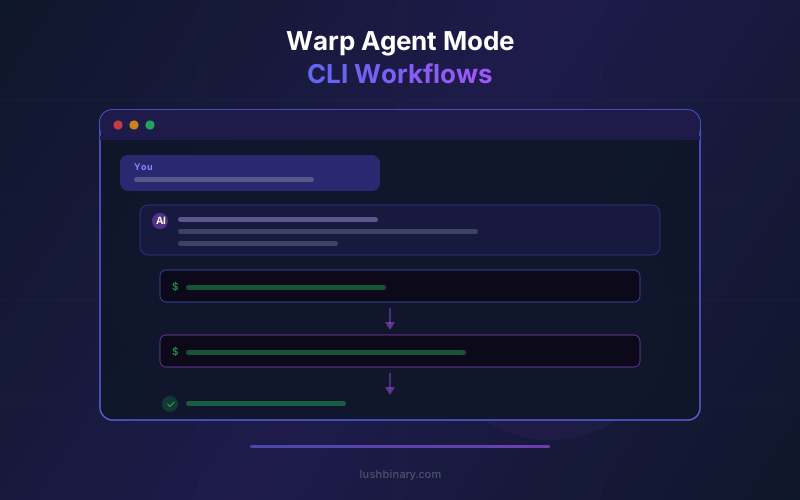
The most productive agentic coding tool for many teams is not an IDE - it is the terminal. Warp's Agent Mode turns the shell into a multi-step assistant that knows your toolchain, reads command output, and closes feedback loops without pulling you into a separate chat panel.
Since Warp went open source in April 2026, Agent Mode's internals are fully inspectable. This guide covers how Agent Mode works, practical workflow patterns for DevOps and development, team-shared workflows via Warp Drive, security controls, and when terminal-first agents beat IDE-based alternatives.
Whether you are debugging a Kubernetes deployment, automating CI/CD pipelines, or scaffolding a new project, Agent Mode can handle the multi-step CLI work that normally requires memorizing dozens of flags and piping commands together manually.
📋 Table of Contents
- 01Why Terminal-First Agent UX
- 02How Agent Mode Works Under the Hood
- 03Natural Language Commands in Practice
- 04Multi-Step Workflow Patterns
- 05Team-Shared Workflows with Warp Drive
- 06MCP Integration for External Tools
- 07Security Model & Approval Controls
- 08Agent Mode vs IDE-Based AI Assistants
- 09Advanced Patterns: Cron, Webhooks & CI/CD
- 10Why Lushbinary for Agentic CLI Workflows
1Why Terminal-First Agent UX
IDE-based AI assistants like Cursor and GitHub Copilot operate in the context of code files. They excel at code generation, refactoring, and inline suggestions. But for infrastructure work, deployment, debugging, and system administration, the terminal is where the action happens.
Terminal-first agents have a critical advantage: they operate in the same environment where commands actually execute. When Warp's Agent Mode suggests a kubectl command, it can immediately run it, read the output, detect errors, and propose a fix. An IDE-based assistant would generate the command as text, requiring you to copy it, switch to a terminal, paste it, read the output yourself, and then go back to the IDE to ask for help.
For CI/CD investigations, Kubernetes debugging, database operations, and cloud infrastructure management, this tight feedback loop makes terminal agents significantly more productive than IDE-resident alternatives.
2How Agent Mode Works Under the Hood
Agent Mode is activated by pressing Ctrl+Shift+A (or Cmd+Shift+A on macOS) or by typing a natural language request prefixed with # in the command input. Here is the execution flow:
- Context gathering - The agent collects your current directory, shell environment, recent command history, and any indexed codebase context
- Intent parsing - Your natural language request is sent to the selected LLM (Claude, GPT-4o, Gemini, etc.) with the gathered context
- Command proposal - The agent proposes one or more executable commands with explanations
- User approval - You review and approve each command before execution (or enable auto-approve for trusted operations)
- Execution & observation - The command runs in your shell, and the agent reads the output
- Follow-up reasoning - Based on the output, the agent decides whether to propose additional commands, report success, or suggest error fixes
This loop continues until the task is complete or you intervene. The key differentiator from simple command suggestion tools is steps 5 and 6: the agent observes real output and reasons about next steps, making it genuinely agentic rather than just a fancy autocomplete.
3Natural Language Commands in Practice
Agent Mode shines when you know what you want to accomplish but do not remember the exact syntax. Here are real-world examples:
# Instead of remembering complex kubectl syntax:
"Show me all pods in the staging namespace that are not running"
# Agent proposes:
kubectl get pods -n staging --field-selector=status.phase!=Running
# Instead of looking up Docker cleanup commands:
"Remove all stopped containers and dangling images"
# Agent proposes a multi-step workflow:
docker container prune -f
docker image prune -f
The agent adapts to your environment. If you are in a Node.js project, it will suggest npm or yarn commands. In a Rust project, it uses cargo. In a Python project, it detects whether you use pip, poetry, or uv. This context awareness comes from reading your project files and shell environment.
4Multi-Step Workflow Patterns
The real power of Agent Mode emerges in multi-step workflows where each command depends on the output of the previous one. Here are patterns we use regularly at Lushbinary:
Pattern 1: Debug and Fix
Tell the agent "My Next.js build is failing, help me fix it." The agent will run npm run build, read the error output, identify the issue (missing dependency, type error, etc.), propose a fix, and verify the fix by running the build again.
Pattern 2: Infrastructure Audit
Ask "Check the health of all services in our ECS cluster." The agent chains aws ecs list-services, aws ecs describe-services, and aws ecs describe-tasks to build a complete health report, flagging any services with unhealthy tasks.
Pattern 3: Database Migration
Request "Create a migration to add an email_verified column to the users table." The agent detects your ORM (Prisma, Drizzle, TypeORM), generates the migration file, runs it against your development database, and verifies the schema change.
5Team-Shared Workflows with Warp Drive
Warp Drive turns agent prompts into shared, versioned primitives that every engineer on your team can run. Instead of documenting complex CLI procedures in a wiki, you save them as Warp Drive workflows with parameters.
For example, a "Deploy to Staging" workflow might include parameterized steps for building the Docker image, pushing to ECR, updating the ECS task definition, and running smoke tests. Any team member can execute it by filling in the parameters (branch name, environment, etc.) without knowing the underlying commands.
Warp Drive also supports notebooks (interactive runbooks) and shared prompts (reusable AI instructions). This creates a living knowledge base that stays in the terminal where the work actually happens, rather than rotting in a documentation wiki that nobody updates.
6MCP Integration for External Tools
Agent Mode becomes even more powerful when connected to external tools via Model Context Protocol (MCP) servers. MCP servers act as plugins that give the agent access to systems beyond the terminal.
Common MCP integrations for Agent Mode workflows:
- GitHub MCP - Create PRs, review code, manage issues directly from agent conversations
- Linear/Jira MCP - Update ticket status, create subtasks, link commits to issues
- Database MCP - Query production databases, run analytics, generate reports
- AWS MCP - Manage cloud resources, check billing, deploy infrastructure
- Slack MCP - Post deployment notifications, alert on failures, share reports
With MCP, a single agent conversation can span multiple systems. For example: "Deploy the latest main branch to staging, run the test suite, and if it passes, create a PR to merge into production and notify the team on Slack."
7Security Model & Approval Controls
Giving an AI agent access to your terminal raises legitimate security concerns. Warp addresses this with a layered approval model:
- Explicit command confirmation - Every command is shown to you before execution. You approve, modify, or reject each one
- Per-directory permissions - Restrict which directories the agent can operate in
- Redacted history - Sensitive values (API keys, passwords) are automatically redacted from agent context
- Audit trails - Cloud agents log every action for team review
- BYOK isolation - Use your own API keys so prompts and context never touch Warp's servers
For enterprise teams, Warp's Business and Enterprise plans add SSO, SCIM provisioning, and centralized policy management. This gives security teams the controls they need to approve agent usage across the organization.
8Agent Mode vs IDE-Based AI Assistants
When should you use Warp Agent Mode versus an IDE-based assistant like Cursor or GitHub Copilot? The answer depends on the task:
| Task Type | Best Tool | Why |
|---|---|---|
| Code generation | IDE (Cursor/Copilot) | File context and inline editing |
| Refactoring | IDE (Cursor/Copilot) | Multi-file awareness and AST tools |
| K8s debugging | Warp Agent Mode | Direct kubectl execution and output reading |
| CI/CD pipeline | Warp Agent Mode | Shell environment and build tool access |
| Database ops | Warp Agent Mode | Direct CLI access to psql, mongosh, etc. |
| Git workflows | Either | Both handle git well |
| Cloud infra | Warp Agent Mode | AWS/GCP CLI with real-time feedback |
| Code review | IDE (Cursor/Copilot) | Diff view and inline comments |
The best setup for most teams is using both: an IDE-based assistant for code-centric work and Warp Agent Mode for infrastructure, deployment, and operational tasks. Warp also supports running Claude Code, Codex, and Gemini CLI inside the terminal with first-class agent support, so you can use multiple agents in parallel.
9Advanced Patterns: Cron, Webhooks & CI/CD
Beyond interactive use, Warp's Oz platform enables automated agent workflows triggered by external events:
- Cron-triggered agents - Schedule agents to run daily health checks, cost reports, or dependency audits
- Webhook-triggered agents - Trigger agents from GitHub webhooks on PR creation, Slack commands, or monitoring alerts
- CI/CD integration - Use the Oz CLI in your CI pipeline to run agents that validate deployments, run security scans, or generate release notes
- Slack/Linear triggers - Create agents that respond to Slack messages or Linear ticket updates
These patterns turn Warp from a developer tool into an operational automation platform. A single Oz agent can monitor your staging environment, detect issues, attempt automated fixes, and escalate to humans only when it cannot resolve the problem.
10Why Lushbinary for Agentic CLI Workflows
At Lushbinary, we build agentic development workflows for engineering teams. We have hands-on experience with Warp Agent Mode, Oz cloud agents, MCP integrations, and the broader ecosystem of AI coding tools. Whether you need help setting up Warp for your team, building custom MCP servers, or designing automated agent pipelines, we deliver production-ready solutions.
🚀 Free Consultation
Want to supercharge your team's CLI workflows with Warp Agent Mode? Lushbinary specializes in agentic development environments. We'll audit your current workflow, set up Warp Drive, and build custom MCP integrations - no obligation.
❓ Frequently Asked Questions
What is Warp Agent Mode?
Warp Agent Mode is an AI-powered feature that lets you describe tasks in natural language. The agent proposes executable shell commands, chains multi-step workflows, reads command output, and self-corrects when errors occur.
How does Warp Agent Mode differ from ChatGPT for terminal commands?
Unlike ChatGPT, Warp Agent Mode runs directly in your terminal with access to your shell environment, file system, and command history. It can execute commands with your confirmation, read output, and chain follow-up actions.
Can Warp Agent Mode run multiple commands automatically?
Yes. Agent Mode chains multi-step workflows where each step depends on the output of the previous one. You approve each command before execution, maintaining control at every stage.
Does Warp Agent Mode work with kubectl and Docker?
Yes. Agent Mode works with any CLI tool in your environment, including kubectl, docker, terraform, aws, git, npm, and cargo. It has autocompletion for 400+ CLI tools.
Is Warp Agent Mode free?
Warp's free tier includes 75 AI credits per month for basic Agent Mode usage. The Build plan at $18/month provides 1,500 credits. BYOK is available on paid plans.
📚 Sources
Content was rephrased for compliance with licensing restrictions. Feature data sourced from official Warp documentation as of April 2026. Features may change - always verify on the vendor's website.
Build Smarter CLI Workflows with Warp
Lushbinary helps teams adopt agentic terminal workflows. From Warp setup to custom MCP integrations, we optimize your development pipeline.
Ready to Build Something Great?
Get a free 30-minute strategy call. We'll map out your project, timeline, and tech stack - no strings attached.
Prefer email? Reach us directly:


