

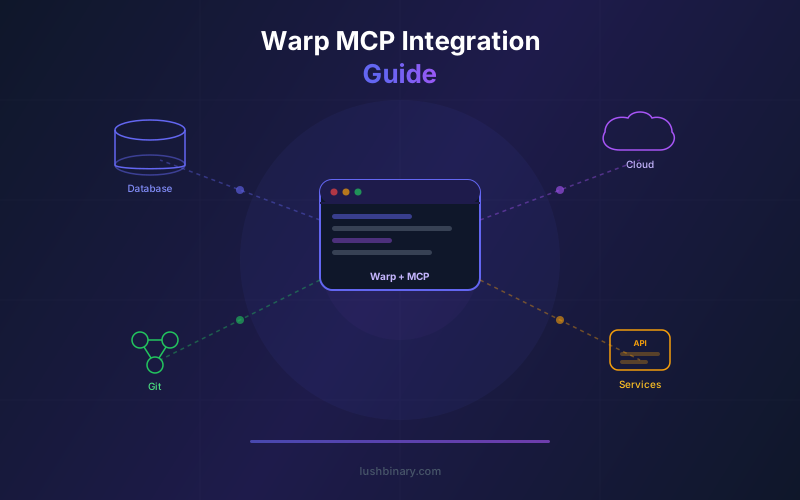
Warp's AI agents become dramatically more useful when connected to external tools via the Model Context Protocol (MCP). Instead of being limited to shell commands, agents can read from databases, create GitHub PRs, update Jira tickets, manage AWS resources, and post Slack notifications - all from a single terminal conversation.
This guide covers everything you need to set up MCP servers in Warp: connection protocols, configuration, popular server options, security considerations, and advanced patterns for building custom MCP integrations. If you have read our MCP developer guide, this post focuses specifically on the Warp integration layer.
With Warp now open source, you can inspect exactly how MCP servers integrate with the agent runtime, build custom connection handlers, and contribute improvements to the MCP layer.
📋 Table of Contents
- 01What MCP Means for Terminal Agents
- 02Warp MCP Architecture
- 03Connection Protocols: HTTPS, SSE & stdio
- 04Setting Up Your First MCP Server
- 05Popular MCP Servers for Warp
- 06Building Custom MCP Servers
- 07Warp Bridge: Connecting IDE Agents
- 08Security & Access Control
- 09Advanced Patterns: Multi-Server Workflows
- 10Why Lushbinary for MCP Integration
1What MCP Means for Terminal Agents
Without MCP, Warp's Agent Mode is limited to what you can do from the command line. That is already powerful, but many development workflows require interacting with web APIs, SaaS platforms, and internal tools that do not have CLI interfaces.
MCP bridges this gap by providing a standardized protocol for AI agents to discover and call external tools. Each MCP server exposes a set of tools (functions) with typed inputs and outputs. When you connect an MCP server to Warp, those tools become available to Agent Mode alongside shell commands.
The result is a terminal agent that can operate across your entire development stack: run shell commands, query databases, manage cloud resources, update project management tools, and communicate with your team - all in a single conversation.
2Warp MCP Architecture
Warp's MCP client layer handles connection management, tool discovery, authentication, and request routing. When Agent Mode decides to use an external tool, it sends the request through the MCP client, which routes it to the appropriate server. The server executes the operation and returns the result, which the agent incorporates into its reasoning.
3Connection Protocols: HTTPS, SSE & stdio
Warp supports three MCP connection protocols:
| Protocol | Best For | Notes |
|---|---|---|
| Streamable HTTPS | Remote servers, cloud-hosted MCP | Supports custom headers for auth |
| SSE (Server-Sent Events) | Real-time streaming responses | Good for long-running operations |
| stdio | Local servers, development | Runs as a subprocess of Warp |
4Setting Up Your First MCP Server
Adding an MCP server to Warp takes about 30 seconds. Here is how to connect the GitHub MCP server as an example:
- Open Warp Settings > AI > MCP
- Click "Add MCP Server"
- Select the connection type (stdio for local servers)
- Enter the server command:
npx @modelcontextprotocol/server-github - Add environment variables:
GITHUB_TOKEN=your_token_here - Save and test the connection
Once connected, Agent Mode automatically discovers the server's tools. You can then ask the agent to "create a PR for the current branch" or "list open issues labeled bug," and it will use the GitHub MCP tools to fulfill the request.
5Popular MCP Servers for Warp
GitHub MCP
PRs, issues, code search, repository management
Linear MCP
Ticket management, sprint planning, status updates
PostgreSQL MCP
Database queries, schema inspection, migrations
AWS MCP
S3, EC2, Lambda, CloudWatch resource management
Slack MCP
Post messages, create channels, manage notifications
Figma MCP
Design token extraction, component inspection
Sentry MCP
Error tracking, issue management, release monitoring
Filesystem MCP
File operations, search, content analysis
6Building Custom MCP Servers
If your team uses internal tools or APIs that do not have existing MCP servers, you can build custom ones. The MCP SDK is available in TypeScript and Python, making it straightforward to wrap any API as an MCP server.
A basic MCP server needs three things:
- Tool definitions - Describe each tool with a name, description, and JSON Schema for inputs
- Tool handlers - Implement the logic that executes when the agent calls each tool
- Transport layer - Choose stdio (local) or HTTP (remote) based on your deployment model
For example, you could build an MCP server that wraps your internal deployment API, letting Warp agents trigger deployments, check status, and roll back releases through natural language commands.
7Warp Bridge: Connecting IDE Agents
Warp Bridge is a VS Code extension that uses MCP to connect external AI coding agents to Warp. It gives agents like Claude Code, Codex, and Gemini CLI the ability to run commands, open tabs, and spawn other agents inside Warp.
This creates a powerful workflow where your IDE-based agent handles code generation and refactoring, while Warp handles command execution, deployment, and infrastructure operations. The two work together through MCP, sharing context and coordinating actions.
8Security & Access Control
MCP servers have access to external systems, so security is critical:
- Token scoping - Use the minimum required permissions for each MCP server's API tokens
- Environment isolation - Store tokens in environment variables, not in configuration files
- Read-only servers - For sensitive systems, create MCP servers that only expose read operations
- Approval prompts - Warp shows tool calls for approval before execution, so you can review what the agent is about to do
- Audit logging - Cloud agents log all MCP tool calls for team review
For enterprise deployments, Warp's Business and Enterprise plans add centralized MCP server management, allowing admins to approve which servers are available to the team and enforce token rotation policies.
9Advanced Patterns: Multi-Server Workflows
The most powerful MCP workflows span multiple servers in a single agent conversation. Here are patterns we use at Lushbinary:
- PR + Deploy + Notify - Create a GitHub PR, trigger a staging deployment via your deploy MCP, and post the preview URL to Slack
- Bug Triage - Read a Sentry error, query the database for affected users, create a Linear ticket with context, and assign it to the on-call engineer
- Cost Audit - Pull AWS cost data, compare against budget thresholds, generate a report, and email it to stakeholders
- Release Notes - Gather merged PRs from GitHub, extract changelog entries, update the release notes file, and post a summary to Slack
These workflows replace manual multi-tool coordination with a single natural language request. The agent handles the orchestration, and you review the results.
10Why Lushbinary for MCP Integration
At Lushbinary, we build custom MCP servers and integrations for engineering teams. Whether you need to connect Warp to your internal APIs, build a custom deployment pipeline, or set up multi-server agent workflows, we have the experience to deliver production-ready solutions.
🚀 Free Consultation
Need custom MCP servers for your Warp setup? Lushbinary builds production MCP integrations for databases, internal APIs, cloud platforms, and project management tools. We'll scope your integration needs and deliver - no obligation.
❓ Frequently Asked Questions
Does Warp support MCP (Model Context Protocol)?
Yes. Warp has native MCP support with Streamable HTTPS, SSE, and stdio connection protocols, plus custom headers and environment variables for authentication.
How do I add an MCP server to Warp?
Go to Settings > AI > MCP, click 'Add MCP Server,' select the connection type, enter the server command or URL, add environment variables, and save.
What MCP servers work with Warp?
Any MCP-compatible server works. Popular options include GitHub, Linear, Jira, PostgreSQL, MongoDB, AWS, Slack, and Figma MCP servers.
Can Warp MCP servers connect to databases?
Yes. Connect PostgreSQL, MySQL, or MongoDB MCP servers to query databases, inspect schemas, and generate reports from Agent Mode.
Is Warp Bridge the same as MCP?
Warp Bridge is a VS Code extension built on MCP that connects external AI coding agents (Claude Code, Codex, Gemini CLI) to Warp terminal sessions.
📚 Sources
Content was rephrased for compliance with licensing restrictions. Feature data sourced from official Warp and MCP documentation as of April 2026. Features may change - always verify on the vendor's website.
Need Custom MCP Integrations?
Lushbinary builds production MCP servers and Warp integrations. Connect your tools, automate workflows, and supercharge your terminal.
Ready to Build Something Great?
Get a free 30-minute strategy call. We'll map out your project, timeline, and tech stack - no strings attached.
Prefer email? Reach us directly:


