

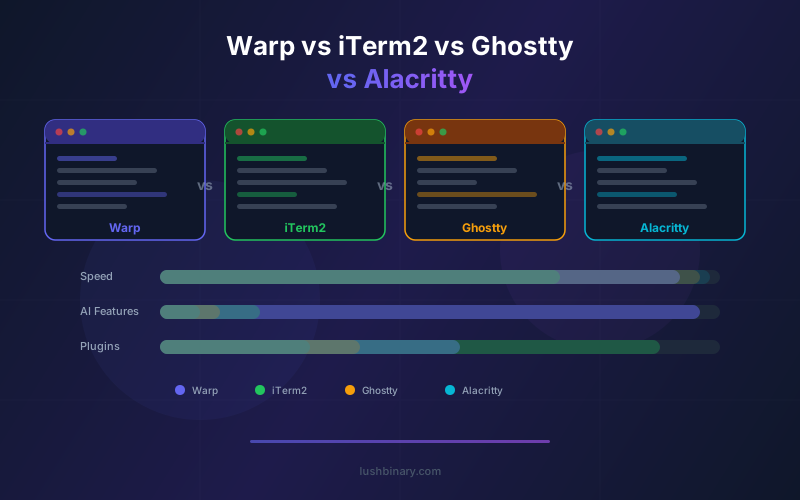
The terminal landscape in 2026 has four serious contenders: Warp (now open source), iTerm2 (the macOS veteran), Ghostty (the Zig-based newcomer), and Alacritty (the minimalist speed demon). Each takes a fundamentally different approach to what a terminal should be, and choosing the wrong one can cost your team hours of productivity every week.
We use all four terminals across different projects at Lushbinary. This comparison is based on real-world usage, not synthetic benchmarks. We cover performance, AI capabilities, extensibility, team features, and the specific scenarios where each terminal excels.
If you want the short answer: Warp wins for AI-powered team workflows, Ghostty wins for raw speed on Linux, Alacritty wins for minimalism, and iTerm2 wins for macOS-native power users who need deep AppleScript automation.
📋 Table of Contents
- 01Quick Comparison Table
- 02Warp: The AI-First Open-Source Terminal
- 03iTerm2: The macOS Power User Standard
- 04Ghostty: Speed-First Native Terminal
- 05Alacritty: Minimalist Performance
- 06Performance Benchmarks
- 07AI & Agent Capabilities
- 08Team Collaboration & Workflows
- 09When to Use Which Terminal
- 10Why Lushbinary for Developer Tooling
1Quick Comparison Table
| Feature | Warp | iTerm2 | Ghostty | Alacritty |
|---|---|---|---|---|
| Language | Rust | Obj-C | Zig | Rust |
| GPU Accel. | Yes | No | Yes | Yes |
| AI Agent | Built-in | No | No | No |
| Block Output | Yes | No | No | No |
| Open Source | AGPL-3.0 | GPLv2 | MIT | Apache 2.0 |
| Platforms | Mac/Linux/Win | macOS only | Mac/Linux | Mac/Linux/Win |
| Team Features | Warp Drive | None | None | None |
| MCP Support | Yes | No | No | No |
| Split Panes | Yes | Yes | Yes | No (use tmux) |
| Tabs | Yes | Yes | Yes | No (use tmux) |
2Warp: The AI-First Open-Source Terminal
Warp positions itself as an "Agentic Development Environment" rather than just a terminal emulator. Built in Rust with GPU-accelerated rendering, it combines a high-performance terminal with AI agent capabilities, team collaboration, and cloud orchestration via the Oz platform.
The April 2026 open-source release under AGPL-3.0 removed the biggest objection developers had. You can now audit the codebase, contribute features, and verify exactly what data flows to Warp's servers.
Strengths: Agent Mode for natural language commands, block-based output for organized sessions, Warp Drive for team workflows, MCP integration for extensibility, multi-model AI support (Claude, GPT-4o, Gemini, Kimi, Qwen), and cloud agents via Oz.
Weaknesses: Requires account creation (even for non-AI features), heavier resource usage than minimalist terminals, AI features require credits or BYOK, and the AGPL license is more restrictive than MIT or Apache for derivative works.
3iTerm2: The macOS Power User Standard
iTerm2 has been the default terminal for macOS power users for over a decade. It offers deep macOS integration, extensive customization, and a mature feature set that covers everything from split panes and profiles to AppleScript automation and tmux integration.
Strengths: No account required, deep macOS integration (AppleScript, Services menu, Finder integration), mature tmux support, extensive profile system, trigger-based automation, shell integration for command history tracking, and a large community with years of documentation.
Weaknesses: macOS only, no GPU acceleration (CPU rendering), no built-in AI, no team collaboration features, and the Objective-C codebase makes it slower than Rust or Zig alternatives for rendering-heavy workloads.
4Ghostty: Speed-First Native Terminal
Ghostty, created by HashiCorp co-founder Mitchell Hashimoto, is a terminal emulator written in Zig that prioritizes native platform integration and raw performance. It uses GPU acceleration and platform-native UI elements, making it feel like a first-class citizen on both macOS and Linux.
Strengths: Extremely fast rendering, native UI on each platform, MIT licensed, minimal resource usage, built-in tabs and splits, excellent font rendering, and a clean configuration model that works out of the box.
Weaknesses: No AI features, no team collaboration, no Windows support yet, relatively new with a smaller community, and limited extensibility compared to terminals with plugin systems.
5Alacritty: Minimalist Performance
Alacritty is the original GPU-accelerated terminal, written in Rust. It deliberately avoids features like tabs, splits, and scrollback search, instead deferring to tmux or screen for session management. This minimalism makes it the fastest terminal for pure text rendering.
Strengths: Fastest raw rendering, minimal memory footprint, cross-platform (macOS, Linux, Windows), Apache 2.0 licensed, simple YAML configuration, and rock-solid stability from years of production use.
Weaknesses: No built-in tabs or splits (requires tmux), no AI features, no team collaboration, limited configuration options by design, and no inline image support.
6Performance Benchmarks
Performance in terminals comes down to three metrics: input latency (time from keypress to character display), rendering throughput (how fast large outputs scroll), and memory usage at idle and under load.
| Metric | Warp | iTerm2 | Ghostty | Alacritty |
|---|---|---|---|---|
| Input Latency | ~5ms | ~12ms | ~3ms | ~3ms |
| Render Speed | Fast | Moderate | Very Fast | Very Fast |
| Idle Memory | ~120MB | ~80MB | ~40MB | ~25MB |
| GPU Usage | Yes (Metal/Vulkan) | No | Yes (native) | Yes (OpenGL) |
| Startup Time | ~400ms | ~300ms | ~100ms | ~80ms |
Warp's higher memory usage and startup time reflect the additional features it loads: the block engine, AI agent runtime, Warp Drive sync, and autocompletion database. For developers who use those features daily, the tradeoff is worth it. For those who just need a fast terminal, Ghostty or Alacritty are leaner choices.
7AI & Agent Capabilities
This is where Warp has no competition among terminal emulators. None of the other three terminals have built-in AI capabilities.
| AI Feature | Warp | Others |
|---|---|---|
| Natural language commands | Built-in Agent Mode | Use external tools |
| Command explanation | Inline AI explain | None |
| Error debugging | AI reads output, suggests fixes | None |
| Multi-step workflows | Agent chains commands | Manual scripting |
| Cloud agents | Oz platform (up to 40 concurrent) | None |
| MCP integration | Native support | None |
| Multi-model support | Claude, GPT-4o, Gemini, Kimi, Qwen | N/A |
| BYOK | Yes (all paid plans) | N/A |
If AI-assisted development is important to your workflow, Warp is the only terminal that provides it natively. With other terminals, you would need to run separate tools like OpenCode or Claude Code alongside the terminal.
8Team Collaboration & Workflows
Warp Drive is the only team collaboration system built into a terminal emulator. It lets teams share:
- Workflows - Parameterized command sequences with descriptions and variables
- Notebooks - Interactive runbooks similar to Jupyter notebooks but for CLI operations
- Prompts - Reusable AI agent instructions for common tasks
- Environment variables - Shared configuration synced across the team
iTerm2, Ghostty, and Alacritty have no equivalent. Teams using those terminals typically share commands via documentation wikis, Slack snippets, or dotfile repositories. Warp Drive centralizes this in the terminal itself, which reduces context switching and keeps operational knowledge discoverable.
9When to Use Which Terminal
Choose Warp if...
- You want AI-assisted CLI workflows
- Your team needs shared runbooks and workflows
- You use multiple AI models and want BYOK
- You need MCP integration with external tools
- You want cloud agents for parallel tasks
Choose iTerm2 if...
- You are on macOS and need deep OS integration
- You rely on AppleScript automation
- You prefer a mature, stable terminal
- You do not need AI features
- You want zero account requirements
Choose Ghostty if...
- Raw rendering speed is your top priority
- You want native UI on macOS or Linux
- You prefer a minimal, fast terminal
- You value MIT licensing
- You want GPU acceleration without AI overhead
Choose Alacritty if...
- You want the absolute minimum terminal
- You already use tmux for session management
- Memory footprint matters (embedded/remote)
- You need cross-platform consistency
- You want the fastest possible startup
10Why Lushbinary for Developer Tooling
At Lushbinary, we help engineering teams choose and configure the right development tools for their workflow. Whether you are migrating from iTerm2 to Warp, setting up Warp Drive for your DevOps team, or building custom MCP integrations, we have hands-on experience with every terminal in this comparison.
🚀 Free Consultation
Need help choosing the right terminal and development workflow for your team? Lushbinary specializes in developer tooling and agentic workflows. We'll evaluate your current setup and recommend the optimal configuration - no obligation.
❓ Frequently Asked Questions
Which terminal is fastest: Warp, Ghostty, Alacritty, or iTerm2?
Alacritty and Ghostty are the fastest for raw rendering throughput. Warp is competitive but adds overhead from AI features. iTerm2 is the slowest due to CPU-based rendering.
Should I switch from iTerm2 to Warp in 2026?
If you want AI-assisted commands, block-based output, and team collaboration, Warp is a significant upgrade. If you rely on AppleScript automation or prefer minimal terminals, iTerm2 remains solid.
Is Ghostty better than Warp for Linux?
Ghostty is better for speed and minimalism on Linux. Warp is better if you want AI agent mode, team workflows, and MCP integrations. Both are strong choices depending on priorities.
Does Alacritty have AI features like Warp?
No. Alacritty is a minimalist terminal focused on speed. It has no built-in AI, block output, or team features. Use external tools like Claude Code alongside it for AI capabilities.
Which open-source terminal is best for DevOps teams?
Warp is the best for DevOps teams thanks to Agent Mode, Warp Drive shared runbooks, and MCP integration with infrastructure tools like AWS, Kubernetes, and Terraform.
📚 Sources
- Warp GitHub Repository
- Ghostty Official Site
- Alacritty GitHub Repository
- iTerm2 Official Site
- Terminal Emulators Comparison Table 2026
Content was rephrased for compliance with licensing restrictions. Feature data sourced from official documentation and GitHub repositories as of April 2026. Features may change - always verify on each project's website.
Need Help Choosing the Right Terminal?
Lushbinary helps teams adopt the right developer tools. From Warp setup to custom MCP integrations, we optimize your workflow.
Ready to Build Something Great?
Get a free 30-minute strategy call. We'll map out your project, timeline, and tech stack - no strings attached.
Prefer email? Reach us directly:


