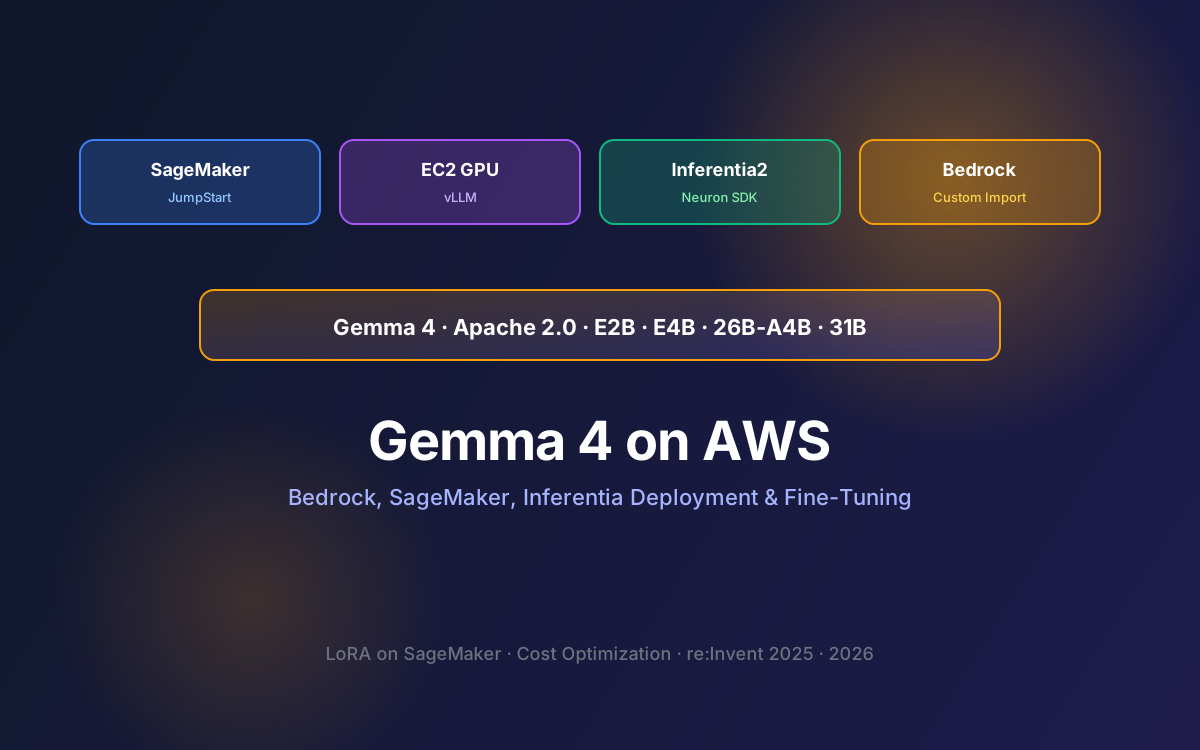
Gemma 4 changed the open-weight game. Released April 2026 under Apache 2.0, it ships four variants (E2B, E4B, 26B-A4B MoE, 31B Dense), native multimodal inputs, six dedicated function-calling tokens, and 256K context windows. The real question for most AWS shops is not whether to use it, but how to deploy it cost-effectively on AWS.
AWS added Gemma 4 E4B, 26B-A4B, and 31B to SageMaker JumpStart in late April 2026. Combined with EC2 GPU instances, Inferentia2, and Bedrock Custom Model Import, you have four distinct paths to production. Each comes with a very different cost curve, operational overhead, and performance profile.
This guide walks through every deployment option, real pricing at three traffic tiers, hardware and instance selection, fine-tuning with LoRA on SageMaker, Bedrock integration, and the decision framework we use with our clients. For an EC2-only deep dive, pair this with our EC2/SageMaker/Inferentia cost guide.
📑 What This Guide Covers
- Gemma 4 Variants and When to Use Each
- Four AWS Deployment Paths Compared
- SageMaker JumpStart: Managed One-Click Deploy
- EC2 GPU with vLLM: Maximum Control
- AWS Inferentia2: Cheapest for Sustained Traffic
- Bedrock Custom Model Import
- Fine-Tuning with LoRA on SageMaker
- Real Cost Breakdown at 3 Traffic Tiers
- Production Architecture and Multi-Model Routing
- How Lushbinary Deploys Gemma 4 on AWS
1Gemma 4 Variants and When to Use Each
| Variant | Params | VRAM (Q4/FP16) | Best For |
|---|---|---|---|
| E2B | 2.3B effective | 4 GB / 6 GB | Edge, mobile, IoT, tiny agents |
| E4B | 4.5B effective | 6 GB / 10 GB | Small production workloads, single L4 GPU |
| 26B-A4B MoE | 26B total, ~3.8B active | 16 GB / 32 GB | Most production, balanced cost and quality |
| 31B Dense | 31B | 20 GB / 62 GB | Maximum quality, heavy reasoning |
For a deeper dive on Gemma 4 capabilities, benchmarks, and architecture, see our Gemma 4 developer guide. The key takeaway: 26B-A4B is usually the right default. It punches near 31B quality with ~4B active parameters, which makes inference dramatically cheaper per token.
2Four AWS Deployment Paths Compared
Each path shares the same Gemma 4 weights. What differs is the operational model. SageMaker JumpStart is one-click deployment with managed endpoints. EC2 gives you full control with vLLM. Inferentia2 wins on cost per token for sustained traffic. Bedrock Custom Import gives you pay-per-invocation serverless on top of your own weights.
3SageMaker JumpStart: Managed One-Click Deploy
SageMaker JumpStart is the fastest path. As of April 2026, Gemma 4 E4B, 26B-A4B, and 31B are available directly in the JumpStart catalog. Deployment is three API calls: create endpoint config, create endpoint, invoke.
from sagemaker.jumpstart.model import JumpStartModel

model = JumpStartModel(model_id="huggingface-llm-gemma-4-26b-a4b")
predictor = model.deploy(
    initial_instance_count=1,
    instance_type="ml.g6.12xlarge",
)

response = predictor.predict({
    "inputs": "Summarize the Q1 2026 earnings call",
    "parameters": {"max_new_tokens": 512, "temperature": 0.3},
})- Fastest to production: Minutes, not hours.
- Auto-scaling: Built-in based on request rate or model latency.
- Managed infrastructure: Patching, monitoring, model hosting all handled.
- SageMaker LMI v15: Announced at re:Invent 2025, bundles vLLM V1 with a reported 111% throughput improvement for open-weight models.
4EC2 GPU with vLLM: Maximum Control
EC2 with vLLM is the sweet spot for sustained traffic at moderate scale. Launch a g6.xlarge (1x L4 24GB, ~$0.805/hr) for E4B, or a g6.12xlarge (4x L4, ~$4.60/hr) for 26B-A4B. vLLM V1 gives you OpenAI-compatible endpoints, continuous batching, and paged attention for better throughput.
# On a fresh g6.12xlarge with NVIDIA drivers installed
pip install vllm
vllm serve google/gemma-4-26b-a4b \
  --tensor-parallel-size 4 \
  --max-model-len 32768 \
  --port 8000

# Call it with any OpenAI client
curl http://localhost:8000/v1/chat/completions \
  -H "Content-Type: application/json" \
-d '{"model":"google/gemma-4-26b-a4b","messages":[{"role":"user","content":"..."}]}'- Use Spot Instances for 70-90% savings on non-critical workloads.
- Pin a specific vLLM version to avoid surprise regressions.
- Front with an Application Load Balancer or API Gateway for authentication and rate limiting.
- Use Graviton5-based CPU instances for the orchestration layer and reserve GPU instances only for inference.
5AWS Inferentia2: Cheapest for Sustained Traffic
Inferentia2 (inf2 instances) offers the lowest per-token cost of any AWS option when traffic is steady. The trade-off is tooling: you compile the model through the Neuron SDK, which takes longer to set up than vLLM but pays back at scale.
For workloads above ~100M tokens per day, inf2.48xlarge with Neuron-compiled Gemma 4 26B-A4B typically cuts inference costs by 50-65% versus the equivalent GPU instance. Below that, vLLM on GPU is usually simpler and not much more expensive.
6Bedrock Custom Model Import
Bedrock Custom Model Import (announced at re:Invent 2025) lets you upload Gemma 4 weights (including a fine-tuned adapter) to Bedrock and serve them through the standard Bedrock Runtime API with pay-per-invocation pricing.
🎤 AWS re:Invent 2025 Update
AWS expanded Bedrock with Custom Model Import and added Qwen, Mistral, and additional open-weight models to the managed serverless catalog. SageMaker LMI v15 shipped with vLLM V1 and a 111% throughput improvement. Trainium3 UltraServers and Graviton5 also landed, which materially changes the cost story for open-weight inference and fine-tuning.
Use Bedrock Custom Import when your workload is spiky (idle most hours, bursts during business hours), when you need strong AWS-wide integration (CloudWatch, VPC, IAM), or when you want to ship a fine-tuned Gemma 4 adapter without managing any instances yourself.
7Fine-Tuning with LoRA on SageMaker
SageMaker Training with TRL is the standard path for LoRA and QLoRA fine-tuning of Gemma 4. You define a training script, pick an ml.p4d.24xlarge or ml.p5.48xlarge instance, and submit the job. The resulting adapter can be deployed via SageMaker JumpStart or merged and imported into Bedrock.
For the full fine-tuning workflow (dataset preparation, hyperparams, evaluation, merging adapters, hosting), see our Gemma 4 LoRA and QLoRA guide.
8Real Cost Breakdown at 3 Traffic Tiers
| Traffic | Cheapest Path | Est. Cost / mo | Notes |
|---|---|---|---|
| Low / spiky (<5M tokens/day) | Bedrock Custom Import or SageMaker serverless | $50-$200 | Pay per invocation, no idle cost |
| Medium (5-100M tokens/day) | EC2 g6.12xlarge with Spot + vLLM | $500-$2,500 | Reserved Instances cut this 30-50% |
| High (>100M tokens/day) | Inferentia2 inf2.48xlarge or H100 cluster | $3,000-$12,000 | Break-even vs Bedrock at ~100M tokens/day |
Numbers assume us-east-1 on-demand pricing as of May 2026. Spot Instances, Savings Plans, and Reserved Instances can reduce these by 20-70%. For FinOps controls on RDS and other AWS services, see our AWS cost optimization guides.
9Production Architecture and Multi-Model Routing
In practice, most production Gemma 4 deployments benefit from a small routing layer that dispatches simple tasks to E4B (cheap) and complex tasks to 26B-A4B or 31B (expensive). A common pattern:
- E4B on a single g6.xlarge for classification, summarization, and tool-routing decisions.
- 26B-A4B on a g6.12xlarge pool for code generation, reasoning, and multi-turn agent loops.
- 31B Dense reserved for the hardest 5-10% of tasks or batch analytics workloads.
- Bedrock Custom Import used as fallback during EC2 deploys or as a burst tier during traffic spikes.
- Gemma 4 + MCP integration through gemma-mcp for agentic workflows. See our Gemma 4 + MCP + AWS guide.
📺 Recommended re:Invent 2025 Session
Deep-dive on SageMaker LMI v15, Bedrock Custom Model Import, and open-weight model deployment patterns on AWS in 2026.
Search re:Invent 2025 sessions on YouTube →10How Lushbinary Deploys Gemma 4 on AWS
Lushbinary ships production Gemma 4 deployments on AWS across four workloads: customer support agents, internal RAG knowledge bases, code review bots, and data extraction pipelines. Our playbook:
- Start with Bedrock Custom Import or SageMaker JumpStart for proof-of-value, then move to EC2 + vLLM once traffic justifies it.
- Route across E4B, 26B-A4B, and 31B to balance cost and quality per-task.
- Pair Gemma 4 with custom MCP servers so agents can reach internal APIs safely.
- Fine-tune with LoRA on SageMaker for domain-specific performance, then deploy the adapter as a JumpStart model or Bedrock custom import.
- Use Spot Instances and Savings Plans aggressively for sustained GPU workloads to cut infrastructure costs 40-60%.
🚀 Free Consultation
Want Gemma 4 running on AWS without the infrastructure headaches? Lushbinary handles the whole deployment: variant selection, vLLM tuning, Bedrock Custom Import, fine-tuning, and cost optimization. No obligation.
❓ Frequently Asked Questions
Is Gemma 4 available on AWS Bedrock?
Gemma 4 E4B, 26B-A4B, and 31B are available in SageMaker JumpStart as of April 2026. Bedrock Custom Model Import (announced at re:Invent 2025) supports deploying Gemma 4 weights and fine-tuned adapters through Bedrock Runtime.
Which AWS path is cheapest at low traffic?
Bedrock Custom Import or SageMaker serverless inference are cheapest below ~5M tokens/day because of pay-per-invocation pricing. Above ~100M tokens/day, EC2 with Spot Instances or Inferentia2 becomes cheaper.
Can I fine-tune Gemma 4 on AWS?
Yes. SageMaker Training with TRL supports LoRA and QLoRA fine-tuning. Deploy the resulting adapter via SageMaker JumpStart or merge and import into Bedrock for serverless inference.
How does AWS compare to Vertex AI for Gemma 4?
Vertex AI has first-party Google support and tight Gemini ecosystem integration. AWS has broader deployment flexibility, deeper FinOps controls, and integrates with existing AWS workloads. Choose AWS when your stack is already on AWS.
Which Gemma 4 variant should I deploy?
26B-A4B is the best default - near 31B quality with ~4B active parameters. E4B for single-GPU workloads. 31B Dense for maximum quality. E2B for edge deployments. Route across sizes for best cost-quality balance.
📚 Sources
Content was rephrased for compliance with licensing restrictions. Pricing and availability details sourced from official AWS and Google documentation as of May 2026. AWS pricing may change, always verify on the AWS pricing page.
Deploy Gemma 4 on AWS Without the Guesswork
Lushbinary ships Gemma 4 on SageMaker, EC2, Inferentia, and Bedrock Custom Import. Variant selection, vLLM tuning, LoRA fine-tuning, cost optimization, end to end.
Ready to Build Something Great?
Get a free 30-minute strategy call. We'll map out your project, timeline, and tech stack - no strings attached.
Prefer email? Reach us directly: