

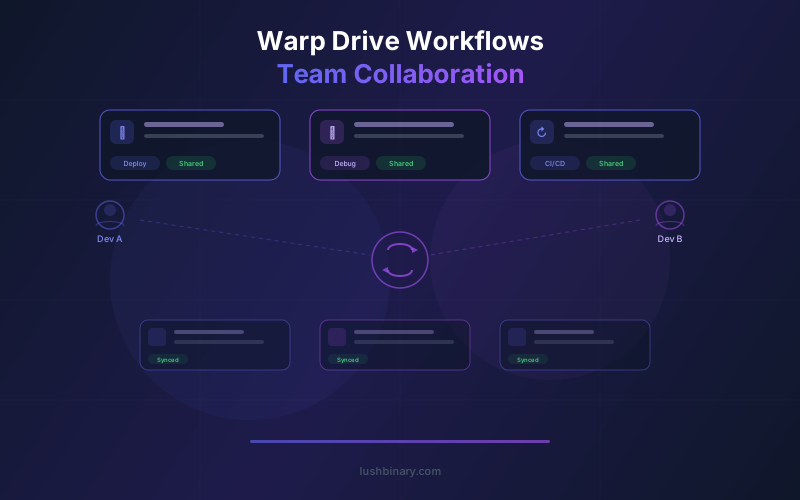
Every engineering team accumulates operational knowledge: deployment scripts, debugging procedures, environment setup steps, and the tribal wisdom that lives in senior engineers' heads. Most teams scatter this knowledge across Confluence pages, Notion docs, Slack threads, and README files that go stale within weeks.
Warp Drive solves this by embedding shared, executable resources directly in the terminal where the work happens. Workflows, notebooks, prompts, and environment variables are cloud-synced across your team and always one keystroke away. Since Warp went open source under AGPL-3.0 in April 2026, the entire Drive system is inspectable and extensible.
This guide covers every Warp Drive primitive in depth, with practical examples for real team workflows. Whether you are onboarding new engineers, standardizing deployment procedures, or building automated agent pipelines, Warp Drive provides the foundation for collaborative terminal work across 700K+ active developers.
Table of Contents
- 01What is Warp Drive?
- 02Parameterized Workflows: Reusable Command Templates
- 03Interactive Notebooks for Runbooks
- 04Shared Prompts for AI Agent Instructions
- 05Environment Variable Management
- 06Team Onboarding with Warp Drive
- 07Warp Drive vs Documentation Wikis
- 08Best Practices for Organizing Warp Drive
- 09Warp Drive with Oz Cloud Agents
- 10Why Lushbinary for Team Workflow Automation
1What is Warp Drive?
Warp Drive is the cloud-synced knowledge layer inside the Warp terminal. It stores four types of shared resources: workflows, notebooks, prompts, and environment variables. Every resource lives in the cloud, syncs automatically across team members, and can be accessed from the Warp command palette or sidebar without leaving the terminal.
Think of it as a team library for terminal operations. Instead of pasting commands into Slack or writing runbooks in Confluence that nobody reads, you save them as executable Warp Drive resources. When someone needs to deploy a service, rotate credentials, or debug a production issue, they pull up the relevant workflow and run it directly.
Warp Drive is available on all plans, including the Free tier. You do not need a paid subscription to create, share, or execute Drive resources. Paid plans (Build at $18/month, Enterprise with custom pricing) add team management features, higher usage limits, and centralized admin controls.
Warp Drive Resource Types
- Workflows - Parameterized command templates with variable inputs, descriptions, and multi-step sequences
- Notebooks - Interactive documents that combine markdown documentation with executable command cells
- Prompts - Reusable AI instructions for Agent Mode that standardize how your team interacts with the terminal AI
- Environment Variables - Shared variable sets for different environments (dev, staging, production) with secure storage
Access controls let you define who can edit versus who can only execute each resource. A senior engineer can maintain a critical deployment workflow while giving the entire team safe execution access. This separation of authoring and execution is what makes Drive practical for teams of any size.
2Parameterized Workflows: Reusable Command Templates
Workflows are the most commonly used Warp Drive primitive. A workflow is a saved command (or sequence of commands) with named parameters that get filled in at execution time. Instead of memorizing complex CLI invocations or searching through shell history, you select a workflow, fill in the blanks, and run it.
Here is a practical example. Suppose your team deploys services to AWS ECS. The deployment involves building a Docker image, pushing it to ECR, updating the task definition, and forcing a new deployment. Without a workflow, every engineer needs to remember four commands with the correct flags, account IDs, and region settings.
# Warp Drive Workflow: Deploy to ECS
# Parameters: {{service_name}}, {{image_tag}}, {{environment}}
docker build -t {{service_name}}:{{image_tag}} .
docker tag {{service_name}}:{{image_tag}} 123456789.dkr.ecr.us-east-1.amazonaws.com/{{service_name}}:{{image_tag}}
docker push 123456789.dkr.ecr.us-east-1.amazonaws.com/{{service_name}}:{{image_tag}}
aws ecs update-service --cluster {{environment}}-cluster --service {{service_name}} --force-new-deployment
When a team member runs this workflow, Warp presents a form with three fields: service name, image tag, and environment. They fill in the values, review the generated commands, and execute. No copy-paste errors, no forgotten flags, no guessing which ECR registry to use.
More Workflow Examples
- Database backup -
pg_dump -h {{host}} -U {{user}} -d {{database}} -F c -f backup-{{date}}.dump - SSL certificate renewal -
certbot renew --cert-name {{domain}} --deploy-hook "systemctl reload nginx" - Git release tagging -
git tag -a v{{version}} -m "Release {{version}}" && git push origin v{{version}} - Kubernetes port-forward -
kubectl port-forward -n {{namespace}} svc/{{service}} {{local_port}}:{{remote_port}}
Each workflow includes a description field where you document what it does, when to use it, and any prerequisites. This turns your workflow library into self-documenting operational knowledge that stays accurate because the commands themselves are the documentation.
3Interactive Notebooks for Runbooks
Warp Drive notebooks are interactive documents that combine markdown text with executable command cells. If you have used Jupyter notebooks for data science, the concept is similar, but optimized for CLI operations and DevOps runbooks.
A notebook lets you write explanatory text between commands. This is critical for incident response runbooks where an on-call engineer needs context about why each step matters, not just what to type. Each command cell can be executed independently, and the output appears inline so you can verify results before moving to the next step.
Example: Production Incident Runbook
Step 1: Check service health
Verify which pods are failing and check their restart counts. High restart counts indicate OOM kills or crash loops.
kubectl get pods -n production -o wide --sort-by=.status.containerStatuses[0].restartCountStep 2: Pull recent logs
Check the last 100 lines of logs from the failing pod. Look for stack traces, connection timeouts, or memory errors.
kubectl logs -n production deploy/api-server --tail=100Step 3: Check resource utilization
Compare current CPU and memory usage against limits. If usage is near limits, consider scaling up before investigating further.
kubectl top pods -n production --sort-by=memoryThe key advantage over a static wiki page is that notebooks are executable. When an engineer opens this runbook at 3 AM during an incident, they click each command cell to run it rather than copy-pasting from a browser tab. The output appears right below the command, keeping everything in one place.
Practical notebook use cases we see across teams:
- Incident response playbooks - Step-by-step debugging procedures with context for each command
- New service setup guides - Creating databases, configuring DNS, setting up monitoring, and deploying for the first time
- Data migration procedures - Multi-step processes with verification checks between each stage
- Security audit checklists - Scanning dependencies, checking IAM policies, verifying encryption settings
- Performance investigation guides - Profiling queries, checking cache hit rates, analyzing slow endpoints
Notebooks are cloud-synced like all Drive resources, so updates by one team member are immediately available to everyone. When you fix a step in a runbook after an incident, the entire team gets the updated version automatically.
4Shared Prompts for AI Agent Instructions
Warp's Agent Mode lets you interact with AI directly in the terminal. Shared prompts in Warp Drive take this further by letting teams create reusable AI instructions that standardize how everyone interacts with the agent.
Without shared prompts, every engineer writes their own ad-hoc requests to the AI agent. One person might ask "help me debug this Kubernetes issue" while another writes a detailed prompt with context about the cluster setup, naming conventions, and preferred debugging approach. Shared prompts eliminate this inconsistency.
Example Shared Prompts
Prompt: Debug ECS Service
"Investigate why the ECS service is unhealthy. Check task status, pull CloudWatch logs for the last 30 minutes, check ALB target group health, and verify the task definition matches the latest image tag. Our cluster naming convention is [env]-[region]-cluster and services follow [team]-[service]-svc. Report findings in a numbered list."
Prompt: Security Audit PR
"Review the current git diff for security issues. Check for hardcoded secrets, SQL injection vectors, missing input validation, insecure dependencies, and overly permissive IAM policies. Flag each issue with severity (critical, high, medium, low) and suggest a fix."
Prompt: Generate Migration
"Create a database migration for the requested schema change. We use Prisma ORM with PostgreSQL. Follow our naming convention: YYYYMMDD_description. Include both up and down migrations. After generating, run prisma migrate dev to apply and verify."
Shared prompts encode your team's conventions, naming patterns, and preferred approaches into reusable templates. A junior engineer running the "Debug ECS Service" prompt gets the same thorough investigation that a senior engineer would perform manually.
Prompts can also include parameter placeholders, just like workflows. A "Deploy and Verify" prompt might accept a service name and environment, then instruct the agent to deploy, run smoke tests, check metrics, and roll back if error rates spike. This turns complex multi-step procedures into one-click operations.
5Environment Variable Management
Managing environment variables across development, staging, and production is a persistent pain point. Engineers maintain local .env files that drift out of sync, share secrets over Slack DMs, and waste time debugging issues caused by stale configuration values.
Warp Drive's environment variable sets solve this by providing shared, cloud-synced variable collections that any team member can activate. You create named sets like "dev", "staging", and "production", each containing the appropriate values for that environment. Switching contexts is a single command or click in the Warp sidebar.
# Environment Variable Set: staging
DATABASE_URL=postgresql://app:****@staging-db.internal:5432/myapp
REDIS_URL=redis://staging-cache.internal:6379
AWS_REGION=us-east-1
API_BASE_URL=https://api.staging.example.com
LOG_LEVEL=debug
Key benefits of Drive-managed environment variables:
- Single source of truth - No more "which .env file is correct?" conversations. The Drive set is always current.
- Instant context switching - Switch from dev to staging to production variables without editing files or restarting shells
- Access controls - Production variables can be restricted to senior engineers while dev variables are available to everyone
- Audit trail - Track who changed which variables and when, useful for debugging configuration-related incidents
- Secure sharing - No more pasting secrets in Slack. Variables are encrypted in transit and at rest in Warp's cloud
Environment variable sets pair naturally with workflows. A "Deploy to Staging" workflow can reference the staging variable set, ensuring that every deployment uses the correct configuration without manual setup.
6Team Onboarding with Warp Drive
New engineer onboarding is where Warp Drive delivers the most immediate value. The typical onboarding experience involves following a setup guide that is partially outdated, asking senior engineers for help when steps fail, and spending days getting a local development environment working.
With Warp Drive, you create an onboarding notebook that walks new engineers through every setup step with executable commands. Each cell includes context about what it does and why. When a step changes (new dependency, updated config), you update the notebook once and every future hire gets the correct version.
Onboarding Notebook Structure
- Install prerequisites - Homebrew, Node.js, Docker Desktop, AWS CLI, kubectl. Each command cell installs one tool with a verification step.
- Clone repositories - All team repos with the correct SSH URLs and branch conventions documented inline.
- Configure environment - Activate the "dev" environment variable set from Warp Drive. No manual .env file creation needed.
- Start local services - Docker Compose for databases, Redis, and message queues. Verification commands to confirm each service is healthy.
- Run the application - Start the dev server, run the test suite, and verify everything works end-to-end.
- Connect to staging - Configure kubectl context, verify access to staging cluster, run a test query against the staging database.
Beyond the initial setup notebook, new engineers immediately have access to every shared workflow and prompt in Drive. They can deploy to staging on day one using the same workflow that senior engineers use, with guardrails built into the workflow parameters.
Teams we work with at Lushbinary report cutting onboarding time from 3-5 days to under one day after setting up Warp Drive. The biggest time savings come from eliminating the back-and-forth where new engineers hit setup issues and wait for help from busy teammates.
Shared prompts also accelerate onboarding for AI-assisted workflows. Instead of learning how to write effective agent prompts from scratch, new engineers start with the team's curated prompt library and learn the patterns by using them.
7Warp Drive vs Documentation Wikis
Most teams already have documentation in Confluence, Notion, Google Docs, or GitHub wikis. The question is not whether to replace all documentation with Warp Drive, but which types of knowledge belong where.
| Knowledge Type | Best Home | Why |
|---|---|---|
| Deployment procedures | Warp Drive | Commands must be executable and current |
| Incident runbooks | Warp Drive | Speed matters - click to run, not copy-paste |
| Architecture decisions | Wiki (Confluence/Notion) | Long-form prose with diagrams |
| API documentation | Wiki or generated docs | Reference material, not executable |
| Environment setup | Warp Drive | Step-by-step commands with verification |
| Debugging guides | Warp Drive | Interactive investigation with real output |
| Product requirements | Wiki (Confluence/Notion) | Stakeholder collaboration and comments |
| CLI cheat sheets | Warp Drive | Searchable, parameterized, always available |
The core distinction is executability. If the knowledge involves running commands, Warp Drive is the better home because the commands stay testable and current. If the knowledge is primarily prose, diagrams, or discussion, a traditional wiki is more appropriate.
Documentation wikis suffer from a fundamental maintenance problem: the person who updates the procedure in production rarely goes back to update the wiki page. With Warp Drive, the workflow itself is the documentation. When you change a deployment step, you update the workflow, and the documentation updates automatically because they are the same artifact.
We recommend using Warp Drive for all operational knowledge (anything involving terminal commands) and keeping your wiki for architectural decisions, product specs, and long-form technical writing. Link between them: your wiki's deployment page can reference the Warp Drive workflow by name, and your workflow descriptions can link back to the wiki for background context.
8Best Practices for Organizing Warp Drive
As your team adds more workflows, notebooks, and prompts, organization becomes critical. Without structure, Drive turns into the same cluttered mess as a shared Google Drive folder. Here are the patterns that work best for teams we have helped at Lushbinary.
Folder Structure
team-drive/
workflows/
deploy/ - Deployment workflows by service
database/ - Migrations, backups, restores
infrastructure/ - Terraform, CloudFormation, CDK
debugging/ - Common investigation commands
notebooks/
onboarding/ - New engineer setup guides
runbooks/ - Incident response procedures
tutorials/ - How-to guides for team tools
prompts/
code-review/ - AI-assisted review prompts
debugging/ - Investigation and diagnosis prompts
automation/ - CI/CD and operational prompts
env-vars/
dev/ - Local development variables
staging/ - Staging environment variables
production/ - Production variables (restricted access)
Naming Conventions
- Workflows - Use verb-noun format:
deploy-api-service,backup-database,rotate-secrets - Notebooks - Use descriptive titles:
onboarding-backend-engineer,runbook-database-failover - Prompts - Prefix with the action:
debug-ecs-service,review-security-pr,generate-migration - Env var sets - Use environment name:
dev,staging,production-us-east,production-eu-west
Access Control Strategy
Use Warp Drive's access controls to create a tiered permission model:
- Everyone can execute - Standard workflows like deploying to staging, running tests, checking service health
- Team leads can edit - Workflow definitions, notebook content, prompt templates
- Restricted execution - Production deployments, database migrations, secret rotation (limited to senior engineers or SREs)
- Admin only - Environment variable management for production, access control changes, Drive structure modifications
This model lets you scale Drive usage across the organization without worrying about junior engineers accidentally running production workflows or modifying critical runbooks. The separation between "can execute" and "can edit" is the key design decision.
9Warp Drive with Oz Cloud Agents
Warp Drive workflows become even more powerful when combined with Oz cloud agents. Oz is Warp's cloud agent orchestration platform that runs agents on remote infrastructure, triggered by webhooks, cron schedules, Slack commands, or CI/CD events.
The connection between Drive and Oz is straightforward: shared workflows and prompts serve as the instructions for automated agents. Instead of writing one-off scripts for each automation, you reference existing Drive resources that your team already uses manually.
Automation Patterns
- Scheduled health checks - An Oz agent runs the "Check Service Health" workflow every 15 minutes and posts results to Slack if any service is degraded
- PR-triggered security scans - When a pull request is opened, an Oz agent runs the "Security Audit PR" prompt against the diff and comments findings on the PR
- Automated dependency updates - A weekly Oz agent runs dependency update commands, creates a PR with the changes, and runs the test suite to verify compatibility
- Cost monitoring - A daily Oz agent runs AWS cost analysis workflows and alerts the team if spending exceeds thresholds
- Database maintenance - Scheduled agents run vacuum, analyze, and reindex operations during off-peak hours using Drive workflows with production environment variables
# Oz agent configuration referencing Drive resources
oz agent create \
--name "staging-health-monitor" \
--trigger cron --schedule "*/15 * * * *" \
--prompt "Check all services in staging cluster. If any service has unhealthy tasks, collect logs and post a summary to #ops-alerts on Slack." \
--env-set staging
The key advantage of this approach is consistency. The same workflows and prompts that engineers use interactively are the same ones that automated agents execute. When you improve a workflow based on manual usage, the automated agents benefit immediately. There is no separate automation codebase to maintain.
10Why Lushbinary for Team Workflow Automation
Ready to Streamline Your Team's Terminal Workflows?
Lushbinary helps engineering teams adopt Warp Drive for collaborative workflow management. We set up your Drive structure, migrate existing runbooks, build custom Oz automations, and train your team on best practices. From startups to enterprise teams, we deliver production-ready workflow systems.
At Lushbinary, we have hands-on experience building Warp Drive implementations for engineering teams across industries. Our workflow automation engagements typically include:
- Drive structure design - Folder hierarchy, naming conventions, and access control policies tailored to your team size and workflow
- Workflow migration - Converting existing wiki runbooks, shell scripts, and tribal knowledge into parameterized Drive workflows and notebooks
- Oz agent setup - Configuring automated agents for health monitoring, security scanning, cost tracking, and deployment verification
- Prompt engineering - Creating shared AI prompts that encode your team's conventions and debugging approaches
- Team training - Hands-on workshops for creating, sharing, and maintaining Drive resources effectively
We also integrate Warp Drive workflows with your existing toolchain. Whether you use Warp Agent Mode for interactive CLI work, Oz for cloud automation, or both, we design a cohesive system where every piece works together.
Warp's open-source release under AGPL-3.0 means your investment in Drive workflows is future-proof. The platform is community-driven, fully inspectable, and not locked behind a proprietary vendor. With 700K+ active developers already using Warp, the ecosystem and community support continue to grow.
Frequently Asked Questions
What is Warp Drive and how does it help teams collaborate?
Warp Drive is a cloud-synced workspace built into the Warp terminal that lets teams share workflows, notebooks, prompts, and environment variables. It replaces scattered documentation with executable, parameterized resources that every team member can run directly from the terminal.
Are Warp Drive workflows free to use?
Yes. Warp Drive is available on all Warp plans including the Free tier. You can create, share, and execute workflows, notebooks, prompts, and environment variable sets at no cost. Paid plans add team management features and higher usage limits.
How do parameterized workflows work in Warp Drive?
Parameterized workflows are reusable command templates with variable inputs. You define placeholders for values like branch names, environment names, or service identifiers. When a team member runs the workflow, Warp prompts them to fill in each parameter before executing the commands.
Can Warp Drive replace our team wiki for operational docs?
For operational knowledge like runbooks, deployment procedures, and debugging guides, Warp Drive is more effective than a wiki. Notebooks combine documentation with executable commands, so procedures stay accurate and testable. Static wikis tend to go stale because updating docs is separate from updating the actual commands.
Does Warp Drive support access controls for shared resources?
Yes. Warp Drive supports access controls that let you define who can edit versus who can only execute shared workflows, notebooks, and prompts. This lets senior engineers maintain critical workflows while giving the entire team safe execution access.
Sources
Content was rephrased for compliance with licensing restrictions. Feature data sourced from official Warp documentation as of April 2026. Features may change - always verify on the vendor's website.
Build Collaborative Workflows with Warp Drive
Lushbinary helps teams adopt Warp Drive for shared workflows, runbooks, and automated agents. From Drive setup to Oz integrations, we streamline your team's terminal operations.
Ready to Build Something Great?
Get a free 30-minute strategy call. We'll map out your project, timeline, and tech stack - no strings attached.
Prefer email? Reach us directly:


