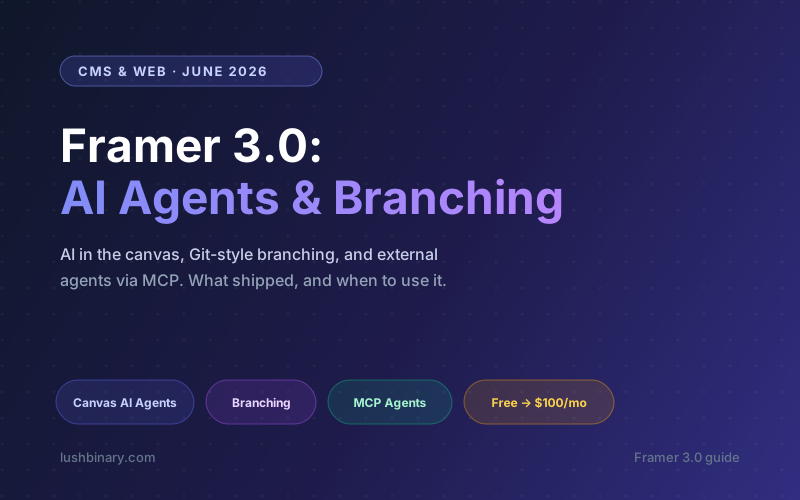
Framer just shipped its biggest update in years. On June 16, 2026 the company launched Framer 3.0, and the headline is not a new animation curve or a faster renderer. It is AI. Framer 3.0 puts AI Agents directly inside the design canvas, adds Git-style branching, opens the door to external agents through MCP, and rebuilds the community and marketplace around discovery and creators.
Most AI website tools demo well for thirty seconds and fall apart the moment you try to turn the output into something real. The layout is generic, it does not match your brand, and you cannot control it without fighting a black box. Framer 3.0 is a bet on a different approach: keep the AI inside the visual canvas where designers already work, so you can ask the agent for help, then click, drag, and edit everything yourself. As one early write-up put it, Framer is trying to become "the Cursor for designers."
This guide breaks down what actually shipped in Framer 3.0, what it costs, where it genuinely shines, and the honest limits you should know before you bet a project on it. If you are deciding between Framer and a custom build, the last few sections are written for you.
What this guide covers
1What Framer 3.0 actually is
Over the last few years Framer quietly outgrew its origins as a design and prototyping tool. It became a visual website builder, then a CMS, then a publishing platform with a template marketplace. Framer 3.0 is the moment it openly reframes itself as an AI-powered website workspace: a single place where you design, manage content, collaborate, and publish, with AI woven through every step.
The four pillars of the release are worth naming up front, because they map cleanly to four real problems:
- AI Agents in the canvas: speed. The agent handles the repetitive build work while you stay in control.
- Branching: safety. Big changes happen on a branch and only reach the live site after review.
- External agents (MCP): flexibility. Bring your own AI tool, like Claude Code or Cursor, to a Framer project.
- Community and marketplace: ecosystem. Better discovery, feedback, and creator tools around templates and plugins.
The important nuance: Framer is not trying to replace the designer. It is trying to make the AI part of the existing workflow rather than a one-shot generator you cannot steer. That distinction is the whole pitch.
2AI Agents in the canvas
The marquee feature is the new AI Agent experience that lives directly inside Framer. You chat with it, give it context from your current project, point it at specific layers, and ask it to make changes that show up on the canvas you are already looking at.
What makes this more useful than a typical "generate a landing page" tool is that the agent understands your existing site. It can read your pages, sections, components, text styles, CMS collections, colors, and layout patterns, then work within the design system you already have instead of inventing a generic one. According to Framer, agents can design pages, iterate with you, create breakpoints, add effects, build components, write code, connect to the CMS, surface site analytics, and organize styles.
The real use case is editing, not generating
The most valuable workflow is not building a whole site from a prompt. It is improving a site that already exists: add a section that matches the rest of the page, generate a new contact page, fix missing internal links, make the whole site responsive, or clean up text styles. That is where the agent saves real hours.
Things you can hand to the canvas agent include:
- Create a new section that matches the rest of your site
- Generate a new page (contact, pricing, about) on brand
- Add missing internal links across the whole website
- Apply animations and effects across multiple pages at once
- Make every breakpoint responsive in one pass
- Clean up and consolidate inconsistent text styles
The reason this feels different from code-first AI tools like Cursor is that you are never stuck in a terminal or staring at a black box. You can ask for help and still click, drag, edit, and delete anything by hand. For designers who found code editors too technical, that is the sweet spot.
3Branching: safe changes for teams
The second big feature is branching, and it exists precisely because the AI agent can now make large changes. If you have used Git, the model is familiar: create a separate version of your project, make changes there, review them, and merge back into the main version only when you are happy.
Asking an agent to "make every page responsive" is powerful, but it is also a sweeping request you do not want hitting your live site instantly. With branching you create a branch, let the agent do the work, review the result, fix anything that feels off, and only then apply it to production.
Branching also makes Framer far more credible for teams and agencies. Designers, marketers, and content editors can explore ideas in parallel without stepping on each other or breaking the production marketing site. For larger sites and client work, this is arguably as important as the AI itself.
4External agents via MCP
Framer 3.0 does not only add its own agent. It opens the door to external agents through the Model Context Protocol (MCP), which means you can connect tools like Claude Code, Cursor, and Codex to a Framer project. Some people want AI inside Framer; others already have a workflow built around a favorite tool. Framer is supporting both.
The launch demo showed Claude Code, running from the terminal, connecting to a Framer project and turning a messy folder of content (CSV files, markdown, and images) into a structured CMS: collections, fields, items, references, images, and pages. That is the kind of migration that normally eats days of manual work.
Practical things external MCP agents unlock:
- Import bulk content into the Framer CMS from files or APIs
- Organize messy assets into clean collections automatically
- Generate SEO audits and accessibility reports
- Run performance checks against published pages
- Pull content from sources like Notion or external data feeds
- Build CMS-powered sections from structured external data
This is the point where Framer stops feeling like a website builder and starts feeling like a programmable workspace for websites. If you want to dig into MCP itself, see our MCP developer guide.
5Community and marketplace
Framer is also more than a tool now; it is an ecosystem of templates, components, plugins, tutorials, creators, and agencies. Framer 3.0 pulls more of that into one place with a redesigned community and marketplace that adds a feed for sharing work, member profiles, creator discovery, comments, likes, feedback loops, and contests.
Heads up for template creators
Some creators have criticized the removal of template reviews, warning it could flood the marketplace with low-quality copies. AI agents also change what a template needs to be: if Framer can generate the generic parts for you, generic templates lose value while strong, niche, well-designed templates become more valuable as starting points.
Discovery has always been the hardest part of selling a great template. If the new community improves discovery, feedback, and creator profiles, the marketplace could become noticeably more active and social.
6Framer 3.0 pricing
Framer is free to start with no trial period. Paid plans (priced per site on annual billing) unlock custom domains, higher page and visitor limits, the CMS, forms, and ecommerce as you move up. The figures below reflect commonly cited annual pricing as of June 2026. Framer adjusts plans and limits often, so always confirm on the official pricing page before you commit.
| Plan | Annual price | Best for |
|---|---|---|
| Free | $0 | Trying Framer, drafts on a framer.app URL |
| Mini | ~$5/mo | A simple one-pager on a custom domain |
| Basic | ~$10/mo | Solo creators, small marketing sites |
| Pro | ~$30/mo | Businesses needing CMS, forms, more pages |
| Scale | ~$100/mo | Ecommerce and high-traffic content sites |
| Enterprise | Custom | Large teams, SSO, advanced hosting |
Two things to budget for. First, monthly billing is meaningfully more expensive than annual (Basic is around $15/month and Pro around $45/month if you pay monthly), so annual is the right call once you are committed. Second, AI agent usage may carry its own limits or credit-style metering depending on your plan; check current terms before you plan a heavy AI-driven workflow.
7When Framer is the right choice (and when it is not)
This is the question that matters most if you are choosing a stack. Framer 3.0 is genuinely excellent for a clear set of use cases, and a poor fit for others. Being honest about both saves you a painful migration later.
Great fit for Framer
- Marketing sites and landing pages
- Portfolios and agency sites
- Blogs and content sites on the CMS
- Launch and waitlist pages
- Brochure sites that need polish fast
- Sites a non-developer team must edit
Reach for a custom build instead
- Authenticated dashboards and user accounts
- Complex application or business logic
- Custom backends, queues, or real-time data
- Heavy third-party or internal integrations
- Full ownership of the codebase
- Strict performance or compliance needs
The most common pattern we recommend is a split: run the public marketing site on Framer so your team can ship and iterate without a developer in the loop, and build the actual product or app on a dedicated stack. The two connect cleanly, and each tool does what it is best at.
If your project is a content-driven site, also weigh Framer against headless options. Our headless CMS comparison walks through when a CMS plus a custom front end beats an all-in-one builder.
8Getting the most out of Framer 3.0
A few practical habits make the new features pay off instead of becoming a mess:
- Build a real design system first. The canvas agent is only as good as the styles, components, and structure it can read. Clean text styles, color tokens, and reusable components make agent output match your brand instead of drifting.
- Always branch before a big AI edit. Treat site-wide requests like "make everything responsive" as branch-then-review work, never direct-to-production.
- Give the agent narrow, specific prompts. Point it at a layer or section and ask for one outcome. Broad prompts produce generic results that are harder to fix.
- Use external MCP agents for migrations. Bulk content import and CMS structuring are where Claude Code or Cursor via MCP genuinely beat clicking through the UI.
- Review SEO and accessibility yourself. AI audits are a starting point, not a guarantee. Validate the output before you publish.
If you want to compare the canvas-agent approach with the code-first tools Framer is being measured against, our AI coding agents comparison covers Claude Code, Cursor, Codex, and more.
9Where Lushbinary fits
Framer 3.0 is a fantastic way to ship a polished marketing site fast. The hard part is rarely the homepage. It is everything around it: the product behind the marketing site, the integrations, the data, the parts that need real engineering. That is exactly where we come in.
Lushbinary helps teams decide where the line sits between a no-code builder and a custom build, then ships both sides. We design and build the application, set up the CMS and content pipelines, wire MCP-based automations, and make sure your Framer marketing site and your product feel like one brand. If you already have a Framer site and need an app, a backend, or AI features behind it, we slot in cleanly.
🚀 Free Consultation
Not sure whether Framer is enough or you need a custom build? We will scope your project, recommend the right mix of no-code and custom engineering, and give you a realistic timeline with no obligation.
❓ Frequently Asked Questions
What is Framer 3.0?
Framer 3.0 is the June 2026 release of the Framer website platform. It brings AI Agents into the design canvas, adds Git-style branching, opens up external agents through MCP (so tools like Claude Code, Cursor, and Codex can work on a project), and expands the community and marketplace. Framer now positions itself as an AI-powered website workspace rather than just a visual builder.
How much does Framer cost in 2026?
On annual billing Framer offers Free ($0), Mini (~$5/mo), Basic (~$10/mo), Pro (~$30/mo), and Scale (~$100/mo), with Enterprise priced custom. Monthly billing is more expensive (Basic ~$15/mo, Pro ~$45/mo). Plans and limits change often, so confirm on framer.com/pricing.
Can Framer 3.0 connect to Claude Code or Cursor?
Yes. Through MCP you can point Claude Code, Cursor, or Codex at a Framer project to import bulk content into the CMS, run SEO or accessibility audits, or pull data from external APIs. The built-in canvas agent and external MCP agents are complementary.
Is Framer 3.0 good enough to replace a custom-coded website?
For marketing sites, landing pages, portfolios, and blogs, yes, and it ships fast. It is not the right tool for authenticated dashboards, complex application logic, custom backends, real-time data, or full codebase ownership. A common pattern is Framer for the marketing site and a custom stack for the product.
What is branching in Framer 3.0?
Branching lets you create a separate copy of your project, make changes there (including big AI-driven edits), review them, and merge to the live site only when you are happy. It is the Git branch model built for designers and content teams so production is never touched until changes are reviewed.
Who should use Framer 3.0?
Designers, marketing teams, founders, and agencies who want to ship and iterate on production websites quickly without living in a code editor. Developers who need application-grade logic or full code ownership are usually better served by a custom stack.
Sources
Content was rephrased for compliance with licensing restrictions. Feature details sourced from the official Framer 3.0 announcement and launch coverage as of June 17, 2026. Pricing sourced from publicly available plan summaries and may change; always verify on framer.com.
Pair your Framer site with real engineering
Ship the marketing site on Framer, and let us build the product, backend, and AI features behind it. Tell us what you are building and we will map the right stack.
Ready to Build Something Great?
Get a free 30-minute strategy call. We'll map out your project, timeline, and tech stack - no strings attached.
Prefer email? Reach us directly: