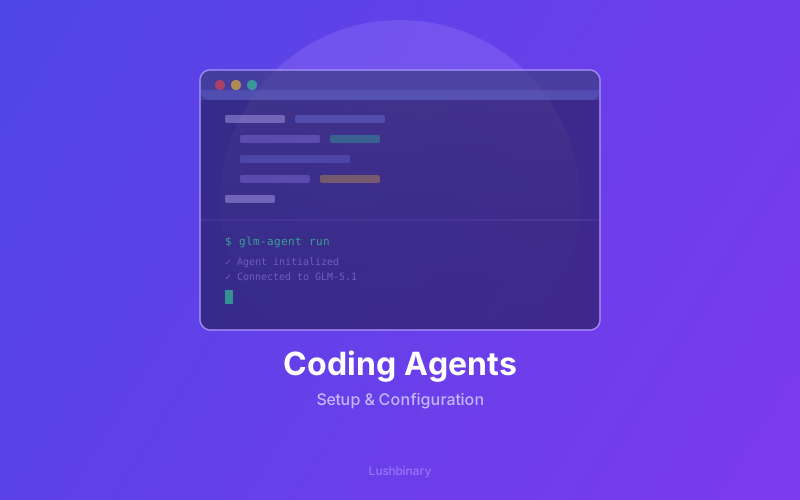
GLM-5.1 works with all the major coding agents - Claude Code, OpenCode, Kilo Code, Roo Code, Cline, and Droid. This guide covers setup for each, plus tips for getting the most out of GLM-5.1's long-horizon capabilities in agentic workflows.
📋 Table of Contents
- 1.GLM Coding Plan Setup
- 2.Claude Code Configuration
- 3.OpenCode Setup
- 4.Kilo Code & Roo Code
- 5.Cline & Droid
- 6.Z Code: Multi-Agent GUI
- 7.Optimizing for Long-Horizon Tasks
- 8.Lushbinary Agentic Workflows
1GLM Coding Plan Setup
First, subscribe to the GLM Coding Plan at z.ai/subscribe. This gives you API access to GLM-5.1 across all supported coding agents. Pricing uses a quota system: 3× during peak hours (14:00–18:00 UTC+8), 2× off-peak, with a promotional 1× off-peak rate through April 2026.
2Claude Code Configuration
Update your Claude Code settings to use GLM-5.1:
// ~/.claude/settings.json
{
"model": "GLM-5.1",
"apiBaseUrl": "https://api.z.ai/v1"
}
Claude Code's think mode works well with GLM-5.1 for complex reasoning tasks. The model's long-horizon capabilities shine when given extended tool-call budgets.
3OpenCode Setup
OpenCode supports GLM-5.1 through the Z.ai API endpoint. Configure your provider settings to point to the Z.ai API with your Coding Plan credentials.
4Kilo Code & Roo Code
Both Kilo Code and Roo Code support custom model endpoints. Add the Z.ai API as a custom provider with the model name GLM-5.1 and your API key from the Coding Plan dashboard.
5Cline & Droid
Cline and Droid both support OpenAI-compatible API endpoints. Configure the base URL to https://api.z.ai/v1 and select GLM-5.1 as your model.
6Z Code: Multi-Agent GUI
Zhipu AI offers Z Code - a GUI that supports multiple agents working together. Key features:
- Develop on remote machines over SSH
- Kick off tasks from your phone and check back later
- Multiple agents collaborating on the same codebase
- Built-in support for GLM-5.1's long-horizon capabilities
7Optimizing for Long-Horizon Tasks
To get the most out of GLM-5.1's sustained optimization capabilities:
- Use extended tool-call budgets - GLM-5.1 improves over hundreds of iterations
- Set
temperature=1.0, top_p=0.95to match benchmark configurations - Use 200K context windows for complex multi-file tasks
- Let the model self-review and iterate rather than interrupting with new prompts
8Lushbinary Agentic Workflows
At Lushbinary, we build custom agentic workflows powered by frontier models like GLM-5.1. From coding agent configuration to production pipeline automation, we help teams get the most out of AI-assisted development.
🚀 Free Consultation
Need help configuring AI coding agents for your team? We set up and optimize agentic workflows powered by frontier models like GLM-5.1.
❓ Frequently Asked Questions
Which coding agents support GLM-5.1?
GLM-5.1 is compatible with Claude Code, OpenCode, Kilo Code, Roo Code, Cline, and Droid. It's also available through Z Code, Zhipu AI's own multi-agent GUI.
How do I set up GLM-5.1 with Claude Code?
Update the model name to 'GLM-5.1' in ~/.claude/settings.json. You'll need a GLM Coding Plan subscription from z.ai/subscribe. GLM-5.1 consumes quota at 3× during peak hours and 2× off-peak.
📚 Sources
- Z.ai - GLM-5.1: Towards Long-Horizon Tasks (April 7, 2026)
- HuggingFace - GLM-5.1 Model Weights
- GitHub - GLM-5.1 Repository
Content was rephrased for compliance with licensing restrictions. Benchmark data sourced from official Zhipu AI publications as of April 8, 2026. Pricing and availability may change - always verify on the vendor's website.
Setting Up AI Coding Agents?
Lushbinary builds custom agentic workflows powered by frontier models - from coding agent configuration to production pipeline automation.
Ready to Build Something Great?
Get a free 30-minute strategy call. We'll map out your project, timeline, and tech stack - no strings attached.
Prefer email? Reach us directly: