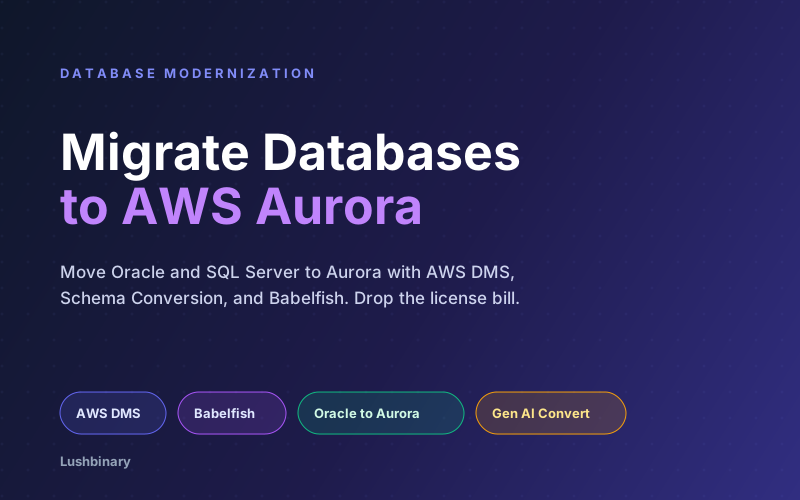
For a lot of enterprises, the most expensive line in the data center is not the hardware. It is the database license. Oracle and SQL Server contracts, priced per core and renewed on schedules you do not control, can quietly cost more than the servers they run on. Worse, they lock your architecture into decisions made a decade ago.
Amazon Aurora changes the math. As a managed engine compatible with PostgreSQL and MySQL, it removes per-core license fees while giving you automated backups, replication, and scaling. The catch is that moving a live, business-critical database off Oracle or SQL Server is delicate work: schemas, stored procedures, and application queries all have to come along, ideally without downtime.
This guide covers the migration toolkit (AWS DMS, Schema Conversion, and Babelfish), the Oracle-to-Aurora and SQL-Server-to-Aurora workflows, the generative AI that now converts the PL/SQL tools used to leave behind, the cutover strategy that keeps downtime to minutes, and how Lushbinary runs these migrations safely.
📋 What This Guide Covers
- Why Move Off Oracle and SQL Server
- Homogeneous vs Heterogeneous Migration
- The Core Tools: DMS, Schema Conversion, Babelfish
- Oracle to Aurora PostgreSQL
- SQL Server to Aurora with Babelfish
- Generative AI for Schema Conversion
- A Reference Migration Architecture
- Cutover Strategy: Full Load + CDC
- Frequently Asked Questions
- Why Lushbinary for Your Database Migration
1Why Move Off Oracle and SQL Server
The drivers for leaving commercial database engines are consistent across the teams we work with:
- License cost. Per-core licensing and mandatory support renewals are a large, recurring, and inflexible expense.
- Operational burden. Patching, backups, replication, and failover are all your problem on self-managed databases. Aurora handles them.
- Scaling limits. Vertical scaling on licensed engines gets expensive fast. Aurora separates storage from compute and scales read replicas cleanly.
- Lock-in. Open-source-compatible engines keep your options open in a way proprietary formats do not.
Database migration is often the last and hardest step of a broader modernization effort. If you are also moving applications and infrastructure, see our legacy system modernization guide for the bigger picture.
2Homogeneous vs Heterogeneous Migration
The first decision is whether you are keeping the engine or changing it. This single choice determines how much work the migration is:
| Type | Example | Schema Conversion? |
|---|---|---|
| Homogeneous | Oracle to RDS for Oracle | No - same engine |
| Heterogeneous | Oracle to Aurora PostgreSQL | Yes - convert schema + code |
| Heterogeneous (compat) | SQL Server to Babelfish | Minimal - T-SQL compatibility |
Homogeneous moves are mostly a data transfer. Heterogeneous moves are where the real engineering lives, because stored procedures, data types, and SQL dialects differ between engines. The good news is that AWS has purpose-built tools for both, and Babelfish offers a middle path for SQL Server that avoids rewriting application queries.
3The Core Tools: DMS, Schema Conversion, Babelfish
- AWS DMS (Database Migration Service) moves the data. It does a full load of existing rows, then uses change data capture (CDC) to replicate ongoing changes so the source stays live during the migration.
- AWS Schema Conversion converts the schema and code objects. It comes in two forms: the standalone AWS Schema Conversion Tool (AWS SCT) and DMS Schema Conversion built into the console. Both convert tables, indexes, views, and procedures to the target dialect.
- Babelfish for Aurora PostgreSQL lets SQL Server applications talk to Aurora using the SQL Server wire protocol (TDS) and T-SQL, so you can move off SQL Server with minimal application changes.
The split is clean: Schema Conversion (or Babelfish) handles the structure and code, DMS handles the data. For most heterogeneous migrations you use both together.
4Oracle to Aurora PostgreSQL
The canonical heterogeneous migration is Oracle to Aurora PostgreSQL. AWS publishes a full playbook for it; the workflow is:
- Assess. Run Schema Conversion against the source. It produces an assessment report showing what converts automatically and what needs manual work.
- Convert schema. Apply the converted tables, indexes, views, and sequences to Aurora PostgreSQL. PL/SQL is converted to PostgreSQL PL/pgSQL.
- Fix the hard objects. Complex PL/SQL (transaction control, exception handling, Oracle-specific functions, NUMBER data type nuances) often needs human review.
- Migrate data. Use AWS DMS for full load plus CDC.
- Validate and cut over. Reconcile row counts and key queries, then switch the application during a short window.
Where the effort goes
Tables and simple objects convert almost entirely automatically. The real effort is the procedural code: business logic baked into PL/SQL packages. Budget your engineering time around the stored procedures, not the table definitions.
5SQL Server to Aurora with Babelfish
SQL Server migrations have a shortcut that Oracle does not: Babelfish. Instead of rewriting every T-SQL query and changing the application's database driver, Babelfish lets Aurora PostgreSQL accept SQL Server connections and T-SQL directly.
There are two routes:
- Babelfish route: Point the existing application at Aurora with Babelfish enabled, migrate data with AWS DMS, and fix only the T-SQL features Babelfish does not yet support. Fastest path off SQL Server licensing with the least application change.
- Full conversion route: Convert the schema and code to native PostgreSQL with Schema Conversion. More work, but you end up on standard PostgreSQL with no compatibility layer.
Babelfish is the pragmatic choice when the priority is escaping license cost quickly and you do not want to touch a large application codebase. AWS recommends using DMS with an Aurora PostgreSQL cluster as the target for the data move in both routes.
6Generative AI for Schema Conversion
The part of a database migration that historically broke automation was procedural code. That is exactly where generative AI has moved the needle in the last year.
🎤 AWS re:Invent 2025 Context
AWS continues to push agentic AI across the migration stack. DMS Schema Conversion now includes generative-AI-powered conversion, and AWS has published patterns that pair Amazon Bedrock with agents to automate Oracle PL/SQL to PostgreSQL conversion. These handle a larger share of code automatically, but complex transaction control and exception handling still need human review.
The practical impact: the percentage of objects that convert without human intervention has gone up, which shrinks the most expensive part of the project. It does not eliminate the need for review. Treat AI conversion as a strong first draft for the hard objects, then verify behavior with tests, not by reading the diff alone.
📺 Related AWS Resource
AWS walks through automating Oracle PL/SQL to PostgreSQL conversion with Amazon Bedrock and Strands Agents, including where automated conversion still falls short.
Read the AWS database blog →7A Reference Migration Architecture
A heterogeneous migration runs schema conversion once, then data replication continuously until cutover:
The source database keeps serving the application throughout. Only at the final cutover, once Aurora is fully in sync via CDC, do you redirect the application. Done well, the downtime is a matter of minutes.
8Cutover Strategy: Full Load + CDC
The pattern that keeps downtime to minutes instead of a weekend:
- Full load. DMS copies all existing data to Aurora while the source keeps running.
- CDC. DMS captures and applies every change made to the source after the full load started, keeping Aurora continuously in sync.
- Validate. Reconcile row counts, run key queries against both, and compare results.
- Cut over. Briefly pause writes, let CDC drain the last changes, repoint the application to Aurora, and resume.
- Keep a rollback. Leave the source intact and reversible until you have confidence in production.
The validation step is non-negotiable. Data type edge cases, especially Oracle's NUMBER type and date handling, are the classic source of silent corruption. Test before you trust.
❓ Frequently Asked Questions
What is the difference between homogeneous and heterogeneous database migration?
Homogeneous keeps the same engine (Oracle to RDS for Oracle) and needs no schema conversion. Heterogeneous changes the engine (Oracle to Aurora PostgreSQL) and requires converting schema and code with Schema Conversion before moving data with AWS DMS.
What is Babelfish for Aurora PostgreSQL?
A capability of Aurora PostgreSQL that understands the SQL Server wire protocol (TDS) and T-SQL, letting existing SQL Server applications connect to Aurora with minimal or no code changes so you can drop SQL Server licenses.
How does AWS DMS migrate data with minimal downtime?
DMS does a full load of existing data, then uses change data capture to replicate ongoing changes. The source stays live, so you only need a short cutover window once the two are in sync.
Can AI convert Oracle PL/SQL to PostgreSQL?
Yes. DMS Schema Conversion includes generative-AI-powered conversion, and Amazon Bedrock with agents can automate harder PL/SQL. Complex transaction control, exception handling, and Oracle-specific functions still need human review.
How much can I save migrating off Oracle or SQL Server?
Savings come mainly from eliminating per-core commercial licenses, which can exceed server cost. Aurora removes those fees, though actual savings depend on your contract, edition, and workload.
9Why Lushbinary for Your Database Migration
Database migrations punish shortcuts. Lushbinary runs the full workflow: an assessment that tells you honestly how much of your schema and code converts cleanly, the conversion work on the hard PL/SQL and T-SQL objects, a DMS pipeline with full load and CDC, rigorous data validation, and a cutover plan with a rollback path. We help you choose between native PostgreSQL conversion and the Babelfish shortcut based on your application, not a one-size-fits-all answer.
The outcome is a managed Aurora database with no license bill, automated operations, and your application running against it with confidence.
🚀 Free Database Assessment
Paying too much for Oracle or SQL Server? Lushbinary will assess your schema and code, estimate conversion effort, and map a low-downtime path to Amazon Aurora with no obligation.
Sources
- Oracle to Aurora PostgreSQL Migration Playbook
- Migrating a SQL Server database to Babelfish for Aurora PostgreSQL
- Converting database objects with generative AI (AWS DMS)
- Automate Oracle PL/SQL to PostgreSQL with Amazon Bedrock
Content was rephrased for compliance with licensing restrictions. Tooling capabilities and migration workflows sourced from official AWS documentation and blog posts as of June 2026. Cost savings depend on your specific licensing contract and workload - validate against a scoped assessment.
Ready to Drop the License Bill?
Tell us about your Oracle or SQL Server estate and we'll map a low-downtime migration to Amazon Aurora.
Ready to Build Something Great?
Get a free 30-minute strategy call. We'll map out your project, timeline, and tech stack - no strings attached.
Prefer email? Reach us directly: