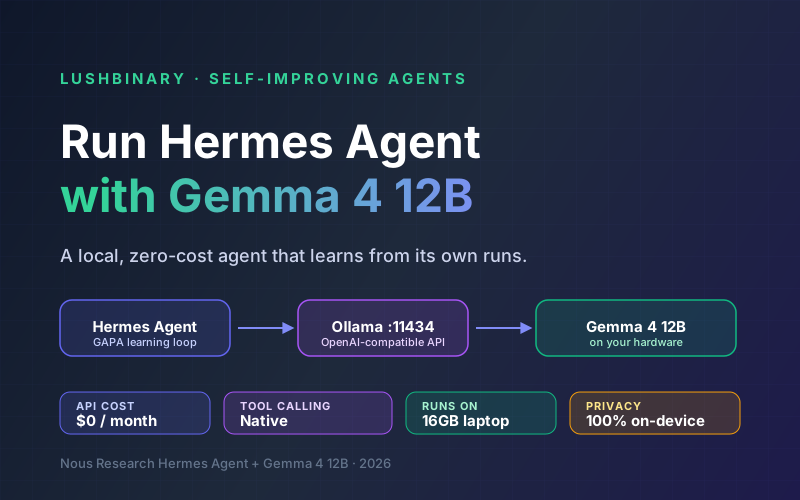
Hermes Agent, built by Nous Research, is an open-source AI agent with a built-in learning loop: it turns experience into reusable skills, refines them during use, and keeps persistent memory across sessions. It works with any LLM provider, including local, OpenAI-compatible endpoints.
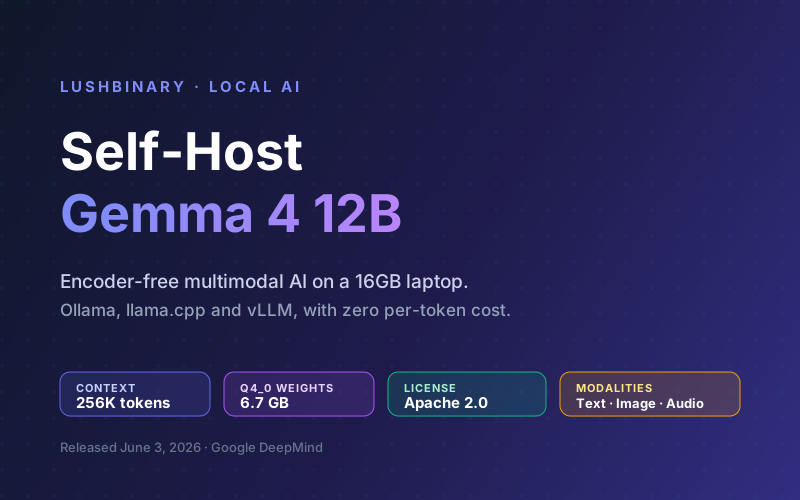
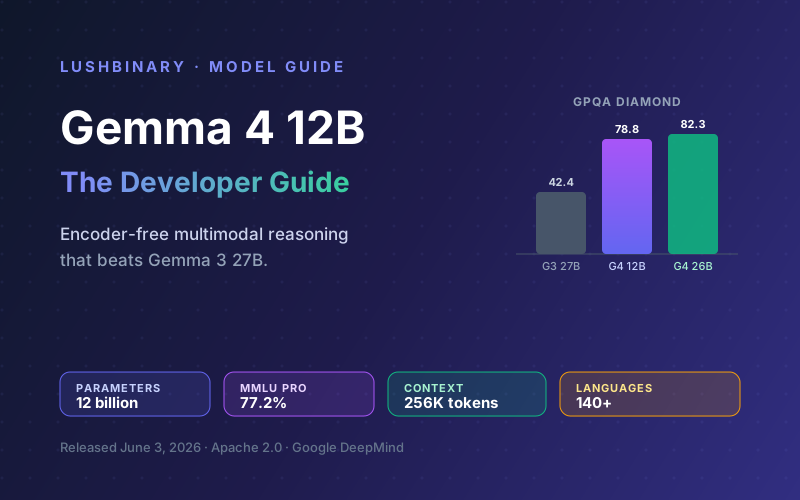
Gemma 4 12B, released June 3, 2026, is Google DeepMind's encoder-free multimodal model that runs on a 16 GB laptop. Pair the two and you get a self-improving agent that runs entirely on your own hardware: no per-token bill, no rate limits, and no prompts leaving your machine.
This guide covers serving Gemma 4 12B locally, wiring it into Hermes Agent, tuning for reliable tool calling, setting up fallback routing, and using the learning loop. If you want the model running first, start with our self-hosting Gemma 4 12B guide.
📑 What This Guide Covers
1Why Hermes Agent + Gemma 4 12B
Hermes Agent runs continuously: it calls tools, evaluates outcomes, and distills what worked into skills. That kind of always-on loop is expensive on a paid API and a privacy risk if every action ships to a third party. A local model fixes both. Gemma 4 12B is a strong fit because it is small enough to host on one machine yet capable enough for real agentic work.
| Property | Gemma 4 12B | Why it matters for Hermes |
|---|---|---|
| Per-token cost | $0 (local) | Let the learning loop run all day without a bill |
| Privacy | 100% on-device | Agent actions and data never leave your machine |
| Context window | Up to 256K tokens | Hold task history and files in view during a session |
| Footprint | 6.7 GB at Q4_0 | Runs on a 16 GB laptop alongside the agent |
| Modalities | Text, image, audio | Feed screenshots and recordings into agent tasks |
💡 Set expectations honestly
A 12B local model is excellent for routine, well-scoped agent work and for keeping the loop cheap. For the hardest multi-step reasoning, a frontier model is still stronger. The pattern that wins is hybrid: Gemma 4 12B local for the bulk, with a cloud model on fallback for the rare hard cases (covered in Step 5).
2Prerequisites
- A machine that can host Gemma 4 12B: a 16 GB GPU or an Apple Silicon Mac with 16-24 GB unified memory for a 4-bit quant, more for long contexts or faster generation
- macOS, Linux, or Windows with WSL2 for Hermes Agent
- Ollama installed (we use it as the local server; llama.cpp or vLLM also work)
- Terminal access (bash or zsh)
3Step 1: Serve Gemma 4 12B Locally
Pull and serve the model with Ollama. The serve command exposes an OpenAI-compatible API that Hermes will connect to.
# Pull a 4-bit Gemma 4 12B build
ollama pull gemma4:12b

# Start the OpenAI-compatible server (http://localhost:11434)
ollama serve
Confirm the endpoint is live before moving on:
curl http://localhost:11434/v1/models
For the full hardware and quantization breakdown, plus llama.cpp and vLLM alternatives, see the self-hosting Gemma 4 12B guide.
4Step 2: Install Hermes Agent
Hermes Agent installs with a single command on macOS, Linux, or WSL2:
curl -fsSL https://raw.githubusercontent.com/NousResearch/hermes-agent/main/scripts/install.sh | bashReload your shell and verify:
source ~/.zshrc   # or source ~/.bashrc
hermes --version
For a deeper look at Hermes Agent's architecture, skills, and memory backends, see our Hermes Agent Developer Guide.
5Step 3: Connect the Local Endpoint
Point Hermes at your local Ollama server. Because the endpoint is OpenAI-compatible, you configure it as a custom or Ollama provider with the local base URL.
Option A: Interactive Setup
hermes model- Select the Ollama provider (or a custom OpenAI-compatible endpoint)
- Set the base URL to
http://localhost:11434/v1 - Enter the model name
gemma4:12b - Hermes validates the connection and confirms the model
Option B: Manual Configuration
Edit the config directly to set Ollama as the provider with your local Gemma 4 12B:
# ~/.hermes/config.yaml
provider: ollama
model:
  default: gemma4:12b

# Ollama's local OpenAI-compatible endpoint
base_url: http://localhost:11434/v1
Start Hermes and confirm Gemma 4 12B is active:
hermes💡 Provider naming may vary
Hermes Agent exposes local models through its Ollama and custom OpenAI-compatible provider options. If a key name differs in your version, run hermes model for the interactive flow, which writes the correct config for you, and check the official Nous Research docs for the exact field names.
6Step 4: Tune for Reliable Tool Calling
Hermes lives or dies on tool calling: it must reliably decide which tool to use, emit valid arguments, and reason over the result. A few settings make a smaller local model far more dependable:
# ~/.hermes/config.yaml
provider: ollama
model:
  default: gemma4:12b
base_url: http://localhost:11434/v1

generation:
  temperature: 0.3     # lower = more deterministic tool calls
  top_p: 0.9

context:
  max_tokens: 32000    # keep the working window lean
  auto_compact: true   # summarize old turns instead of dropping them

terminal:
  backend: docker      # isolate shell commands the agent runs
- Lower the temperature. Around 0.2-0.4 makes tool selection and argument formatting more consistent than a chatty high-temperature setting.
- Keep the context lean. A 256K window is available, but filling it with noise costs memory and dilutes focus. Cap the working window and lean on compaction and persistent memory.
- Sandbox the terminal. Run agent shell commands in a Docker backend so a wrong tool call cannot touch your host.
- Start with a few tools. Give the model a small, clear tool set first, then add more once it is calling them reliably.
💡 Get one clean conversation first
Nous Research's own advice applies here: if Hermes cannot complete a normal chat against your local model, do not add gateway, cron, or skills yet. Get one clean conversation and one successful tool call working, then layer on the rest.
7Step 5: Fallback & Cost-Aware Routing
Hermes Agent supports fallback providers. This is how you get the best of both worlds: a free, private local model for the bulk of work, and a frontier model only when a task is genuinely hard.
Local Gemma 4 12B primary, cloud model as escalation
# ~/.hermes/config.yaml
provider: ollama
model:
  default: gemma4:12b
base_url: http://localhost:11434/v1

fallback_provider:
  provider: openrouter
  model: anthropic/claude-opus-4-8
Cloud model primary, local Gemma 4 12B as offline fallback
# ~/.hermes/config.yaml
provider: anthropic
model:
  default: claude-opus-4-8

fallback_provider:
  provider: ollama
  model: gemma4:12b
  base_url: http://localhost:11434/v1
You can also switch models mid-session with the /model slash command, starting a hard task on a frontier model and dropping to Gemma 4 12B for the long, routine follow-up.
8The Self-Improving Learning Loop
Hermes Agent's defining feature is its learning loop. After a batch of tool-calling interactions, it evaluates what worked, what did not, and distills successful workflows into reusable skills, then builds persistent memory across sessions. With a local model, you can let that loop run continuously because every iteration is free.
Because the model is local, persistent memory matters even more: enable a memory backend so durable facts survive outside the context window. For a deeper treatment, see our AI agent memory systems guide.
9Why Lushbinary for AI Agent Deployment
A local agent that works on your laptop is a great prototype. Turning it into something a team or product can depend on, reliable tool calling, sandboxed execution, memory, observability, and a sensible fallback strategy, is where most projects stall. Lushbinary builds and operates production agent stacks on open-weight models.
- Self-hosted inference (Ollama, vLLM) wired into Hermes or other agent frameworks
- Hybrid routing: local Gemma 4 12B for the bulk, frontier APIs for hard tasks
- Sandboxed tool execution, persistent memory, and monitoring for always-on agents
- Custom skills and MCP integrations for your internal systems
🚀 Free Consultation
Want a self-improving agent that runs on your own hardware? Lushbinary will scope your use case, recommend the right model and serving stack, and design the fallback and security around it, with no obligation.
10Frequently Asked Questions
Can Hermes Agent run with a local Gemma 4 12B model?
Yes. Hermes works with any OpenAI-compatible endpoint. Serve Gemma 4 12B with Ollama (or llama.cpp / vLLM), then point Hermes at the local base URL, for Ollama that is http://localhost:11434/v1. No cloud key needed and no data leaves your machine.
How much does it cost to run Hermes Agent with Gemma 4 12B?
Zero per-token cost. Once the model is on your hardware, inference is free; you only pay for electricity and the hardware. That is the main reason to pair Hermes Agent's continuous loop with a local model.
Is Gemma 4 12B good enough for the tool calling Hermes needs?
For routine, well-scoped agent work, yes, and Gemma 4 has strong agentic scores at the family level (the 31B hits 86.4% on tau2-bench Retail vs 6.6% for Gemma 3 27B). For the hardest multi-step tasks a frontier model is stronger, which is why Hermes fallback routing lets you escalate only when needed.
What hardware do I need?
Anything that can host Gemma 4 12B: a 16 GB GPU or an Apple Silicon Mac with 16-24 GB unified memory runs a 4-bit quant (6.7 GB weights) plus a working context. Use 24 GB or more for long contexts or faster generation. Hermes Agent runs on macOS, Linux, or WSL2.
Can I use Gemma 4 12B as a fallback model?
Yes. Run a frontier model as primary with local Gemma 4 12B as the offline, zero-cost fallback, or invert it: Gemma 4 12B primary with a cloud model as the escalation path for hard tasks.
Sources
- Hermes Agent AI Providers docs (Nous Research)
- Gemma 4 12B model card (Hugging Face)
- Gemma 4 benchmarks (Google DeepMind)
Content was rephrased for compliance with licensing restrictions. Benchmark figures, model specifications, and setup steps sourced from official Nous Research and Google documentation as of June 5, 2026. Provider names and config fields may change, always verify against the current Hermes Agent docs.
Build a Self-Improving Agent With Lushbinary
We deploy production agent stacks on open-weight models like Gemma 4 12B, with sandboxed execution, memory, and smart fallback so your agent is reliable and private.
Ready to Build Something Great?
Get a free 30-minute strategy call. We'll map out your project, timeline, and tech stack - no strings attached.
Prefer email? Reach us directly: