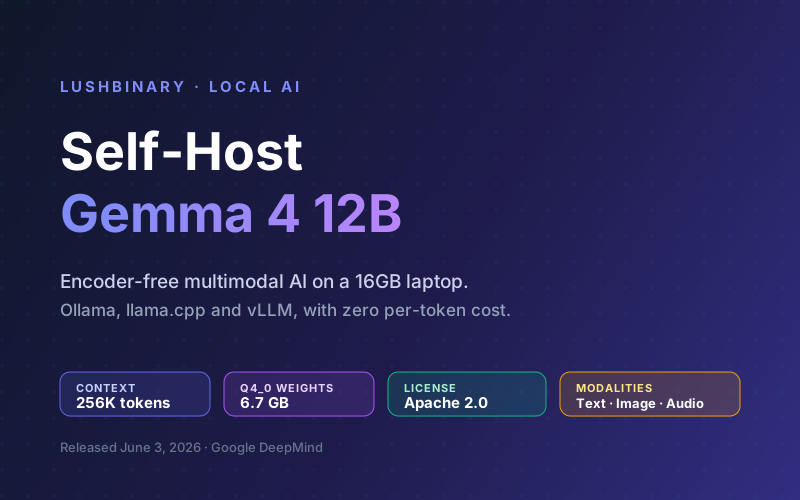
On June 3, 2026, Google DeepMind released Gemma 4 12B, a 12-billion-parameter multimodal model that the company says runs on any laptop with 16 GB of RAM. It is the first medium-sized Gemma to drop separate vision and audio encoders entirely, processing images and audio directly through the language backbone. That makes it small, fast, and genuinely useful to self-host.
Self-hosting means no per-token bill, no rate limits, and no data leaving your machine. For privacy-sensitive workloads, offline environments, or high-volume internal tools, a locally hosted model you control is often the right call. The catch is getting the setup right: the quantization, the VRAM math, and the multimodal projector files all matter.
This guide walks through three battle-tested ways to run Gemma 4 12B locally, Ollama, llama.cpp, and vLLM, with honest hardware requirements, multimodal setup, and an OpenAI-compatible server you can point any application at. Every number here is verified against Google's model card and the official release as of June 2026.
📑 What This Guide Covers
- Why Self-Host Gemma 4 12B
- Hardware & VRAM Requirements (The Real Math)
- Option A: Ollama (Easiest)
- Option B: llama.cpp (Most Portable)
- Option C: vLLM (Highest Throughput)
- Image & Audio: Multimodal Setup
- Exposing an OpenAI-Compatible Server
- Performance Tuning & Common Pitfalls
- Why Lushbinary for Self-Hosted AI
- FAQ
1Why Self-Host Gemma 4 12B
Gemma 4 12B sits in a sweet spot. It is large enough to do real work, coding help, document understanding, agentic tool calling, vision and audio tasks, but small enough to run on hardware you probably already own. Google positions it as the first mid-sized Gemma that runs on consumer laptops "without sacrificing quality."
The reasons to self-host instead of calling a hosted API:
- Zero marginal cost. After the hardware, inference is free. No per-million-token charges, no surprise overages.
- Privacy and data residency. Prompts and documents never leave your machine. This matters for healthcare, legal, finance, and any regulated workload.
- No rate limits or outages. Your throughput is your hardware, not a vendor's quota.
- Apache 2.0 licensing. The whole Gemma 4 family is Apache 2.0, so commercial use, modification, and redistribution are allowed without MAU caps.
- Offline capability. The encoder-free design lets it run fully offline with low latency on edge hardware.
💡 The encoder-free advantage
Earlier multimodal models bolted a separate vision tower (a ~550M SigLIP encoder) and an audio encoder onto the language model. Gemma 4 12B replaces that with a small ~35M embedder and projects image patches and audio frames straight into the shared decoder. Fewer moving parts means lower memory and the model can start generating without waiting for encoders to finish.
2Hardware & VRAM Requirements (The Real Math)
The single most common self-hosting mistake is quoting weights-only memory as "how much VRAM you need." Your real budget is weights + KV cache + runtime overhead. Here are the official weight sizes Google publishes for the 12B, before any context overhead:
| Precision | Weights size | Practical fit |
|---|---|---|
| BF16 (full) | 26.7 GB | 24 GB GPU is not enough with context; use 32 GB+ or two GPUs |
| SFP8 (8-bit) | 13.4 GB | Fits a 16 GB GPU at short context; 24 GB is comfortable |
| Q4_0 (4-bit) | 6.7 GB | Runs on 16 GB laptops with room for a working context |
Add the KV cache on top. As a rough planning rule, a model of this size consumes on the order of a few hundred MB to ~1 GB of KV cache per 8K-16K tokens of context, scaling roughly linearly with context length and depending on the quant and attention settings. So a 4-bit model at a modest 8K context lands well under 10 GB total, while pushing toward the full 256K window means you need a 24 GB-plus card or multi-GPU. Always size for weights + KV cache for your target context + overhead, not weights alone.
⚠️ Don't confuse RAM with VRAM
Google's "runs on a 16 GB laptop" claim assumes either a 16 GB GPU or Apple Silicon unified memory, where the CPU and GPU share one pool. On a Windows or Linux laptop with a small discrete GPU and separate system RAM, you may be limited by the GPU's VRAM, not total system memory. Apple M-series Macs with 16-32 GB unified memory are an excellent fit because the whole pool is usable by the model.
Recommended hardware by goal
Laptop / casual use
Apple M-series with 16-24 GB unified memory, or a 16 GB discrete GPU. Use a Q4 quant at 8K-32K context.
Workstation / dev box
RTX 4090/5090 (24-32 GB) or RTX Pro 6000. Run SFP8 or BF16 with long context and faster generation.
Server / multi-user
A single L4, L40S, or H100 with vLLM for batched, concurrent requests and full 256K context headroom.
CPU-only / edge
llama.cpp with a Q4 GGUF runs on CPU, slowly. Fine for batch jobs, not interactive chat.
3Option A: Ollama (Easiest)
Ollama is the fastest way to go from nothing to a running model. It pulls a quantized build, manages the weights, and exposes an OpenAI-compatible API automatically.
Install Ollama from ollama.com/download, then pull and run the 12B:
# Pull and chat with a 4-bit Gemma 4 12B build
ollama run gemma4:12b

# Or pull without starting a chat
ollama pull gemma4:12b
💡 Check the exact tag
Tags change as the registry stabilizes after a release. Run ollama list after pulling to confirm the tag and size, and browse the model page on ollama.com/library to pick a specific quant (for example a Q4_K_M or Q8 variant). Some early Ollama tags are text-only until the multimodal projector is bundled, see the multimodal section below.
Start the background server so other apps can reach it:
# Serves an OpenAI-compatible API on http://localhost:11434
ollama serve
That is it. You now have a local model and an API endpoint at http://localhost:11434/v1. Skip to the server section to point apps at it.
4Option B: llama.cpp (Most Portable)
llama.cpp runs GGUF quantized models on CPU, CUDA, Metal, ROCm, and Vulkan. It is the most portable option and gives you fine-grained control over quant level and context size. Google and the community publish GGUF builds (for example the ggml-org and unsloth repos on Hugging Face).
Install llama.cpp (Homebrew shown; WinGet and source builds also work), then run directly against a Hugging Face GGUF:
# macOS
brew install llama.cpp

# Run inference in the terminal (downloads the GGUF on first use)
llama-cli -hf ggml-org/gemma-4-12B-it-GGUF:Q4_K_M

# Start a local OpenAI-compatible server with a web UI
llama-server -hf ggml-org/gemma-4-12B-it-GGUF:Q4_K_M --ctx-size 8192
Key flags worth knowing:
--ctx-sizesets the context window. Larger means more KV cache memory, raise it only as far as your VRAM allows.-ngl/--n-gpu-layersoffloads layers to the GPU. Set it high to keep the model on the GPU; lower it to spill to CPU if you run out of VRAM.--portchanges the server port (default 8080).
💡 Choosing a quant
Q4_K_M is the usual sweet spot for quality versus size. If you have 24 GB+ of VRAM and want maximum fidelity, step up to Q8_0 or BF16. If you are tight on memory, smaller quants exist but quality degrades noticeably below 4-bit.
5Option C: vLLM (Highest Throughput)
For serving multiple users or maximizing tokens per second on a dedicated GPU, vLLM is the production choice. It batches concurrent requests, uses paged attention for efficient KV cache, and exposes an OpenAI-compatible API out of the box.
# Install (use a recent vLLM that supports Gemma 4)
pip install -U vllm

# Authenticate to Hugging Face to download the official weights
huggingface-cli login

# Serve the instruction-tuned 12B
vllm serve google/gemma-4-12B-it \
  --max-model-len 32768 \
  --gpu-memory-utilization 0.90
Notes for a clean vLLM deployment:
--max-model-lencaps the context window. Start at 32768 and raise it only if your GPU has the headroom; the KV cache for the full 256K window is large.--tensor-parallel-sizeshards the model across GPUs. Use a power of two (2, 4, 8). For the 12B you only need this if a single GPU cannot hold weights plus your target context; one 24-48 GB GPU handles the 12B alone.--gpu-memory-utilizationcontrols how much VRAM vLLM reserves. 0.90 is a safe default; lower it if the box runs other workloads.
⚠️ One GPU is usually enough for the 12B
Recommending four GPUs when two would fit the memory budget is a common error. For the 12B, tensor parallelism is a throughput and context-headroom decision, not a hard VRAM requirement. A single 24-48 GB GPU runs it comfortably; add GPUs only when you need more concurrent throughput or the full 256K context.
6Image & Audio: Multimodal Setup
Gemma 4 12B is the first medium-sized Gemma that natively ingests audio alongside images and text. Because the design is encoder-free, image patches and audio frames are projected directly into the decoder. To use this locally, the runtime needs the multimodal projector (often called the mmproj file) in addition to the language weights.
With llama.cpp, pass the projector explicitly:
# Provide the model and its multimodal projector
llama-server \
  -m gemma-4-12b-it-Q4_K_M.gguf \
  --mmproj mmproj-gemma-4-12b.gguf \
  --ctx-size 8192
⚠️ Text-only tags exist
Right after launch, some community GGUF and Ollama tags shipped text-only while the vision and audio mmproj projectors were being verified. The Unsloth GGUF repo confirmed vision and audio projector support shortly after release. If image or audio input fails, you are almost certainly missing the projector file, grab the matching mmproj from the same Hugging Face repo as your weights.
Once the projector is loaded, you send images (and audio, where the runtime supports it) using the standard OpenAI-style multimodal message format with an image_url content part, the same shape most chat clients already produce.
7Exposing an OpenAI-Compatible Server
All three runtimes can speak the OpenAI Chat Completions format, which means any app, SDK, or agent that talks to OpenAI can talk to your local Gemma 4 12B by changing the base URL. Here is a minimal Python client that works against Ollama, llama.cpp, or vLLM:
from openai import OpenAI

client = OpenAI(
    base_url="http://localhost:11434/v1",  # Ollama
    # base_url="http://localhost:8080/v1", # llama-server
    # base_url="http://localhost:8000/v1", # vLLM
    api_key="not-needed-for-local",
)

resp = client.chat.completions.create(
    model="gemma4:12b",
    messages=[{"role": "user", "content": "Summarize self-hosting tradeoffs."}],
)
print(resp.choices[0].message.content)
🔒 Security: do not expose this to the internet unprotected
These local servers ship with no authentication by default. Binding to 0.0.0.0 or forwarding the port exposes an open model endpoint that anyone can use and abuse. Keep it bound to localhost, or put it behind a reverse proxy with authentication, a private network, or a VPN before allowing remote access.
8Performance Tuning & Common Pitfalls
- Use multi-token prediction (MTP) for speed. Google released a dedicated MTP model for Gemma 4 to enable speculative decoding, which can materially speed up local generation. Use it where your runtime supports it.
- Right-size the context. Do not set a 256K window "just in case." The KV cache scales with context length and will eat your VRAM. Set
--ctx-size/--max-model-lento what your workload actually needs. - Match the quant to your memory. Q4 for 16 GB, SFP8 for 24 GB, BF16 only with 32 GB+ and short context.
- Watch for thermal throttling on laptops. Sustained generation on an M-series Mac or thin-and-light GPU laptop will heat up and slow down. Fine for bursts, plan a desktop or server for sustained load.
- Pin your build versions. Right after a launch, runtimes ship rapid updates. Note the Ollama, llama.cpp, and vLLM versions you tested so a later update does not silently change behavior.
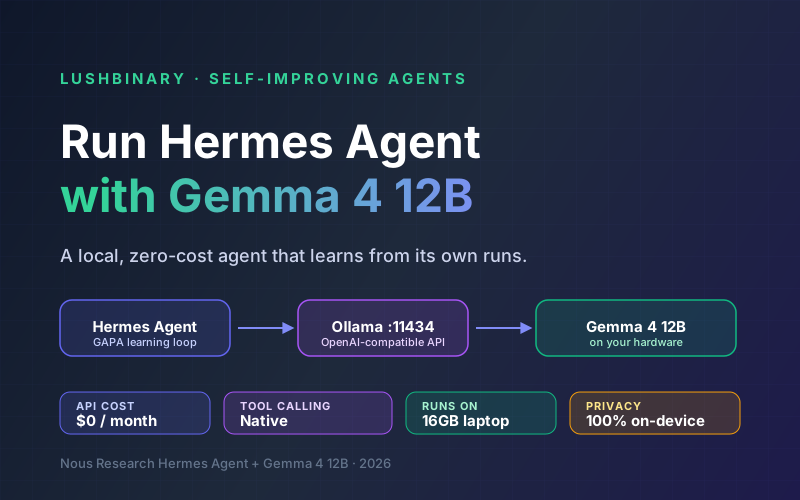
Want this Gemma 4 12B endpoint driving an autonomous agent? See our companion guide on running Hermes Agent with Gemma 4 12B, and the Gemma 4 12B developer guide for the architecture and benchmark details.
9Why Lushbinary for Self-Hosted AI
Getting a model running on your laptop is one thing. Running it reliably for a team or a product, with the right hardware, autoscaling, observability, security, and a fallback plan, is another. That is where we come in. Lushbinary designs and deploys self-hosted and hybrid AI infrastructure: private inference servers, OpenAI-compatible gateways, multimodal pipelines, and the monitoring to keep them healthy.
- Right-sizing hardware and quantization for your latency, cost, and privacy targets
- Production vLLM / Ollama deployments on AWS or on-prem with autoscaling and auth
- Multimodal document, image, and audio pipelines built on open-weight models
- Hybrid routing: local models for the bulk, frontier APIs for the hard cases
🚀 Free Consultation
Thinking about self-hosting open-weight models like Gemma 4 12B? Lushbinary will scope your workload, recommend the right hardware and serving stack, and give you a realistic cost and performance estimate, with no obligation.
10Frequently Asked Questions
How much VRAM do I need to self-host Gemma 4 12B?
Weights are 26.7 GB in BF16, 13.4 GB in SFP8, and 6.7 GB in Q4_0, before context. A 4-bit quant at 8K-32K context fits in 16 GB of VRAM or unified memory; long 128K-256K contexts need 24 GB or more because the KV cache grows with context length. Always budget weights + KV cache + overhead, not weights alone.
What is the fastest way to run Gemma 4 12B locally?
Ollama. Install it, run 'ollama run gemma4:12b' to pull a 4-bit quant, and 'ollama serve' exposes an OpenAI-compatible API on port 11434. For maximum throughput on a dedicated GPU use vLLM; for CPU or Apple Silicon portability use llama.cpp with a GGUF.
Does Gemma 4 12B support image and audio when self-hosted?
Yes. It is the first medium-sized Gemma with native audio plus vision, using an encoder-free design. With llama.cpp you must supply the matching mmproj projector file. Some early Ollama and community tags shipped text-only until the multimodal projector was bundled.
Is Gemma 4 12B free for commercial use?
Yes, it ships under Apache 2.0, allowing commercial use, modification, and redistribution without MAU caps. You must still follow Google's prohibited use policy.
Should I run the 12B, 26B, or 31B for self-hosting?
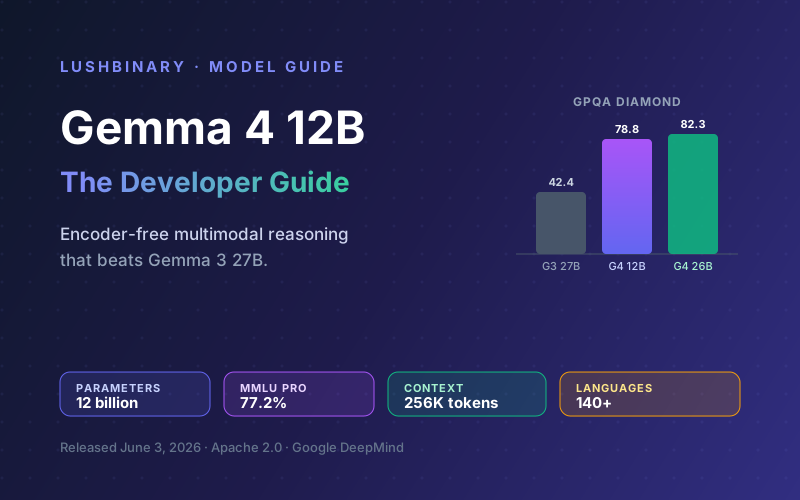
The 12B is the best single-laptop or single-consumer-GPU option and the only mid-sized Gemma with native audio. The 26B A4B MoE and 31B Dense score higher but need ~18-24 GB or more. Google says the 12B nearly matches the 26B on GPQA Diamond, MMLU Pro, and DocVQA while beating Gemma 3 27B.
Sources
- Google Gemma 4 12B model card (Hugging Face)
- Introducing Gemma 4 12B (Google blog)
- gemma-4-12B-it GGUF builds (llama.cpp)
- Gemma 4 Multi-Token Prediction overview (Google AI for Developers)
Content was rephrased for compliance with licensing restrictions. Model specifications, memory figures, and licensing sourced from official Google model cards and release posts as of June 5, 2026. Specifications and runtime behavior may change, always verify against the official model card and your runtime's documentation.
Deploy Self-Hosted AI With Lushbinary
From a laptop prototype to a production private inference stack, we design, deploy, and maintain self-hosted open-weight models so your data stays yours.
Ready to Build Something Great?
Get a free 30-minute strategy call. We'll map out your project, timeline, and tech stack - no strings attached.
Prefer email? Reach us directly: