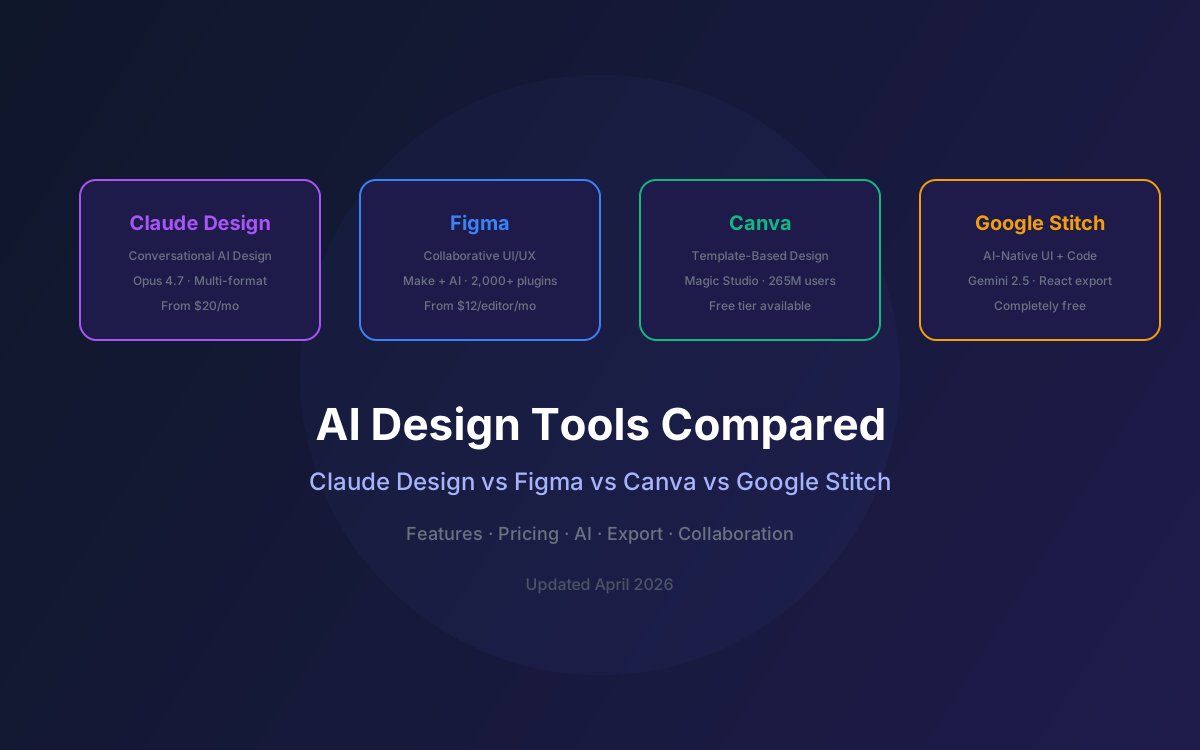
The AI design tool landscape shifted dramatically in April 2026. Anthropic launched Claude Design to challenge Figma's 80–90% UI/UX market share and Canva's 265 million monthly active users. Google Stitch had already disrupted the space in March 2026 with a free AI-native design canvas that caused Figma's stock to drop 12% in two days. And Figma itself launched Make and AI credits to fight back.
If you're a designer, PM, founder, or developer trying to pick the right tool — or the right combination of tools — this comparison breaks down what each one actually does well, where it falls short, and who should use it.
We tested all four tools on real workflows: UI prototyping, pitch deck creation, marketing asset generation, and design-to-code handoff. Here's what we found.
📑 Table of Contents
- The Four Contenders at a Glance
- Feature-by-Feature Comparison
- Pricing Breakdown
- AI Capabilities Compared
- Export & Developer Handoff
- Collaboration & Team Features
- Best Tool by Use Case
- Architecture: Multi-Tool Design Pipeline
- Verdict: Which Tool Wins?
- Why Lushbinary for AI Design Integration
1The Four Contenders at a Glance
| Tool | Launched | Primary Focus | AI Model |
|---|---|---|---|
| Claude Design | Apr 2026 | Multi-format visual creation | Claude Opus 4.7 |
| Figma | 2016 (AI: 2024+) | Collaborative UI/UX design | Figma AI + Make |
| Canva | 2013 (AI: 2023+) | Template-based graphic design | Magic Studio (multi-model) |
| Google Stitch | Mar 2026 | AI-native UI design + code | Gemini 2.5 Pro |
2Feature-by-Feature Comparison
| Feature | Claude Design | Figma | Canva | Stitch |
|---|---|---|---|---|
| Text-to-design | ✅ | ✅ Make | ✅ Magic | ✅ |
| Interactive prototypes | ✅ | ✅ | Limited | ✅ |
| Pitch decks | ✅ | ❌ | ✅ | ❌ |
| Marketing assets | ✅ | ❌ | ✅ | ❌ |
| Auto design system | ✅ | ✅ | Brand Kit | Theme mgmt |
| Code export | HTML | Dev Mode | ❌ | HTML/React/Tailwind |
| Real-time collab | Group chat | ✅ Multiplayer | ✅ | Limited |
| Plugin ecosystem | ❌ | 2,000+ | Apps | ❌ |
| Voice input | ❌ | ❌ | ❌ | ✅ |
| 3D / Shaders | ✅ Frontier | ❌ | ❌ | ❌ |
| Image generation | ❌ | ✅ AI | ✅ Magic | ❌ |
| Canva export | ✅ | ❌ | Native | ❌ |
| Figma export | ❌ | Native | ❌ | ✅ |
3Pricing Breakdown
| Tool | Free Tier | Individual | Team |
|---|---|---|---|
| Claude Design | ❌ None | $20/mo (Pro) – $200/mo (Max 20x) | $25–$30/seat/mo |
| Figma | ✅ 3 files | $12/editor/mo (annual) | $12–$15/editor/mo |
| Canva | ✅ Generous | $13/mo (Pro) | $10/person/mo (5+) |
| Google Stitch | ✅ Fully free | $0 | $0 |
💡 Cost Perspective
Claude Design's pricing is bundled with your Claude subscription. If you're already paying for Claude Pro for coding or chat, Design is effectively free. For teams not using Claude, the $20/mo minimum is steep compared to Canva's $13/mo or Stitch's $0. Figma's AI credits (launched March 2026) add consumption-based costs on top of seat pricing.
4AI Capabilities Compared
Each tool takes a fundamentally different approach to AI integration:
🟣 Claude Design
Conversation-first. Powered by Claude Opus 4.7, the most capable vision model from Anthropic. Generates complete designs from natural language, refines through dialogue, inline comments, and custom sliders. Automatically builds and applies design systems from your codebase. Unique 'frontier design' capability with voice, video, 3D, and shaders.
🔵 Figma AI + Make
Integrated into existing workflow. Figma Make generates interactive app prototypes from text prompts. Design AI handles text, structure, and image editing within core files. FigJam AI synthesizes research and workshops. Make Kits bundle code with design system guidelines. Dev Mode MCP server connects to Claude Code and other AI coding tools.
🟢 Canva Magic Studio
Template-enhanced AI. Magic Write generates copy, Magic Design creates layouts from prompts, Magic Eraser removes backgrounds, and Magic Expand extends images. Multi-model approach using various AI providers. Strongest for non-designers who need polished output fast. 600K+ templates provide a head start.
🟡 Google Stitch
AI-native from the ground up. Built on Gemini 2.5 Pro with an infinite canvas, voice input, and 'vibe design' concept. Generates multi-screen flows and interactive prototypes. Exports production-ready code in HTML/CSS, React, and Tailwind CSS. Annotate feature lets you mark up designs for AI to implement changes.
5Export & Developer Handoff
How designs get from tool to production code is often the most important factor for engineering teams:
| Tool | Export Formats | Dev Handoff |
|---|---|---|
| Claude Design | Canva, PPTX, PDF, HTML, URL, Folder | Claude Code handoff bundle with design intent + specs |
| Figma | PNG, SVG, PDF, CSS, Dev Mode inspect | Dev Mode + MCP server for AI coding tools (Anthropic protocol) |
| Canva | PNG, JPG, PDF, SVG, MP4, PPTX, GIF | No developer handoff - marketing-focused exports |
| Google Stitch | HTML/CSS, React, Tailwind CSS, Figma | Production-ready code export - strongest code output |
The developer handoff story is where these tools diverge most. Google Stitch produces the cleanest code output (React + Tailwind). Claude Design's handoff to Claude Code is the most integrated AI-to-AI pipeline. Figma's Dev Mode MCP server bridges to AI coding tools. Canva has no developer handoff at all — it's purely for marketing and presentation output.
6Collaboration & Team Features
| Feature | Claude Design | Figma | Canva |
|---|---|---|---|
| Real-time editing | Group chat | Multiplayer cursors | Simultaneous editing |
| Sharing | Org-scoped (private/view/edit) | Link sharing + teams | Link sharing + teams |
| Comments | Inline on elements | Threaded comments | Comments on designs |
| SSO/SCIM | Enterprise only | Enterprise | Enterprise |
| Version history | Conversation-based | Full version history | Version history |
Figma's real-time multiplayer editing remains unmatched. Multiple designers can work on the same file simultaneously with visible cursors. Claude Design's collaboration is conversation-based — colleagues join a group chat with Claude rather than editing a shared canvas. For large design teams, Figma is still the clear winner for collaboration.
7Best Tool by Use Case
UI/UX Design (Production)
Winner: Figma
Industry standard, multiplayer editing, 2,000+ plugins, Dev Mode, component libraries. 80-90% market share for a reason.
Rapid Prototyping
Winner: Claude Design
Complex pages in 2 prompts vs 20+ in other tools. Conversation-based refinement. Direct Claude Code handoff.
Pitch Decks & Presentations
Winner: Claude Design
Outline to on-brand deck in minutes. PPTX export. Canva integration for final polish. Frontier design for impressive demos.
Marketing Assets
Winner: Canva
600K+ templates, drag-and-drop editor, brand kit, team collaboration. Mature ecosystem for marketing teams at scale.
UI Mockups + Code Export
Winner: Google Stitch
Free, AI-native, exports React/Tailwind/HTML. Voice input. Infinite canvas. Best code output quality.
Design-to-Code Pipeline
Winner: Claude Design + Code
Only tool with integrated AI design → AI coding handoff. Design intent preserved through the pipeline.
Budget-Conscious Teams
Winner: Google Stitch + Canva Free
Stitch is fully free for UI design. Canva free tier covers basic marketing. $0 total cost.
Enterprise Design Systems
Winner: Figma
Component libraries, design tokens, branching, Dev Mode, SSO/SCIM, audit logs. No substitute for enterprise design governance.
8Architecture: Multi-Tool Design Pipeline
In practice, most teams will use a combination of these tools. Here's how they fit together in a modern design pipeline:
9Verdict: Which Tool Wins?
There's no single winner. Each tool dominates a different part of the design workflow:
- Figma remains the undisputed king of collaborative UI/UX design. Its multiplayer editing, plugin ecosystem, and Dev Mode are irreplaceable for professional design teams. If you're building production interfaces, Figma is still the tool.
- Claude Design is the most versatile AI design tool. It covers prototypes, decks, marketing, and frontier design in one conversational interface. The Claude Code handoff creates the only end-to-end AI design-to-code pipeline. Best for teams already in the Claude ecosystem.
- Canva is unbeatable for marketing teams and non-designers who need polished output fast. 265M+ monthly users and 600K+ templates speak for themselves. The Claude Design → Canva export path makes them complementary, not competitive.
- Google Stitch is the best free option and produces the cleanest code output. For startups and developers who need UI mockups with production-ready React/Tailwind code, Stitch is hard to beat at $0.
🎯 Our Recommendation
For most teams in 2026: Use Figma for production UI/UX, Claude Design for rapid prototyping and pitch decks, and Canva for marketing assets. Add Google Stitch when you need free UI mockups with code export. The tools are complementary, not mutually exclusive.
10Why Lushbinary for AI Design Integration
Lushbinary helps teams build the optimal multi-tool design pipeline. We integrate Claude Design, Figma, and AI coding tools into a seamless workflow that gets from idea to production faster:
- Design system setup across Claude Design and Figma for brand consistency
- Claude Design → Claude Code pipeline implementation for rapid prototyping to production
- Figma Dev Mode MCP integration with AI coding workflows
- Full-stack development with Next.js, React, and AWS infrastructure
- AI tool evaluation and workflow optimization consulting
🚀 Free Consultation
Need help choosing the right AI design tools for your team? Lushbinary evaluates your workflow, recommends the optimal tool combination, and builds the integration — no obligation.
❓ Frequently Asked Questions
Is Claude Design better than Figma for UI design?
No. Figma remains the industry standard for collaborative UI/UX design with 80-90% market share, 2,000+ plugins, and deep developer handoff tools. Claude Design is better for rapid prototyping, pitch decks, and marketing assets through conversational AI.
How does Claude Design compare to Canva for marketing materials?
Both excel at marketing, but differently. Canva has 265M+ monthly users and 600K+ templates. Claude Design generates from conversation and exports to Canva for final editing. Claude Design is faster for first drafts; Canva is better for template-based production at scale.
Is Google Stitch free and how does it compare to Claude Design?
Yes, Stitch is completely free. It focuses on UI design with production-ready code export (HTML/CSS, React, Tailwind). Claude Design requires $20+/mo but covers prototypes, decks, marketing, and frontier designs with 3D/voice/video.
Which AI design tool is best for startups in 2026?
Budget-conscious: Google Stitch (free) + Canva free tier. Funded startups on Claude: Claude Design ($20/mo Pro) covers prototypes, decks, and marketing. Design-heavy teams: Figma ($12/editor/mo) for collaborative UI/UX.
Can Claude Design replace Figma in a design workflow?
Not yet. Claude Design lacks Figma's multiplayer editing, component libraries, 2,000+ plugins, Dev Mode, and design token management. Best used alongside Figma for rapid exploration and pitch decks.
📚 Sources
- Introducing Claude Design — Anthropic
- Anthropic Launches Claude Design to Challenge Figma, Canva — WinBuzzer
- State of AI Design Tools 2026: Figma vs Canva vs Gamma vs Framer — Creative AI News
- Google Stitch & AI Design Tools: Complete Guide — O-Mega AI
Content was rephrased for compliance with licensing restrictions. Feature details and pricing sourced from official vendor pages and industry analysis as of April 2026. Pricing may change — always verify on the vendor's website.
Need Help Choosing the Right Design Tools?
Lushbinary helps teams build optimal AI design pipelines. Get a free consultation on tool selection and workflow integration.
Ready to Build Something Great?
Get a free 30-minute strategy call. We'll map out your project, timeline, and tech stack - no strings attached.
Prefer email? Reach us directly: