Kimi K2.6 is Moonshot AI's latest open-source model, released under the Modified MIT License with full weights on HuggingFace. With 1 trillion total parameters and only 32 billion active per token via its Mixture-of-Experts architecture, K2.6 delivers frontier-level performance at a fraction of the inference cost of dense models. For teams that need data sovereignty, cost control, or custom deployment configurations, self-hosting is the path forward.
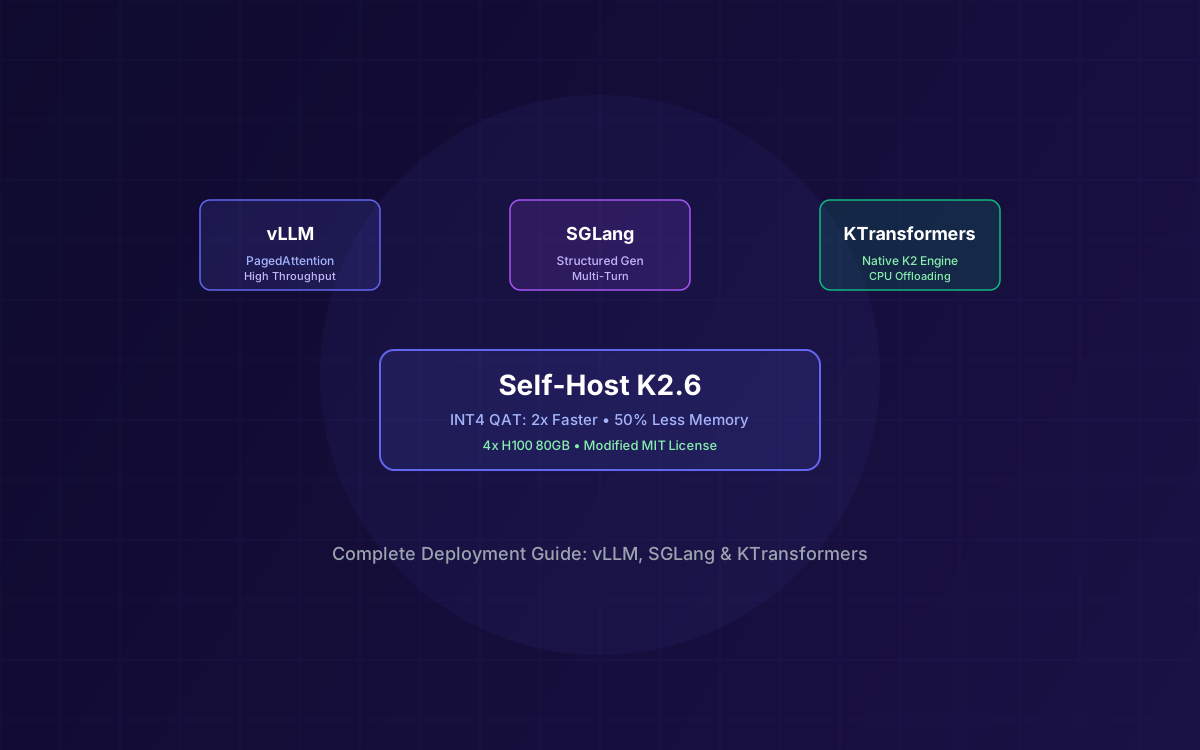
What makes K2.6 particularly compelling for self-hosting is its native INT4 quantization. Unlike post-training quantization that degrades quality, K2.6's INT4 variant uses Quantization-Aware Training (QAT) — the quantization is baked into the training process itself. The result: 2x faster inference, 50% less GPU memory, and negligible quality loss. The INT4 model weighs approximately 594GB on HuggingFace. Per the official vLLM recipe, it is verified on 8x H200 GPUs or equivalent aggregate VRAM around 640GB.
Three inference frameworks officially support K2.6 deployment: vLLM for high-throughput OpenAI-compatible serving, SGLang for structured generation and multi-turn optimization, and KTransformers — Moonshot's own engine built specifically for the K2 architecture. This guide walks through all three, from hardware sizing to production configuration. For a broader overview of K2.6's capabilities and benchmarks, see our Kimi K2.6 Developer Guide.
What This Guide Covers
1Why Self-Host Kimi K2.6?
The Moonshot API is excellent for prototyping and moderate-volume workloads. But four factors push teams toward self-hosting:
🔒 Data Sovereignty
Sensitive code, proprietary documents, and customer data never leave your infrastructure. Critical for regulated industries (healthcare, finance, defense) and enterprises with strict compliance requirements.
💰 Cost at Scale
Per-token API pricing adds up fast. At multi-billion tokens per month, self-hosting on dedicated GPUs becomes significantly cheaper. INT4 quantization lets you serve the same 1T MoE on roughly half the GPUs you would need for FP16.
⚙️ Full Customization
Control inference parameters, batching strategies, context lengths, and quantization levels. Fine-tune for your specific workload — whether that's high-throughput batch processing or low-latency interactive chat.
🔓 No Vendor Lock-In
The Modified MIT License gives you full freedom to deploy, modify, and redistribute. No usage caps, no rate limits, no dependency on a third-party API that could change pricing or terms at any time.
2Hardware Requirements
K2.6 uses a Mixture-of-Experts architecture with 1T total parameters but only 32B active per token. GPU memory requirements depend heavily on precision. Here's the breakdown:
GPU Memory by Precision
| Precision | Model Size | Min Aggregate VRAM (weights + KV + overhead) |
|---|---|---|
| FP16 / BF16 | ~2TB | ~2.2TB+ VRAM |
| FP8 (native) | ~1TB | ~1.1TB+ VRAM |
| INT4 (QAT) | ~594GB | ~640GB+ VRAM |
Recommended Configurations
| Configuration | GPUs | Use Case |
|---|---|---|
| FP16 full precision | 2 nodes of 16× H100 80GB total (2.56TB) | Production, max quality |
| FP8 (native) | 16× H100 80GB (1.28TB) or 8× H200 141GB (1.13TB) | Production, native shipped precision |
| INT4 quantized (QAT) | 8× H200 141GB (verified) or 8× H100 80GB (640GB) | Production, best value |
💡 Architecture Note
K2.6 shares the same architecture as K2.5. If you already have a K2.5 deployment running, your hardware configuration and inference setup are directly reusable for K2.6 — just swap the model weights.
3Native INT4 Quantization Deep Dive
Most quantized models use post-training quantization (PTQ), which compresses weights after training and inevitably loses quality. K2.6 takes a fundamentally different approach with Quantization-Aware Training (QAT) — the model is trained with quantization constraints built into the optimization process itself.
The practical impact is significant:
- 2x faster inference compared to FP16 — INT4 operations execute faster on modern GPU tensor cores, and the reduced memory footprint means less time spent on memory transfers
- 50% less GPU memory — the INT4 model weighs approximately 594GB on HuggingFace versus ~2TB for FP16, cutting your minimum GPU count roughly in half
- Negligible quality loss — because quantization is part of the training loop, the model learns to compensate for reduced precision. Benchmark scores remain within 1-2% of the FP16 baseline on most tasks
- No additional tooling required — the INT4 weights are a separate download on HuggingFace, ready to load directly into vLLM, SGLang, or KTransformers without any conversion step
# Download INT4 quantized weights
huggingface-cli download moonshotai/Kimi-K2.6-INT4 \
--local-dir ./kimi-k2.6-int4
For most production deployments, INT4 is the recommended starting point. The speed and memory savings far outweigh the marginal quality difference, and the QAT approach means you're not making the typical quantization tradeoffs.
4Deploying with vLLM
vLLM is the most widely adopted inference framework for large language models. It provides PagedAttention for efficient memory management, continuous batching for high throughput, and an OpenAI-compatible API out of the box. K2.6 requires transformers>=4.57.1,<5.0.0.
Step 1: Install Dependencies
pip install vllm
pip install "transformers>=4.57.1,<5.0.0"
Step 2: Launch the Server (FP16)
python -m vllm.entrypoints.openai.api_server \
--model moonshotai/Kimi-K2.6 \
--tensor-parallel-size 16 \
--max-model-len 131072 \
--trust-remote-code \
--port 8000
Step 3: Launch the Server (INT4)
python -m vllm.entrypoints.openai.api_server \
--model moonshotai/Kimi-K2.6-INT4 \
--tensor-parallel-size 8 \
--max-model-len 131072 \
--trust-remote-code \
--port 8000
Key vLLM features for K2.6 deployment:
- Tensor Parallelism — splits the model across GPUs. Use
--tensor-parallel-size 16for FP16 across two nodes, or--tensor-parallel-size 8for INT4 on a single 8-GPU node - Continuous Batching — dynamically groups incoming requests to maximize GPU utilization. No manual batch management needed
- PagedAttention — manages KV cache memory in pages, reducing waste and enabling longer context windows without OOM errors
- OpenAI-Compatible API — exposes
/v1/chat/completionsendpoint, making it a drop-in replacement for any OpenAI SDK client
5Deploying with SGLang
SGLang is optimized for structured generation, constrained decoding, and multi-turn conversation patterns. If your workload involves complex prompting chains, tool-use sequences, or JSON-structured outputs, SGLang can outperform vLLM on those specific patterns.
Step 1: Install Dependencies
pip install sglang
pip install "transformers>=4.57.1,<5.0.0"
Step 2: Launch the Server (FP16)
python -m sglang.launch_server \
--model-path moonshotai/Kimi-K2.6 \
--tp 16 \
--trust-remote-code \
--port 8000
Step 3: Launch the Server (INT4)
python -m sglang.launch_server \
--model-path moonshotai/Kimi-K2.6-INT4 \
--tp 8 \
--trust-remote-code \
--port 8000
SGLang advantages for K2.6 workloads:
- Structured Generation — native support for constrained JSON output, regex-guided decoding, and grammar-based generation. Ideal for tool-calling and function-calling patterns
- Multi-Turn Optimization — SGLang's RadixAttention caches KV states across conversation turns, significantly reducing latency for multi-turn chat and agentic workflows
- Batch Scheduling — intelligent request scheduling that prioritizes shorter sequences, improving overall throughput for mixed workloads
- OpenAI-Compatible API — like vLLM, SGLang exposes a standard
/v1/chat/completionsendpoint for seamless integration
6Deploying with KTransformers
KTransformers is Moonshot AI's own inference engine, purpose-built for the K2 model family. While vLLM and SGLang are general-purpose frameworks that support hundreds of model architectures, KTransformers is optimized specifically for K2's MoE routing, MLA attention, and expert activation patterns.
# Install KTransformers
pip install ktransformers
# Launch with K2.6
python -m ktransformers.server \
--model moonshotai/Kimi-K2.6 \
--port 8000
Key advantages of KTransformers:
- Native K2 Architecture Optimization — custom CUDA kernels tuned for K2's specific MoE routing pattern (384 experts, 8 active + 1 shared), reducing expert dispatch overhead
- MLA-Optimized KV Cache — takes full advantage of Multi-head Latent Attention's compressed key-value representation for lower memory usage
- CPU Offloading Support — can offload inactive experts to CPU memory, enabling deployment on systems with less total GPU VRAM than the full model requires
- First-Party Support — maintained by Moonshot AI, ensuring compatibility with new K2 releases and architecture changes
⚠️ Framework Selection
Choose vLLM for maximum ecosystem compatibility and proven production stability. Choose SGLang for structured generation and multi-turn optimization. Choose KTransformers for maximum K2-specific performance and CPU offloading capabilities. All three expose OpenAI-compatible APIs.
7Thinking vs Instant Mode Configuration
K2.6 supports two inference modes: Thinking (extended reasoning with chain-of-thought) and Instant (direct response without reasoning traces). The mode is controlled via temperature settings and chat template parameters.
Recommended Parameters
| Parameter | Thinking Mode | Instant Mode |
|---|---|---|
| Temperature | 1.0 | 0.6 |
| top_p | 0.95 | 0.95 |
| thinking | True (default) | False |
vLLM / SGLang: Instant Mode (Disable Thinking)
from openai import OpenAI
client = OpenAI(base_url="http://localhost:8000/v1", api_key="empty")
response = client.chat.completions.create(
model="moonshotai/Kimi-K2.6",
messages=[{"role": "user", "content": "Explain MoE routing"}],
temperature=0.6,
top_p=0.95,
extra_body={
"chat_template_kwargs": {"thinking": False}
}
)
vLLM / SGLang: Thinking Mode with Preserved Reasoning
response = client.chat.completions.create(
model="moonshotai/Kimi-K2.6",
messages=[{"role": "user", "content": "Solve this step by step"}],
temperature=1.0,
top_p=0.95,
extra_body={
"chat_template_kwargs": {
"thinking": True,
"preserve_thinking": True
}
}
)
Use Thinking mode (temperature 1.0) for complex reasoning, multi-step coding, and agentic tasks where quality matters most. Use Instant mode (temperature 0.6) for straightforward Q&A, classification, and latency-sensitive applications where extended reasoning adds overhead without benefit.
8Cost Comparison: Self-Hosted vs API
The break-even point between self-hosting and API usage depends on your monthly token volume. Here's an estimated comparison using Moonshot API pricing and typical cloud GPU costs:
| Monthly Volume | API Cost (est.) | Self-Host 8×H100 INT4 | Self-Host 16×H100 FP16 |
|---|---|---|---|
| 10M tokens | ~$15–$30 | ~$16,000–$24,000 | ~$32,000–$48,000 |
| 50M tokens | ~$75–$150 | ~$16,000–$24,000 | ~$32,000–$48,000 |
| 500M tokens | ~$750–$1,500 | ~$16,000–$24,000 | ~$32,000–$48,000 |
| 10B tokens | ~$15,000–$30,000 | ~$16,000–$24,000 | ~$32,000–$48,000 |
| 40B+ tokens | ~$60,000–$120,000 | ~$16,000–$24,000 | ~$32,000–$48,000 |
📊 Break-Even Analysis
Self-hosting costs are fixed (GPU rental/ownership), while API costs scale linearly with usage. The break-even for an 8×H100 INT4 cluster typically falls around 10B tokens/month. Below that, the API is more cost-effective. Above it, self-hosting saves 60–80% at scale. Factor in engineering time for setup and maintenance when making your decision.
9Production Deployment Best Practices
Running K2.6 in production requires more than just launching a server. Here are the critical operational patterns:
Load Balancing
Run multiple vLLM/SGLang instances behind an NGINX or HAProxy load balancer. Use least-connections routing rather than round-robin — LLM requests have highly variable processing times, and least-connections prevents hot-spotting on instances handling long context requests.
Health Checks
Both vLLM and SGLang expose health endpoints. Configure your load balancer to poll /health every 10–15 seconds. Remove instances that fail three consecutive checks. MoE models can experience GPU memory spikes during expert routing — health checks catch OOM-related failures early.
Monitoring
- Tokens per second (TPS) — track both prefill and decode throughput separately
- Time to first token (TTFT) — critical for interactive applications; should stay under 2s for good UX
- GPU utilization & memory — use
nvidia-smior Prometheus exporters to track per-GPU metrics - Queue depth — monitor pending request count to detect capacity bottlenecks before they impact latency
- Error rates — track OOM errors, timeout errors, and malformed response rates
Auto-Scaling
For cloud deployments, configure auto-scaling based on queue depth or GPU utilization thresholds. Scale up when queue depth exceeds 10 pending requests or GPU utilization stays above 90% for 5+ minutes. Scale down during off-peak hours to reduce costs. Use Kubernetes with GPU node pools for automated orchestration.
Model Routing
For advanced setups, route requests to different model configurations based on complexity. Simple classification tasks go to INT4 Instant mode for minimum latency. Complex coding and reasoning tasks go to FP16 Thinking mode for maximum quality. Use a lightweight classifier or keyword-based router to make routing decisions.
10Why Lushbinary for AI Infrastructure
Self-hosting a 1T-parameter MoE model is not a weekend project. GPU provisioning, multi-node networking, quantization tuning, load balancing, monitoring, and auto-scaling all require deep infrastructure expertise. At Lushbinary, we handle the full deployment pipeline so your team can focus on building products, not managing GPU clusters.
We've deployed K2-family models for production workloads across healthcare, fintech, and enterprise SaaS. Whether you need a single-node INT4 8x H200 setup for production or a multi-node FP16 cluster for maximum quality, we'll architect, deploy, and maintain it. For more context on how we approach AI deployments, see our GLM-5.1 Self-Hosting Guide for a similar deployment walkthrough.
🚀 Free Infrastructure Consultation
Need help deploying Kimi K2.6 on your own infrastructure? We offer a free 30-minute consultation to evaluate your use case, recommend the right GPU configuration, and plan your deployment architecture.
❓ Frequently Asked Questions
What hardware do I need to self-host Kimi K2.6?
The 594GB INT4 (QAT) weights need roughly 640GB of aggregate VRAM. The verified official configuration is 8x H200 141GB; 8x H100 80GB (640GB) is the tight minimum. FP16 at ~2TB needs 16x H100 80GB across two nodes. 4x H100 80GB (320GB) cannot hold the 594GB INT4 weights.
Should I use vLLM, SGLang, or KTransformers?
vLLM is the safest choice for most production workloads - mature, well-documented, and broadly supported. SGLang excels at structured generation and multi-turn conversations. KTransformers offers the best K2-specific optimizations and CPU offloading. All three expose OpenAI-compatible APIs.
What are the benefits of INT4 quantization for K2.6?
K2.6's native INT4 uses Quantization-Aware Training (QAT) for 2x faster inference and 50% less GPU memory with negligible quality loss. Unlike post-training quantization, QAT preserves model quality by training with quantization constraints.
When does self-hosting become cheaper than the API?
Break-even for the 8x H100 INT4 cluster is roughly 5B tokens/month. Below that, the Moonshot API is more cost-effective. At 20B+ tokens/month, self-hosting saves 60-80% compared to API pricing.
Can I reuse my K2.5 deployment configuration for K2.6?
Yes. K2.6 shares the same architecture as K2.5. Your hardware configuration, inference framework setup, and deployment scripts are directly reusable - just swap the model weights to the K2.6 checkpoint.
📚 Sources
Content was rephrased for compliance with licensing restrictions. Hardware recommendations and cost estimates are based on publicly available cloud GPU pricing as of April 2026. Actual costs may vary by provider and region. Always verify on the vendor's website.
Need Help Deploying Kimi K2.6?
Let Lushbinary handle the full deployment pipeline — from GPU provisioning and model optimization to monitoring and auto-scaling.
Ready to Build Something Great?
Get a free 30-minute strategy call. We'll map out your project, timeline, and tech stack - no strings attached.
Prefer email? Reach us directly: