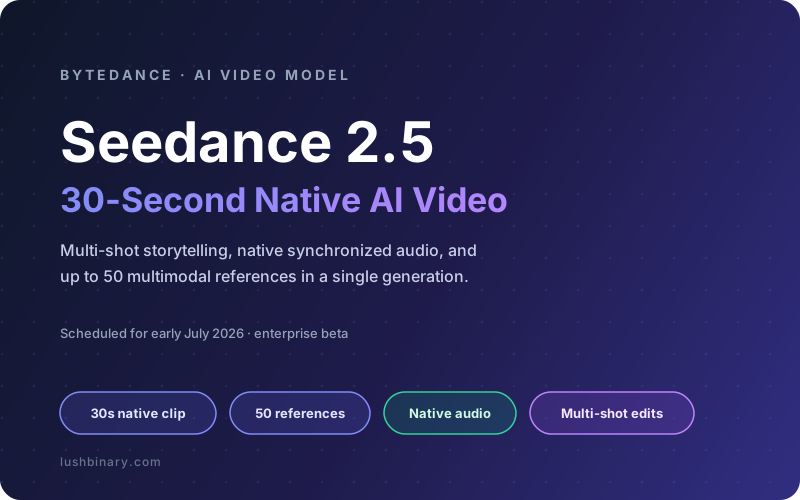
ByteDance has pulled ahead in the AI video race again. At a Volcano Engine event in June 2026, the company unveiled Seedance 2.5, the successor to the Seedance 2.0 model that topped the text-to-video arenas earlier this year. The headline number is the one everyone repeated: a single native clip up to 30 seconds long, generated in one pass, which ByteDance positioned as a leading single-segment duration at the time of announcement.
Duration is only part of the story. Seedance 2.5 can ingest up to 50 multimodal reference materials in one generation, edit a clip locally while keeping the rest of the frame visually consistent, follow director-grade camera instructions, and produce synchronized audio natively rather than dubbing it on afterward. For teams building marketing content, product demos, or short-form video pipelines, that combination changes what you can ship from a single prompt.
This guide is the practical version: what actually shipped, how each capability works, where to access the model, the integration patterns that matter, and what to budget. For a head-to-head against Google, OpenAI, and Kuaishou, read our companion Seedance 2.5 vs Veo, Sora and Kling comparison.
Release status
As of late June 2026, Seedance 2.5 is in global enterprise beta with an official release scheduled for early July 2026. Capabilities below reflect ByteDance's announcements and enterprise beta reporting. Final pricing, resolution caps, and API parameters may shift at general availability, so verify against the Volcano Engine and BytePlus docs before you commit a production budget.
What This Guide Covers
- What Shipped in Seedance 2.5
- The 30-Second Native Clip
- 50 Multimodal References & Consistency
- Camera Control, Multi-Shot & Native Audio
- Local Editing Without Re-Rolling the Whole Clip
- How to Access Seedance 2.5
- API Integration Patterns
- Pricing & Cost Control
- Use Cases & What to Build
- Why Lushbinary for AI Video Integration
- FAQ
1What Shipped in Seedance 2.5
Seedance is ByteDance's cinematic video family, served under the Doubao brand in China and through BytePlus and the Dreamina app internationally. Seedance 2.0 launched on February 12, 2026 and quickly ranked at the top of the Artificial Analysis text-to-video arena that scores models with synchronized audio. Seedance 2.5 is the mid-cycle upgrade, and ByteDance framed it around three core breakthroughs plus a set of control improvements.
30-second native clip
A single segment up to 30 seconds long, generated in one pass instead of stitching multiple short clips.
50 multimodal references
Up to 50 images, video clips, and audio files as references in a single generation for tight consistency.
Local editing with consistency
Change one region or element while the rest of the scene stays visually stable across the clip.
Director-grade control
Multi-shot storytelling, camera direction, character and brand consistency, and native synchronized audio.
The throughline across all four is control. Seedance 2.0 already made good-looking clips. Seedance 2.5 is about keeping a character, a product, a voice, and a camera style consistent across a longer, multi-shot sequence, so the output reads like a planned edit rather than a lucky render. That is the difference between a demo and something a brand can actually ship.
Watch official Seedance sample videos
The best way to judge a video model is to watch its output. ByteDance showcases official Seedance generations, including multi-shot, audio-synced reels, on its Seed site. A dedicated Seedance 2.5 gallery is expected at the early July 2026 launch; until then, the Seedance hub and the Seedance 2.0 page host the latest official demos.
Credit: Sample videos are created with and hosted by ByteDance on its official Seed site (seed.bytedance.com). All clips are the property of ByteDance. Lushbinary links to the official source and does not host, mirror, or claim ownership of these videos.
2The 30-Second Native Clip
Most AI video models top out at a short window: Seedance 2.0 generated a native clip around 15 seconds, and several competitors land in the 8 to 25 second range. To make anything longer, you normally generate several clips and splice them, which is where characters drift, light shifts, and the cut becomes obvious.
Seedance 2.5 generates a single native segment up to 30 seconds in one pass. That matters for two reasons. First, a 30-second spot is the standard length for a social ad or a product teaser, so you can target a finished format directly. Second, because the model holds one continuous context for the whole clip, motion, lighting, and character identity stay coherent across the full duration instead of resetting at each splice point.
Why one pass beats stitching
Stitching short clips forces you to reconcile two independent renders at the seam. A single 30-second context means the model never has to re-derive who the character is or where the light comes from, which is the most common reason multi-clip AI video looks glued together.
350 Multimodal References & Consistency
The second headline feature is the jump in reference inputs. Seedance 2.0 accepted a handful of reference files. Seedance 2.5 takes up to 50 multimodal references in a single generation, mixing images, video clips, and audio. This is the lever that turns a generic clip into a controlled, on-brand one.
With 50 reference slots you can pin down many constraints at once:
- Character identity - several angles of a person or mascot so the face and outfit stay stable across shots
- Product accuracy - reference photos of the exact SKU so the model does not invent a different shape or logo
- Brand look - palette, typography cards, and example frames that set the visual tone
- Camera and motion style - example clips that demonstrate the pacing and movement you want
- Voice and sound - an audio reference so narration or a character voice matches a known sample
Consistency is the practical payoff. ByteDance highlighted character and brand consistency as a primary goal of the 2.5 release, and the large reference budget is how the model achieves it. For a product marketing team, this is the difference between a clip you can publish and one that puts the wrong logo on the wrong bottle.
4Camera Control, Multi-Shot & Native Audio
Seedance 2.5 leans into director-grade controls. You can describe multi-shot sequences, for example an establishing wide shot, a push-in to a product, and a cut to a reaction, and the model keeps the subject consistent across those shots. Camera direction is explicit: pans, dollies, orbits, and focus changes can be requested in the prompt rather than left to chance.
Audio is generated natively and synchronized to the picture. Rather than producing a silent clip and adding sound in post, Seedance generates dialogue, effects, and ambience aligned to the visuals, including lip-sync. That native joint generation is the same approach that put Seedance 2.0 at the top of the audio-aware video arena, and 2.5 extends it across the longer 30-second window.
Watch the language track
Native audio is strong but not flawless. Community testing of the 2.0 generation reported that non-English speech breaks more often than English, and content filters can be aggressive. Treat multilingual voice as a feature to test on your real scripts before you depend on it.
5Local Editing Without Re-Rolling the Whole Clip
The third breakthrough is controllable local editing. With most video models, changing one detail means regenerating the entire clip and hoping the rest survives. Seedance 2.5 supports editing a specific region or element while keeping the surrounding frame visually consistent, so you can swap a label, change a color, or adjust an object without losing the take you already liked.
For production work this is a real time saver. You can lock an approved clip, then make a targeted revision for a different market, a different product variant, or a client note, without paying for a full regeneration and without the risk that the new render looks nothing like the approved one.
6How to Access Seedance 2.5
ByteDance ships Seedance through a few surfaces depending on your region and whether you want a UI or an API:
| Surface | Best for | Notes |
|---|---|---|
| Volcano Engine / Doubao | China-region API and enterprise use | Primary platform where 2.5 was unveiled; enterprise beta first |
| BytePlus ModelArk | International API access | Seedance 2.0 already available as an API here |
| Dreamina app | Creators using a UI, not code | Consumer face of Seedance; credit-based plans |
| Third-party providers | Aggregated API with fast tiers | Often cheaper per second; verify they expose 2.5 at GA |
If you are building a product around this, the BytePlus ModelArk API is the most direct international route, and it already serves Seedance 2.0 today. Expect 2.5 to land on the same surface around the early July 2026 launch, after the enterprise beta period.
7API Integration Patterns
AI video APIs are asynchronous by nature. A 30-second 1080p clip takes real time to render, so the pattern is submit a job, poll or receive a webhook, then download the result. The sketch below shows a typical text-to-video and image-to-video flow against a Seedance-style endpoint. Treat field names as illustrative and confirm them against the official docs for your provider.
// Submit a Seedance text-to-video job (illustrative)
const submit = await fetch(
  "https://ark.ap-southeast.bytepluses.com/api/v3/contents/generations/tasks",
  {
    method: "POST",
    headers: {
      Authorization: `Bearer ${process.env.BYTEPLUS_API_KEY}`,
      "Content-Type": "application/json",
    },
    body: JSON.stringify({
      model: "seedance-2-5",
      content: [
        {
          type: "text",
          text: "30s product spot. Wide establishing shot of a "
            + "minimalist kitchen, slow push-in to a glass bottle "
            + "on the counter, cut to a smiling customer. Warm "
            + "morning light, gentle ambient audio.",
        },
        // Up to 50 references: images, clips, audio
        { type: "image_url", image_url: { url: productRefUrl } },
        { type: "image_url", image_url: { url: brandPaletteUrl } },
      ],
      ratio: "16:9",
      duration: 30,
      resolution: "1080p",
    }),
  }
);

const { id } = await submit.json();
// Poll for the result, then download
async function waitForVideo(taskId) {
while (true) {
const res = await fetch(
`https://ark.ap-southeast.bytepluses.com/api/v3/contents/generations/tasks/${taskId}`,
{ headers: { Authorization: `Bearer ${process.env.BYTEPLUS_API_KEY}` } }
);
const task = await res.json();
if (task.status === "succeeded") return task.content.video_url;
if (task.status === "failed") throw new Error(task.error?.message);
// Back off; 30s 1080p renders are not instant
await new Promise((r) => setTimeout(r, 5000));
}
}Integration practices that keep an AI video feature reliable:
- Treat generation as a queue - never block a request thread on a render. Submit the job, store the task id, and notify the user when it lands
- Prefer webhooks over tight polling - if the provider supports callbacks, use them and fall back to polling with backoff
- Cache and reuse references - upload your character, product, and brand references once and reference them by URL across jobs instead of re-uploading every time
- Draft low, finalize high - generate cheap 480p drafts to lock the prompt and composition, then render the final at 1080p only when approved
- Store the output yourself - download finished clips to your own S3 bucket and serve via CDN; provider URLs expire
8Pricing & Cost Control
ByteDance had not published official Seedance 2.5 API pricing as of June 2026. The honest answer is to budget from the 2.0 generation and adjust at launch. Seedance 2.0 ran around $0.06 per second through third-party providers, and discounted fast tiers landed near $0.022 per second. Cost scales with resolution, duration, frame rate, and the number of reference inputs.
The duration jump cuts both ways. A 30-second clip is roughly twice the render of a 15-second one, so per-clip cost rises even if the per-second rate holds. A simple way to reason about a 1080p clip at an assumed $0.06 per second:
| Clip length | At ~$0.022/sec (fast tier) | At ~$0.06/sec (pro tier) |
|---|---|---|
| 5 seconds | ~$0.11 | ~$0.30 |
| 15 seconds | ~$0.33 | ~$0.90 |
| 30 seconds | ~$0.66 | ~$1.80 |
These are illustrative figures derived from Seedance 2.0 third-party rates, not official 2.5 prices. The multiplication is straightforward: seconds times the per-second rate. The lesson holds regardless of the final number: long, high-resolution, reference-heavy renders are the expensive ones, so draft cheap and finalize selectively.
9Use Cases & What to Build
The 30-second window, heavy reference support, and native audio point at a clear set of products and workflows:
Product video at scale
Generate on-brand 30-second spots per SKU using product photos and a brand palette as references, then localize with local editing.
Social and UGC ads
Spin up multiple ad variants with consistent characters and synchronized voiceover for A/B testing without a film crew.
Explainer and demo clips
Multi-shot product walkthroughs with camera direction and narration generated together in one pass.
Content pipelines
An internal tool that takes a brief plus brand assets and returns review-ready drafts for the marketing team.
The common thread is that Seedance 2.5 fits best where consistency and brand control matter more than pure artistic novelty. If you need the same character, product, and voice across many clips, the reference budget and local editing are exactly the right tools. If you want a deeper look at where it stands against the alternatives, our comparison guide breaks down the tradeoffs, and our earlier AI video generation overview covers the wider field.
10Why Lushbinary for AI Video Integration
A great model is not a product. Turning Seedance 2.5 into a feature your users rely on means building the async job queue, the reference asset library, cost controls, content moderation, storage, and a UI that hides all of it. Lushbinary builds production AI integrations, and video generation pipelines sit squarely in that work.
- Generation pipelines - async job orchestration, webhook handling, retries, and progress UI so renders never block your app
- Reference and asset management - a clean library for character, product, and brand references reused across jobs
- Cost governance - draft-then-finalize flows, budget caps, and caching to keep per-clip spend predictable
- AWS delivery - S3 storage, CloudFront delivery, moderation, and monitoring around the model API
Free Consultation
Want to build an AI video feature on Seedance 2.5 or a multi-model setup? Lushbinary specializes in production AI integrations with job orchestration, cost optimization, and clean delivery infrastructure. We will scope your project, recommend the right approach, and give you a realistic timeline with no obligation.
11Frequently Asked Questions
What is Seedance 2.5?
Seedance 2.5 is ByteDance's next-generation AI video model, the successor to Seedance 2.0. ByteDance unveiled it at a Volcano Engine event and scheduled the official release for early July 2026, with global enterprise beta access ahead of launch. Its headline features are native single-segment 30-second video, up to 50 multimodal reference materials in one generation, local editing with visual consistency, director-grade camera control, and native synchronized audio.
How long can a Seedance 2.5 video be?
Seedance 2.5 generates a single native clip up to 30 seconds in one pass, which ByteDance described as a leading single-segment duration at announcement. Seedance 2.0 capped a native clip at roughly 15 seconds, so 2.5 doubles the usable length before you have to stitch shots together.
How do I access the Seedance 2.5 API?
ByteDance serves Seedance through Volcano Engine and the Doubao platform in China, and through BytePlus ModelArk and the Dreamina app internationally. Seedance 2.0 is already available as an API on BytePlus. Seedance 2.5 is rolling out to enterprise beta first, with broader API availability expected around the early July 2026 launch.
How much does Seedance 2.5 cost?
ByteDance had not published official Seedance 2.5 API pricing as of June 2026. For reference, Seedance 2.0 ran around $0.06 per second through third-party providers, with discounted fast tiers near $0.022 per second. Cost scales with resolution, duration, frame rate, and the number of reference inputs, so a 30-second 1080p clip with many references costs far more than a short 480p draft.
What can 50 reference materials do in Seedance 2.5?
Seedance 2.5 accepts up to 50 multimodal references (images, video clips, and audio) in a single generation. That lets you lock a character's face, a product's look, a brand palette, a camera style, and a voice all at once, so the model keeps them consistent across every shot instead of drifting between scenes.
Sources
- BytePlus - Seedance product and API
- AIbase - Seedance 2.5: 30-second video and 50 reference materials
- PANews - Seedance 2.5 expected early July, native 30-second clips
- eesel AI - What ByteDance's Seedance 2 model can do
Content was rephrased for compliance with licensing restrictions. Feature details, dates, and pricing sourced from ByteDance and Volcano Engine announcements and third-party reporting as of June 23, 2026. Seedance 2.5 is in enterprise beta; specifications and pricing may change at general availability, so always verify on the vendor's website.
Ready to Build an AI Video Feature?
From Seedance 2.5 pipelines to multi-model video tools, Lushbinary builds AI integrations that ship. Let's talk about your project.
Ready to Build Something Great?
Get a free 30-minute strategy call. We'll map out your project, timeline, and tech stack - no strings attached.
Prefer email? Reach us directly: