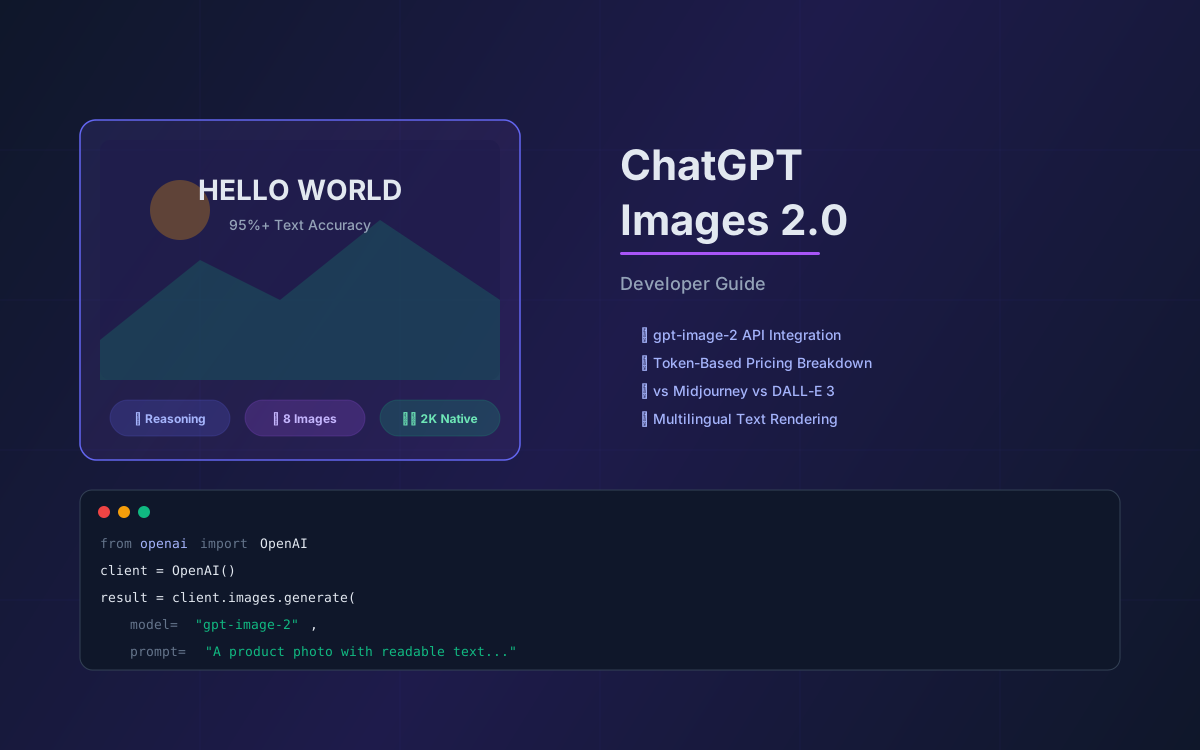
On April 21, 2026, OpenAI shipped ChatGPT Images 2.0 — and it's not just an incremental update. The underlying model, gpt-image-2, is the first OpenAI image model with built-in reasoning capabilities. It can search the web before generating, verify its own outputs, render text in over a dozen languages with 95%+ accuracy, and produce up to eight coherent images from a single prompt. That's a fundamentally different tool than what existed six months ago.
For developers, designers, and product teams, this changes the calculus on AI-generated visuals. Text-in-image was the biggest pain point with every previous model — warped letters, garbled fonts, unusable outputs for anything that needed readable copy. Images 2.0 fixes that. It also introduces native 2K resolution with optional 4K upscaling, aspect ratios from 3:1 ultra-wide to 1:3 ultra-tall, and a Responses API that supports multi-turn conversational image editing.
This guide covers everything you need to know: what's new, how the two modes work, API integration with code examples, pricing breakdown, how it compares to Midjourney and DALL-E 3, and practical use cases for business. Whether you're building image generation into your product or evaluating it for your creative workflow, this is the complete picture.
📋 Table of Contents
- 1.What Changed: Images 1.5 → Images 2.0
- 2.Instant Mode vs Thinking Mode
- 3.Text Rendering & Multilingual Support
- 4.API Integration: Image API & Responses API
- 5.Pricing Breakdown & Cost Optimization
- 6.ChatGPT Images 2.0 vs Midjourney vs DALL-E 3
- 7.10 Business Use Cases for Images 2.0
- 8.Prompt Engineering Tips for gpt-image-2
- 9.Limitations & What to Watch For
- 10.Why Lushbinary for AI Image Integration
1What Changed: Images 1.5 → Images 2.0
GPT Image 1.5 was already a significant step up from DALL-E 3 — 4x faster generation, 20% cheaper API pricing, and precision editing that actually preserved the original image. But Images 2.0, powered by gpt-image-2, is a generational leap. Here's what's different at the architecture level:
| Feature | GPT Image 1.5 | GPT Image 2 (Images 2.0) |
|---|---|---|
| Native reasoning | No | Yes — thinks before drawing |
| Web search | No | Yes (Thinking mode) |
| Max resolution | 1K native, 4K upscale | 2K native, 4K upscale |
| Multi-image output | 1 per prompt | Up to 8 per prompt |
| Text rendering | Improved over DALL-E 3 | 95%+ accuracy, 12+ languages |
| Self-verification | No | Yes — double-checks outputs |
| QR code generation | No | Yes — functional QR codes |
| Aspect ratios | Standard presets | 3:1 to 1:3 (thousands of options) |
| API model name | gpt-image-1.5 | gpt-image-2 |
The reasoning capability is the headline feature. Previous image models were essentially prompt-in, image-out — no intermediate thinking step. gpt-image-2 can reason through the structure of a scene before rendering it, which means it handles complex multi-element compositions, spatial relationships, and detailed instructions far more reliably than any predecessor.
The model is built on GPT-5.4's backbone and is available across ChatGPT (all tiers), Codex, the Image API, and the Responses API. Microsoft also made it generally available in Microsoft Foundry on the same day.
2Instant Mode vs Thinking Mode
Images 2.0 ships with two distinct generation modes, and understanding the difference is critical for both cost and quality optimization.
Instant Mode
Available to all ChatGPT users, including the free tier. Instant mode delivers the core quality improvements of gpt-image-2 — better text rendering, improved composition, higher fidelity — without the reasoning overhead. It generates a single image per prompt, fast.
Thinking Mode
Restricted to Plus ($20/mo), Pro ($200/mo), Business, and Enterprise subscribers. Thinking mode is where the real power lives:
- Web search before generation — the model can look up real-time information (logos, current events, product details) before drawing a single pixel
- Layout reasoning — plans the spatial arrangement of elements before rendering, resulting in more coherent compositions
- Multi-image batching — generates up to 8 coherent images from a single prompt with consistent characters and objects across the set
- Output verification — double-checks its own work and can self-correct before delivering the final image
💡 Developer Tip
If you're building a product that needs consistent character design across multiple images (e.g., a children's book, a marketing campaign, or a product catalog), Thinking mode's multi-image consistency is a game-changer. Previously, you'd need to generate each image separately and hope for visual coherence.
3Text Rendering & Multilingual Support
This is the feature that makes Images 2.0 genuinely production-ready for business use cases. Every previous AI image model — DALL-E 3, Midjourney, Stable Diffusion — struggled with text. Letters would warp, words would misspell, and anything beyond a short English phrase was unusable.
gpt-image-2 achieves above 95% text rendering accuracy across Latin, Chinese, Japanese, Korean, Hindi, Bengali, and Arabic scripts. That means you can generate:
- Social media graphics with readable headlines and body copy
- Product packaging mockups with ingredient lists and legal text
- Presentation slides with bullet points and data labels
- UI mockups with realistic button labels and navigation text
- Multilingual marketing materials for global campaigns
- Posters and banners with dense typography
- Functional QR codes that actually scan
⚠️ Accuracy Note
While 95%+ is a massive improvement, it's not 100%. For production-critical text (legal disclaimers, medical labels, financial data), always verify the output. The model excels at headlines, labels, and short-to-medium copy but can still occasionally swap characters in very long text blocks.
The multilingual support is particularly significant for e-commerce and marketing teams operating across Asia-Pacific markets. Previously, generating an ad creative with Japanese or Korean text required manual post-processing. Now, you can prompt in the target language and get usable output directly.
4API Integration: Image API & Responses API
OpenAI offers two API surfaces for gpt-image-2, each suited to different workflows. Both require API Organization Verification from your developer console before use.
Image API — Direct Generation & Editing
Best for single-shot image generation or editing. Two endpoints:
/v1/images/generations— generate images from a text prompt/v1/images/edits— modify existing images with a new prompt
# Python — Image API generation
from openai import OpenAI
import base64

client = OpenAI()

result = client.images.generate(
    model="gpt-image-2",
    prompt="A product photo of a minimalist ceramic mug "
           "with 'HELLO WORLD' printed in clean sans-serif "
           "font, on a marble countertop, soft natural light",
    size="1536x1024",
    quality="high",
)

# Save the image
image_bytes = base64.b64decode(result.data[0].b64_json)
with open("mug.png", "wb") as f:
    f.write(image_bytes)
Responses API — Conversational Image Workflows
Best for multi-turn editing, iterative refinement, and building image generation into conversational flows. The Responses API uses a mainline model (like gpt-5.4) with the image_generation tool, which internally routes to gpt-image-2.
# Python — Responses API with multi-turn editing
from openai import OpenAI
import base64

client = OpenAI()

# Generate initial image
response = client.responses.create(
    model="gpt-5.4",
    input="Generate a product photo of a minimalist "
          "ceramic mug with 'HELLO WORLD' text",
    tools=[{"type": "image_generation"}],
)

# Iterate on the result
response2 = client.responses.create(
    model="gpt-5.4",
    input="Change the text to 'GOOD MORNING' and "
          "add a small plant next to the mug",
    previous_response_id=response.id,
    tools=[{
        "type": "image_generation",
        "action": "edit"
    }],
)

# Extract and save
for output in response2.output:
    if output.type == "image_generation_call":
        with open("mug_v2.png", "wb") as f:
            f.write(base64.b64decode(output.result))
The action parameter controls behavior: "auto" lets the model decide whether to generate or edit, "generate" forces a new image, and "edit" forces editing when an image is already in context.
🔑 Which API Should You Use?
Use the Image API when you need a single image from a single prompt — batch product photos, social media graphics, or one-off generations. Use the Responses API when you need multi-turn editing, conversational refinement, or image generation as part of a larger AI workflow.
5Pricing Breakdown & Cost Optimization
gpt-image-2 uses token-based pricing, which means your cost depends on prompt length, image resolution, and quality settings. Here's the official pricing from OpenAI's pricing page:
| Token Type | Price per 1M Tokens |
|---|---|
| Text input | $5.00 |
| Cached text input | $1.25 |
| Image input | $8.00 |
| Cached image input | $2.00 |
| Text output | $10.00 |
| Image output | $30.00 |
Practical Per-Image Costs
In practice, the per-image cost varies significantly based on quality and resolution settings:
| Quality | Approx. Cost/Image | Best For |
|---|---|---|
| Low | ~$0.006 – $0.02 | Thumbnails, previews, prototyping |
| Medium | ~$0.03 – $0.07 | Social media, blog images, drafts |
| High | ~$0.10 – $0.21 | Product photos, marketing, print |
Cost Optimization Strategies
- Use
quality: "low"for iteration — generate drafts at low quality, then re-generate the final version at high quality once you're happy with the composition - Leverage cached inputs — when editing images iteratively, cached image input tokens cost 75% less ($2 vs $8 per 1M)
- Batch with multi-image output — generating 4 images in one Thinking mode request is more token-efficient than 4 separate requests
- Right-size resolution — don't generate at 2K if the output will be displayed at 400px on a mobile screen
- Use the Image API for simple tasks — the Responses API adds overhead from the mainline model; skip it when you don't need multi-turn
For comparison, DALL-E 3 via the API costs a flat $0.04 per image at standard quality. At low quality, gpt-image-2 can be cheaper. At high quality with large resolutions, it's more expensive — but the output quality is in a different league.
6ChatGPT Images 2.0 vs Midjourney vs DALL-E 3
The AI image generation landscape in 2026 has three dominant players, each with distinct strengths. Here's how they stack up:
| Dimension | GPT Image 2 | Midjourney v6.1 | DALL-E 3 |
|---|---|---|---|
| Text rendering | 95%+ accuracy | ~71% accuracy | ~80% accuracy |
| Photorealism | Excellent | Best in class | Good |
| Artistic style | Strong | Best in class | Recognizable "DALL-E look" |
| Instruction following | Best in class | Good | Good |
| Max resolution | 2K (4K upscale) | 1024×1024 base | 1024×1024 |
| Reasoning | Native thinking | None | None |
| API access | Full API | Limited API | Full API |
| Multi-image | Up to 8 | 4 variations | 1 |
| Editing | Multi-turn, precise | Vary/pan/zoom | Basic inpainting |
| Price (consumer) | $20/mo (Plus) | $10/mo (Basic) | $20/mo (Plus) |
| Arena ranking | #1 (24pts ahead) | Top 5 | Lower tier |
The verdict: GPT Image 2 is the best choice when you need text accuracy, complex instruction following, reasoning-powered generation, and API integration. Midjourney v6.1 remains the champion for pure artistic quality and photorealism. DALL-E 3 is the budget option for simple generations but is effectively superseded by gpt-image-2 for most use cases.
On the LM Arena leaderboard, GPT Image 2 leads Google Imagen 3 by 24 points — a significant margin that reflects its strength in complex, instruction-heavy prompts.
710 Business Use Cases for Images 2.0
The combination of accurate text rendering, reasoning, and multi-image consistency opens up use cases that were impractical with previous models:
1. E-Commerce Product Photos
Generate lifestyle product shots with accurate labels, pricing badges, and brand text. Swap backgrounds, add seasonal themes, or create A/B test variants without a photo studio.
2. Social Media Creatives
Produce platform-specific graphics (Instagram stories, LinkedIn banners, X posts) with readable headlines and CTAs. Use aspect ratio flexibility for each platform.
3. Marketing Collateral
Create brochures, flyers, and email headers with proper typography. Multilingual support means one prompt can generate assets for multiple markets.
4. UI/UX Mockups
Generate realistic app screens and website mockups with accurate button labels, navigation text, and form fields. Faster than Figma for early-stage exploration.
5. Presentation Slides
Generate slide visuals with data labels, chart annotations, and section headers. Thinking mode ensures consistent visual style across a deck.
6. Product Packaging Design
Mock up packaging with ingredient lists, nutritional info, and brand elements in multiple languages. Test designs before committing to print.
7. QR Code Marketing
Generate functional, scannable QR codes embedded in creative designs. A first for any AI image model.
8. Technical Diagrams
Create architecture diagrams, flowcharts, and system diagrams with accurate labels and connection lines. Useful for documentation and presentations.
9. Localized Ad Campaigns
Generate the same ad creative in Japanese, Korean, Chinese, Hindi, and English from a single prompt session. Consistent brand identity across languages.
10. Children's Book Illustration
Multi-image consistency means characters look the same across 8 illustrations generated from one prompt. Previously required manual style-matching.
8Prompt Engineering Tips for gpt-image-2
gpt-image-2's reasoning capabilities mean it responds better to structured, detailed prompts than previous models. Here are patterns that work well:
Structure Your Prompts
Break your prompt into clear sections: subject, style, composition, text content, and constraints. The model's reasoning engine processes structured prompts more effectively.
# Good prompt structure
"Subject: A flat-lay product photo of a coffee subscription box.
Style: Clean, minimalist, soft natural lighting, white marble surface.
Text: The box label reads 'MORNING RITUAL' in bold serif font,
with 'Single Origin • Medium Roast • 12oz' below in smaller sans-serif.
Composition: Overhead shot, box centered, scattered coffee beans around edges.
Constraints: No people, no hands, photorealistic."
Be Explicit About Text
When you need specific text in the image, quote it exactly and describe the font style, size relative to other elements, and placement:
# Explicit text placement
"A website hero banner. Large heading text reads 'Ship Faster'
in white bold sans-serif, centered. Below it, smaller subheading
reads 'AI-powered development tools for modern teams' in light gray.
A green button in the bottom-center reads 'Get Started Free'.
Background: dark gradient from navy to indigo."
Use One Edit at a Time
When using the Responses API for iterative editing, make one change per turn. The model preserves more detail when it only needs to modify one aspect of the image:
- Turn 1: "Generate a product photo of a blue sneaker on white background"
- Turn 2: "Change the sneaker color to red"
- Turn 3: "Add the text 'AIR MAX' on the side of the shoe"
- Turn 4: "Add a subtle shadow beneath the shoe"
9Limitations & What to Watch For
Images 2.0 is impressive, but it's not perfect. Here are the current limitations to be aware of:
- Content filtering — OpenAI's safety filters are stricter than Midjourney or Stable Diffusion. Certain creative directions are blocked, which can be frustrating for artistic use cases
- Rate limits on Thinking mode — Plus users get approximately 50 images per 3 hours in ChatGPT. Pro users get significantly higher limits. API limits depend on your tier
- Text accuracy isn't 100% — while 95%+ is a massive improvement, very long text blocks or unusual fonts can still produce errors. Always verify critical text
- No transparent background on all outputs — transparent background support depends on the model and output format. Check the API docs for current support
- Cost at scale — high-quality 2K images at $0.10-$0.21 each add up quickly for high-volume use cases. Budget carefully for production workloads
- Recognizable AI aesthetic — while much improved, outputs can still have a subtle "AI-generated" quality that trained eyes will notice, especially in human faces and hands
- API verification required — you need to complete Organization Verification in your OpenAI developer console before using GPT Image models via the API
🔄 Rapid Evolution
OpenAI iterated from DALL-E 3 → GPT Image 1 → GPT Image 1.5 → GPT Image 2 in roughly 18 months. Expect continued rapid improvement. Features and limitations listed here reflect the state as of April 2026 and may change quickly.
GPT Image 2 Integration Architecture
10Why Lushbinary for AI Image Integration
Integrating gpt-image-2 into a production application isn't just about calling an API. You need to handle rate limiting, cost optimization, content moderation, caching strategies, and user experience design around generation latency. You need to decide between the Image API and Responses API based on your workflow. And you need to build fallback strategies for when the model's output doesn't meet quality thresholds.
Lushbinary has deep experience building AI-powered products with OpenAI's full model stack — from GPT-5.4 integration to AI agent frameworks to AI image tool development. We can help you:
- Architect an image generation pipeline with cost controls and quality gates
- Build multi-turn image editing workflows with the Responses API
- Implement caching and CDN strategies for generated images
- Design user experiences around AI image generation latency
- Set up content moderation and safety filters for user-facing applications
- Optimize costs with tiered quality settings and smart batching
🚀 Free Consultation
Want to integrate ChatGPT Images 2.0 into your product? Lushbinary specializes in AI-powered applications with OpenAI's latest models. We'll scope your image generation pipeline, recommend the right API surface, and give you a realistic cost estimate — no obligation.
❓ Frequently Asked Questions
What is ChatGPT Images 2.0 and when was it released?
ChatGPT Images 2.0 is OpenAI's latest image generation system, released on April 21, 2026. It is powered by the gpt-image-2 model and is the first OpenAI image model with built-in reasoning (thinking) capabilities. It is available in ChatGPT, Codex, and the API.
How much does gpt-image-2 cost via the API?
gpt-image-2 API pricing is token-based: $5 per million text input tokens, $8 per million image input tokens, $10 per million text output tokens, and $30 per million image output tokens. In practice, this works out to roughly $0.006 to $0.21 per generated image depending on quality and resolution settings.
What languages does ChatGPT Images 2.0 support for text rendering?
ChatGPT Images 2.0 supports text rendering in over a dozen languages with above 95% accuracy across Latin, Chinese, Japanese, Korean, Hindi, Bengali, and Arabic scripts.
Can gpt-image-2 generate multiple images from a single prompt?
Yes. In Thinking mode (available to Plus, Pro, Business, and Enterprise subscribers), gpt-image-2 can generate up to eight coherent images from a single prompt while maintaining consistent characters and objects across the full set.
How does ChatGPT Images 2.0 compare to Midjourney and DALL-E 3?
ChatGPT Images 2.0 leads in text rendering accuracy (95%+), instruction following, and reasoning-powered generation. Midjourney v6.1 still leads in artistic photorealism. DALL-E 3 remains the easiest to use but trails in raw quality. GPT-Image-2 leads the LM Arena leaderboard by 24 points over Google Imagen 3.
📚 Sources
- OpenAI API Pricing
- OpenAI Image Generation API Guide
- OpenAI Community: Introducing gpt-image-2
- MindStudio: GPT Image 2 vs Imagen 3 Comparison
- Microsoft: GPT-image-2 in Microsoft Foundry
Content was rephrased for compliance with licensing restrictions. Pricing and feature data sourced from official OpenAI documentation and community announcements as of April 2026. Pricing and features may change — always verify on the vendor's website.
Build AI-Powered Image Features Into Your Product
From e-commerce product photos to multi-turn image editing workflows, Lushbinary helps you integrate ChatGPT Images 2.0 with production-grade architecture, cost optimization, and content safety.
Ready to Build Something Great?
Get a free 30-minute strategy call. We'll map out your project, timeline, and tech stack - no strings attached.
Prefer email? Reach us directly: