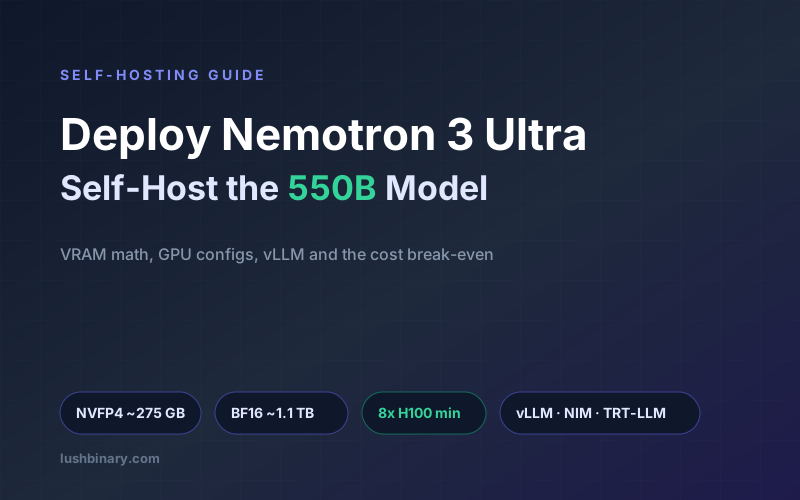

Nemotron 3 Ultra ships with open weights under the OpenMDW-1.1 license, which means you can run it on your own hardware with no per-token fees and full control over where your data lives. The catch is scale: this is a 550-billion-parameter model, and self-hosting it is a data-center-class project, not a laptop experiment. This guide walks through the memory math, the GPU configurations NVIDIA actually recommends, how to serve the model with vLLM and friends, and the cost break-even that decides whether self-hosting is worth it at all.
If you are still deciding whether you need Ultra at all, start with the Nemotron 3 Ultra developer guide. To wire the deployed model into a multi-step agent, see building long-running agents with Nemotron 3 Ultra.
How these numbers were derived
GPU requirements come from NVIDIA's official model card and Hugging Face listings. VRAM figures are computed from the parameter count and bytes-per-parameter, then add KV cache and overhead. Cost figures use stated GPU-hour assumptions and third-party API pricing as of June 2026, and are illustrative. Cloud GPU prices vary widely by provider, region, and commitment, so re-run the math with your real quotes.
What This Guide Covers
1Should You Self-Host at All?
Self-hosting a 550B model is justified by one of three reasons, not by a vague preference for control:
- Data residency and compliance. Your data legally or contractually cannot leave your environment.
- Sustained high volume. You run enough tokens per day that owning the hardware undercuts per-token pricing (we compute the threshold below).
- Customization. You intend to fine-tune or distill on the open weights for a domain the hosted API will not serve.
If none of those apply, the NVIDIA-hosted API or a third-party endpoint is almost certainly the better call. Self-hosting trades a per-token bill for a standing infrastructure and on-call burden.
2Precision: NVFP4 vs BF16
NVIDIA released Nemotron 3 Ultra in two checkpoints, and the choice drives everything downstream:
- NVFP4 (4-bit). NVIDIA's FP4 format, designed for cross-architecture GPU deployment. It is the efficient path: roughly a quarter of the memory of BF16, and NVIDIA reports up to 5x higher throughput. For nearly all production serving, this is what you run.
- BF16 (16-bit). The full-precision reference build. It is mainly useful as a fine-tuning or distillation starting point or where you need to validate against quantization effects. It needs roughly four times the memory.
3The VRAM Math, Done Properly
Total VRAM is never just the weights. The real budget is weights plus KV cache plus runtime overhead. Start with the weights, computed directly from the parameter count and bytes per parameter:
Weights = total_parameters x bytes_per_parameter

BF16 :  550,000,000,000 x 2.0 bytes = 1,100 GB  (~1.1 TB)
NVFP4:  550,000,000,000 x 0.5 bytes =   275 GB
The MoE memory trap
Only 55B parameters are active per token, but that does not shrink the memory footprint. Any expert can be routed to on any token, so all 550B parameters must stay resident in GPU memory. The active count cuts compute per token, which is what lifts throughput; it does nothing for VRAM. Budget for the full parameter count.
On top of weights, add the KV cache and overhead. The KV cache scales with batch size and context length. Here the hybrid Mamba-Transformer design helps a lot: the Mamba-2 layers use a fixed-size recurrent state instead of a per-token KV cache, so long contexts are far cheaper than on a pure-attention model. You still need headroom, so the working rule is to plan for the weights plus a meaningful margin (commonly 15 to 30 percent on top, more if you run large batches at long context) rather than provisioning to the weights number exactly.
The takeaway: NVFP4 at 275 GB of weights fits comfortably inside an 8x H100 node (640 GB total), leaving roughly 365 GB for KV cache, activations, and overhead. BF16 at 1,100 GB does not fit there at all, which is why the recommended configurations differ so much by precision.
4GPU Configurations That Work
These are NVIDIA's stated minimums from the model card and Hugging Face listings. Per-GPU memory for reference: H100 has 80 GB, H200 has 141 GB, B200 has 192 GB.
| Precision | Weights | Minimum GPUs (NVIDIA) |
|---|---|---|
| NVFP4 | ~275 GB | 4x B200 / GB200 / B300 / GB300, or 8x H100 |
| BF16 | ~1,100 GB | 8x H200, or 16x H100 |
One honest caveat on BF16: 8x H200 is 1,128 GB total against 1,100 GB of weights. That leaves only about 28 GB across the whole node for KV cache and overhead, which is extremely tight for any real context or batch size. Treat 8x H200 for BF16 as a floor for narrow use, and prefer NVFP4 for serving. Note also that inference frameworks favor power-of-two tensor-parallel sizes (2, 4, 8), so a node count like 8 is a parallelism preference as well as a memory requirement.
5Serving With vLLM
Nemotron 3 Ultra received day-0 support in vLLM, which is the most direct way to stand up an OpenAI-compatible endpoint on your own hardware. On an 8x H100 node serving the NVFP4 checkpoint, the shape of the command is:
vllm serve nvidia/NVIDIA-Nemotron-3-Ultra-550B-A55B-NVFP4 \
  --tensor-parallel-size 8 \
  --max-model-len 131072 \
  --gpu-memory-utilization 0.92 \
  --host 0.0.0.0 --port 8000
A few notes that save real debugging time:
- Set
--tensor-parallel-sizeto your GPU count, and keep it a power of two. - Do not set
--max-model-lento the full 1M unless you need it. KV cache scales with context, and a smaller cap frees memory for larger batches and higher throughput. - Pin the vLLM version to one that documents Nemotron 3 support, and confirm your CUDA and driver stack matches the build.
Then call it like any OpenAI endpoint:
curl http://localhost:8000/v1/chat/completions \
  -H "Content-Type: application/json" \
  -d '{
    "model": "nvidia/NVIDIA-Nemotron-3-Ultra-550B-A55B-NVFP4",
    "messages": [{"role": "user", "content": "Summarize this incident log."}],
    "temperature": 0.6
}'6NIM, TensorRT-LLM & Dynamo
vLLM is the quickest start, but it is not the only option, and for production you may want NVIDIA's own serving stack:
- NVIDIA NIM. Prebuilt, supported inference containers with an OpenAI-compatible API. NIM is the lowest-friction route to a production-grade endpoint with NVIDIA support behind it.
- TensorRT-LLM. NVIDIA published a deployment guide for Nemotron v3 (Ultra and Super) on TensorRT-LLM. This is the path to the highest throughput on NVIDIA hardware once you are willing to invest in engine builds and tuning.
- NVIDIA Dynamo. Recipes exist for serving Nemotron 3 Ultra under Dynamo for disaggregated, multi-node inference at scale.
A reasonable progression: prototype on vLLM, validate quality and latency, then move to NIM or TensorRT-LLM when you need supported, tuned serving and predictable throughput.
7Long Context & the KV Cache Advantage
The reason a 550B model can credibly offer 1M-token context without an impossible memory bill is the Mamba-heavy architecture. State-space layers carry sequence information in a fixed-size state rather than a KV cache that grows with every token, so the marginal cost of more context is far lower than on a pure transformer. Practically, that means you can hold long agent transcripts or whole codebases without your KV cache eating the GPU memory you set aside for batching. You still tune --max-model-len to the real need, because attention layers still contribute, but the long-context economics are genuinely better than the parameter count alone would suggest.
8Cost & Break-Even vs the API
Here is the calculation that actually decides self-hosting. Take an 8x H100 node as the NVFP4 serving target. Assume on-demand cloud pricing of $2 to $3 per GPU-hour (verify with your provider; reserved or committed pricing is lower):
Node = 8 GPUs

@ $2.00/GPU-hr : 8 x 2.00 x 24 = $384 / day
@ $2.50/GPU-hr : 8 x 2.50 x 24 = $480 / day
@ $3.00/GPU-hr : 8 x 3.00 x 24 = $576 / day
Now the blended API price. Using third-party pricing of $0.68 per 1M input and $2.67 per 1M output, and a 70/30 input/output split:
blended_per_1M = 0.70 x $0.68 + 0.30 x $2.67
               = $0.476 + $0.801
               = $1.277 per 1M tokens
Break-even volume is the daily node cost divided by the blended per-token price:
break_even_tokens/day = daily_cost / blended_per_1M x 1,000,000

@ $384/day : 384 / 1.277 x 1e6 ~= 301M tokens/day
@ $480/day : 480 / 1.277 x 1e6 ~= 376M tokens/day
@ $576/day : 576 / 1.277 x 1e6 ~= 451M tokens/day
So break-even lands around 300 to 450 million tokens per day. The reality check: 376M tokens/day is about 4,350 tokens/second sustained (376,000,000 / 86,400). An 8x H100 NVFP4 deployment can reach that kind of aggregate throughput, but only with continuous batching and the node kept busy around the clock. If your traffic is spiky or part-time, your effective utilization is far below 100 percent and the break-even volume climbs accordingly.
The honest verdict
Self-hosting wins on cost only at sustained, high, well-batched volume. Below a few hundred million tokens per day, or with bursty traffic, the hosted API is cheaper and dramatically less operational work. Self-host for compliance, customization, or genuine scale, not to shave a small bill.
9Production Checklist
Before you put a self-hosted Ultra endpoint in front of real traffic:
- Authentication. An OpenAI-compatible endpoint is unauthenticated by default. Never expose vLLM directly to the public internet. Put it behind an API gateway or reverse proxy with auth, rate limiting, and TLS, on a private network.
- Autoscaling and warm capacity. A 550B model has long cold-start times. Keep warm replicas; do not scale from zero on demand.
- Observability. Track tokens/sec, time-to-first-token, queue depth, and GPU memory. These tell you when batching is healthy and when you are about to OOM.
- Failover. Have a hosted-API fallback path so a node failure degrades gracefully instead of taking the product down.
- Cost guardrails. Cap context length and reasoning output per request so a single bad call cannot saturate the node.
10Why Lushbinary for Self-Hosted LLMs
Standing up a multi-GPU 550B endpoint is the easy 80 percent. The hard 20 percent is the part that keeps it cheap, fast, and reliable: right-sizing the node, tuning batching and context limits, securing the endpoint, and wiring a sane fallback. Lushbinary designs and operates self-hosted and hybrid LLM infrastructure, from GPU provisioning and vLLM or NIM serving to the gateway, observability, and cost controls around it.
Tell us your volume and constraints and we will tell you, honestly, whether to self-host or stay on the API, and then build whichever one wins.
Deploy Nemotron 3 Ultra the Right Way
Self-hosted or hybrid, Lushbinary builds GPU inference infrastructure that stays fast and cost-efficient under real load. Let's size your deployment.
Ready to Build Something Great?
Get a free 30-minute strategy call. We'll map out your project, timeline, and tech stack - no strings attached.
Prefer email? Reach us directly: