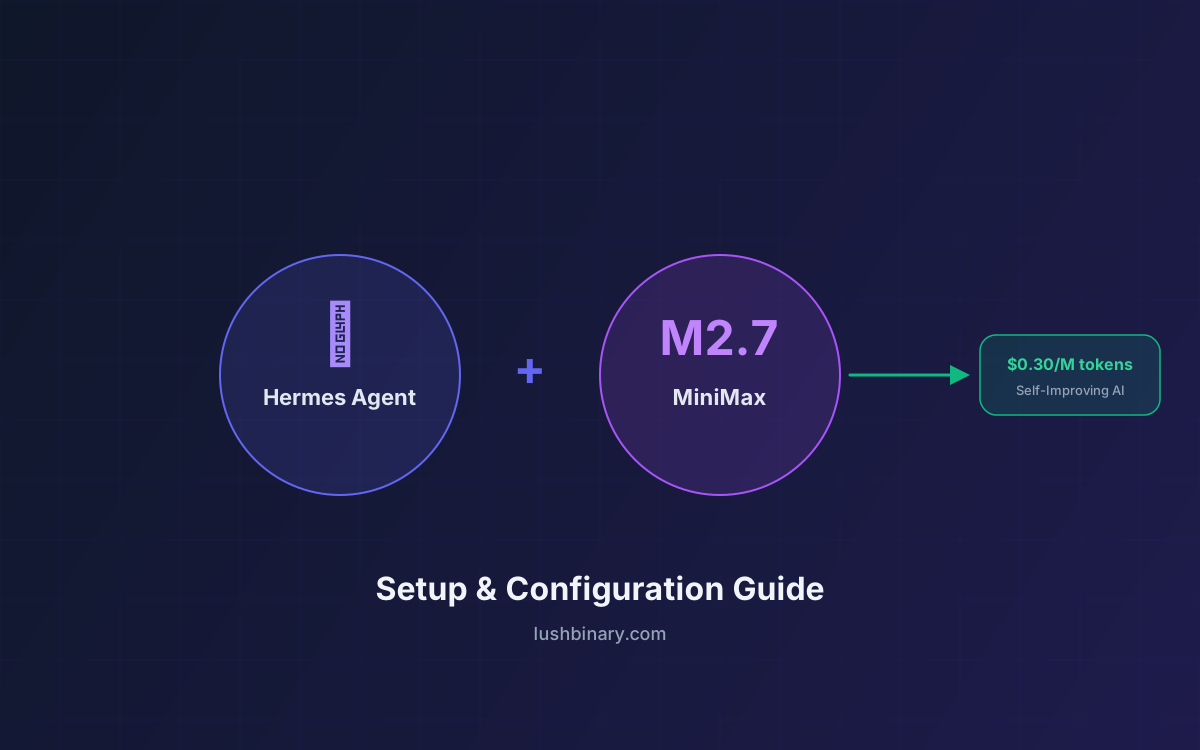
MiniMax M2.7 launched on March 18, 2026 and immediately turned heads: a 230B-parameter sparse Mixture-of-Experts model that activates only 10B parameters per token, scores 78% on SWE-bench Verified, and costs $0.30 per million input tokens. That's roughly 6% of what Claude Opus 4.6 charges for nearly identical coding performance.
Hermes Agent, built by Nous Research, is the only open-source AI agent with a built-in learning loop — it creates skills from experience, improves them during use, and builds persistent memory across sessions. Pairing it with M2.7 gives you a self-improving agent that runs at a fraction of the cost of frontier models.
This guide walks you through connecting Hermes Agent to MiniMax M2.7, configuring it for optimal performance, setting up fallback providers, and tuning the agent for real-world workflows — from automated coding tasks to scheduled Telegram summaries.
📑 What This Guide Covers
- Why MiniMax M2.7 Is a Perfect Fit for Hermes Agent
- Prerequisites & API Key Setup
- Installing Hermes Agent
- Connecting MiniMax M2.7 as Your Provider
- Configuration Deep Dive
- Setting Up Fallback Providers
- The Self-Improving Learning Loop with M2.7
- Real-World Workflows & Use Cases
- Cost Comparison: M2.7 vs Claude Opus vs GPT-5
- Troubleshooting & Tips
- Why Lushbinary for AI Agent Deployment
1Why MiniMax M2.7 Is a Perfect Fit for Hermes Agent
Hermes Agent needs a model that can handle multi-step tool-calling workflows, maintain coherence across long conversations, and follow complex instructions reliably. MiniMax M2.7 checks every box:
| Feature | MiniMax M2.7 | Why It Matters for Hermes |
|---|---|---|
| Context Window | 200K tokens | Hermes requires 64K minimum; M2.7 gives 3x headroom for complex sessions |
| SWE-bench Verified | 78% | Near-Opus coding quality for tool-calling and code generation tasks |
| Intelligence Index | #1 / 136 (score: 50) | Top-ranked on Artificial Analysis for real-world agentic tasks |
| Speed | ~100 tokens/sec | Fast enough for interactive CLI sessions and messaging gateway responses |
| Input Cost | $0.30/M tokens | 50x cheaper than Opus — makes 24/7 agent operation affordable |
| Architecture | 230B MoE, 10B active | Sparse activation keeps latency low while maintaining frontier reasoning |
The combination is compelling: Hermes Agent's self-improving loop generates skills and refines its behavior over time, while M2.7's low cost means you can let the agent run continuously without worrying about a $200/month API bill. In testing, M2.7 delivers roughly 90% of Claude Opus 4.6's quality at about 6% of the cost (source).
2Prerequisites & API Key Setup
Before you start, you'll need:
- A computer running macOS, Linux, or Windows with WSL2
- A MiniMax API key from platform.minimax.io
- Terminal access (bash or zsh)
Getting Your MiniMax API Key
- Go to platform.minimax.io and create an account
- Navigate to the API Keys section in your dashboard
- Generate a new API key and copy it — you'll need it during Hermes setup
- MiniMax provides free trial credits for new accounts; for sustained use, add billing info or subscribe to a Token Plan ($40-$150/month depending on rate limits)
💡 Cost Tip
MiniMax M2.7 costs $0.30/M input tokens and $1.20/M output tokens. For typical Hermes Agent usage (10-30 conversations/day with tool calls), expect $5-15/month. That's less than a single Claude Opus session-heavy day.
3Installing Hermes Agent
Hermes Agent installs with a single command on macOS, Linux, WSL2, or Android (Termux):
curl -fsSL https://raw.githubusercontent.com/NousResearch/hermes-agent/main/scripts/install.sh | bashAfter installation, reload your shell:
source ~/.bashrc # or source ~/.zshrcVerify the installation:
hermes --versionAs of April 2026, the latest stable release is v0.7.0, which introduced pluggable memory backends, improved tool reliability, and six terminal backends including Docker and SSH isolation. For a deeper dive into Hermes Agent's architecture, see our Hermes Agent Developer Guide.
4Connecting MiniMax M2.7 as Your Provider
Hermes Agent has built-in, first-class support for MiniMax. There are two ways to connect:
Option A: Interactive Setup (Recommended)
Run the model selector wizard:
hermes model- Select "MiniMax (global endpoint)" from the provider list
- When prompted, paste your MiniMax API key
- Select MiniMax-M2.7 as the model
- Hermes will validate the connection and confirm the 200K context window
Option B: Manual Configuration
If you prefer editing config files directly, add your API key to the environment file:
# ~/.hermes/.env
MINIMAX_API_KEY=sk-your-api-key-here
Then configure the provider and model in your config file:
# ~/.hermes/config.yaml
provider: minimax
model:
  default: MiniMax-M2.7
Start Hermes to verify everything works:
hermesYou should see a welcome banner showing MiniMax-M2.7 as your active model, along with the list of available tools and skills.
5Configuration Deep Dive
Beyond the basic provider setup, there are several configuration options that optimize Hermes Agent's behavior with M2.7:
Full config.yaml Example
# ~/.hermes/config.yaml
provider: minimax
model:
  default: MiniMax-M2.7

# Terminal isolation for safety
terminal:
  backend: docker    # or ssh, local, modal

# Memory configuration (v0.7.0+)
memory:
  backend: sqlite    # default, or redis, postgres
  auto_summarize: true

# MCP servers for extended tool access
mcp_servers:
  github:
    command: npx
    args: ["-y", "@modelcontextprotocol/server-github"]
    env:
      GITHUB_PERSONAL_ACCESS_TOKEN: "ghp_xxx"

# Messaging gateway
gateway:
  platforms:
    - telegram
    - discord
Using the Highspeed Tier
MiniMax offers a M2.7-highspeed variant with the same pricing but higher rate limits on paid Token Plans. To use it:
model:
  default: MiniMax-M2.7-highspeed
The highspeed tier is particularly useful when running Hermes Agent as a messaging gateway where response latency matters — for example, when connected to Telegram or Discord.
China Region Endpoint
If you're in China, use the minimax-cn provider with MINIMAX_CN_API_KEY in your .env file. This routes through api.minimaxi.com instead of api.minimax.io.
6Setting Up Fallback Providers
Hermes Agent supports fallback providers — if your primary model fails (rate limit, outage, etc.), it automatically switches to a backup. This is especially useful for production deployments where uptime matters.
M2.7 as Primary, Ollama as Fallback
# ~/.hermes/config.yaml
provider: minimax
model:
  default: MiniMax-M2.7

fallback_provider:
  provider: ollama
  model: qwen3.5:32b
Claude Opus as Primary, M2.7 as Cost-Saving Fallback
If you want the best quality for critical tasks but want to save money on routine operations:
# ~/.hermes/config.yaml
provider: anthropic
model:
  default: claude-opus-4-6

fallback_provider:
  provider: minimax
  model: MiniMax-M2.7
💡 Pro Tip
You can switch models mid-session using the /model slash command inside a Hermes chat. This lets you start a complex task with Opus and switch to M2.7 for follow-up work — no session restart needed.
7The Self-Improving Learning Loop with M2.7
Hermes Agent's defining feature is its Generalized Action and Prompt Adaptation (GAPA) system. After every 15 tool-calling interactions, GAPA evaluates what worked, what didn't, and distills successful workflows into reusable skills. This happens automatically — no manual intervention required.
Here's how the learning loop works with M2.7:
M2.7's 200K context window is critical here. The GAPA system needs to review the full history of tool calls, their results, and the user's feedback to create meaningful skills. With a smaller context window, the agent would lose track of earlier steps in complex workflows.
Example: Skill Auto-Creation
Say you ask Hermes to "check my GitHub PRs, summarize the changes, and post a digest to Slack." The first time, M2.7 reasons through each step, calls the GitHub MCP server, processes the diffs, and sends a Slack message. After the 15th similar interaction, GAPA creates a reusable skill document:
# ~/.hermes/skills/github-pr-digest.md
## GitHub PR Digest to Slack
1. Fetch open PRs from configured repos via GitHub MCP
2. For each PR, extract title, author, changed files, diff summary
3. Format as Slack-friendly markdown with sections
4. Post to #engineering channel via Slack webhook
5. Log completion to session memory
Next time you ask for a PR digest, Hermes follows the skill directly — faster, more consistent, and without retracing the reasoning steps.
8Real-World Workflows & Use Cases
Here are practical workflows where Hermes Agent + M2.7 shines:
1. Automated Daily Briefing via Telegram
Connect Hermes to Telegram and schedule a daily briefing:
# Set up Telegram gateway
hermes gateway setup    # Select Telegram, follow bot creation steps

# Then in a Hermes session:
❯ Every morning at 8am, check Hacker News for AI news,
  summarize the top 5 stories, and send me a digest on Telegram.
Hermes creates a cron job that runs automatically. M2.7's low cost means this daily automation costs pennies — roughly $0.01-0.03 per run.
2. Code Review Assistant
Use Hermes as an MCP server in your IDE (VS Code, Cursor, Zed) for code review:
# Start Hermes in ACP server mode
pip install -e '.[acp]'
hermes acp

# Now your IDE can use Hermes as a context-aware assistant
# with persistent memory of your codebase patterns
3. Multi-Instance Profiles (v0.6.0+)
Run multiple Hermes instances with different configurations — one for personal tasks, one for work, one for a specific project:
# Create separate profiles
hermes profile create work --provider minimax --model MiniMax-M2.7
hermes profile create personal --provider minimax --model MiniMax-M2.7-highspeed

# Switch between them
hermes --profile work
hermes --profile personal
4. Voice Mode
Add voice input/output to your Hermes + M2.7 setup:
pip install "hermes-agent[voice]"

# In a session, press Ctrl+B to record
# Or enable TTS: /voice tts
9Cost Comparison: M2.7 vs Claude Opus vs GPT-5
The cost difference is dramatic when running an always-on agent. Here's a realistic monthly estimate based on moderate daily usage (20 conversations, ~50K tokens each):
| Model | Input $/M | Output $/M | Est. Monthly | SWE-bench |
|---|---|---|---|---|
| MiniMax M2.7 | $0.30 | $1.20 | $8-15 | 78% |
| Claude Opus 4.6 | $15.00 | $75.00 | $150-300 | 80.8% |
| GPT-5 | $10.00 | $30.00 | $80-180 | ~76% |
| M2.7-highspeed | $0.30 | $1.20 | $8-15 | 78% |
For most Hermes Agent workflows — file management, web search, terminal commands, messaging automation — M2.7 performs indistinguishably from Opus. The 2.8 percentage point gap on SWE-bench only shows up in the most complex multi-file refactoring tasks. For everything else, you're saving 90%+ on API costs.
10Troubleshooting & Tips
"Connection refused" or timeout errors
Verify your API key is correct and that you're using the right endpoint. For international users, the endpoint is api.minimax.io. Run hermes doctor to diagnose connection issues.
Rate limiting on free tier
MiniMax's free trial credits have lower rate limits. If you hit limits frequently, consider a Token Plan subscription ($40/month for 4,500 requests per 5 hours on M2.7-highspeed). Alternatively, set up a fallback provider to handle overflow.
Skills not being created
GAPA triggers after 15 tool-calling interactions. If you're mostly having simple conversations without tool use, the learning loop won't activate. Try workflows that involve file operations, web search, or terminal commands to trigger skill creation.
Switching from another provider
Run hermes model outside of a session to reconfigure. Your existing skills, memory, and session history are preserved — they're stored locally and are model-agnostic.
Auxiliary model for vision/web tools
Some Hermes tools (vision, web summarization) use a separate auxiliary model — by default Gemini Flash via OpenRouter. Set OPENROUTER_API_KEY in your .env to enable these tools alongside M2.7.
11Why Lushbinary for AI Agent Deployment
At Lushbinary, we've deployed Hermes Agent and OpenClaw stacks for clients across industries — from automated customer support pipelines to internal DevOps assistants. We specialize in:
- AI agent architecture — choosing the right model, provider, and deployment strategy for your use case
- Cost optimization — configuring model routing, fallbacks, and caching to minimize API spend
- Production deployment — Docker isolation, monitoring, auto-restart, and security hardening
- Custom skill development — building domain-specific skills that integrate with your existing tools and APIs
- MCP server integration — connecting agents to your databases, CRMs, and internal services
🚀 Free Consultation
Want to deploy Hermes Agent with MiniMax M2.7 for your team? Lushbinary will scope your agent architecture, configure model routing for cost efficiency, and set up production-grade deployment — no obligation.
❓ Frequently Asked Questions
How do I connect Hermes Agent to MiniMax M2.7?
Run 'hermes model', select MiniMax from the provider list, enter your MINIMAX_API_KEY, and choose MiniMax-M2.7 as the model. Alternatively, set MINIMAX_API_KEY in ~/.hermes/.env and configure provider: minimax in config.yaml.
How much does it cost to run Hermes Agent with MiniMax M2.7?
MiniMax M2.7 costs $0.30 per million input tokens and $1.20 per million output tokens. Typical Hermes Agent usage runs $5-15/month for moderate daily use, compared to $50-150/month with Claude Opus or GPT-5.
Does MiniMax M2.7 support Hermes Agent's self-improving learning loop?
Yes. MiniMax M2.7's 200K context window and strong tool-calling performance make it fully compatible with Hermes Agent's GAPA learning loop, skill creation, and persistent memory features.
Can I use MiniMax M2.7 as a fallback model in Hermes Agent?
Yes. Hermes Agent supports fallback providers. Configure your primary model (e.g., Claude Opus) and set MiniMax M2.7 as the fallback in config.yaml under the fallback_provider section.
What benchmarks does MiniMax M2.7 achieve compared to Claude Opus?
MiniMax M2.7 scores 78% on SWE-bench Verified vs Claude Opus 4.6's 80.8%, 56.22% on SWE-Pro, and ranks #1 on the Artificial Analysis Intelligence Index with a score of 50. It achieves roughly 90% of Opus quality at about 6% of the cost.
📚 Sources
- MiniMax API Docs — Hermes Agent Integration
- Hermes Agent Official Quickstart Guide
- Hermes Agent AI Providers Documentation
- NVIDIA Blog — MiniMax M2.7 Architecture
- Artificial Analysis — MiniMax M2.7 Intelligence Index
Content was rephrased for compliance with licensing restrictions. Pricing and benchmark data sourced from official MiniMax and Nous Research documentation as of April 2026. Pricing may change — always verify on the vendor's website.
Deploy Hermes Agent + MiniMax M2.7 for Your Team
Get a production-ready AI agent with cost-optimized model routing, persistent memory, and custom skills tailored to your workflows.
Ready to Build Something Great?
Get a free 30-minute strategy call. We'll map out your project, timeline, and tech stack - no strings attached.
Prefer email? Reach us directly: