You ask three firms what an iOS app costs and you get three numbers: $25,000, $90,000, and $250,000. That is a 10x spread for what sounds like the same request. The range is not a scam and it is not incompetence. It is the honest answer to a question that has not been scoped yet. "Build me an app" can mean a four-screen MVP or a multi-role platform with real-time sync, payments, and on-device AI, and those are not the same project.
The reason estimates vary 10x is that a vague brief forces every vendor to guess at scope, and they guess differently. Add the costs that founders forget (Apple's $99 per year developer fee, backend hosting, push infrastructure, analytics, and 15 to 20 percent annual maintenance) and the "cheap" quote often ends up costing more once the hidden line items surface. The number on the proposal is rarely the number you actually pay.
This guide breaks down what actually drives iOS cost in 2026, the three cost tiers with real hour ranges, rates by hiring model and region, a full phase-by-phase budget with the arithmetic shown, and how AI and Apple's Foundation Models framework change the math. The detailed rate and phase tables are gated, because they are the part competitors screenshot. Everything you need to plan a realistic budget is here.
📋 Table of Contents
- 1.What Actually Drives iOS App Cost
- 2.The 3 Cost Tiers: Simple, Mid-Market, Complex
- 3.Cost by Hiring Model & Region
- 4.Full Build Cost Breakdown by Phase
- 5.How AI Changes the Cost Equation
- 6.Hidden Costs People Forget
- 7.On-Device AI vs Cloud LLM: Cost Impact
- 8.How to Reduce iOS App Cost Without Cutting Corners
- 9.Why Lushbinary for Your iOS Build
1What Actually Drives iOS App Cost
An iOS app estimate is the product of two things: how many hours the work takes, and the blended hourly rate of the people doing it. Everything that moves your budget moves one of those two numbers. Six factors do most of the work.
🎯 Scope & Complexity
The number of screens, user roles, and distinct workflows is the biggest driver of hours. A read-only app that lists content is a fraction of the work of an app with user accounts, real-time updates, offline support, and a payments flow. Every "and also it should do X" in a kickoff meeting is hours, and hours are dollars.
🎨 Design Depth
A template-driven UI built from standard SwiftUI components is cheap. A custom design system with bespoke animations, haptics, and a polished onboarding flow can add hundreds of hours. Design is not just the visual layer, it is the interaction work that makes an app feel native rather than like a wrapped web page.
🗄️ Backend Complexity
A simple app might use a managed backend (Firebase, Supabase) with minimal custom logic. A complex app needs a custom API, a database schema, authentication, role-based access, and server-side business logic. The backend is often half the total cost, even though users never see it directly.
🔌 Integrations
Payments, maps, push notifications, analytics, social login, and third-party SDKs each carry integration and testing hours, plus ongoing maintenance when those services change their APIs. In-app purchases alone, handled natively with StoreKit 2, are a meaningful chunk of work, which is why many teams reach for a tool like RevenueCat instead.
🌍 Team Location
The same 900 hours of work can cost $40,500 or $180,000 depending only on where the team sits. Region is the single largest lever on rate, and we break the numbers down in section 3. Lower rates are not automatically cheaper once you account for communication overhead and rework, but they are a real and large factor.
🔧 Maintenance
Shipping is the start, not the finish. iOS releases yearly (iOS 27 arrives with WWDC 2026 on June 8), dependencies update, and bugs surface in the field. Plan for 15 to 20 percent of the build cost per year just to keep the app working. An app you stop maintaining starts breaking within a release cycle or two.
2The 3 Cost Tiers: Simple, Mid-Market, Complex
Most iOS projects fall into one of three tiers. The cleanest way to locate your project is by hours, because hours are scope-driven and do not change with where your team sits. Dollar figures follow in section 4 once we apply a blended rate.
Tier 1: Simple (MVP)
500 to 800 hours4 to 8 screens, email or Sign in with Apple auth, a managed backend, one core workflow, standard SwiftUI UI, basic analytics. No payments or light in-app purchases via RevenueCat.
Tier 2: Mid-Market
800 to 1,600 hours10 to 20 screens, custom backend or heavy Firebase use, multiple user flows, payments, push notifications, a custom design layer, and one or two AI features. This is the typical funded startup app.
Tier 3: Complex
1,600 to 2,500+ hoursMulti-role platform, real-time sync, offline support, advanced AI, complex payments or subscriptions, third-party integrations, and a hardened backend with role-based access. Often a multi-quarter build with a full team.
If you are still deciding whether to staff this internally or bring in help, our companion piece on how to hire an iOS developer in the AI era covers the seniority and vetting side of the same decision.
3Cost by Hiring Model & Region
Rate is the multiplier on every hour, so it is worth getting right. Global iOS developer rates span roughly $20 to $200 per hour in 2026. Junior developers run about $20 to $40, mid-level $40 to $80, and senior $80 to $200. The global median for senior Swift work is around $47 per hour, which tells you most of that high-end range comes from a small number of premium US and Western European firms. The tables below break rate down by region and by hiring model so you can build a realistic blended number.
Get Detailed Cost Breakdown
Fill in your details to unlock pricing and cost information.
The in-house figure is a loaded hourly equivalent: a US senior iOS salary of roughly $120,000 to $180,000 per year, plus benefits, payroll taxes, equipment, and recruiting, lands near $90 to $140 per productive hour once you account for time not spent shipping. That is why a full-time hire only pays off when the app is central to the business and the roadmap is long.
4Full Build Cost Breakdown by Phase
Here is the formula every honest estimate uses:
total cost = sum of phase hours x blended hourly rate
The blended rate is the weighted average across everyone on the project (senior, mid, design, QA, project management), not the rate of one developer. Take a representative mid-market MVP at 900 hours and a $60 per hour blended rate: 900 hours x $60 = $54,000. The gated table below shows how those 900 hours and $54,000 split across phases, so the totals add up exactly.
Get Detailed Cost Breakdown
Fill in your details to unlock pricing and cost information.
That single example is one point inside a range. The same formula gives you the tier bounds when you flex hours and rate:
- Simple MVP, low bound: 500 hours x $50 = $25,000
- Simple MVP, high bound: 800 hours x $75 = $60,000
- Full-featured, low bound: 1,600 hours x $50 = $80,000
- Full-featured, high bound: 2,500 hours x $100 = $250,000
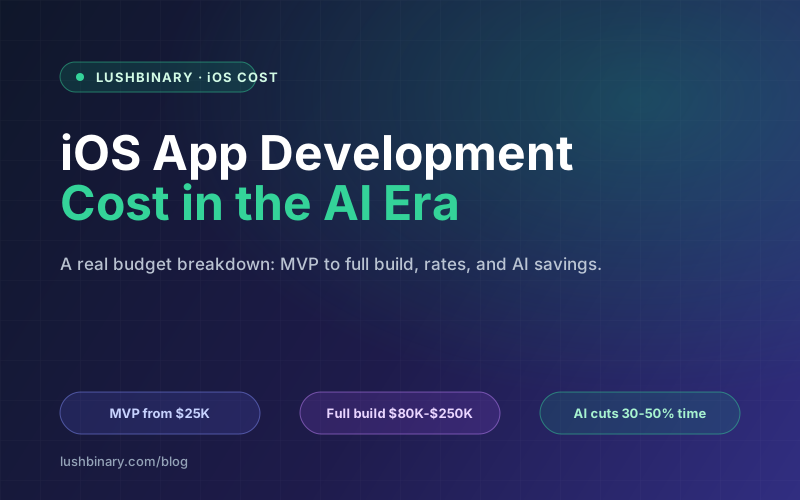
So an MVP lands at $25,000 to $60,000 and a full-featured production app at $80,000 to $250,000. The 10x spread in the intro ($25,000 to $250,000) is just the bottom of the simple tier compared to the top of the complex tier. Where you land is decided by scope and rate, and you control both.
5How AI Changes the Cost Equation
AI changes both sides of the formula, and not always in the same direction. On build hours, AI coding assistants raised developer productivity roughly 30 to 50 percent in 2026. Xcode 27, announced at WWDC 2026, ships on-device AI coding tools, and that speed shows up most on boilerplate, unit tests, data models, and routine refactors. Fewer hours on the same scope means a lower build total.
On the feature side, Apple's Foundation Models framework (introduced at WWDC 2025 with iOS 26, expanded at WWDC 2026 with image input, a server-model option, and custom skills) gives you a native Swift API to the on-device model behind Apple Intelligence with no per-token cost. For AI features like summarization, classification, and structured extraction, that removes a line item that used to scale with your user base. We cover the build side of this in our guide to building an AI-powered iOS app with Foundation Models.
⚠️ AI cuts build hours, but raises review hours
AI-generated code is fast to produce and easy to ship with subtle bugs. The 30 to 50 percent productivity gain assumes a senior developer reviewing the output, not a junior pasting it in. As build hours drop, code review and QA overhead rises, so budget for senior review time rather than assuming AI is a straight discount on the total.
6Hidden Costs People Forget
The build quote is the visible part of the iceberg. These recurring and one-off costs are what turn a "$54,000 app" into a real annual budget:
Getting onto the App Store is itself a small project. If you have not set up an Apple Developer account before, our App Store submission and Apple Developer account setup guide walks through the steps and the review gotchas that cause launch delays.
7On-Device AI vs Cloud LLM: Cost Impact
If your app uses AI, where the inference runs is one of the larger long-term cost decisions you will make. There are two paths, and they bill very differently.
On-device with Foundation Models: inference runs on the user's device through Apple's native Swift API. Cost per token is $0, it works offline, and user data never leaves the device, which simplifies privacy and compliance. The trade-off is that you are bound to the on-device model's capabilities and context window, which suit summarization, classification, and structured extraction better than frontier-scale reasoning.
Cloud LLM (OpenAI, Claude, Gemini): you get the largest, most capable models, but you pay per token and that cost scales directly with usage. Work the numbers on a modest app: suppose 50,000 AI interactions per day, each using about 2,000 tokens (1,000 in, 1,000 out). That is 50,000 x 2,000 = 100,000,000 tokens per day, or 100 million tokens. At a blended $5 per million tokens, that is 100 x $5 = $500 per day, which is roughly $15,000 per month. The same workload on Foundation Models costs $0 in inference.
⚠️ The $5 per million is illustrative
Real per-token prices vary by model and by provider, and they change often. The point is the shape of the curve: cloud inference is a variable cost that grows with every user, while on-device inference is a fixed $0. Many production apps use a hybrid, on-device for the common path and cloud only for the hard queries.
The practical takeaway: route the high-volume, simple AI work to Foundation Models and reserve cloud calls for the cases that genuinely need a frontier model. That single architectural choice can be the difference between a flat infrastructure bill and one that climbs with every new user.
8How to Reduce iOS App Cost Without Cutting Corners
Cheaper does not have to mean worse. The biggest savings come from scoping discipline and from reusing what Apple already gives you, not from hiring the lowest bidder.
- Scope a real MVP. Ship the one workflow that proves the idea, then expand. Cutting a Tier 2 build down to a Tier 1 MVP can save 30,000 dollars or more and gets you real user feedback sooner.
- Reuse Apple frameworks. SwiftUI, Sign in with Apple, StoreKit 2, and Foundation Models replace work you would otherwise build or pay a third party for. Native frameworks are free, maintained by Apple, and reduce SDK fees.
- Use RevenueCat for in-app purchases. Hand-rolling subscriptions on StoreKit is a deep well of edge cases. RevenueCat handles receipts, renewals, and entitlements for far less than the engineering hours it saves. See our native StoreKit vs RevenueCat comparison for the trade-offs.
- Use staff augmentation for spikes. Bring in a senior Swift specialist for the hard phase instead of carrying a full-time salary year-round.
- AI-assisted development with senior review. Capture the 30 to 50 percent productivity gain on routine code, but keep a senior reviewing every AI-generated change so the savings do not turn into QA debt.
None of these cut quality. They cut waste: unbuilt features you did not need yet, reinvented infrastructure Apple already ships, and full-time cost for part-time work.
❓ Frequently Asked Questions
How much does it cost to build an iOS app in 2026?
A simple iOS app (MVP) typically costs $25,000 to $60,000, while a full-featured production app costs $80,000 to $250,000. The math is total = sum of phase hours x blended hourly rate. A representative mid-market MVP of 900 hours at a $60 per hour blended rate works out to $54,000. The wide range exists because scope, design depth, backend complexity, integrations, and team location each move the number significantly.
Does AI make iOS apps cheaper to build?
Partly. AI coding tools raised developer productivity roughly 30 to 50 percent in 2026, which cuts build hours on boilerplate, tests, and refactors. Apple's Foundation Models framework removes per-token LLM API cost for on-device AI features because inference runs free and on-device. But AI-generated code raises review and QA overhead, so the savings are real on build time and not a blank check. Net effect: lower build cost, but quality review work goes up.
How much does an iOS developer cost per hour in 2026?
Global iOS developer rates run from about $20 to $200 per hour. Junior developers sit around $20 to $40, mid-level around $40 to $80, and senior from $80 to $200. By region, US senior Swift developers run about $73 to $100 per hour, Eastern Europe around $43 to $47, and the global median for senior Swift work is roughly $47 per hour. Rate is the single biggest lever on total cost.
What hidden costs come with an iOS app?
Beyond the build, budget for the Apple Developer Program at $99 per year, backend and cloud hosting, push notification infrastructure, analytics, third-party SDK fees, and time lost to App Store review. The largest recurring item is maintenance, which typically runs 15 to 20 percent of the original build cost per year. On a $54,000 build that is $8,100 to $10,800 every year.
Is on-device AI cheaper than calling a cloud LLM?
For inference, yes. Apple's Foundation Models framework runs on-device with $0 per-token cost, works offline, and keeps data private. A cloud LLM (OpenAI, Claude, or Gemini) charges per token and that cost scales with your user base. As an example, 50,000 AI interactions a day at about 2,000 tokens each is 100 million tokens per day, which at a blended $5 per million tokens is $500 per day or about $15,000 per month. On-device Foundation Models would charge $0 for the same workload, though it is limited to the on-device model's capabilities.
9Why Lushbinary for Your iOS Build
At Lushbinary, we build native iOS apps in Swift and SwiftUI for founders and growth-stage teams. We scope before we quote, so the number on the proposal is the number you pay, and we show our work the same way this article does: hours times a blended rate, phase by phase, with the hidden costs named up front.
We build on current tooling, Swift 6.2 and Xcode 26, and we use Apple's Foundation Models framework to keep on-device AI features free to run and private by default. Where a cloud model is genuinely needed, we design the routing so your inference bill does not climb with every new user.
- Transparent, scoped estimates with the arithmetic shown
- Native Swift 6.2 and SwiftUI on Xcode 26
- On-device AI with Foundation Models, with hybrid cloud routing when needed
- StoreKit 2 and RevenueCat for subscriptions and in-app purchases
- App Store submission and post-launch maintenance handled
- Staff augmentation or full-build, whichever fits your roadmap
🚀 Free Consultation
Book a free 30-minute call and we'll turn your idea into a scoped hour estimate and an honest budget range, with the phase breakdown and the recurring costs laid out. No obligation and no sales pitch.
📚 Sources
- Apple Developer - Swift, SwiftUI, Xcode, and Foundation Models documentation
- Apple Developer Program - Official $99 per year membership pricing
- iOS developer rate aggregator - 2026 hourly rate ranges by region and seniority
- Foundation Models framework - On-device, no per-token cost native Swift API
Content was rephrased for compliance with licensing restrictions. Cost and rate figures are estimates sourced from public 2026 rate data and typical project scopes as of June 2026. Actual costs vary - always get a scoped quote.
Get a Scoped iOS App Estimate
Tell us about your app. We'll come back within 24 hours with an hour estimate, a blended-rate budget range, and the phase breakdown, so you know exactly what you are paying for.
Ready to Build Something Great?
Get a free 30-minute strategy call. We'll map out your project, timeline, and tech stack - no strings attached.
Prefer email? Reach us directly: