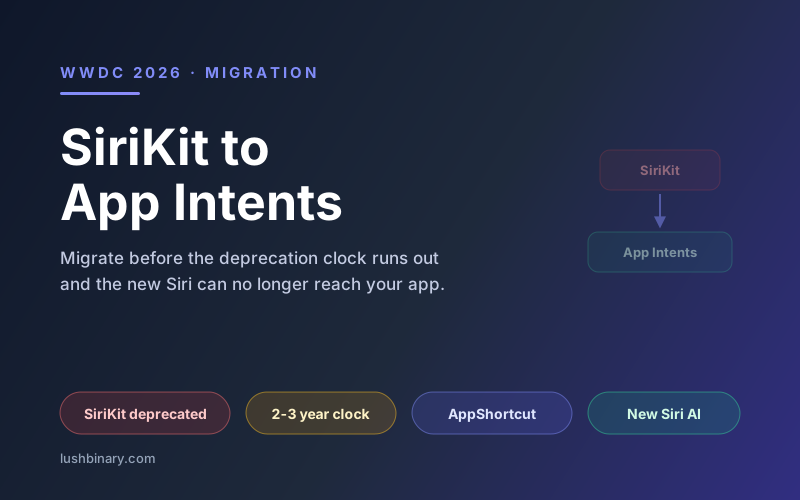
The single most actionable thing to come out of WWDC 2026 for existing app teams is not a shiny new capability. It is a deprecation. Apple gave SiriKit a formal deprecation notice and made App Intents the only way the rebuilt Siri AI can reach into your app. SiriKit apps still run, but they are now on a clock of roughly two to three years before voice-assistant functionality goes away.
This is not a cosmetic rename. SiriKit and App Intents are built on different architectural principles, and that difference matters more now that Siri actually has the reasoning capacity to chain together developer-exposed actions. An app that exposes clean App Intents can be driven by Siri in ways that were impossible with SiriKit's fixed intent domains.
This guide is a practical migration plan: what changed, how the two frameworks differ, a concrete before-and-after code comparison, the new App Intents APIs from WWDC 2026 worth adopting, and a phased checklist you can hand to your team.
On this page
1Why the deprecation matters now
For most of its life, Siri could only fire a narrow, predefined set of actions. SiriKit reflected that: you adopted one of Apple's system intent domains (messaging, payments, workouts, and a handful of others) and your app filled in the blanks. If your feature did not fit a domain, Siri could not reach it.
The new Siri AI is a reasoning assistant. It can interpret a vague request, decide which app actions to call, pass results from one action into another, and explain what it did. That only works if your app exposes its actions as composable, well-described units. App Intents is that surface, and it is why Apple is forcing the migration rather than supporting both frameworks indefinitely.
The clock is real
SiriKit apps will compile with deprecation warnings and keep working for a window of roughly two to three years. After that, Apple has signaled that SiriKit-based voice integration is removed. Treat iOS 27 as the cycle to start, not the cycle to finish.
2The App Intents mental model
App Intents is a pure-Swift framework with three core pieces:
- AppIntent - a single action your app can perform, such as "start a workout" or "add an item to the list." It declares its parameters and a
perform()method that runs in-process. - AppEntity - a piece of your app's data that intents and Siri can refer to, such as a project, a note, or a playlist. Entities give Siri nouns to reason about.
- AppShortcut - a binding that surfaces an intent to the system with example phrases, making it discoverable in Spotlight, Shortcuts, the Action button, and Siri without the user configuring anything.
The big shift from SiriKit is that there is no separate intents extension and no fixed domain list. You define actions and data in your app target as Swift types, and a single definition lights up across every system surface. That is also why App Intents pairs so naturally with the Foundation Models framework: the same tool-calling concept powers both.
3Before and after: a code comparison
Here is a representative SiriKit-era custom intent handler, where the intent is defined in an intent definition file and handled in a separate extension:
// SiriKit era: a separate Intents extension
class AddTaskIntentHandler: NSObject, AddTaskIntentHandling {
  func handle(intent: AddTaskIntent,
              completion: @escaping (AddTaskIntentResponse) -> Void) {
    guard let title = intent.title else {
      completion(AddTaskIntentResponse(code: .failure, userActivity: nil))
      return
    }
    TaskStore.shared.add(Task(title: title))
    completion(AddTaskIntentResponse(code: .success, userActivity: nil))
  }
}
The App Intents equivalent collapses the definition file, the extension, and the handler into one Swift type in your app target:
import AppIntents

struct AddTaskIntent: AppIntent {
  static let title: LocalizedStringResource = "Add Task"

  @Parameter(title: "Title")
  var taskTitle: String

  @MainActor
  func perform() async throws -> some IntentResult & ProvidesDialog {
    TaskStore.shared.add(Task(title: taskTitle))
    return .result(dialog: "Added \(taskTitle) to your list.")
  }
}

struct TaskShortcuts: AppShortcutsProvider {
  static var appShortcuts: [AppShortcut] {
    AppShortcut(
      intent: AddTaskIntent(),
      phrases: ["Add a task in \(.applicationName)"],
      shortTitle: "Add Task",
      systemImageName: "checklist"
    )
  }
}
Note what disappeared: the completion-handler dance, the intent definition file, and the extension target. Note what appeared: a spoken dialog result and an AppShortcut with an example phrase. The new Siri can now reason about this action, combine it with others, and confirm back to the user in natural language.
4New App Intents APIs from WWDC 2026
WWDC 2026 added several APIs aimed at making your content more discoverable, more portable, and faster at scale:
| API | What it does |
|---|---|
ValueRepresentation | Describes a value richly so it is more discoverable and can travel across apps. |
RelevantEntities | Signals which entities matter in context so Siri and Spotlight surface the right content. |
EntityCollection | Improves performance when an intent works over large sets of entities. |
SyncableEntity | Scales entities across a user's devices so actions stay consistent everywhere. |
| On-screen awareness | Provides context about what is currently on screen so Siri understands the active state of your app. |
You do not need all of these on day one. ValueRepresentation and RelevantEntities give the biggest discoverability payoff for the least effort, so adopt those once your core intents are in place.
5A phased migration plan
Phase 1: Inventory and port. List every SiriKit custom intent and donation in your app. For each, create an AppIntent type with the same parameters and move the handler logic into perform(). App-specific actions usually port cleanly; this is the bulk of the mechanical work.
Phase 2: Entities and shortcuts. Model the nouns your intents operate on as AppEntity types, then add an AppShortcutsProvider with natural example phrases. This is where the new Siri gains the ability to refer to your content by name.
Phase 3: Enrich and retire. Layer in the 2026 APIs (ValueRepresentation, RelevantEntities, SyncableEntity), validate with the new Siri in the simulator, and remove the SiriKit intents extension once parity is confirmed.
6Common pitfalls
- Treating intents as a thin RPC. Write clear titles, parameter titles, and dialog. The new Siri reads these to decide when and how to call your action.
- Forgetting the main actor. Anything touching UI or shared mutable state should run on the main actor; mark
perform()accordingly to stay clean under Swift concurrency. - Skipping AppShortcuts. Without an AppShortcutsProvider and example phrases, your intents are far less discoverable, even if they technically exist.
- Big-bang migrations. Port and ship intents incrementally. App Intents and SiriKit can coexist during the transition, so you do not need a single risky cutover.
7Migrate with Lushbinary
Lushbinary migrates iOS and macOS apps from SiriKit to App Intents, models your data as entities, wires up AppShortcuts, and validates the result against the new Siri AI so your app stays voice-capable through the deprecation window. We can run the migration as a focused project or fold it into ongoing app maintenance.
🚀 Free Consultation
Not sure how big your SiriKit footprint is? We'll audit your app, map a migration plan to App Intents, and give you a realistic timeline with no obligation.
❓ Frequently Asked Questions
Is SiriKit deprecated?
Yes. At WWDC 2026 Apple gave SiriKit a formal deprecation notice and made App Intents the only framework the rebuilt Siri AI can call into. Existing SiriKit apps keep working for now but show compile-time deprecation warnings, and Apple signaled a roughly two-to-three-year support window before voice-assistant functionality is removed.
How long do I have to migrate from SiriKit to App Intents?
Apple indicated a window of roughly two to three years. Apps relying on SiriKit will keep functioning during that period, but they will not benefit from the new Siri's reasoning and will eventually lose voice-assistant integration. Starting the migration in the iOS 27 cycle is the safe choice.
What is the difference between SiriKit and App Intents?
SiriKit used a fixed set of system-defined intent domains and a separate intents extension. App Intents is a pure-Swift, in-process framework where you define actions as AppIntent types, expose data as AppEntity types, and surface them through AppShortcuts. It integrates with Spotlight, Shortcuts, the Action button, widgets, and now the reasoning-capable Siri AI from a single definition.
Do I need App Intents for the new Siri to use my app?
Yes. The new Siri AI uses App Intents as its action surface. If your app's actions are not exposed as App Intents, the new Siri cannot invoke them. SiriKit custom intents are no longer the path forward for Siri integration.
What new App Intents APIs shipped at WWDC 2026?
Apple added ValueRepresentation and RelevantEntities to make content more discoverable and portable across apps, EntityCollection to improve performance over large data sets, SyncableEntity to scale entities across a user's devices, and richer on-screen awareness so Siri can understand what is currently on screen in your app.
Sources
- TechTimes - App Intents Replaces SiriKit as Migration Clock Starts
- Apple - Discover new capabilities in the App Intents framework
- Apple - Explore advanced App Intents features for Siri and Apple Intelligence
Content was rephrased for compliance with licensing restrictions. Deprecation timeline and API details sourced from official Apple developer materials and WWDC 2026 coverage as of June 2026. Support windows and API names may change - always verify on Apple's developer site before relying on them.
Keep Your App Voice-Ready for the New Siri
We'll migrate your SiriKit integration to App Intents before the deprecation window closes. Tell us about your app.
Ready to Build Something Great?
Get a free 30-minute strategy call. We'll map out your project, timeline, and tech stack - no strings attached.
Prefer email? Reach us directly: