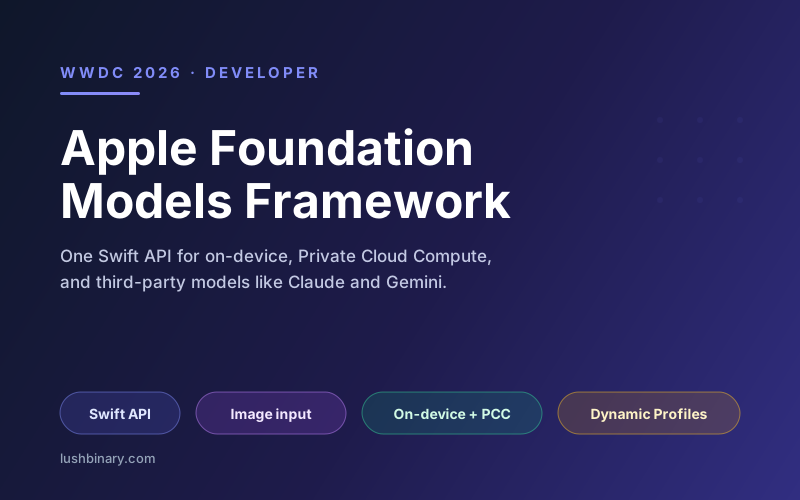
For years, adding a language model to an iOS app meant signing up for a cloud API, managing keys, paying per token, and shipping every user prompt off the device. At WWDC 2026 Apple finished closing that gap. The Foundation Models framework, first introduced in 2025, grew into a single native Swift API that can talk to the on-device model behind Apple Intelligence, to Apple's Private Cloud Compute, and to third-party clouds like Claude and Gemini, all through one call site.
That matters because the hardest part of an AI feature is rarely the prompt. It is the plumbing: routing, fallbacks, privacy boundaries, structured output, and cost. The 2026 framework absorbs most of that plumbing into the SDK and lets you switch model providers without touching your feature code. The result is that on-device AI stops being a research project and starts being a normal app capability.
This guide breaks down what shipped at WWDC 2026, how the API is shaped, what the new image input and server-model options unlock, how Dynamic Profiles enable multi-agent workflows, and how to decide between on-device, Private Cloud Compute, and a third-party provider for a given feature.
On this page
1What shipped at WWDC 2026
Apple framed the 2026 update as the year Foundation Models became the one front door for AI in an app. The headline additions, confirmed in Apple's developer sessions and the Platforms State of the Union, are:
- Multimodal image input. You can pass images alongside text so the model can reason about visual content on device. Vision framework tools such as OCR and barcode reading are available for the model to call directly.
- Server-side model support. The same Swift API can route a prompt to a cloud model, including Anthropic's Claude, Google's Gemini, or any provider that conforms to the
LanguageModelprotocol. - Custom skills. Reusable units of capability you can attach to a session, letting the model invoke app-specific behavior.
- Dynamic Profiles. A way to swap tools in and out and update instructions on the fly, which is the foundation for multi-agent workflows.
- Built-in semantic search and context management. New primitives for engineering shared context and managing key-value caching across long sessions.
- Free Private Cloud Compute access. Developers in the App Store Small Business Program with fewer than 2 million first-time downloads can run Apple Foundation Models on Private Cloud Compute at no cloud API cost.
Apple also confirmed it intends to open source the framework later in the summer of 2026, which is a notable shift for a company that usually keeps its frameworks closed. If you want the full picture of everything announced, see our WWDC 2026 developer overview.
The privacy story did not change
The on-device model runs locally with no network round-trip. Private Cloud Compute keeps Apple's server-side processing stateless and verifiable. The new server-model option is the one place data leaves Apple's boundary, so treat it as a deliberate choice, not a default.
2The shape of the Swift API
The center of the framework is a session. You create a LanguageModelSession, give it instructions, and send prompts. Structured output is a first-class feature: you annotate a Swift type and the model returns a decoded instance instead of a string you have to parse. A minimal on-device call looks like this:
import FoundationModels

@Generable
struct TripIdea {
  let title: String
  let summary: String
  let estimatedDays: Int
}

let session = LanguageModelSession(
  instructions: "Suggest a short trip the user can take this weekend."
)

let idea = try await session.respond(
  to: "I'm in Lisbon and love food and walking.",
  generating: TripIdea.self
)

print(idea.title, idea.estimatedDays)
The important detail is that the call site does not mention which model answers. The @Generable macro describes the output schema, the session carries the instructions and context, and the provider is configured separately. That separation is what makes the provider swap in the next sections so cheap.
For tool use, you conform a type to the framework's tool protocol and hand it to the session. The model can then decide to call your tool, receive the result, and continue reasoning. This is the same mechanism that App Intents uses to expose app actions to Siri, which is why Apple keeps pushing both surfaces together.
3Image input and tool calling
The 2026 release lets you attach images to a prompt. Combined with the Vision framework tools the model can call, this opens a class of features that previously required a cloud vision API: describe a photo, extract text from a receipt, read a barcode, or answer a question about a screenshot, all on device.
@Generable
struct ReceiptSummary {
  let merchant: String
  let total: Double
  let category: String
}

let summary = try await session.respond(
  to: Prompt {
    "Summarize this receipt and categorize the spend."
    receiptImage   // an image value passed alongside text
  },
  generating: ReceiptSummary.self
)
Because OCR and barcode reading are exposed as callable tools, the model does not have to hallucinate digits from a blurry photo. It can invoke the Vision OCR tool, get exact text back, and reason over that. This pattern, model plus deterministic tools, is the single most reliable way to ship an AI feature that does not embarrass you in production.
4On-device vs Private Cloud Compute vs third-party
The framework now spans three execution targets behind one API. The architecture below shows how a single session routes to whichever provider you configure.
| Target | Best for | Cost | Privacy |
|---|---|---|---|
| On-device | Summaries, classification, short generation, offline use | Free | Highest, never leaves device |
| Private Cloud Compute | Larger context, harder reasoning, still private | Free under 2M downloads | High, stateless and verifiable |
| Third-party cloud | Frontier capability, long agentic tasks | Provider API pricing | Governed by the provider |
The practical pattern is a ladder. Start every feature on the on-device model. Escalate to Private Cloud Compute when the task needs more context or reasoning than the local model handles well. Reserve a third-party cloud for the few features that genuinely need frontier capability, and make that an explicit, disclosed choice because data then leaves Apple's privacy boundary. For the economics of that free PCC tier, see our Private Cloud Compute guide.
5Dynamic Profiles and multi-agent workflows
The most consequential addition for ambitious apps is Dynamic Profiles. A profile bundles a set of tools and instructions, and you can swap profiles during a session. That turns a single model into a coordinator that adopts different roles as a task progresses: a planning profile that breaks down a request, an execution profile with access to app tools, and a review profile that checks the result.
This is Apple's answer to the multi-agent patterns developers have been building by hand with cloud APIs. Instead of stitching together separate sessions and prompts, you describe each role as a profile and let the framework manage shared context and key-value caching between them. Apple also shipped a dedicated FoundationModels instrument in Xcode 27 to inspect prompts, analyze latency, and trace control flow across multiple sessions and profiles, which makes debugging these flows far less of a guessing game.
Design tip
Keep each profile narrow. A profile with three sharp tools and a tight instruction outperforms one profile with twelve tools and a vague instruction, because the model spends fewer tokens deciding what to do and makes fewer wrong tool calls.
6Where Core AI fits
Alongside Foundation Models, Apple introduced Core AI, a lower-level framework for running arbitrary on-device models. Core AI ships with a curated set of optimized open-source models such as Qwen, Mistral, and SAM3, plus ahead-of-time compilation, dedicated instruments, and Python tools to convert PyTorch models to Apple Silicon. It is the framework that powers Siri under the hood.
The dividing line is simple. Reach for Foundation Models when you want a language model with structured output, tools, and agentic primitives wired up for you. Reach for Core AI when you have a specific model, often a non-language model like segmentation or a custom fine-tune, that you need to run efficiently on device. Most app teams will live in Foundation Models and only drop to Core AI for specialized workloads.
7How to adopt it without regret
- Start structured. Use
@Generabletypes from day one. String parsing is where AI features rot. - Pin the provider behind a protocol seam in your own code. The framework already abstracts the model, but wrapping it in a thin service of your own makes provider policy (on-device first, escalate on failure) testable.
- Prefer tools over prompt instructions for anything factual. Dates, totals, inventory, and user data should come from tool calls, not from the model's memory.
- Budget for the device floor. The on-device model requires Apple Intelligence-capable hardware. Plan a graceful non-AI path for older devices rather than blocking the feature.
- Profile early with the new instrument. Latency and token usage on agentic flows are easy to get wrong; measure before you ship.
Done well, the framework lets a small team ship a private, fast, offline-capable AI feature in days rather than weeks, then escalate only the parts that need more horsepower. That is a meaningful change in the cost structure of building AI into a consumer app.
8Building an Apple Intelligence feature with Lushbinary
Lushbinary builds iOS, iPadOS, and macOS apps that use the Foundation Models framework the way Apple intends: on-device first, Private Cloud Compute when the task needs it, and a third-party model only where the product genuinely benefits. We design the provider ladder, wire up structured output and tools, build multi-agent flows with Dynamic Profiles, and ship features that stay private and fast.
🚀 Free Consultation
Have an AI feature in mind for your iOS or Mac app? We'll scope it against the Foundation Models framework, recommend the right provider strategy, and give you a realistic timeline with no obligation.
❓ Frequently Asked Questions
What is the Foundation Models framework?
Foundation Models is Apple's native Swift API for running language models in your app. Introduced at WWDC 2025 and significantly expanded at WWDC 2026, it gives you direct access to the same on-device model that powers Apple Intelligence, plus a single protocol-based interface to call Apple's Private Cloud Compute models, third-party models like Claude and Gemini, or any provider that conforms to the LanguageModel protocol.
What is new in Foundation Models at WWDC 2026?
The 2026 release adds multimodal image input, server-side model execution through the same Swift API, custom skills, Dynamic Profiles for multi-agent workflows, built-in semantic search, richer context management APIs, and key-value caching primitives. Apple also said it will open source the framework later in the summer of 2026.
Can I use Claude or Gemini through Foundation Models?
Yes. WWDC 2026 added a server-side model option so you can route prompts to cloud providers like Anthropic's Claude or Google's Gemini through the same LanguageModelSession API. Because the call site is identical, you can prototype on the free on-device model and swap to a cloud provider by changing a dependency, with no changes to your session logic.
Is the on-device Foundation Model free to use?
Yes. The on-device model runs locally on Apple Silicon at no API cost and works offline. Separately, developers in the App Store Small Business Program with fewer than 2 million first-time App Store downloads can use Apple Foundation Models on Private Cloud Compute with no cloud API cost.
What is the difference between Foundation Models and Core AI?
Foundation Models is a high-level Swift API for prompting language models, generating structured output, and building agentic flows. Core AI is a lower-level framework introduced at WWDC 2026 for running arbitrary on-device models such as Qwen, Mistral, and SAM3, with ahead-of-time compilation and Python tools to convert PyTorch models to Apple Silicon. Foundation Models is what most app developers will use day to day.
Sources
- Apple Developer - WWDC26 Machine Learning guide
- Apple - What's new in the Foundation Models framework
- MacRumors - Apple Outlines Major AI and Developer Tool Updates
- Apple - Integrate on-device AI models into your app using Core AI
Content was rephrased for compliance with licensing restrictions. Framework details sourced from official Apple developer materials and WWDC 2026 session coverage as of June 2026. API names, availability, and the open source timeline may change - always verify on Apple's developer site before relying on them.
Ship an On-Device AI Feature That Just Works
Tell us what you want your app to do. We'll design the Foundation Models architecture and build it.
Ready to Build Something Great?
Get a free 30-minute strategy call. We'll map out your project, timeline, and tech stack - no strings attached.
Prefer email? Reach us directly: