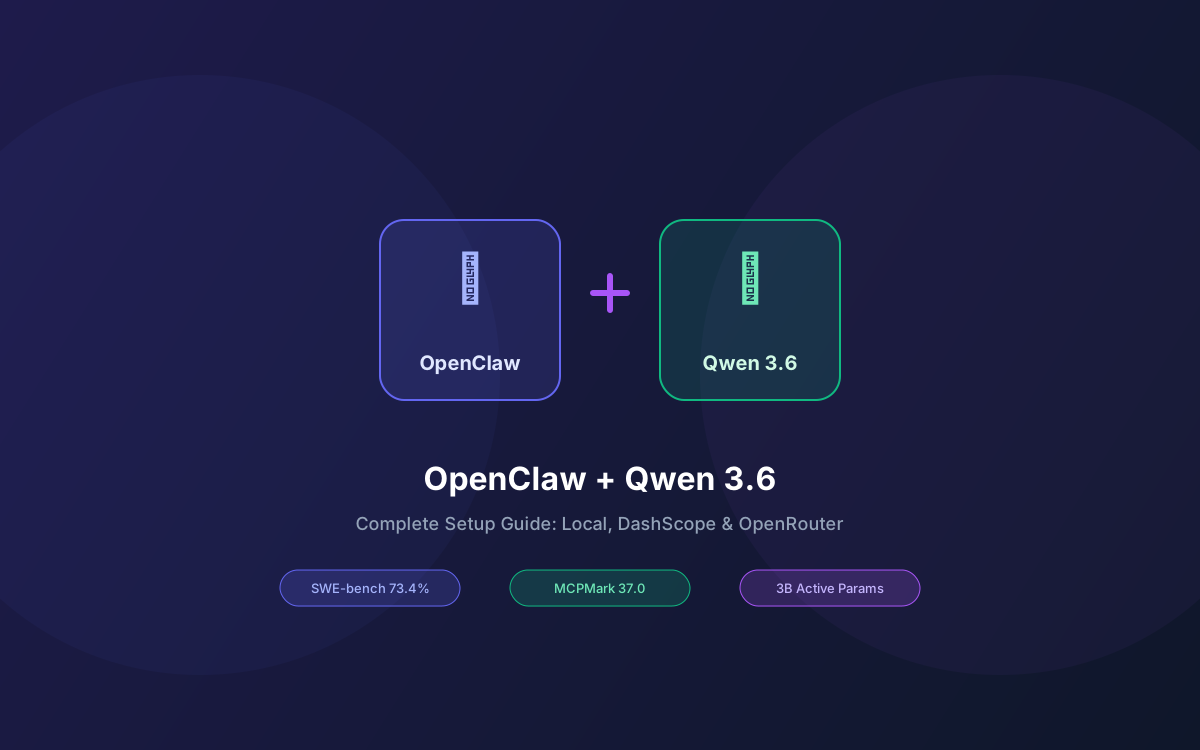
Alibaba just shipped Qwen 3.6-35B-A3B, a sparse Mixture-of-Experts model with 35B total parameters and only 3B activated per inference. It scores 73.4% on SWE-bench Verified and 51.5% on Terminal-Bench 2.0 — beating models 10x its active size. Pair it with OpenClaw, and you get a fully autonomous AI agent running frontier-level intelligence on your own hardware.
The challenge with OpenClaw has always been model selection. Cloud APIs work but cost money. Local models save money but often lack the reasoning depth for complex agent tasks. Qwen 3.6 changes that equation — its hybrid Gated DeltaNet + Gated Attention architecture delivers dense-model quality at MoE efficiency, with native 262K context and extension to 1M+ tokens.
This guide covers three ways to connect OpenClaw to Qwen 3.6: locally via Ollama, through Alibaba's DashScope API, and via OpenRouter. We'll walk through configuration, performance tuning, skill development, and production deployment patterns.
What this guide covers:
- What's New in Qwen 3.6 for Agent Workflows
- Prerequisites & Hardware Requirements
- Option A: Local Setup with Ollama
- Option B: DashScope API (Cloud)
- Option C: OpenRouter (Multi-Provider)
- OpenClaw Configuration Deep Dive
- Qwen 3.6 vs Qwen 3.5 for OpenClaw: Benchmarks Compared
- Building Custom Skills for Qwen 3.6
- Performance Tuning & Troubleshooting
- Why Lushbinary for Your AI Agent Setup
1What's New in Qwen 3.6 for Agent Workflows
Qwen 3.6-35B-A3B (released April 14, 2026 under Apache 2.0) is the first open-weight model in the Qwen 3.6 generation. It builds on the Qwen 3.5 series with two headline improvements that matter for OpenClaw users:
- Agentic Coding: The model handles frontend workflows and repository-level reasoning with significantly better fluency. On SWE-bench Verified, it scores 73.4% (up from 70.0% on Qwen 3.5-35B-A3B). On Terminal-Bench 2.0, it jumps to 51.5% from 40.5%.
- Thinking Preservation: A new option retains reasoning context from historical messages. For OpenClaw, this means the model can maintain chain-of-thought across multi-turn agent interactions without re-deriving context each time.
The architecture is a hybrid design: 10 blocks of 3 Gated DeltaNet layers followed by 1 Gated Attention layer, each paired with a 256-expert MoE (8 routed + 1 shared). This gives it 35B total parameters but only 3B activated per token — meaning it runs at the speed and memory cost of a 3B model while drawing on the learned capacity of a much larger one.
Key Benchmark Highlights
SWE-bench Verified: 73.4% • Terminal-Bench 2.0: 51.5% • MCPMark: 37.0 • QwenWebBench Elo: 1397 • GPQA: 86.0% • LiveCodeBench v6: 80.4% • Context: 262K native, extensible to 1M+. All benchmarks sourced from the official Hugging Face model card.
2Prerequisites & Hardware Requirements
Before connecting OpenClaw to Qwen 3.6, you need OpenClaw installed and running. If you haven't set it up yet, run:
npx openclaw onboardThe onboarding wizard walks you through API keys, messaging channels, and workspace setup. For the local Ollama path, you also need Ollama installed.
Hardware for Local Qwen 3.6-35B-A3B
| Hardware | Requirement | Notes |
|---|---|---|
| GPU (NVIDIA) | 24 GB VRAM | RTX 4090 or A5000. Q4_K_M quant fits in 24 GB. |
| Apple Silicon | 32 GB unified memory | M2 Pro/Max, M3 Pro/Max, M4 Pro/Max. Runs well on MLX. |
| CPU-only | 32 GB RAM minimum | Usable but slow (~2–5 tok/s). Fine for light agent tasks. |
| Disk | 24 GB free | For the Q4_K_M quantized model download. |
3Option A: Local Setup with Ollama
This is the zero-cost path. Ollama handles model downloading, quantization, and serving behind an OpenAI-compatible API that OpenClaw can connect to directly.
Step 1: Pull Qwen 3.6
# Pull the 35B-A3B MoE variant (24 GB, Q4_K_M)
ollama pull qwen3.6:35b-a3b

# Verify it's running
ollama run qwen3.6:35b-a3b "Hello, what model are you?"
Step 2: Configure OpenClaw
Edit your ~/.openclaw/openclaw.json to point to the local Ollama endpoint:
{
  // Model configuration
  "model": {
    "apiProvider": "openai-compatible",
    "baseUrl": "http://localhost:11434/v1",
    "model": "qwen3.6:35b-a3b",
    "apiKey": "ollama",  // Ollama doesn't need a real key
    "reasoning": false,  // Required - Ollama doesn't support reasoning param
    "maxTokens": 16384
  }
}
⚠️ Critical: Set reasoning to false
If you leave reasoning unset or set it to true, OpenClaw will send reasoning parameters that Ollama doesn't understand, causing silent failures. This is the most common setup mistake.
Step 3: Restart & Verify
# Restart the OpenClaw gateway
openclaw gateway restart

# Test the connection
openclaw chat "What model are you running?"
If everything is configured correctly, OpenClaw will respond using Qwen 3.6 as its brain. You should see the model identify itself as Qwen in the response.
4Option B: DashScope API (Cloud)
If you don't have the hardware for local inference, Alibaba Cloud's DashScope API gives you access to Qwen 3.6 Plus — the full flagship model with a 1M token context window and always-on chain-of-thought reasoning.
Step 1: Get a DashScope API Key
- Sign up at dashscope.aliyuncs.com
- Navigate to API Keys and create a new key
- Alibaba offers a free tier with 2,000 daily API calls — enough for moderate agent use
Step 2: Configure OpenClaw
{
  "model": {
    "apiProvider": "openai-compatible",
    "baseUrl": "https://dashscope.aliyuncs.com/compatible-mode/v1",
    "model": "qwen-plus-latest",
    "apiKey": "sk-your-dashscope-key",
    "reasoning": false,
    "maxTokens": 32768
  }
}
The DashScope API uses the OpenAI-compatible format, so OpenClaw treats it like any other provider. The reasoning: false flag is still required here — DashScope handles reasoning internally and the parameter causes conflicts if enabled.
5Option C: OpenRouter (Multi-Provider)
OpenRouter routes requests across multiple providers and gives you access to Qwen 3.6 Plus Preview — currently free during the preview period (as of April 2026).
{
  "model": {
    "apiProvider": "openrouter",
    "apiKey": "sk-or-your-openrouter-key",
    "model": "qwen/qwen3.6-plus-preview",
    "reasoning": false,
    "maxTokens": 65536
  }
}
The advantage of OpenRouter is fallback routing. You can configure OpenClaw to try Qwen 3.6 first, then fall back to another model if it's unavailable:
{
  "model": {
    "apiProvider": "openrouter",
    "apiKey": "sk-or-your-key",
    "model": "qwen/qwen3.6-plus-preview",
    "reasoning": false
  },
  "fallbacks": [
    { "model": "qwen/qwen-plus", "provider": "openrouter" },
    { "model": "google/gemma-4-27b", "provider": "openrouter" }
  ]
}6OpenClaw Configuration Deep Dive
Beyond the basic model connection, there are several OpenClaw settings worth tuning for Qwen 3.6:
Tool Configuration
Qwen 3.6 scores 37.0 on MCPMark (up from 27.0 on Qwen 3.5-35B-A3B), meaning it handles tool calling significantly better. Enable the tools you need:
// In openclaw.json
"tools": {
  "read": true,       // File reading
  "write": true,      // File writing
  "exec": true,       // Shell command execution
  "web_search": true,  // Web search
  "web_fetch": true,   // Fetch web pages
  "browser": false     // Disable unless needed (heavy)
}
Context Window Settings
Qwen 3.6-35B-A3B supports 262K tokens natively. For the local Ollama setup, you may need to increase Ollama's default context:
# Set context window when running Ollama
OLLAMA_NUM_CTX=131072 ollama serve
Messaging Channel Integration
OpenClaw supports 20+ messaging channels including Telegram, Discord, Slack, WhatsApp, and iMessage. Once Qwen 3.6 is configured as the model backend, all channels automatically use it. No per-channel model configuration is needed.
7Qwen 3.6 vs Qwen 3.5 for OpenClaw: Benchmarks Compared
Here's how the two MoE variants compare on benchmarks that matter most for OpenClaw agent workflows:
| Benchmark | Qwen 3.5-35B-A3B | Qwen 3.6-35B-A3B | Change |
|---|---|---|---|
| SWE-bench Verified | 70.0% | 73.4% | +3.4 |
| SWE-bench Multilingual | 60.3% | 67.2% | +6.9 |
| SWE-bench Pro | 44.6% | 49.5% | +4.9 |
| Terminal-Bench 2.0 | 40.5% | 51.5% | +11.0 |
| MCPMark | 27.0 | 37.0 | +10.0 |
| Claw-Eval Avg | 65.4 | 68.7 | +3.3 |
| QwenWebBench Elo | 978 | 1397 | +419 |
| GPQA | 84.2% | 86.0% | +1.8 |
| LiveCodeBench v6 | 74.6% | 80.4% | +5.8 |
Benchmarks sourced from the official Qwen 3.6-35B-A3B model card on Hugging Face. The Terminal-Bench 2.0 and MCPMark improvements are particularly significant for OpenClaw — they directly measure the model's ability to execute shell commands and call tools, which are core OpenClaw operations.
8Building Custom Skills for Qwen 3.6
OpenClaw skills are Markdown instruction files that teach the agent how to perform specific tasks. Qwen 3.6's improved agentic coding makes it particularly good at following multi-step skill instructions.
Example: Git PR Review Skill
# ~/.openclaw/skills/pr-review.md

## Trigger
When the user asks to review a PR or pull request.

## Steps
1. Run `git diff main...HEAD` to get the diff
2. Analyze each changed file for:
   - Security issues (SQL injection, XSS, auth bypass)
   - Performance problems (N+1 queries, missing indexes)
   - Code style violations
3. Summarize findings in a structured format
4. Suggest specific fixes with code snippets

## Output Format
Use markdown with severity labels: 🔴 Critical, 🟡 Warning, 🟢 Info
Installing Community Skills
OpenClaw's ClawHub has over 13,700 community skills. Install them with a single command:
# Install the Alibaba Cloud model setup skill
openclaw skill install openclaw/skills/alibaba-cloud-model-setup

# Install the Qwen image generation skill
openclaw skill install openclaw/skills/alicloud-ai-image-qwen-image
The alibaba-cloud-model-setup skill is particularly useful — it walks you through configuring DashScope interactively if you prefer a guided setup over manual JSON editing.
9Performance Tuning & Troubleshooting
Common issues and optimizations when running OpenClaw with Qwen 3.6:
Slow Response Times (Local)
- Use llama.cpp instead of Ollama for 2–5x faster inference on the same GPU. Ollama adds overhead from its abstraction layer. On an RTX 4090, expect ~15–20 tok/s with Ollama vs ~60–100 tok/s with llama.cpp directly.
- Enable GPU offloading: Set
OLLAMA_GPU_LAYERS=-1to offload all layers to GPU. - Reduce context window: If you don't need the full 262K, set
OLLAMA_NUM_CTX=32768to save memory and speed up inference.
Silent Failures
- reasoning: false — This is the #1 cause of silent failures. Always set it to
falsefor both Ollama and DashScope. - Check gateway logs: Run
openclaw gateway logsto see raw API errors. - Verify Ollama is serving: Hit
http://localhost:11434/v1/modelsin your browser to confirm the model is loaded.
Hybrid Local + Cloud Setup
For the best of both worlds, use local Qwen 3.6-35B-A3B for routine tasks and fall back to Qwen 3.6 Plus via DashScope for complex reasoning that needs the full 1M context window. Configure this with OpenClaw's fallback system in openclaw.json.
10Why Lushbinary for Your AI Agent Setup
Setting up OpenClaw with Qwen 3.6 is straightforward for a single developer. But deploying it for a team, integrating it into production workflows, or building custom skills that interact with your infrastructure — that's where things get complex.
Lushbinary has deployed OpenClaw and Hermes Agent setups for clients across e-commerce, healthcare, and SaaS. We handle the full stack: model selection, infrastructure provisioning, skill development, security hardening, and ongoing optimization.
- Custom OpenClaw skill development for your specific workflows
- Hybrid local/cloud model routing for cost optimization
- Production deployment on AWS with auto-scaling and monitoring
- Security auditing and CVE patching for self-hosted agents
- Multi-channel integration (Slack, Teams, Discord, WhatsApp)
🚀 Free Consultation
Want to deploy OpenClaw with Qwen 3.6 for your team? Lushbinary specializes in AI agent infrastructure. We'll scope your setup, recommend the right model routing strategy, and give you a realistic timeline — no obligation.
❓ Frequently Asked Questions
Can I use OpenClaw with Qwen 3.6 locally via Ollama?
Yes. Qwen 3.6-35B-A3B is available on Ollama as qwen3.6:35b-a3b (24 GB download). Pull it with 'ollama pull qwen3.6:35b-a3b', then configure OpenClaw's openclaw.json to point to http://localhost:11434/v1 as a custom OpenAI-compatible endpoint.
What hardware do I need to run Qwen 3.6-35B-A3B with OpenClaw?
Qwen 3.6-35B-A3B is a sparse MoE model with 35B total parameters but only 3B activated per inference. The Q4_K_M quantization is 24 GB. An M-series Mac with 32 GB unified memory or an RTX 4090 handles it comfortably.
How do I connect OpenClaw to Qwen 3.6 via DashScope API?
Get a DashScope API key from Alibaba Cloud, then set apiProvider to 'openai-compatible' in openclaw.json with baseUrl 'https://dashscope.aliyuncs.com/compatible-mode/v1' and model 'qwen-plus-latest'. Set reasoning to false.
Is Qwen 3.6 better than Qwen 3.5 for OpenClaw agent tasks?
Yes. Qwen 3.6-35B-A3B scores 73.4% on SWE-bench Verified vs 70.0% for Qwen 3.5-35B-A3B, and 51.5% on Terminal-Bench 2.0 vs 40.5%. The MCPMark score jumped from 27.0 to 37.0, directly measuring tool-calling ability.
Can I use Qwen 3.6 Plus with OpenClaw instead of the local model?
Yes. Qwen 3.6 Plus is available via OpenRouter (free during preview) and DashScope API. It offers a 1M token context window and stronger reasoning. Configure OpenClaw with your OpenRouter API key and model 'qwen/qwen3.6-plus-preview'.
Sources
- Qwen 3.6-35B-A3B Model Card — Hugging Face
- Qwen 3.6 on Ollama
- Alibaba Cloud: Connect OpenClaw to Qwen Models
- OpenClaw CLI & Config Reference
Content was rephrased for compliance with licensing restrictions. Benchmark data sourced from official Qwen model cards as of April 2026. Pricing and availability may change — always verify on the vendor's website.
Need Help Setting Up OpenClaw with Qwen 3.6?
From local deployment to production-grade agent infrastructure, Lushbinary builds AI agent systems that scale.
Ready to Build Something Great?
Get a free 30-minute strategy call. We'll map out your project, timeline, and tech stack - no strings attached.
Prefer email? Reach us directly: