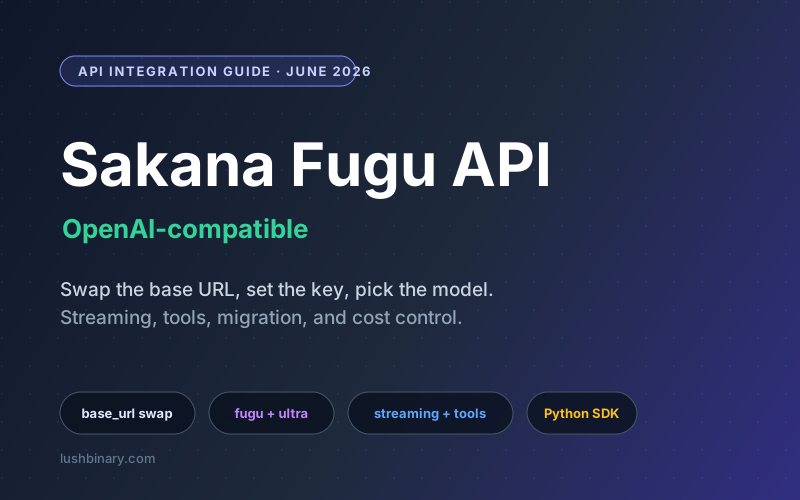
The most practical thing about Sakana Fugu is how little you have to change to try it. Fugu ships as a single OpenAI-compatible API, so adding it to an existing app is mostly a base URL swap, a new API key, and the right model id. Point your current client or coding harness at it and you are running.
This guide is the hands-on version: authentication, your first chat completion, choosing Fugu versus Fugu Ultra, streaming and tool calls, migrating an existing OpenAI integration, controlling cost when a request fans out, and a short production checklist. If you want the conceptual picture first, start with our Sakana Fugu orchestration model guide.
What This Guide Covers
- Prerequisites and Authentication
- Your First Chat Completion
- Choosing Fugu vs Fugu Ultra Per Request
- Streaming Responses
- Tool Calling
- Migrating an Existing OpenAI Integration
- Controlling Cost in Production
- Production Rollout Checklist
- Why Lushbinary for Your Fugu Integration
A note on exact endpoints
The patterns below follow the OpenAI chat completions shape that Fugu implements. Use the exact base URL, model ids, and parameters from Sakana's current API docs, since provider details can change after launch. The code is illustrative, not a copy of Sakana's reference.
1Prerequisites and Authentication
You need a Sakana account, a Fugu API key from the console, and any OpenAI-compatible client. Keep the key in an environment variable, not in source. Authentication uses a bearer token, the same as other OpenAI-compatible providers.
# .env
SAKANA_API_KEY=sk-fugu-your-key-here
SAKANA_BASE_URL=https://api.sakana.ai/v1
2Your First Chat Completion
With the official OpenAI Python SDK, you only override base_url and api_key. Everything else is the familiar chat completions call.
import os
from openai import OpenAI

client = OpenAI(
    api_key=os.environ["SAKANA_API_KEY"],
    base_url=os.environ["SAKANA_BASE_URL"],
)

resp = client.chat.completions.create(
    model="fugu",  # standard tier
    messages=[
        {"role": "system", "content": "You are a precise engineering assistant."},
        {"role": "user", "content": "Explain what an orchestration model is in two sentences."},
    ],
)

print(resp.choices[0].message.content)
The response object matches the OpenAI schema, so resp.choices[0].message.content and resp.usage work as you expect. That usage object is worth logging from day one, since orchestration can move your token counts.
3Choosing Fugu vs Fugu Ultra Per Request
The tier is just the model field, so you can decide per request. A simple heuristic: send interactive and high-volume traffic to fugu, and escalate to fugu-ultra-20260615 only when the task is hard enough that a wrong answer costs real time or money.
def pick_model(task_kind: str) -> str:
    # Reserve the flagship for hard, multi-step work.
    hard = {"multi_file_refactor", "deep_research", "complex_reasoning"}
    return "fugu-ultra-20260615" if task_kind in hard else "fugu"

resp = client.chat.completions.create(
    model=pick_model("multi_file_refactor"),
    messages=messages,
    max_tokens=4000,
)
Keep the routing rule in one place. As you learn which task types actually benefit from Ultra, you adjust a single function instead of chasing model ids scattered across the codebase.
4Streaming Responses
Streaming uses the same stream=True flag and chunk shape as OpenAI. This matters for orchestration: a Fugu Ultra request can do more work internally, so streaming the final synthesis keeps your UI responsive.
stream = client.chat.completions.create(
    model="fugu",
    messages=messages,
    stream=True,
)

for chunk in stream:
    delta = chunk.choices[0].delta.content
    if delta:
print(delta, end="", flush=True)5Tool Calling
Pass a tools array of function definitions and handle the returned tool calls exactly as you would with an OpenAI-compatible model. Fugu decides internally how to use the tools across its agent pool, but the contract you implement is the standard one.
tools = [
    {
        "type": "function",
        "function": {
            "name": "get_build_status",
            "description": "Return CI status for a branch",
            "parameters": {
                "type": "object",
                "properties": {"branch": {"type": "string"}},
                "required": ["branch"],
            },
        },
    }
]

resp = client.chat.completions.create(
    model="fugu-ultra-20260615",
    messages=messages,
    tools=tools,
)

for call in resp.choices[0].message.tool_calls or []:
    # Dispatch call.function.name with call.function.arguments,
    # then send the result back as a tool message.
pass6Migrating an Existing OpenAI Integration
If you already call an OpenAI-compatible model, migration is mostly configuration. The safe path is to make the provider a setting, not a hard-coded value, so you can A/B test Fugu against your current model and roll back instantly.
- Move
base_url,api_key, andmodelinto config or environment variables. - Add a feature flag that selects provider per request or per cohort, so you can route a slice of traffic to Fugu first.
- Keep your existing model as the fallback. If a Fugu call errors or times out, retry on the previous provider.
- Re-run your evaluation suite against Fugu before widening the rollout. Do not assume parity from benchmarks alone.
PROVIDERS = {
    "fugu": {"base_url": os.environ["SAKANA_BASE_URL"], "key": os.environ["SAKANA_API_KEY"]},
    "incumbent": {"base_url": os.environ["OPENAI_BASE_URL"], "key": os.environ["OPENAI_API_KEY"]},
}

def get_client(name: str) -> OpenAI:
    cfg = PROVIDERS[name]
return OpenAI(api_key=cfg["key"], base_url=cfg["base_url"])7Controlling Cost in Production
As of June 2026, Sakana lists Fugu Ultra pay-as-you-go at about $5 per million input tokens and $30 per million output tokens, with subscription plans around $20, $100, and $200 per month. The number that surprises teams is not the rate, it is the internal fan-out: an Ultra request can call several models and verify intermediate work, so it can use more tokens than one call to a single model.
A worked example for output-heavy traffic: at $30 per million output tokens, a request that produces 4,000 output tokens costs 4000 / 1,000,000 * $30 = $0.12 in output alone, before input tokens. Run that 10,000 times a day and output cost is 10,000 * $0.12 = $1,200 per day. That is why tier routing matters: keep the bulk on standard Fugu and spend Ultra deliberately.
- Route most requests to standard Fugu; escalate to Ultra by rule.
- Set
max_tokensso a single answer cannot run away. - Log
usage.prompt_tokensandusage.completion_tokensper request and alert on outliers. - Confirm current pricing and any regional limits on Sakana's site before forecasting spend.
8Production Rollout Checklist
- API key stored in a secret manager, never in source.
- Provider selected by config or flag, with a tested fallback.
- Tier routing rule centralized in one function.
max_tokens, timeouts, and retries set on every call.- Per-request token usage logged and dashboards in place.
- Evaluation suite run against Fugu and Fugu Ultra on your real tasks before scaling traffic.
- Rate-limit and error handling with exponential backoff implemented.
9Why Lushbinary for Your Fugu Integration
The first Fugu call takes ten minutes. The production system around it takes more thought: provider-agnostic routing, a fallback that keeps you running through an outage or policy change, cost controls that survive internal fan-out, and an evaluation harness that proves quality on your workload rather than a benchmark.
Lushbinary builds exactly that layer. We integrate models like Sakana Fugu behind clean, swappable interfaces, wire up evals and cost observability, and leave you with a stack you can reason about and change without a rewrite.
🚀 Free Consultation
Want to pilot Sakana Fugu without betting your production traffic on it? Lushbinary will design the integration, routing, and fallback, and give you a realistic plan with no obligation.
❓ Frequently Asked Questions
Is Sakana Fugu compatible with the OpenAI SDK?
Yes. Fugu exposes an OpenAI-compatible API, so the official OpenAI SDKs work by pointing the base URL at Sakana's endpoint and supplying your Fugu API key. Most existing clients and coding harnesses migrate with a base URL and key change plus the right model id.
What model ids does Fugu use?
Two tiers: 'fugu' for fast, everyday work, and 'fugu-ultra-20260615' for hard, multi-step tasks. You select the tier per request through the model field.
How should I choose between Fugu and Fugu Ultra?
Default to Fugu for interactive and high-volume traffic. Route to Fugu Ultra only for complex requests where a wrong answer is expensive, since Ultra coordinates a larger pool and uses more latency and tokens.
Does Fugu support streaming and tool calling?
It follows the OpenAI chat completions shape, so you use the same patterns: stream true for token streaming and a tools array with function definitions for tool calls. Confirm exact support in Sakana's API docs.
How do I control Fugu costs in production?
Route most traffic to standard Fugu, reserve Ultra for hard tasks, cap max tokens, log per-request token usage, and budget for the fact that an Ultra call can fan out internally and use more tokens than a single model call.
Sources
Content was rephrased for compliance with licensing restrictions. API shape, model ids, and pricing sourced from official Sakana AI materials as of June 2026. Code samples are illustrative and follow the OpenAI-compatible pattern. Endpoints and pricing may change, so verify against Sakana's current documentation.
Integrate Sakana Fugu the Right Way
We will design your Fugu integration with provider-agnostic routing, a tested fallback, and cost controls that hold up under real traffic.
Ready to Build Something Great?
Get a free 30-minute strategy call. We'll map out your project, timeline, and tech stack - no strings attached.
Prefer email? Reach us directly: