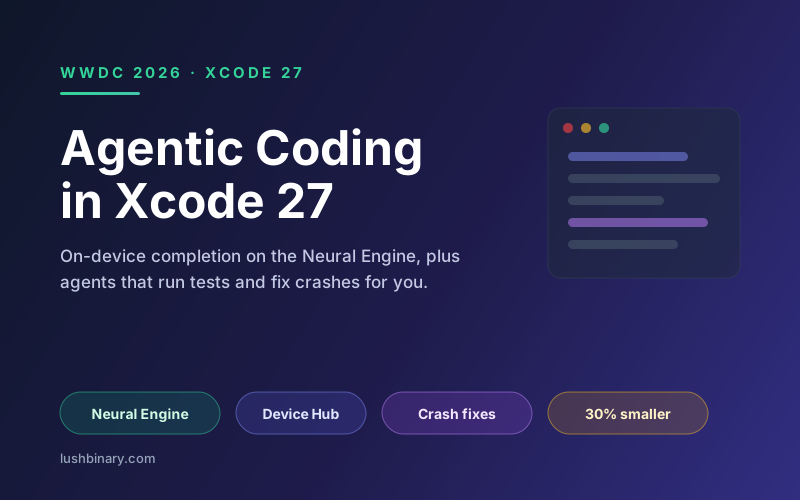
Xcode has spent the last few years catching up to the AI-assisted workflow developers already enjoy in other editors. At WWDC 2026 it caught up and then took a turn that is distinctly Apple: the autocomplete model now runs entirely on the Neural Engine, so your source code never leaves your Mac to get a completion. On top of that, coding agents grew from suggesting snippets to driving the simulator, running tests, localizing apps, and fixing crashes.
The release is also a housekeeping milestone. Xcode 27 is roughly 30% smaller, ships Apple Silicon only, and adds long-requested quality of life features like iCloud settings sync and per-project themes. The new Device Hub finally pulls device and simulator management out of the main window.
This guide walks through what changed, how the on-device completion model works, what the agents can actually do in a real workflow, and how to get value from the release without handing your whole codebase to a cloud model.
On this page
1What changed in Xcode 27
The release groups into three buckets: a leaner app, real quality of life upgrades, and a big jump in built-in AI.
- Leaner and Apple Silicon only. The download is about 30% smaller, and Intel Macs are no longer supported.
- iCloud settings sync. Your Xcode configuration follows you across Macs.
- Customizable toolbar and per-project themes. Visual customization that helps when you juggle several apps.
- Device Hub. A new standalone app for managing simulators and physical devices, replacing the old in-window flow.
- On-device predictive completion. Multi-line suggestions generated on the Neural Engine, no cloud round-trip.
- Expanded coding agents. Agents can drive the simulator, run tests, localize, and fix crashes from Organizer, with optional routing to third-party models.
- Better profiling. An enhanced FoundationModels instrument for inspecting prompts, latency, and control flow in agentic features.
2On-device completion on the Neural Engine
The headline privacy feature is that Xcode 27's predictive completion model runs on the Apple Silicon Neural Engine. Because the CPU, GPU, and Neural Engine share one high-bandwidth pool of on-chip unified memory, an inference pass needs no cross-bus data transfer and no network call. Your source code stays on the machine for autocomplete.
Why unified memory matters here
Memory bandwidth, not raw core count, often gates local model latency. Apple Silicon bandwidth ranges widely across the lineup, from roughly 68 GB/s on the original M1 to about 400 GB/s on M1 Max, and higher on newer Pro and Max parts. More bandwidth means snappier completions, which is part of why Apple dropped Intel support.
For heavier work, Xcode 27 can route to third-party models from Anthropic, Google, and OpenAI. That is where the agentic features get their horsepower, and it is an explicit opt-in because that context does leave your machine. The split is sensible: fast, private autocomplete locally, frontier capability in the cloud when you ask for it.
3What the coding agents can do
The 2026 agents move beyond text suggestions into actions inside the development loop. In Apple's sessions, the agents can:
- Explore an unfamiliar codebase and explain how parts connect.
- Plan and build a feature across multiple files.
- Refine UI against a visual design reference.
- Launch and interact with the simulator to verify behavior.
- Run tests and iterate until they pass.
- Localize an app into additional languages.
- Pull a crash from Organizer, diagnose it, and propose a fix.
The crash-from-Organizer flow is the standout. Organizer already aggregates real crash reports from the field. An agent that can read those reports, locate the offending code, and propose a fix shortens the loop between a user hitting a bug and a developer shipping the patch. The simulator-interaction capability is what makes the rest trustworthy: the agent can actually run what it wrote.
4Device Hub and the new testing flow
Device Hub is a separate app that ships with Xcode 27 and centralizes everything about simulators and physical devices: provisioning, launching, inspecting state, and managing multiple targets. Pulling this out of the main window declutters the editor and, more importantly, gives the coding agents a clean surface to operate the simulator during a task.
The loop closes: the agent writes code, runs it in the simulator via Device Hub, runs tests, and only surfaces a result when it has verified the change. That is the difference between an autocomplete toy and a tool that saves real hours.
5Agent skills and MCP
Xcode 27 lets you define agent skills, reusable capabilities that encode how your team wants the agent to behave, and export them. Apple also updated how Xcode works with the Model Context Protocol, aligning the agent with the broader ecosystem of MCP tools developers already use elsewhere. If you build with agents in other editors, the mental model carries over.
Exportable skills matter for consistency. A team can codify its review standards, naming conventions, and test expectations once, then share that skill so every developer's agent behaves the same way. For a deeper look at agent patterns across tools, see our AI coding agents comparison.
6A practical workflow
- Let the local model handle the keystrokes. Keep predictive completion on for day-to-day typing; it is fast and private.
- Reserve agents for scoped tasks. "Add a settings screen with these fields" or "fix this crash from Organizer" are good agent jobs. Vague, open-ended prompts are not.
- Always review the diff. The agent verifying its own change in the simulator is reassuring, not absolving. Read the code.
- Profile AI features you ship. Use the FoundationModels instrument to catch latency and token waste before release.
- Codify standards as a skill. Export a shared skill so the whole team gets consistent agent behavior.
7Build faster with Lushbinary
Lushbinary builds and maintains iOS and macOS apps using the Xcode 27 toolchain. We set up agent skills tuned to your codebase, wire the crash-fix loop to your Organizer reports, and keep AI features fast and private with on-device-first design. The result is shorter cycles without sacrificing code review or quality.
🚀 Free Consultation
Want to put Xcode 27's agents to work on your app without losing control of quality? We'll set up the workflow and ship with you. No obligation.
❓ Frequently Asked Questions
What is new in Xcode 27?
Xcode 27 is about 30% smaller and runs only on Apple Silicon. It adds iCloud settings sync, a customizable toolbar, per-project themes, and a new Device Hub app that replaces the old simulator and device management. The biggest changes are AI: on-device predictive code completion that runs on the Neural Engine with no cloud round-trip, and expanded coding agents that can drive the simulator, run tests, localize apps, and fix crashes pulled from Organizer.
Does Xcode 27 send my source code to the cloud?
Not for code completion. Xcode 27's predictive completion model runs entirely on the Apple Silicon Neural Engine, so your source never leaves the machine for autocomplete. For heavier agentic work you can opt into third-party models from Anthropic, Google, or OpenAI, and that work does involve sending context to those providers, so it is an explicit choice.
What is Device Hub in Xcode 27?
Device Hub is a new standalone app that ships with Xcode 27 for managing simulators and physical devices in one place. It replaces the older simulator-centric workflow and is the surface coding agents use when they need to launch, interact with, and inspect the simulator during a task.
What can Xcode 27 coding agents do?
The agents can explore a codebase, plan and build features, refine UI against a visual design, run and interact with the simulator, run tests, localize an app, and pull crash reports from Organizer to diagnose and fix them. Apple also added agent skills you can define and export, and an enhanced FoundationModels instrument for profiling agentic flows.
Do I need a new Mac to run Xcode 27?
You need an Apple Silicon Mac. Xcode 27 dropped Intel support to ship a smaller download and to run the on-device completion model on the Neural Engine. The on-device AI features benefit from more unified memory bandwidth, which is higher on Pro and Max chips.
Sources
- Apple - What's new in Xcode 27
- Apple - Xcode, agents, and you
- TechTimes - Xcode 27 On-Device AI Code Completion Uses Neural Engine
- MacRumors - Apple Outlines Major AI and Developer Tool Updates
Content was rephrased for compliance with licensing restrictions. Xcode 27 details sourced from official Apple developer materials and WWDC 2026 session coverage as of June 2026. Memory bandwidth figures reflect published Apple Silicon specifications. Feature availability may change - always verify on Apple's developer site.
Ship Your App Faster with Xcode 27
We'll set up an agent-assisted workflow tuned to your codebase and build with you. Tell us about your project.
Ready to Build Something Great?
Get a free 30-minute strategy call. We'll map out your project, timeline, and tech stack - no strings attached.
Prefer email? Reach us directly: