
Once an LLM feature goes to production, the bill arrives. Enterprise spending on LLM APIs has climbed into the billions and keeps rising, and every unoptimized call compounds into wasted budget and slower responses. An AI gateway sits between your application and the model providers and gives you the controls that raw provider SDKs do not: routing, failover, caching, rate limiting, and per-team cost visibility.
The category has matured fast. Some gateways are open-source proxies you run yourself, some are managed edge services that add caching with almost no code, and some are full API-management platforms extended for AI traffic. The right one depends on whether you want control, simplicity, or to consolidate with an existing API gateway you already operate.
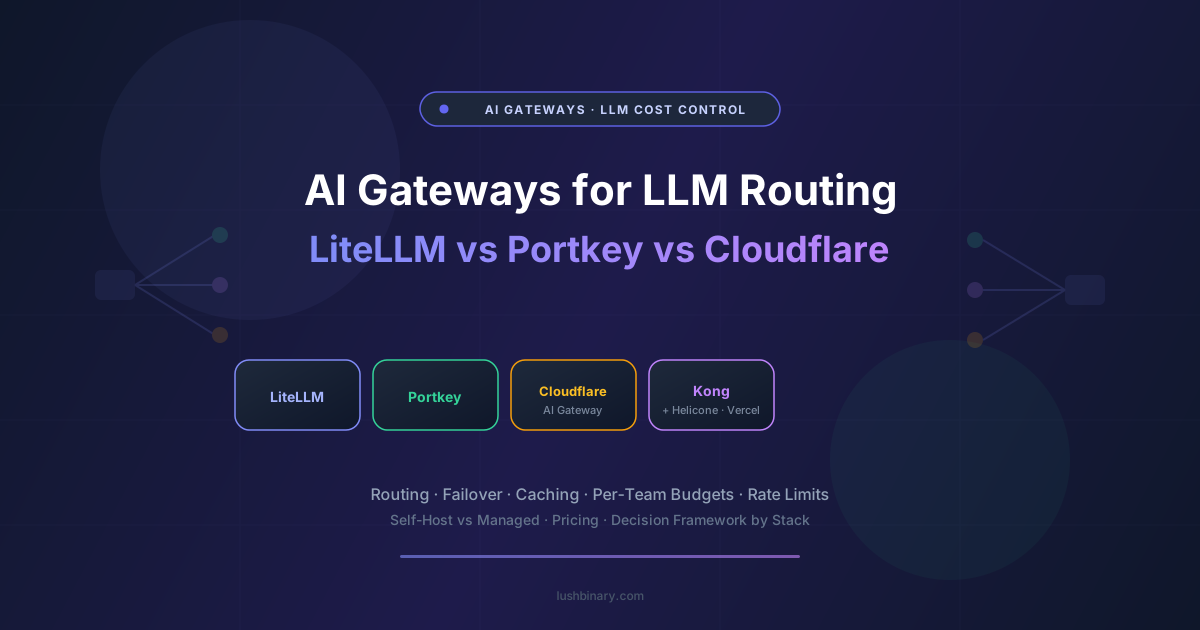
This guide compares the AI gateways developers actually deploy: LiteLLM, Portkey, Cloudflare AI Gateway, Kong AI Gateway, Helicone, and Vercel AI Gateway. We cover architecture, routing and failover, caching, governance, pricing shape, and which fits which stack. Details are sourced from vendor pages as of May 2026 and should be re-verified before you commit.
Table of Contents
- What an AI Gateway Actually Does
- Self-Hosted Proxy vs Managed Edge vs API Platform
- LiteLLM: The Open-Source Standard
- Portkey: Production Routing and Guardrails
- Cloudflare AI Gateway: Edge Caching, Near-Zero Setup
- Kong AI Gateway: For Existing Kong Shops
- Helicone: Observability-First Gateway
- Vercel AI Gateway: For the Vercel Stack
- Head-to-Head Comparison Table
- Decision Framework
- Where the Gateway Sits in Your Stack
- Why Lushbinary for AI Gateways
1What an AI Gateway Actually Does
A gateway is a single endpoint your app calls instead of talking to each provider directly. That one indirection unlocks a stack of controls:
- Multi-provider routing. Send traffic to OpenAI, Anthropic, Google, or open models behind one API, and switch without changing application code.
- Failover and load balancing. When a provider errors or rate-limits you, automatically retry against a fallback so users do not see an outage.
- Caching. Serve repeated or semantically similar prompts from cache to cut both cost and latency.
- Cost control and governance. Per-team budgets, rate limits, virtual keys, and spend visibility so one runaway job does not blow the monthly budget.
- Observability. Logging and metrics for every call, often the entry point to a fuller observability stack.
Why it pays for itself
A gateway is often the fastest way to cut LLM spend without touching application logic. Caching repeated prompts, routing cheaper models for easy tasks, and capping per-team budgets typically pay back the integration effort quickly at production volume.
2Self-Hosted Proxy vs Managed Edge vs API Platform
Self-hosted proxy
Run the gateway yourself for full control and no per-call vendor fee. You own uptime, scaling, and upgrades.
Managed edge
A hosted service, often at the edge, that adds caching and metrics with minimal setup. Less control, far less ops.
API platform
An established API gateway extended for AI traffic. Best when you already run it for the rest of your APIs.
The decision usually comes down to control versus operational burden. Greenfield AI-only deployments lean toward LiteLLM or Portkey; teams already running an API platform like Kong lean toward extending it; and teams that want results today with minimal effort lean toward a managed edge gateway.
3LiteLLM: The Open-Source Standard
LiteLLM is the most widely adopted open-source gateway. It exposes a consistent, OpenAI-compatible interface across a long list of providers, so your code calls one API and LiteLLM translates. It runs as a Python SDK or a standalone proxy server with virtual keys, budgets, and logging, and because it is open source there is no per-call vendor fee.
Strengths
- Broadest provider coverage, OpenAI-compatible
- Open source, self-hostable, no per-call fee
- Virtual keys, budgets, and logging built in
- Large community and fast provider updates
Weaknesses
- You operate and scale the proxy
- Edge caching less turnkey than managed options
- Under heavy load it needs careful tuning
Best for: teams that want an open-source, multi-provider gateway they control, especially greenfield AI deployments without an existing API platform.
4Portkey: Production Routing and Guardrails
Portkey is built for production from the start. It adds edge caching, automatic failover, semantic caching, guardrails, and rich observability on top of multi-provider routing. Community comparisons report it cutting round-trip latency meaningfully under load versus a self-managed proxy, thanks to edge caching and automatic failover. It is available as a managed service with self-host options.
Strengths
- Edge and semantic caching, automatic failover
- Guardrails and governance built in
- Strong observability out of the box
- Managed plus self-host options
Weaknesses
- Managed cost at high volume
- More features than a small project needs
- Some lock-in to its routing config model
Best for: production teams that want routing, caching, guardrails, and observability in one managed gateway without building it on top of LiteLLM themselves.
5Cloudflare AI Gateway: Edge Caching, Near-Zero Setup
Cloudflare AI Gateway is the managed-edge option. Point your provider calls through it and you get caching, rate limiting, analytics, and logging at Cloudflare's edge with almost no code change. For teams already on Cloudflare, or anyone who wants cost and latency wins fast, it is the lowest-friction entry into the category.
Strengths
- Near-zero setup, edge caching
- Rate limiting and analytics built in
- Fits naturally with Cloudflare Workers
- Generous entry usage
Weaknesses
- Less advanced routing than dedicated gateways
- Guardrails lighter than Portkey
- Tied to the Cloudflare ecosystem
Best for: teams that want caching, rate limiting, and metrics with minimal effort, especially those already on Cloudflare. See our Cloudflare Workers guide for the broader edge stack.
6Kong AI Gateway: For Existing Kong Shops
Kong AI Gateway extends the established Kong API management platform to LLM traffic. For enterprises already running Kong, this is the natural path: the same operational model, observability pipeline, and security controls you already use for the rest of your APIs, now applied to AI calls. For greenfield AI-only deployments without a Kong commitment, a dedicated gateway is usually a better fit.
Strengths
- Same ops model as the rest of your APIs
- Mature security and governance
- Enterprise-grade plugin ecosystem
- Unifies AI and non-AI traffic control
Weaknesses
- Heavy if you are not already on Kong
- More infrastructure to operate
- AI-specific features less specialized
Best for: enterprises already standardized on Kong that want to govern AI traffic the same way they govern everything else.
7Helicone: Observability-First Gateway
Helicone started as an observability proxy and works well as a lightweight gateway: a one-line base-URL change routes traffic through it and gives you logging, caching, and rate limiting plus per-prompt and per-user cost breakdowns. If your priority is seeing and controlling spend rather than complex multi-provider routing, it is a fast win.
Strengths
- One-line integration
- Strong cost visibility per prompt and user
- Caching and rate limiting included
- Open source with self-host option
Weaknesses
- Routing less advanced than Portkey or LiteLLM
- Proxy sits in your critical path
- More observability tool than full router
Best for: teams whose first goal is cost visibility and basic caching, with routing as a secondary concern.
8Vercel AI Gateway: For the Vercel Stack
Vercel AI Gateway is the natural choice for teams building on Vercel and the AI SDK. It provides multi-provider access, failover, and spend visibility with tight integration into the Vercel deployment and AI SDK workflow, so adding it to an existing Next.js app is minimal effort.
Strengths
- Tight Vercel and AI SDK integration
- Multi-provider access and failover
- Spend visibility built in
- Low setup for Next.js apps
Weaknesses
- Most value inside the Vercel ecosystem
- Less control than a self-hosted proxy
- Advanced governance trails Kong or Portkey
Best for: teams already deploying on Vercel and using the AI SDK who want a gateway that fits their existing workflow.
9Head-to-Head Comparison Table
| Gateway | Type | Self-host | Best for |
|---|---|---|---|
| LiteLLM | OSS proxy | Yes | Control, broad providers |
| Portkey | Managed + self-host | Partial | Production routing + guardrails |
| Cloudflare AI Gateway | Managed edge | No | Fast caching, Cloudflare shops |
| Kong AI Gateway | API platform | Yes | Existing Kong enterprises |
| Helicone | Observability proxy | Yes | Cost visibility first |
| Vercel AI Gateway | Managed | No | Vercel and AI SDK teams |
Feature sets and pricing move quickly here. Confirm specifics against each vendor's current documentation.
10Decision Framework
- Want full control and no per-call fee: LiteLLM, self-hosted.
- Want production routing, caching, and guardrails managed: Portkey.
- Want caching and metrics with near-zero setup: Cloudflare AI Gateway, especially if already on Cloudflare.
- Already run Kong for your APIs: Kong AI Gateway to keep one operational model.
- First priority is cost visibility: Helicone.
- Building on Vercel with the AI SDK: Vercel AI Gateway.
11Where the Gateway Sits in Your Stack
The gateway is a single chokepoint between your app and every model provider. That position is exactly what makes routing, caching, and cost control possible without touching application code.
Pair the gateway with an observability layer for the full picture. Our LLM observability comparison covers that side of the stack.
12Why Lushbinary for AI Gateways
We stand up AI gateways for clients to control LLM cost and reliability in production. We pick the gateway that fits your stack and scale, configure routing and failover across providers, and wire in caching and per-team budgets so spend stays predictable as usage grows.
What we typically deliver:
- Gateway selection matched to your stack, scale, and control needs
- Multi-provider routing and automatic failover configuration
- Prompt and semantic caching to cut cost and latency
- Per-team budgets, virtual keys, and rate limits
- Self-hosted LiteLLM or Portkey deployments for data-sensitive teams
Free Consultation
LLM bill climbing faster than usage? Lushbinary sets up an AI gateway with routing, caching, and budgets so cost and reliability stay under control, no obligation.
Sources
- LiteLLM documentation
- Portkey pricing
- Cloudflare AI Gateway docs
- Kong AI Gateway
- Helicone pricing
- Vercel AI Gateway docs
Content was rephrased for compliance with licensing restrictions. Pricing, features, and latency claims sourced from official vendor pages and community comparisons as of May 2026 and may change. Latency figures vary by configuration and load. Always verify on the vendor's site and test against your own workload before committing.
Frequently Asked Questions
What is an AI gateway and why do I need one?
An AI gateway sits between your application and LLM providers as a single endpoint, adding multi-provider routing, failover, caching, rate limiting, and per-team cost control. It is the fastest way to cut LLM spend and improve reliability without changing application logic, which matters as enterprise LLM API spending climbs into the billions.
What is the best AI gateway in 2026?
It depends on your stack. LiteLLM is the open-source standard for control and broad provider coverage, Portkey is best for managed production routing with guardrails, Cloudflare AI Gateway is best for near-zero-setup edge caching, Kong AI Gateway fits enterprises already on Kong, Helicone leads on cost visibility, and Vercel AI Gateway fits teams on Vercel and the AI SDK.
How does an AI gateway reduce LLM costs?
Mainly through caching repeated or semantically similar prompts, routing easy tasks to cheaper models, and enforcing per-team budgets and rate limits so runaway jobs cannot blow the budget. Because these controls live in the gateway, you change configuration, not application code, so the savings come quickly at production volume.
Should I self-host my AI gateway or use a managed one?
Self-host (LiteLLM, or self-hosted Portkey/Kong) when you want full control, no per-call fee, or data must stay in your environment, accepting that you own uptime and scaling. Use a managed gateway (Cloudflare, Vercel, managed Portkey) when you want results with minimal operations and are comfortable with vendor dependency.
What is the difference between an AI gateway and LLM observability?
A gateway controls traffic: routing, failover, caching, and budgets. Observability explains behavior: tracing, evals, drift, and quality. They overlap (Helicone does both at a basic level) but serve different goals. Many teams run a gateway for control and a dedicated observability tool for quality and debugging.
When does Kong AI Gateway make sense over LiteLLM or Portkey?
When your organization already runs Kong for API management. Extending it to AI traffic keeps one operational model, observability pipeline, and security posture across all APIs. For greenfield AI-only deployments without a Kong commitment, a dedicated gateway like LiteLLM or Portkey is usually a simpler and better fit.
Get Your LLM Costs Under Control
We set up AI gateways with routing, caching, and per-team budgets so spend and reliability stay predictable as you scale.
Ready to Build Something Great?
Get a free 30-minute strategy call. We'll map out your project, timeline, and tech stack - no strings attached.
Prefer email? Reach us directly: