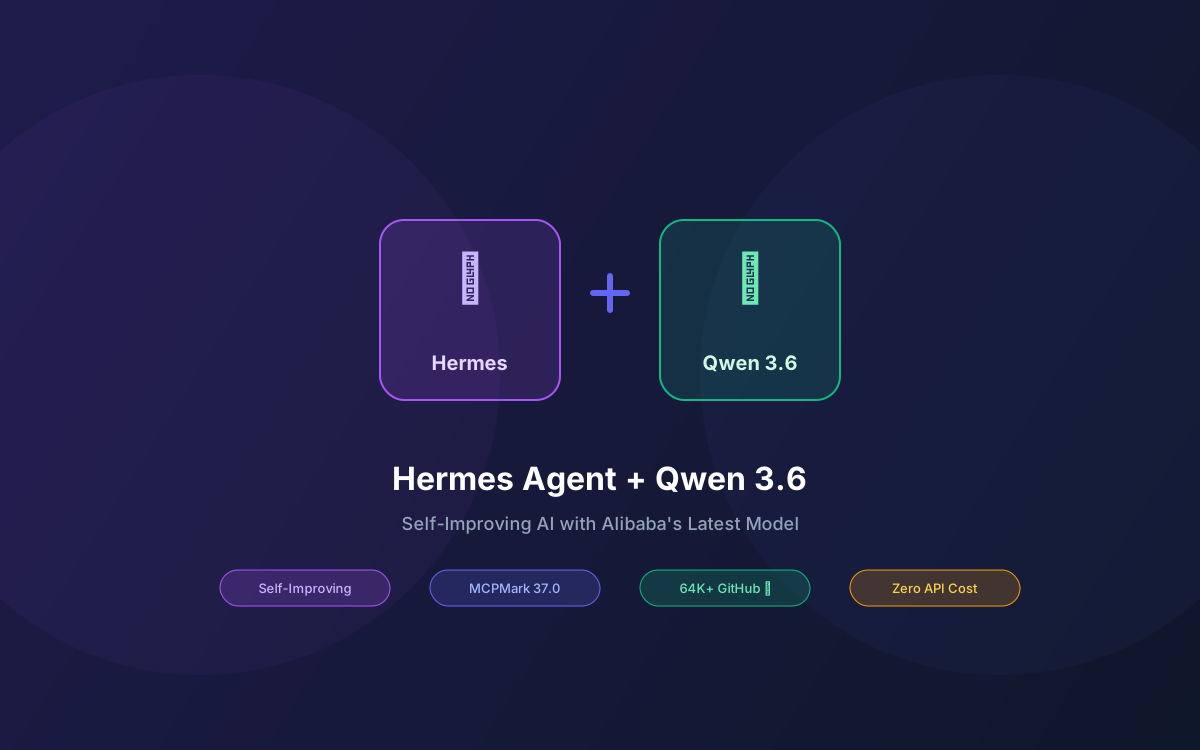
Hermes Agent is the self-improving AI agent from Nous Research that learns from every task, creates reusable skills, and gets smarter the longer it runs. But its intelligence is only as good as the LLM behind it. With Alibaba's Qwen 3.6-35B-A3B now available — scoring 73.4% on SWE-bench Verified and 37.0 on MCPMark — you can pair Hermes with one of the strongest open-weight models for agentic coding at zero API cost.
Hermes already supports Qwen models natively through its Alibaba Cloud provider (DashScope), OpenRouter, and Hugging Face. But the real power move is running Qwen 3.6 locally via Ollama — giving Hermes a private, zero-cost brain that activates only 3B parameters per token while drawing on 35B of learned capacity.
This guide walks through every integration path: local Ollama, cloud DashScope, and OpenRouter. We cover provider configuration, skill development, the self-improving loop, multi-agent profiles, and production deployment.
What this guide covers:
- Why Qwen 3.6 Is a Strong Fit for Hermes Agent
- Prerequisites & Installation
- Option A: Local Qwen 3.6 via Ollama
- Option B: DashScope API (Alibaba Cloud)
- Option C: OpenRouter Multi-Provider
- Hermes Self-Improving Loop with Qwen 3.6
- Multi-Agent Profiles
- Qwen 3.6 vs Other Models for Hermes
- Troubleshooting & Optimization
- Why Lushbinary for Your Hermes Deployment
1Why Qwen 3.6 Is a Strong Fit for Hermes Agent
Hermes Agent's core loop — receive task, plan steps, call tools, evaluate results, create skills — demands a model that excels at structured tool calling and multi-step reasoning. Qwen 3.6-35B-A3B delivers exactly that:
MCPMark: 37.0
Up from 27.0 on Qwen 3.5-35B-A3B. Directly measures tool-calling accuracy - the core operation Hermes uses for every task.
SWE-bench Verified: 73.4%
Handles real-world GitHub issues end-to-end. Hermes can use this for automated bug fixing and PR generation.
Terminal-Bench 2.0: 51.5%
Shell command execution accuracy jumped from 40.5%. Critical for Hermes's exec tool and system automation tasks.
Thinking Preservation
New in Qwen 3.6 - retains reasoning context across turns. Hermes's iterative skill refinement benefits directly from this.
The architecture matters too. Qwen 3.6's hybrid Gated DeltaNet + Gated Attention design with 256 experts (8 routed + 1 shared) means only 3B parameters activate per token. On a 24 GB GPU, you get dense-model quality at MoE speed — fast enough for Hermes's real-time agent interactions.
2Prerequisites & Installation
Install Hermes Agent
# Linux / macOS / WSL2
curl -fsSL https://raw.githubusercontent.com/NousResearch/hermes-agent/main/scripts/install.sh | bash

# Reload your shell
source ~/.bashrc  # or source ~/.zshrc
Hermes Agent was released February 25, 2026 under the MIT license and has accumulated over 64,000 GitHub stars as of April 2026. It requires a Unix-like environment — on Windows, use WSL2.
Install Ollama (for local path)
# macOS
brew install ollama

# Linux
curl -fsSL https://ollama.com/install.sh | sh

# Pull Qwen 3.6
ollama pull qwen3.6:35b-a3b
The Qwen 3.6-35B-A3B model is a 24 GB download (Q4_K_M quantization). It requires 24 GB VRAM (NVIDIA) or 32 GB unified memory (Apple Silicon). See the OpenClaw + Qwen 3.6 guide for detailed hardware requirements.
3Option A: Local Qwen 3.6 via Ollama
Hermes Agent supports any OpenAI-compatible endpoint as a custom provider. Ollama exposes exactly that at http://localhost:11434/v1.
Step 1: Configure via Interactive Wizard
# Run the model setup wizard
hermes model

# Select "Custom endpoint" from the provider list
# Base URL: http://127.0.0.1:11434/v1
# Model: qwen3.6:35b-a3b
# API Key: ollama (any non-empty string works)
Step 2: Or Configure Manually
Edit ~/.hermes/.env directly:
# ~/.hermes/.env
CUSTOM_API_KEY=ollama
CUSTOM_BASE_URL=http://127.0.0.1:11434/v1
CUSTOM_MODEL=qwen3.6:35b-a3b
Step 3: Verify the Connection
# Start a chat session
hermes chat

# Test with a simple prompt
> What model are you? List your capabilities.
Hermes auto-detects capabilities like streaming and tool use per provider. With Ollama serving Qwen 3.6, it will detect streaming support and function calling automatically.
4Option B: DashScope API (Alibaba Cloud)
Hermes has native support for Alibaba Cloud's DashScope as a first-class provider. This gives you access to Qwen 3.6 Plus with its 1M token context window without running anything locally.
# Set the DashScope API key
echo "DASHSCOPE_API_KEY=sk-your-key" >> ~/.hermes/.env

# Configure via wizard
hermes model
# Select "Alibaba Cloud" (aliases: dashscope, qwen)
# Model will default to the latest Qwen Plus
Or configure directly in ~/.hermes/.env:
DASHSCOPE_API_KEY=sk-your-dashscope-key
DashScope Free Tier
Alibaba offers 2,000 free daily API calls on DashScope. For moderate Hermes Agent use (10–30 tasks per day), this is often enough to stay within the free tier entirely.
5Option C: OpenRouter Multi-Provider
OpenRouter gives you access to Qwen 3.6 Plus Preview (currently free during preview as of April 2026) with automatic fallback routing across providers.
# Set OpenRouter API key
echo "OPENROUTER_API_KEY=sk-or-your-key" >> ~/.hermes/.env

# Configure via wizard
hermes model
# Select "OpenRouter"
# Model: qwen/qwen3.6-plus-preview
An added benefit: Hermes uses a separate "auxiliary" model for vision, web summarization, and Mixture-of-Agents tasks. With an OpenRouter key configured, these auxiliary features activate automatically using Gemini Flash by default.
⚠️ Auxiliary Model Note
Even when using DashScope or a custom endpoint as your primary provider, some Hermes tools (vision, web summarization) use a separate auxiliary model — by default Gemini Flash via OpenRouter. Setting an OPENROUTER_API_KEY enables these tools automatically.
6Hermes Self-Improving Loop with Qwen 3.6
Hermes Agent's defining feature is its closed learning loop. When it completes a task, it writes a reusable Markdown skill file, stores the outcome in persistent memory, and adjusts its approach for next time. Every 15 tasks, it runs a self-evaluation cycle.
Qwen 3.6's thinking preservation feature makes this loop more effective. Instead of re-deriving reasoning context from scratch on each turn, the model retains chain-of-thought from previous messages. For Hermes, this means:
- Faster skill creation: The model remembers what worked in earlier steps when writing the skill summary
- Better self-evaluation: The 15-task review cycle can reference reasoning from all 15 tasks without context window pressure
- More accurate tool sequences: Multi-step tool chains maintain coherent reasoning across calls
How Skills Work
When Hermes solves a task, it generates a Markdown skill file like this:
# ~/.hermes/skills/deploy-nextjs-vercel.md

## Task
Deploy a Next.js app to Vercel from the CLI

## Steps
1. Verify `vercel` CLI is installed: `which vercel`
2. Run `vercel --prod` in the project root
3. Confirm deployment URL in output
4. Verify with `curl -I <deployment-url>`

## Notes
- Requires VERCEL_TOKEN in environment
- Use --yes flag to skip confirmation prompts
- If build fails, check next.config.ts for output: "export"
Next time you ask Hermes to deploy a Next.js app, it loads this skill and follows the proven steps instead of reasoning from scratch. Over time, Hermes builds a library of skills tailored to your specific workflows.
7Multi-Agent Profiles
Hermes supports running multiple independent agent profiles on the same machine. This is powerful when combined with Qwen 3.6 — you can run separate agents for different purposes without them sharing memory or skills.
# Create a coding agent profile with local Qwen 3.6
hermes profile create coding-agent
hermes profile use coding-agent
hermes model  # Configure with Ollama + qwen3.6:35b-a3b

# Create a research agent profile with cloud Qwen 3.6 Plus
hermes profile create research-agent
hermes profile use research-agent
hermes model  # Configure with DashScope + qwen-plus-latest

# Switch between profiles
hermes profile use coding-agent
hermes chat
Each profile maintains its own skills, memory, tool configuration, and provider settings. The coding agent uses local Qwen 3.6 for fast, private code generation. The research agent uses cloud Qwen 3.6 Plus for its 1M token context window when analyzing large codebases or documents.
8Qwen 3.6 vs Other Models for Hermes
How does Qwen 3.6-35B-A3B compare to other open-weight models you might use with Hermes Agent?
| Model | SWE-bench | MCPMark | VRAM | License |
|---|---|---|---|---|
| Qwen 3.6-35B-A3B | 73.4% | 37.0 | 24 GB | Apache 2.0 |
| Qwen 3.5-27B Dense | 75.0% | 36.3 | 20 GB | Apache 2.0 |
| Qwen 3.5-35B-A3B | 70.0% | 27.0 | 24 GB | Apache 2.0 |
| Gemma 4-31B Dense | 52.0% | 18.1 | 24 GB | Apache 2.0 |
| Gemma 4-26B MoE | - | - | 20 GB | Apache 2.0 |
Benchmarks sourced from the Qwen 3.6-35B-A3B model card. Qwen 3.6-35B-A3B offers the best MCPMark score among MoE models at this VRAM tier, making it the strongest choice for Hermes's tool-heavy workflows.
9Troubleshooting & Optimization
Common Issues
- "Provider not configured": If you set up DashScope but Hermes doesn't recognize it, make sure you ran
hermes modelfrom your terminal (not inside a Hermes chat session). The/modelcommand inside a session only switches between already-configured providers. - Slow local inference: Qwen 3.6-35B-A3B with Ollama on an RTX 4090 should give ~15–20 tok/s. If you're getting less, check that GPU offloading is enabled with
OLLAMA_GPU_LAYERS=-1. - Tool calls failing: Ensure tools are enabled with
hermes tools. Qwen 3.6's MCPMark score of 37.0 means it handles tool calling well, but some tools (browser, vision) require the auxiliary model via OpenRouter. - Memory/skills not persisting: Check that
~/.hermes/skills/and~/.hermes/memory/directories exist and are writable. Hermes stores all learning artifacts as local files.
Performance Tips
- Use llama.cpp for faster local inference: Ollama is convenient but adds overhead. For production Hermes deployments, serving Qwen 3.6 directly via llama.cpp can give 2–5x faster token generation.
- Set context window appropriately: Qwen 3.6 supports 262K natively, but most Hermes tasks don't need that much. Setting
OLLAMA_NUM_CTX=32768saves memory and speeds up inference. - Enable MCP servers: Hermes supports MCP server mode for connecting to external tools. With Qwen 3.6's strong MCPMark score, it handles MCP tool routing reliably.
10Why Lushbinary for Your Hermes Deployment
Hermes Agent with Qwen 3.6 is a powerful combination for individual developers. But scaling it to a team, integrating it with your CI/CD pipeline, or deploying it as a 24/7 service on your infrastructure requires production engineering.
Lushbinary has deployed both Hermes Agent and OpenClaw setups for clients across SaaS, e-commerce, and healthcare. We handle:
- Hermes Agent deployment on AWS with systemd, auto-restart, and monitoring
- Custom skill development for your team's specific workflows
- Multi-agent profile architecture for different team roles
- Hybrid local/cloud model routing for cost optimization
- Security hardening and access control for shared agent instances
🚀 Free Consultation
Want to deploy Hermes Agent with Qwen 3.6 for your team? Lushbinary specializes in self-improving AI agent infrastructure. We'll scope your setup, recommend the right model and deployment strategy, and give you a realistic timeline — no obligation.
❓ Frequently Asked Questions
Can Hermes Agent use Qwen 3.6 as its LLM backend?
Yes. Hermes supports Qwen models through DashScope (set DASHSCOPE_API_KEY), OpenRouter (set OPENROUTER_API_KEY), Hugging Face (set HF_TOKEN), and custom endpoints (Ollama at http://127.0.0.1:11434/v1).
How do I set up Hermes Agent with Qwen 3.6 locally via Ollama?
Install Hermes with the one-line installer, pull qwen3.6:35b-a3b via Ollama, then run 'hermes model' and select 'Custom endpoint'. Set the base URL to http://127.0.0.1:11434/v1 and the model to qwen3.6:35b-a3b.
Does Hermes Agent's self-improving loop work with Qwen 3.6?
Yes. The learning loop is model-agnostic. Hermes creates skill files, stores outcomes in memory, and self-evaluates every 15 tasks regardless of which model is configured. Qwen 3.6's MCPMark score of 37.0 makes it effective at the tool-calling patterns Hermes relies on.
What is the cheapest way to run Hermes Agent with Qwen 3.6?
Local inference via Ollama is completely free after hardware costs. Qwen 3.6-35B-A3B runs on a 24 GB GPU or 32 GB Apple Silicon Mac. For cloud, Qwen 3.6 Plus Preview is free on OpenRouter, and DashScope offers 2,000 free daily API calls.
How does Qwen 3.6 compare to other models for Hermes Agent?
Qwen 3.6-35B-A3B scores 73.4% on SWE-bench Verified and 37.0 on MCPMark, outperforming Gemma 4-31B (52.0% SWE-bench, 18.1 MCPMark) at similar VRAM cost. It offers the best open-weight performance per GB for agentic workflows as of April 2026.
Sources
- Qwen 3.6-35B-A3B Model Card — Hugging Face
- Hermes Agent Quickstart — Nous Research
- Hermes Agent AI Providers — Nous Research
- Qwen 3.6 on Ollama
Content was rephrased for compliance with licensing restrictions. Benchmark data sourced from official Qwen model cards and Hermes Agent documentation as of April 2026. Pricing and availability may change — always verify on the vendor's website.
Need Help Deploying Hermes Agent with Qwen 3.6?
From local setup to production-grade self-improving AI agents, Lushbinary builds agent infrastructure that scales.
Ready to Build Something Great?
Get a free 30-minute strategy call. We'll map out your project, timeline, and tech stack - no strings attached.
Prefer email? Reach us directly: