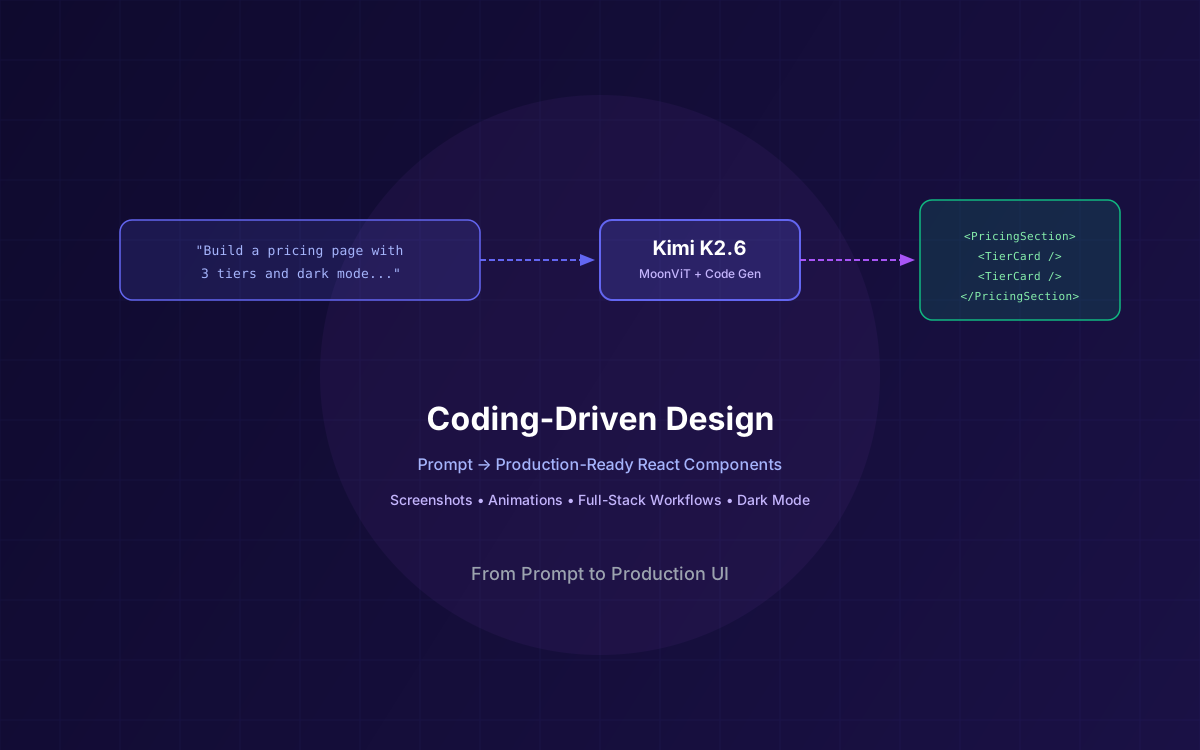
Most AI design tools produce mockups. You get a pretty picture, then spend hours translating it into actual code. Kimi K2.6 skips that step entirely. Its coding-driven design capability takes a natural language prompt or a visual input — a screenshot, a wireframe, a napkin sketch — and generates production-ready React components, HTML/CSS layouts, and Tailwind utility classes that you can drop straight into your codebase.
This isn't template stitching. K2.6 understands layout hierarchies, responsive breakpoints, color systems, typography scales, and interactive patterns. It generates structured layouts with proper semantic HTML, CSS animations with configurable keyframes, hover states, transitions, and even complex interactive elements like drag-and-drop interfaces and multi-step forms — all from a single prompt.
In this guide, we break down how K2.6's coding-driven design works, walk through real prompt-to-UI workflows, compare it to Claude Design and v0, and show you how to get the best results for your next project.
What This Guide Covers
1What Is Coding-Driven Design
Traditional AI design tools follow a two-step process: generate a visual mockup, then export or manually translate it into code. This creates a gap between what the designer sees and what the developer ships. Coding-driven design eliminates that gap by making code the primary design artifact.
When K2.6 receives a design prompt, it doesn't render an image. It writes React components, HTML structures, CSS rules, and Tailwind classes that produce the design when rendered in a browser. The output is the same code a senior frontend developer would write — semantic markup, responsive utilities, accessible attributes, and clean component boundaries.
💡 Key Insight
Coding-driven design means the AI generates code that produces design, not code that describes design. The output is a runnable component, not a specification document. You paste it into your project and it works.
This approach has a compounding advantage: because the output is real code, you can iterate on it with follow-up prompts, integrate it with your existing component library, and version-control it alongside the rest of your application. There's no “handoff” step. The design is the implementation.
2How K2.6 Approaches Design
K2.6's design capabilities are built on three pillars: its native multimodal architecture, its deep understanding of frontend code patterns, and its aesthetic reasoning trained on large-scale UI datasets.
Multimodal input via MoonViT. K2.6 uses Moonshot AI's MoonViT vision encoder to process images natively. This means you can feed it screenshots, Figma exports, hand-drawn wireframes, or even photos of whiteboard sketches. The vision encoder extracts layout structure, color values, font sizes, spacing ratios, and component hierarchies — then passes that structured understanding to the language model for code generation.
Prompt-to-UI pipeline. For text-only prompts, K2.6 applies its training on millions of UI patterns to infer the right layout, spacing, and visual hierarchy. Describe a “pricing page with three tiers, a highlighted popular plan, and a FAQ accordion below” and K2.6 generates the complete component with proper grid layout, card styling, badge highlights, and collapsible FAQ sections.
Aesthetic precision. K2.6 doesn't just produce functional layouts. It applies consistent color palettes, proper contrast ratios, balanced whitespace, and typographic scales. The model has been trained to understand that a hero section needs visual weight, that CTAs should contrast with their surroundings, and that card grids need consistent internal spacing. The result is output that looks intentionally designed, not randomly assembled.
3From Prompt to Production UI
The simplest workflow is text prompt to React component. Here's a step-by-step example showing how K2.6 transforms a natural language description into production-ready code.
Step 1: Write a descriptive prompt. Be specific about layout, content structure, and visual style. K2.6 responds better to structured descriptions than vague requests.
# Prompt to K2.6
"Generate a React component for a SaaS pricing page with:
- 3 pricing tiers (Starter, Pro, Enterprise) in a responsive grid
- The Pro tier highlighted with an indigo border and 'Most Popular' badge
- Each tier shows: plan name, monthly price, feature list (5-6 items), CTA button
- Starter and Enterprise use gray borders, Pro uses indigo
- Dark mode support via Tailwind dark: variants
- Accessible: proper heading hierarchy, button labels, sr-only text for badges"
Step 2: K2.6 generates the component. The model outputs a complete, self-contained React component with Tailwind classes:
// Generated by Kimi K2.6 - Coding-Driven Design
export function PricingSection() {
  const tiers = [
    {
      name: "Starter",
      price: "$19",
      highlight: false,
      features: [
        "5 projects", "10GB storage", "Email support",
        "Basic analytics", "API access"
      ],
    },
    {
      name: "Pro",
      price: "$49",
      highlight: true,
      features: [
        "Unlimited projects", "100GB storage", "Priority support",
        "Advanced analytics", "API access", "Custom integrations"
      ],
    },
    {
      name: "Enterprise",
      price: "$149",
      highlight: false,
      features: [
        "Unlimited everything", "Dedicated support", "SSO & SAML",
        "Custom SLAs", "On-premise option", "Audit logs"
      ],
    },
  ];

  return (
    <section className="py-16 px-4">
      <div className="max-w-5xl mx-auto">
        <h2 className="text-3xl font-bold text-center text-gray-900
          dark:text-white mb-12">
          Simple, Transparent Pricing
        </h2>
        <div className="grid md:grid-cols-3 gap-8">
          {tiers.map((tier) => (
            <div
              key={tier.name}
              className={`rounded-2xl border-2 p-8 relative ${
                tier.highlight
                  ? "border-indigo-500 shadow-lg shadow-indigo-500/10"
                  : "border-gray-200 dark:border-gray-700"
              }`}
            >
              {tier.highlight && (
                <span className="absolute -top-3 left-1/2 -translate-x-1/2
                  bg-indigo-500 text-white text-xs font-bold px-3 py-1
                  rounded-full">
                  <span className="sr-only">This plan is </span>
                  Most Popular
                </span>
              )}
              <h3 className="text-xl font-bold text-gray-900
                dark:text-white">{tier.name}</h3>
              <p className="text-4xl font-bold mt-4 text-gray-900
                dark:text-white">
                {tier.price}<span className="text-base font-normal
                  text-gray-500">/mo</span>
              </p>
              <ul className="mt-6 space-y-3">
                {tier.features.map((f) => (
                  <li key={f} className="flex items-center gap-2
                    text-gray-600 dark:text-gray-300">
                    <svg className="w-4 h-4 text-green-500 shrink-0"
                      fill="currentColor" viewBox="0 0 20 20">
                      <path d="M16.707 5.293a1 1 0 010 1.414l-8
                        8a1 1 0 01-1.414 0l-4-4a1 1 0 011.414-1.414
                        L8 12.586l7.293-7.293a1 1 0 011.414 0z"/>
                    </svg>
                    {f}
                  </li>
                ))}
              </ul>
              <button className={`mt-8 w-full py-3 rounded-lg
                font-semibold transition-colors ${
                tier.highlight
                  ? "bg-indigo-500 text-white hover:bg-indigo-600"
                  : "bg-gray-100 dark:bg-gray-800 text-gray-900 dark:text-white hover:bg-gray-200 dark:hover:bg-gray-700"
              }`}>
                Get Started
              </button>
            </div>
          ))}
        </div>
      </div>
    </section>
  );
}
Step 3: Iterate. Follow up with refinement prompts like “add an annual/monthly toggle with 20% discount on annual” or “switch to a purple color scheme.” K2.6 modifies the existing component rather than regenerating from scratch, preserving your customizations.
For a deeper look at K2.6's full capabilities including benchmarks, API integration, and agent swarm features, see our comprehensive Kimi K2.6 developer guide.
4Visual Input to Code
Text prompts are powerful, but sometimes you already have a design — a Figma export, a competitor's landing page screenshot, or a whiteboard photo. K2.6's native multimodal capabilities let you feed visual inputs directly and get matching production code back.
The workflow uses K2.6's image API. You encode the image as base64 and include it alongside a text prompt that specifies the output format and any customizations:
import base64, requests
from openai import OpenAI

client = OpenAI(
    api_key="your-api-key",
    base_url="https://api.moonshot.ai/v1"
)

# Encode the screenshot
with open("dashboard-screenshot.png", "rb") as f:
    img_b64 = base64.b64encode(f.read()).decode()

response = client.chat.completions.create(
    model="kimi-k2.6",
    messages=[{
        "role": "user",
        "content": [
            {
                "type": "image_url",
                "image_url": {
                    "url": f"data:image/png;base64,{img_b64}"
                }
            },
            {
                "type": "text",
                "text": """Recreate this dashboard UI as a React component
using Tailwind CSS. Match the layout, colors, and spacing as
closely as possible. Include:
- Responsive grid layout
- Dark mode support
- Placeholder data in the same structure as shown
- Proper semantic HTML and ARIA labels"""
            }
        ]
    }],
    temperature=0.6
)

print(response.choices[0].message.content)
K2.6's MoonViT encoder extracts structural information from the image: grid layouts, card boundaries, color hex values, approximate font sizes, icon positions, and spacing ratios. The language model then translates this structural understanding into idiomatic frontend code.
💡 Pro Tip
For best results with visual inputs, use high-resolution screenshots (at least 1280px wide) and include a text prompt that specifies your preferred framework (React, Vue, plain HTML), styling approach (Tailwind, CSS modules), and any deviations from the original design you want.
This capability is particularly useful for design system migration. Feed K2.6 screenshots of your existing UI built with one framework, and ask it to regenerate the components in another. Moving from Bootstrap to Tailwind? From Angular Material to shadcn/ui? K2.6 handles the translation while preserving the visual design.
5Animation & Interactivity
Static layouts are table stakes. What sets K2.6's coding-driven design apart is its ability to generate rich animations, transitions, and interactive behaviors directly in code. The model understands CSS keyframe animations, Tailwind transition utilities, and React state patterns for interactive elements.
Ask K2.6 for a “hero section with a gradient background that shifts colors on a 10-second loop, text that fades in on scroll, and a CTA button with a pulse animation” and you get:
// K2.6 generates CSS animations inline with the component
export function AnimatedHero() {
  return (
    <>
      <style>{`
        @keyframes gradient-shift {
          0%, 100% { background-position: 0% 50%; }
          50% { background-position: 100% 50%; }
        }
        @keyframes fade-in-up {
          from { opacity: 0; transform: translateY(20px); }
          to { opacity: 1; transform: translateY(0); }
        }
        @keyframes pulse-glow {
          0%, 100% { box-shadow: 0 0 0 0 rgba(99, 102, 241, 0.4); }
          50% { box-shadow: 0 0 0 12px rgba(99, 102, 241, 0); }
        }
        .hero-bg {
          background: linear-gradient(-45deg,
            #6366f1, #8b5cf6, #06b6d4, #6366f1);
          background-size: 400% 400%;
          animation: gradient-shift 10s ease infinite;
        }
        .fade-in { animation: fade-in-up 0.8s ease-out forwards; }
        .pulse-btn { animation: pulse-glow 2s ease-in-out infinite; }
      `}</style>
      <section className="hero-bg min-h-[80vh] flex items-center
        justify-center px-4">
        <div className="text-center max-w-3xl">
          <h1 className="fade-in text-5xl md:text-6xl font-bold
            text-white mb-6" style={{ animationDelay: "0.2s" }}>
            Build Faster with AI
          </h1>
          <p className="fade-in text-xl text-white/80 mb-8"
            style={{ animationDelay: "0.4s" }}>
            From prompt to production in minutes, not weeks.
          </p>
          <button className="fade-in pulse-btn bg-white text-indigo-600
            font-bold px-8 py-4 rounded-full text-lg
            hover:bg-indigo-50 transition-colors"
            style={{ animationDelay: "0.6s" }}>
            Get Started Free
          </button>
        </div>
      </section>
    </>
  );
}
K2.6 also generates interactive patterns that require React state management: accordion components with smooth height transitions, tab interfaces with animated underlines, modal dialogs with backdrop blur and scale-in animations, and toast notification systems with slide-in/slide-out behavior.
The model is particularly strong at generating micro-interactions — the small details that make a UI feel polished. Button hover effects, input focus rings, skeleton loading states, progress bar animations, and scroll-linked parallax effects are all within its capabilities.
6Full-Stack Workflow Generation
K2.6's coding-driven design isn't limited to individual components. Combined with its agent swarm capability, it can generate entire page layouts, multi-page workflows, and full application interfaces from a single prompt.
Landing pages. Describe your product, target audience, and desired sections (hero, features, testimonials, pricing, FAQ, footer) and K2.6 generates a complete, responsive landing page. The output includes proper section spacing, consistent typography, and a cohesive color scheme throughout.
Dashboards. Specify your data structure and K2.6 generates dashboard layouts with stat cards, chart placeholders, data tables with sorting/filtering UI, sidebar navigation, and header with user menu. The generated code uses proper grid layouts that adapt from mobile to desktop.
Multi-step forms. Describe a form workflow (e.g., “onboarding flow with personal info, company details, plan selection, and confirmation”) and K2.6 generates a complete multi-step form with progress indicators, validation states, step navigation, and a summary review step — all with proper React state management.
# Single prompt → full landing page
response = client.chat.completions.create(
    model="kimi-k2.6",
    messages=[{
        "role": "user",
        "content": """Generate a complete React landing page for a
developer tool called 'ShipFast'. Include these sections:

1. Hero: Bold headline, subtitle, email signup input + CTA button,
   gradient background
2. Logo bar: 6 placeholder company logos in a row
3. Features: 3-column grid with icon, title, description for each
4. How it works: 3-step numbered process with connecting lines
5. Testimonials: 3 cards with avatar, quote, name, role
6. Pricing: 3 tiers (Free, Pro $29/mo, Team $79/mo)
7. FAQ: 5 questions in an accordion
8. Footer: 4-column links + copyright

Use Tailwind CSS, dark mode support, smooth scroll between sections.
Make it production-ready with proper semantic HTML."""
    }],
    temperature=0.6
)

# K2.6 outputs a complete, deployable landing page component
💡 Scaling Tip
For very large pages, generate sections individually and compose them. K2.6 produces more consistent, higher-quality output when each prompt focuses on one section. Use the agent swarm to parallelize section generation, then assemble the results.
7K2.6 vs Claude Design vs v0
Three tools currently dominate AI-assisted UI generation, each with a fundamentally different approach. Here's how they compare:
| Feature | Kimi K2.6 | Claude Design | v0 (Vercel) |
|---|---|---|---|
| Approach | Code-first — generates production code directly | Visual-first — renders interactive preview, exports code | Template-based — generates from shadcn/ui components |
| Output Format | React, HTML/CSS, Tailwind, Vue | Interactive canvas with code export | React + shadcn/ui + Tailwind |
| Visual Input | ✅ Native via MoonViT (screenshots, wireframes) | ✅ Image upload to canvas | ✅ Screenshot input |
| Animation Support | ✅ CSS keyframes, transitions, React state | ✅ Interactive preview with animations | ⚠️ Limited to Tailwind transitions |
| Customization | Any framework, any styling approach | Visual editing + prompt refinement | Locked to shadcn/ui ecosystem |
| Self-Hosting | ✅ Open-source, deploy anywhere | ❌ Anthropic-hosted only | ❌ Vercel-hosted only |
| Pricing | API tokens (~$0.60/M input) | Included in Claude Pro/Team plans | Free tier + v0 Premium ($20/mo) |
| Best For | Developers who want production code directly | Visual iteration with non-technical stakeholders | Quick prototypes in the Next.js ecosystem |
For a detailed comparison of Claude Design against other design tools, see our Claude Design vs Figma, Canva & Google Stitch comparison. And for a deep dive into Claude Design's features and workflow, check our Claude Design developer guide.
The key differentiator: K2.6 is the only option that's fully open-source and generates production code as its primary output. Claude Design excels at visual collaboration, and v0 is fastest for Next.js prototypes. Choose based on your workflow — if you want code you can ship immediately without a visual editor middleman, K2.6 is the strongest option.
8Best Practices & Limitations
K2.6's coding-driven design is powerful, but getting the best results requires understanding how to prompt effectively and where the model's boundaries are.
Prompt engineering tips:
- Be specific about structure. Instead of “make a nice landing page,” describe the exact sections, their order, and the content hierarchy. K2.6 follows structured instructions precisely.
- Specify your tech stack. Always mention the framework (React, Vue, Svelte), styling approach (Tailwind, CSS modules, styled-components), and any component libraries you want used or avoided.
- Include color and typography preferences. If you have brand colors, provide hex values. If you want a specific font pairing, name them. K2.6 uses sensible defaults, but explicit guidance produces more on-brand results.
- Request accessibility features explicitly. Ask for ARIA labels, proper heading hierarchy, keyboard navigation, and focus management. K2.6 includes basic accessibility by default, but explicit prompts produce more thorough coverage.
- Use iterative refinement. Generate a base component, then refine with follow-up prompts. This produces better results than trying to specify everything in a single massive prompt.
When human design review is needed:
- Brand consistency. K2.6 generates visually appealing UIs, but it doesn't know your brand guidelines unless you provide them. Always review generated output against your design system for color accuracy, typography, and spacing consistency.
- Complex navigation flows. Multi-page applications with intricate routing, breadcrumbs, and context-dependent navigation benefit from human architectural decisions. K2.6 handles individual pages well but may not optimize the overall information architecture.
- Accessibility compliance. While K2.6 generates semantic HTML and basic ARIA attributes, full accessibility compliance requires manual testing with screen readers, keyboard navigation verification, and contrast ratio validation. Never assume AI-generated code is fully accessible without testing.
- Performance optimization. Generated components may include inline styles, large SVGs, or unoptimized animation patterns. Review for performance-critical applications and optimize as needed.
⚠️ Important
K2.6's coding-driven design is a development accelerator, not a replacement for design thinking. Use it to rapidly prototype and generate production-quality starting points, then apply your design expertise to refine, polish, and ensure the output meets your product's specific requirements.
9Why Lushbinary for AI-Powered Design
Integrating K2.6's coding-driven design into a production workflow requires more than API calls. You need prompt templates tuned to your design system, component validation pipelines, quality gates for generated code, and infrastructure that handles the multimodal API efficiently. Lushbinary specializes in exactly this kind of AI-powered development.
We've built AI-integrated products across industries — from real-time auction platforms to custom agent deployments. Whether you need K2.6 integrated into your design workflow, a custom UI generation pipeline, or a full AI-powered product from concept to launch, we can scope it, build it, and ship it.
🚀 Free Consultation
Want to integrate Kimi K2.6's coding-driven design into your product or build an AI-powered UI generation pipeline? Lushbinary specializes in AI-powered applications with frontier models. We'll scope your project, recommend the right architecture, and give you a realistic timeline — no obligation.
❓ Frequently Asked Questions
What is coding-driven design in Kimi K2.6?
Coding-driven design is K2.6's approach to UI generation where the AI writes production-ready code (React, HTML/CSS, Tailwind) directly from natural language prompts or visual inputs, rather than producing static mockups or wireframes. The code itself becomes the design artifact.
How does Kimi K2.6 generate UIs from prompts and images?
K2.6 uses its native multimodal capabilities powered by MoonViT to process text prompts, screenshots, and mockups. It analyzes layout structure, color palettes, typography, and interactive patterns, then generates complete React components or HTML/CSS with Tailwind classes, animations, and responsive breakpoints.
How does K2.6 coding-driven design compare to Claude Design?
K2.6 generates code directly from prompts (code-first approach), while Claude Design is a visual-first tool that renders interactive previews in a canvas. K2.6 outputs production-ready React/HTML that developers can drop into their codebase immediately. Claude Design focuses on visual iteration with code export as a secondary step.
What workflow patterns work best with K2.6 coding-driven design?
The most effective patterns include: prompt-to-component (describe a UI element and get a React component), screenshot-to-code (feed a design screenshot and get matching code), iterative refinement (generate a base UI then refine with follow-up prompts), and full-page generation (describe an entire landing page or dashboard layout).
What are the limitations of K2.6 coding-driven design?
Limitations include: complex multi-page navigation flows may require manual wiring, pixel-perfect reproduction of intricate brand guidelines needs human review, accessibility compliance (WCAG) should always be verified manually, and very large applications benefit from generating individual components rather than entire apps in one prompt.
Sources
- Kimi K2.6 Model Card — Hugging Face
- Moonshot AI Platform — API Documentation
- Kimi Code CLI
- Claude Design Documentation — Anthropic
- v0 by Vercel
Content was rephrased for compliance with licensing restrictions. Feature comparisons based on publicly available documentation as of April 2026. Pricing and capabilities may change — always verify on the vendor's website.
Build With AI-Powered Design
From coding-driven design pipelines to full AI-powered product builds, Lushbinary helps you ship faster with frontier models like Kimi K2.6.
Ready to Build Something Great?
Get a free 30-minute strategy call. We'll map out your project, timeline, and tech stack - no strings attached.
Prefer email? Reach us directly: