If your iOS app still leans on SiriKit and ships with zero Apple Intelligence features, iOS 27 just made it look dated overnight. The new Siri AI assistant expects apps to expose their actions through App Intents, and users now reach for summarization, smart replies, and on-device generation as table stakes. An app that cannot answer "Hey Siri, do the thing" through the modern pipeline feels like it belongs to the last decade.
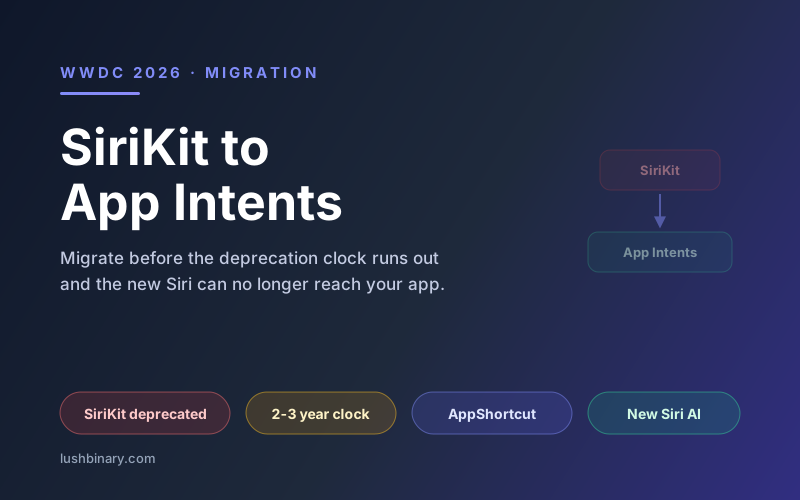
At WWDC 2026, Apple made the direction official. App Intents is now the required integration path for Siri AI, Shortcuts, Spotlight, and system surfaces, and SiriKit was deprecated. The rebuilt assistant, branded Siri AI and backed by Google Gemini, routes user requests through App Intents rather than the old SiriKit domains. Your old intent code still compiles, but it is on a clock, and it is locked out of every new capability Apple is shipping.
This migration guide is for owners and teams with an existing iOS app who need a practical path forward. We cover exactly what changed at WWDC 2026, what SiriKit deprecation means for your codebase, how to migrate from SiriKit to App Intents, how to add Apple Intelligence features with the Foundation Models framework, and how to sequence the work alongside the Swift 6.2 concurrency changes. The goal is a modern, future-proof app without a ground-up rewrite.
📋 Table of Contents
- 1.What Changed at WWDC 2026
- 2.SiriKit Is Deprecated: What It Means for Your App
- 3.Migrating From SiriKit to App Intents
- 4.Adopting App Shortcuts and Entities
- 5.Adding Apple Intelligence Features With Foundation Models
- 6.Genmoji, Writing Tools, Image Playground, and Visual Intelligence
- 7.A Migration Checklist & Timeline
- 8.Swift 6.2 Concerns During Migration
- 9.Why Lushbinary for Your Modernization
1What Changed at WWDC 2026
WWDC 2026 opened on June 8, 2026, and it reset the baseline for what a current iOS app looks like. The release wave included iOS 27, iPadOS 27, macOS 27 "Golden Gate", watchOS 27, and visionOS 27. Under the hood, the changes that matter most to developers are about how apps connect to the assistant and to Apple Intelligence.
- Siri AI, rebuilt on Google Gemini. Apple rebuilt its assistant as Siri AI, backed by Google Gemini. The assistant is more conversational, handles multi-step requests, and reaches into apps through App Intents rather than the legacy SiriKit domains.
- App Intents is now the required integration path. If you want your app to respond to Siri AI, surface actions in Spotlight, and appear in Shortcuts, you expose those actions as App Intents. This is no longer one option among several. It is the path.
- SiriKit is deprecated. The old intents framework still compiles, but it is on the deprecation track. No new capabilities are coming to it, and the new assistant surfaces do not use it.
- Xcode 27 added on-device AI coding tools. The toolchain now includes on-device AI assistance for writing and refactoring Swift, which is genuinely useful when you are mechanically converting intents and adopting new APIs.
For a deeper walkthrough of the full keynote and the developer-facing details, see our WWDC 2026 announcements and iOS 27 developer guide. The short version for this article: the platform moved, and apps that do not move with it will feel stale to users and reviewers alike.
2SiriKit Is Deprecated: What It Means for Your App
Deprecation does not mean your app stops working tomorrow. SiriKit code that ships today will keep running on iOS 27 for the time being. What deprecation actually means is that the framework has entered its wind-down phase, and that has concrete consequences for any app that depends on it.
What breaks, and what just stalls
The immediate effect is not a crash. It is exclusion. SiriKit intents do not feed the new Siri AI pipeline, so voice requests that used to resolve through your custom SiriKit domains now fall flat or get handled generically. Your app stops showing up where users expect it. Meanwhile, new system features, the ones built on App Intents, simply are not available to a SiriKit-only app. The code stalls in place while the platform moves on around it.
The timeline pressure
Apple has a consistent pattern with deprecations: a framework is marked deprecated, it lingers for a release cycle or two while developers migrate, and then it is removed or stops being honored on new OS versions. Betting that SiriKit will stick around indefinitely is a bet against Apple's track record. The safe assumption is that you have this release window to migrate before the situation becomes urgent.
Why waiting is risky
Waiting compounds the problem in two ways. First, the gap between your app and a modern competitor widens every month you delay, because they are shipping Apple Intelligence features while you are not. Second, a rushed last-minute migration tends to be a worse migration. Doing the work now, while SiriKit still runs as a fallback, lets you migrate incrementally and test thoroughly. Doing it under a removal deadline forces shortcuts. The cheapest time to modernize is before you are forced to.
3Migrating From SiriKit to App Intents
The conceptual mapping from SiriKit to App Intents is cleaner than it might look. SiriKit organized everything around intent definitions and optional intent UI extensions. App Intents replaces that with three Swift-native building blocks: an AppIntent that defines an action, an AppEntity that represents your app's data to the system, and an AppShortcutsProvider that registers ready-made shortcuts. Instead of editing a separate intents definition file, you write plain Swift types.
A single action becomes a struct conforming to AppIntent. The protocol requires a title and a perform() method that runs your logic and returns a result. Here is a minimal example for an app that logs a workout:
// A simple App Intent that replaces a SiriKit intent
import AppIntents

struct LogWorkoutIntent: AppIntent {
    static var title: LocalizedStringResource = "Log a Workout"

    @Parameter(title: "Activity")
    var activity: String

    func perform() async throws -> some IntentResult {
        let entry = WorkoutStore.shared.log(activity: activity)
        return .result(
            dialog: "Logged your \(entry.activity) workout."
        )
    }
}
Notice what is gone: no separate intent definition file, no generated classes, no intent handler protocol spread across an extension. The action, its parameters, and its behavior live in one Swift type. That colocated model is the whole point of App Intents, and it is why the migration usually shrinks your code rather than growing it.
4Adopting App Shortcuts and Entities
Defining an AppIntent makes an action available, but to give users a zero-setup voice phrase and a Spotlight entry, you register it through an AppShortcutsProvider. App Shortcuts are surfaced automatically by the system, so users do not have to open the Shortcuts app and build anything by hand.
// Register an App Shortcut for the intent above
import AppIntents

struct WorkoutShortcuts: AppShortcutsProvider {
    static var appShortcuts: [AppShortcut] {
        AppShortcut(
            intent: LogWorkoutIntent(),
            phrases: [
                "Log a workout in \(.applicationName)",
                "Record my workout with \(.applicationName)"
            ],
            shortTitle: "Log Workout",
            systemImageName: "figure.run"
        )
    }
}
The phrases array is what Siri AI listens for, and .applicationName lets the system insert your app name so the phrasing stays natural. Once this provider is in the app, the shortcut shows up in Spotlight and the Shortcuts gallery without any user configuration.
To let Siri AI reason about your app's data, not just trigger actions, you model that data as an AppEntity. An entity gives a type a stable identifier and a display representation, so the assistant can refer to "your most recent workout" or pass a specific record into an intent as a parameter. Entities are how you move from "run this action" to "run this action on this thing," which is where the modern assistant gets genuinely useful.
5Adding Apple Intelligence Features With Foundation Models
App Intents connects your app to the assistant. The Foundation Models framework is how you add intelligence inside your own UI. It is Apple's native Swift API to the on-device large language model that powers Apple Intelligence. Apple introduced it at WWDC 2025 with iOS 26, and it has a few properties that make it attractive for product work: it is free, it runs on-device, it is private, it works offline, and it has no per-token cost.
At WWDC 2026, Apple extended the framework with image input, optional server models for heavier requests, and custom skills. That broadens what you can build, but the on-device model alone already covers a surprising amount of practical product work. Good first features to add to an existing app include:
- Summarization: condense long notes, threads, or articles into a few lines.
- Smart replies: generate short suggested responses in a messaging or support flow.
- Content tagging: categorize or label user content automatically to power search and filtering.
The core API is small. You create a LanguageModelSession and call respond with a prompt:
// Summarize text with the on-device model
import FoundationModels

func summarize(_ text: String) async throws -> String {
    let session = LanguageModelSession()
    let prompt = "Summarize the following in two sentences:\n\(text)"
    let response = try await session.respond(to: prompt)
    return response.content
}
Because inference runs locally, there is no API key to protect, no network round trip, and no usage bill that scales with your user base. For a much deeper treatment, including the @Generable macro for structured output and patterns for production use, read our Foundation Models build guide. For most existing apps, one well-chosen feature is enough to feel current.
6Genmoji, Writing Tools, Image Playground, and Visual Intelligence
Beyond your own model calls, Apple Intelligence ships a set of system capabilities your app can adopt. The good news is that some of them come essentially for free, and the rest take only modest adoption work.
Writing Tools
Mostly freeRewrite, proofread, and summarize selected text. Standard system text views get this automatically, so apps using UITextView or SwiftUI text editing inherit it with little or no work. Custom text engines need explicit adoption.
Genmoji
Needs adoptionLets users create custom emoji-style images from a description. Text views that support rich content can accept Genmoji as inline images. Adopting it means handling the inserted image data in your content model.
Image Playground
Needs adoptionA system image generation experience you can present from your app via the Image Playground sheet. This requires explicit adoption: you present the picker and receive the generated image back.
Visual Intelligence
Needs adoptionSurfaces information and actions about what the user sees through the camera or in images. Apps expose relevant content to it through App Intents and entities, tying back to the migration work in earlier sections.
The practical takeaway: if your app uses standard text views, you can light up Writing Tools with almost no effort, which is the highest return adoption you can make. Genmoji, Image Playground, and Visual Intelligence are worth adopting where they fit your product, but they are deliberate features rather than freebies.
7A Migration Checklist & Timeline
A modernization project goes smoothly when you sequence it instead of attacking everything at once. Here is the order we recommend, from audit through resubmission:
✅ Modernization Checklist
- 1Audit SiriKit usage. Catalog every SiriKit intent, intent extension, and custom intent UI in the project. This is your migration scope.
- 2Model intents and entities. For each SiriKit action, decide the equivalent AppIntent, and identify the app data that should become AppEntity types.
- 3Replace with App Intents. Write the AppIntent structs with perform() methods. Remove the old SiriKit intent code once parity is reached.
- 4Add App Shortcuts. Register an AppShortcutsProvider with natural phrases so actions appear in Siri AI, Spotlight, and Shortcuts.
- 5Adopt Writing Tools. Confirm standard text views inherit Writing Tools, and adopt explicitly anywhere you use a custom text engine.
- 6Add Foundation Models features. Ship one or two on-device intelligence features such as summarization or smart replies.
- 7Test on iOS 27. Verify voice phrases, Spotlight entries, and intelligence features on real iOS 27 devices, not just the simulator.
- 8Resubmit to the App Store. Update screenshots and metadata to reflect the new features, then submit the modernized build for review.
⚠️ Do not delay past the deprecation
SiriKit still runs today, but deprecated frameworks get removed. Migrating now, while SiriKit works as a fallback, lets you test incrementally. Migrating under a removal deadline forces shortcuts and risks a broken release. Treat this window as the cheap time to modernize, not a reason to wait.
When you reach the resubmission step, it pays to have your developer account and submission process in order. Our App Store submission and developer account setup guide walks through the review process so the final step does not become a surprise bottleneck.
8Swift 6.2 Concerns During Migration
There is a good reason to do the App Intents migration and a Swift 6.2 concurrency pass at the same time: you are already in the code, and the new APIs are async by design. Swift 6.2, released in September 2025, reworked how concurrency feels day to day, and new Xcode 26 projects opt into the stricter model by default.
- Approachable concurrency. Swift 6.2 smoothed many of the rough edges that made strict concurrency painful, so adopting it is less disruptive than the earlier Swift 6 transition.
- Main-actor-by-default. New projects treat code as running on the main actor unless you say otherwise. For UI-heavy app code this is usually what you want, and it removes a class of data-race warnings.
perform()and async/await. App Intents methods areasync, which lines up naturally with structured concurrency. As you write each intent, write the async call paths correctly rather than bolting them on later.- Sendable. Data you pass across actor boundaries, including values that flow through intents and entities, needs to be
Sendable. Auditing your models for this during the migration prevents data-race safety errors from piling up.
The pragmatic move is to treat the concurrency migration as part of the same project rather than a separate future effort. You touch the files once, you reason about each type's isolation once, and you come out with code that is both modern in its API surface and correct under strict data-race safety. Splitting the two efforts usually means revisiting the same files twice.
9Why Lushbinary for Your Modernization
Modernizing an existing app is a different skill than greenfield development. You are working inside someone's shipped product, preserving behavior users depend on while swapping the foundations underneath. At Lushbinary, we do exactly this kind of careful, incremental iOS modernization.
We start with an audit of your SiriKit footprint and your current architecture, then propose a phased plan that keeps your app shippable at every step. We migrate intents to App Intents, register App Shortcuts and entities so Siri AI can reach your app, add the Apple Intelligence features that actually fit your product, and handle the Swift 6.2 concurrency work in the same pass.
- SiriKit audit and a phased, ship-safe migration plan
- App Intents, App Entities, and App Shortcuts so Siri AI, Spotlight, and Shortcuts all reach your app
- Foundation Models features: summarization, smart replies, and content tagging that run on-device
- Writing Tools, Genmoji, Image Playground, and Visual Intelligence adoption where they fit
- Swift 6.2 concurrency migration done alongside the API work
- iOS 27 device testing and App Store resubmission
If you are also rethinking who should own this work long term, our guide to hiring an iOS developer in the AI era covers what to look for in a modern iOS engineer.
🚀 Free Consultation
Not sure how big your SiriKit footprint is or where to start? Book a free 30-minute call. We'll review your app, estimate the migration scope, and give you an honest, phased plan with no sales pitch.
❓ Frequently Asked Questions
Is SiriKit deprecated?
Yes. At WWDC 2026, Apple deprecated SiriKit and made App Intents the required integration path for exposing app actions to Siri AI, Shortcuts, Spotlight, and other system surfaces. Existing SiriKit code still runs for now, but it no longer receives new capabilities and support will be withdrawn in a future release. New work should target App Intents.
Do I have to migrate to App Intents?
If you want your app to work with the rebuilt Siri AI, appear in Spotlight actions, and stay eligible for new system features, yes. App Intents is now the required path. SiriKit-only apps keep functioning in the short term but look dated and miss the new assistant surfaces. Migrating sooner avoids a rushed scramble before support is removed.
What is the Foundation Models framework?
Foundation Models is Apple's native Swift API for the on-device LLM that powers Apple Intelligence. Introduced at WWDC 2025 with iOS 26, it lets your app run inference locally with no per-token cost, full privacy, and offline support. You create a LanguageModelSession and call respond to generate text. WWDC 2026 added image input, optional server models, and custom skills.
What changed for iOS developers at WWDC 2026?
WWDC 2026 on June 8, 2026 shipped iOS 27, iPadOS 27, macOS 27 Golden Gate, watchOS 27, and visionOS 27. Apple rebuilt its assistant as Siri AI backed by Google Gemini, made App Intents the required integration path, deprecated SiriKit, and added on-device AI coding tools to Xcode 27. Adopt App Intents and Apple Intelligence or fall behind.
How long does it take to modernize an existing iOS app?
It depends on your SiriKit surface area and how many Apple Intelligence features you want. A focused migration that replaces a handful of intents with App Intents, adds App Shortcuts, and wires in one or two Foundation Models features is often a few weeks. Apps with deep SiriKit integration, custom intent UI, and a Swift 6.2 concurrency migration take longer and benefit from a phased plan.
📚 Sources
- Apple Developer: App Intents - Official App Intents framework documentation
- Apple Newsroom: WWDC 2026 announcements - Apple Intelligence, Siri AI, and OS release details
- Apple Developer: Foundation Models - On-device language model framework documentation
Content was rephrased for compliance with licensing restrictions. Framework and announcement details sourced from official Apple Developer documentation and Apple Newsroom as of June 2026. Details may change - always verify against current Apple docs.
Ready to Modernize Your iOS App?
Tell us about your app. We'll review your SiriKit footprint and Apple Intelligence opportunities and get back to you within 24 hours with a phased modernization plan.
Ready to Build Something Great?
Get a free 30-minute strategy call. We'll map out your project, timeline, and tech stack - no strings attached.
Prefer email? Reach us directly: