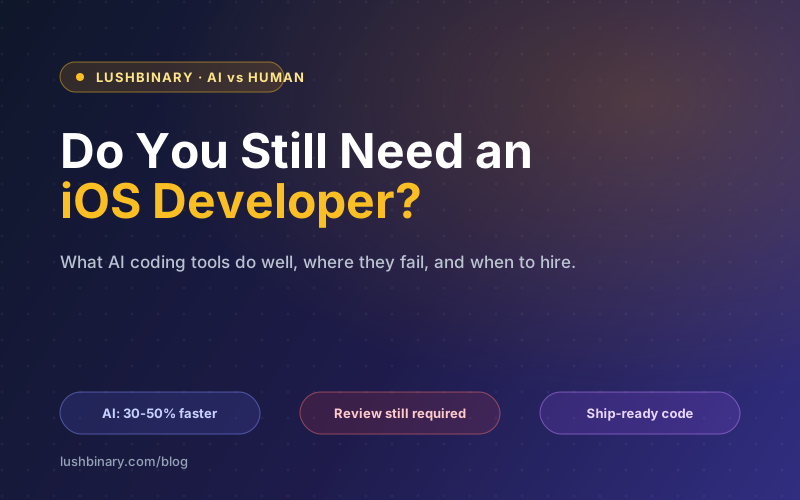
Every founder we talk to in 2026 asks some version of the same question: "Can't AI just build my app now?" They have watched a tool scaffold a SwiftUI screen in seconds, seen a demo go from blank file to running app over a lunch break, and reasonably wondered whether hiring an iOS developer is still a thing people do.
The honest answer is that AI changed the economics of building software, but it did not remove the need for judgment. Coding assistants are genuinely good at producing code. They are not good at deciding what is worth building, whether the code is correct under pressure, or whether it will survive App Store review and real users. Those decisions are still where iOS projects live or die.
This guide is a decision tool, not a sales pitch. We will be specific about what AI does well, where it still fails on iOS, what the "vibe coding" trap costs, and exactly when you can lean on AI alone versus when you need a developer in the loop. By the end you should be able to make the call for your own project with confidence.
📋 Table of Contents
- 1.What AI Coding Tools Actually Do Well in 2026
- 2.Where AI Still Fails on iOS
- 3.The Vibe Coding Trap
- 4.A Decision Framework: AI Alone vs When You Need a Developer
- 5.The New Role of the iOS Developer
- 6.Cost Reality Check
- 7.How to Get the Best of Both: AI-Assisted Development With Senior Review
- 8.Why Lushbinary
1What AI Coding Tools Actually Do Well in 2026
Let us start by giving AI full credit, because the skeptics who dismiss it are as wrong as the optimists who oversell it. The tools are real, they are good, and they have measurably changed how iOS development happens. Across the industry, AI coding assistants such as GitHub Copilot, Cursor, Claude Code, and the on-device AI coding tools added to Xcode 27 raised developer productivity roughly 30 to 50 percent in 2026 for the kinds of work they are suited to.
That gain is not evenly spread. It is concentrated in a specific set of tasks where AI is genuinely excellent:
- Scaffolding SwiftUI views: a description like "a settings screen with a toggle, a stepper, and a save button" produces a clean, compiling starting point in seconds.
- Boilerplate: Codable models, networking layers, view model stubs, and the repetitive glue code that used to eat an afternoon now takes minutes.
- Tests: generating unit test skeletons and covering obvious edge cases is something AI does tirelessly and well.
- Mechanical refactors: renaming, extracting functions, converting completion handlers to async/await, and similar transforms are fast and reliable.
- Explaining code: paste an unfamiliar file and get a plain-language walkthrough, which shortens onboarding and code review.
The on-device tooling in Xcode 27, announced at WWDC 2026 on June 8, is a notable step. It brings AI assistance directly into the editor with tighter Apple-platform context, so suggestions understand more of the project than a generic chat window does. Separately, Apple's Foundation Models framework gives developers free on-device AI for features like summarization and classification, which lowers the cost of adding AI capabilities to an app itself.
The pattern here is consistent. AI is excellent at the well-specified, the repetitive, and the local. When you know exactly what you want and the task is bounded, AI is a remarkable accelerator. The trouble starts when the task is none of those things, which on a real iOS app is most of the hard parts. For a deeper look at where the platform is heading, our WWDC 2026 announcements guide covers iOS 27 and the new developer tooling in detail.
2Where AI Still Fails on iOS
The failures are not random. They cluster around exactly the work that determines whether an app ships, survives review, and holds up in production. These are the areas where a confident-sounding AI answer is most likely to be subtly or seriously wrong.
The Swift 6.2 point deserves emphasis because it is a clean example of the AI failure mode. Swift 6.2, released in September 2025, moved data-race safety to compile time and made the main actor the default in new Xcode 26 projects. This is correctness that the compiler checks, and it is exactly the kind of thing AI gets subtly wrong: it generates code that satisfies the prompt, then either silences a concurrency warning with an unsafe annotation or restructures the code in a way that compiles but reintroduces the race the compiler was trying to prevent. A developer who understands the model catches it. A prompt loop does not.
Security sits underneath all of this. Keychain usage, secure storage, certificate handling, and not leaking secrets into a binary are areas where a plausible-looking AI suggestion can be actively dangerous. The model optimizes for code that runs, not code that is safe, and the difference is invisible until it is exploited.
3The Vibe Coding Trap
"Vibe coding" is the practice of prompting an AI until the app runs, without understanding the code it produced. You describe what you want, paste in errors, ask for fixes, and repeat until the thing works. It feels productive because something is always happening on screen, and for the right context it is a legitimate way to work.
For prototypes, throwaway experiments, and learning, vibe coding is fine. You are exploring, the stakes are low, and the fact that you could not explain the code does not matter because nobody is depending on it. The problem is what happens when a vibe-coded prototype gets promoted to a product because the demo looked done.
⚠️ The demo-to-production gap
A demo has to work once, on your device, with you driving. A product has to work for thousands of strangers, on dozens of device and OS combinations, with bad networks, hostile input, and edge cases you never imagined. The code that closes that gap is the code AI is worst at, and the code a vibe-coding loop never produces.
The deeper cost is structural. Code you do not understand is tech debt the moment you ship it. When a bug appears, you cannot reason about the cause because you never built a mental model of how the pieces fit. You go back to the prompt loop, but now the AI is editing code it did not fully write either, and each fix risks breaking something elsewhere. The app becomes a stack of changes nobody can explain, which is the definition of unmaintainable.
None of this is an argument against using AI. It is an argument against shipping code nobody understands. The fix is not to stop using AI; it is to keep a human who understands the output in the loop, which is the hybrid model we get to later.
4A Decision Framework: AI Alone vs When You Need a Developer
The cleanest way to decide is to ask one question: how expensive is it if this is wrong? When mistakes are cheap and reversible, lean on AI. When mistakes are costly or hard to undo, put a developer in charge. Here is how that maps to common situations.
✓ You can lean on AI alone
- Prototypes and proof-of-concept demos
- Internal tools used by a handful of people you know
- Learning projects and experiments
- Throwaway code that validates an idea before you commit
- Personal apps where you are the only user
⚑ You need a developer in the loop
- Revenue-generating apps your business depends on
- Anything launching on the public App Store
- Apps that store or process user data
- Payments, subscriptions, or financial transactions
- Products that need to scale beyond a demo audience
The boundary is not about how complex the code looks. A simple-looking payments screen carries more risk than a visually elaborate prototype, because a mistake in the payments screen costs real money and trust. The table below restates the same logic as a quick comparison.
| Factor | AI alone is fine | Need a developer |
|---|---|---|
| Audience | You and a few known users | Public, paying, or at scale |
| Cost of a bug | Low, easily reversible | High, money or trust on the line |
| Data | None or non-sensitive | User data, PII, or payments |
| Lifespan | Throwaway or short-lived | Maintained for months or years |
| Distribution | Local build or TestFlight | App Store review and release |
5The New Role of the iOS Developer
The most useful way to think about AI is that it changed what a developer spends time on, not whether you need one. The job is moving from typist to reviewer and architect. When the routine code is generated in seconds, the value shifts to deciding what to build, judging whether the generated code is correct, and owning the structure that everything else hangs from.
That is why "AI as a force multiplier" is the accurate frame. A skilled iOS developer with good AI tooling is dramatically faster than the same developer was three years ago, because the parts that used to be slow are now fast. But a multiplier only works on a number that is already there. Multiply weak judgment by a fast tool and you get bad decisions, faster.
This reshapes what you should hire for. The premium is no longer on who can type Swift quickly, because the tools do that. The premium is on:
- Judgment: knowing which trade-off is right for your specific product, team, and timeline.
- Review skill: reading AI-generated code critically and catching the subtle concurrency, security, and correctness bugs.
- Taste: a sense for what good looks like, from API design to interaction detail, that keeps the product coherent.
- Platform depth: real understanding of Swift, SwiftUI, the App Store, and Apple's frameworks, so the AI is a tool they direct rather than a crutch they depend on.
If you want a structured way to evaluate these qualities when hiring, our guide to hiring an iOS developer in the AI era breaks down what to ask for and how to vet review skill specifically.
6Cost Reality Check
The cheapest-sounding path is rarely the cheapest path. It is true that AI lowers build hours, and that Apple's free Foundation Models framework lowers the cost of adding on-device AI features. If hours were the whole story, the math would favor doing it yourself with AI and skipping the developer entirely.
Hours are not the whole story. The expensive line item on a software project is rarely the labor to write the first version. It is the rework: the wrong architecture that has to be unwound, the App Store rejection that delays a launch, the security gap that becomes an incident, and most painfully, the MVP that looked done but cannot scale and has to be rebuilt from scratch.
⚠️ The rework trap
A botched MVP that needs a full rebuild does not cost you the hours you saved with AI. It costs you those hours plus the rebuild plus the time to market you lost while competitors shipped. The savings were real and small; the rework is real and large.
For reference, senior iOS rates in 2026 run roughly 80 to 200 dollars per hour, within a wider global range of about 20 to 200 dollars per hour depending on region and seniority. Those numbers vary widely, so treat them as a rough guide rather than a quote. The point is not the hourly figure. The point is that even at the high end, a senior developer who prevents one wrong-architecture rebuild pays for themselves many times over.
If you want to see how these factors combine into a realistic budget, our guide to iOS app development cost in the AI era walks through where AI actually moves the number and where it does not.
7How to Get the Best of Both: AI-Assisted Development With Senior Review
The answer is not AI or a developer. It is AI directed by a developer. In the hybrid model, a senior owns the parts AI cannot, and AI accelerates the parts it does well. Done right, you get most of the speed of vibe coding with none of the unmaintainable-code risk.
In practice the division of labor looks like this:
The discipline that makes this work is simple to state and hard to skip: nothing ships that the senior cannot explain. AI can write the first draft of a networking layer, but the developer reads it, checks the error handling, confirms the concurrency is sound under Swift 6.2, and only then accepts it. Every piece of generated code passes through a human who understands it and is accountable for it.
This is also the model that scales. As Apple ships more on-device AI capability, including Foundation Models, the hybrid approach lets you adopt it quickly without betting the product on unreviewed output. If you are planning to build AI features into the app itself, our guide to building an AI-powered iOS app with Foundation Models covers the practical patterns.
8Why Lushbinary
The hybrid model is exactly how we build at Lushbinary. Our iOS engineers use AI tooling every day to move faster on the routine work, and a senior owns the architecture, the review, and the decisions that determine whether your app ships and survives. You get the speed of modern tooling with the accountability of an experienced developer standing behind the code.
That means we can help whether you are starting from a blank file, have a vibe-coded prototype that needs to become a real product, or have an existing app that needs senior review before it grows. We scope the work honestly, choose an architecture your next developer can maintain, and make sure the AI is a tool we direct rather than a shortcut that creates debt.
- Senior-led iOS development in Swift and SwiftUI, with AI-accelerated delivery
- Swift 6.2 concurrency correctness and main-actor-by-default migration
- App Store review compliance, privacy manifests, and submission
- Foundation Models and on-device AI feature integration done safely
- Architecture review and rescue for prototypes that need to scale
- Performance profiling, security review, and field crash debugging
🚀 Free Consultation
Not sure whether you need a developer yet? Book a free 30-minute call. We will look at what you have, tell you honestly whether AI alone can carry it or whether you need senior help, and give you a straight assessment of scope. No sales pitch.
❓ Frequently Asked Questions
Can AI build an iOS app without a developer?
AI can build a working prototype or a simple app on its own, and the result can be impressive. But shipping a production iOS app involves architecture decisions, Swift 6.2 concurrency correctness, App Store compliance, payments, security, and field debugging that AI cannot own. It generates code well, but does not take responsibility for whether the code is the right thing to build or safe to ship.
Is vibe coding good enough for a production iOS app?
Vibe coding, prompting an AI until the app runs without understanding the code, is fine for prototypes, demos, and learning. It is dangerous for production because the gap between a demo and an app that holds up under real users and App Store review is large. Code you do not understand becomes unmaintainable tech debt the moment something breaks.
Will AI replace iOS developers?
No, but it is changing the job. AI raised developer productivity roughly 30 to 50 percent in 2026 by handling boilerplate, scaffolding, and routine refactors. That makes a skilled developer faster, not redundant. The role is shifting from typing code to reviewing it and owning judgment AI does not have. AI is a force multiplier for a good developer, not a replacement.
When can I rely on AI alone versus hiring a developer?
Lean on AI alone for prototypes, internal tools, experiments, and learning projects where mistakes are cheap. You need a developer when the app generates revenue, launches on the App Store, handles user data or payments, or has to scale. The dividing line is the cost of being wrong: if a bad decision is expensive or hard to reverse, you want a human owning it.
Does using AI tools make an iOS app cheaper to build?
AI lowers build hours, and Apple's free Foundation Models framework lowers the cost of adding AI features. But hours are not the main cost driver. A wrong architecture, a rejected submission, or a botched MVP that needs a rebuild costs far more than the hours AI saved. The expensive path is rework, and AI without senior review makes rework more likely.
📚 Sources
- Apple Developer - Xcode, App Store review guidelines, and Foundation Models documentation
- Swift.org: Swift 6.2 Released - Data-race safety and approachable concurrency details
- Stack Overflow Developer Survey - AI tool adoption and developer productivity reporting
Content was rephrased for compliance with licensing restrictions. Productivity and rate figures sourced from public 2026 industry reporting as of June 2026. Figures vary - verify before relying on them.
Need a Senior iOS Developer?
Tell us about your project. We'll review what you have and get back to you within 24 hours with an honest assessment of whether you need a developer and what the scope looks like.
Ready to Build Something Great?
Get a free 30-minute strategy call. We'll map out your project, timeline, and tech stack - no strings attached.
Prefer email? Reach us directly: