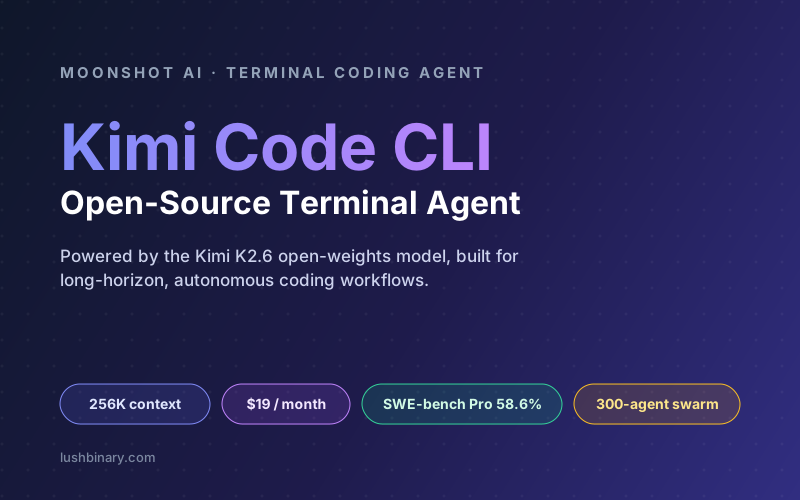
For two years, the terminal-coding-agent space had one obvious default: Claude Code. Then Moonshot AI shipped Kimi Code CLI, an open-source agent that runs the same kind of autonomous, multi-step workflows from your terminal but on an open-weights model that costs a fraction of the price. The pitch is blunt: a senior-developer-grade coding agent for roughly the cost of a streaming subscription instead of an enterprise seat.
The reason it is worth taking seriously is the model underneath. Kimi Code is powered by Kimi K2.6, a 1-trillion-parameter Mixture-of-Experts model with a 256K context window that posts around 58.6% on SWE-bench Pro, putting it within striking distance of frontier closed models on real GitHub-issue resolution. Pair a capable open model with a polished terminal harness and you get a tool that genuinely competes for daily driver status.
This guide is the practical, no-hype breakdown: what Kimi Code is, how to install and configure it, the commands and modes that matter, how it compares to Claude Code and Gemini CLI, what it actually costs, and how to fold it into a real production workflow without losing control of your codebase.
🧭 What This Guide Covers
1What Is Kimi Code CLI?
Kimi Code CLI is Moonshot AI's terminal-first coding agent. You run kimi inside a project directory and describe a task in plain language. The agent reads and edits code, runs shell commands, searches files, and fetches web pages, planning and adjusting its next step based on the feedback it gets as it works. In other words, it is a direct peer to Claude Code, Gemini CLI, and OpenAI's Codex CLI, not an inline autocomplete tool like the old generation of assistants.
A notable detail for anyone who tried the earlier kimi-cli tool: Kimi Code was rewritten in TypeScript and is now distributed via npm and run on Node.js. The earlier Python-based CLI required Python 3.13 and the uv package manager. The TypeScript rewrite dropped that friction and made installation a single npm command or install script. If you are migrating from the old kimi-cli, Moonshot publishes a dedicated migration guide.
💡 The one-line summary
Kimi Code is a fully interactive terminal UI (TUI) that gives an autonomous AI agent controlled access to your shell and your files, backed by the open-weights Kimi K2.6 model. Read-only actions run automatically; anything that changes your code or system asks for confirmation first.
What it is good at, per Moonshot's own framing:
- Writing and modifying code - implementing features, fixing bugs, and completing refactors across multiple files.
- Understanding a project - exploring an unfamiliar codebase and answering questions about architecture and implementation.
- Automating tasks - batch-processing files, running builds and tests, and chaining multiple scripts together.
If you want the broader landscape of terminal agents and where each one fits, our comparison of AI coding agents is a good companion read.
2The Engine: Kimi K2.6
Kimi Code defaults to a coding-tuned profile Moonshot calls kimi-for-coding, which is powered by Kimi K2.6. Released on April 20, 2026 as open weights, K2.6 is a Mixture-of-Experts (MoE) model: 1 trillion total parameters with roughly 32 billion active per token. That sparse activation is what keeps inference costs low while preserving the breadth of a very large model.
| Spec | Kimi K2.6 |
|---|---|
| Architecture | Mixture-of-Experts, ~1T total / ~32B active |
| Context window | 262,144 tokens (256K) |
| SWE-bench Pro | ~58.6% (real GitHub issue resolution) |
| Weights | Open, with native INT4 quantization |
| Released | April 20, 2026 |
Two numbers matter most for day-to-day coding. The first is the 256K context window. That is large enough to hold a substantial chunk of a real repository, but it is meaningfully smaller than the 1M-token windows some closed competitors advertise. For most tasks 256K is plenty; for sprawling monorepo refactors you will lean harder on the agent's search-and-retrieve behavior rather than stuffing everything into context.
The second is SWE-bench Pro at ~58.6%. SWE-bench tasks a model with resolving actual open-source bugs, not contrived puzzles, so it is one of the better proxies for real engineering ability. K2.6 lands essentially tied with other strong open models like GLM-5.1 on this benchmark, and within range of frontier closed systems. Benchmarks are not destiny, but a high-50s SWE-bench Pro score means the agent will close a meaningful share of well-scoped bug tickets without hand-holding.
⚠️ Benchmarks move fast
The open-model coding race in 2026 is brutally competitive. DeepSeek V4 Pro, GLM-5.1, and Qwen 3.6 all released within days of K2.6 and trade leads on different benchmarks. Treat any single score as a snapshot, and re-check the current leaderboard before standardizing your team on one model.
Because the weights are open, K2.6 also shows up across providers (OpenRouter, DeepInfra, and others) and can be self-hosted by teams with the GPU budget. For a deeper look at running open models in production, see our open-source LLM comparison for AI agents.
3Installation & First Launch
There are two supported install paths. The official install script is the recommended option because it does not require a pre-installed Node.js, downloads the latest release, verifies the checksum, and places the kimi executable on your PATH.
# macOS / Linux
curl -fsSL https://code.kimi.com/kimi-code/install.sh | bash
# Windows (PowerShell)
irm https://code.kimi.com/kimi-code/install.ps1 | iex
If you already manage Node.js and prefer npm, you can install the package globally. This path requires Node.js 24.15.0 or later.
node --version
npm install -g @moonshot-ai/kimi-code
# verify and upgrade
kimi --version
kimi upgrade
💡 Terminal matters
Kimi Code is a full TUI. For the best experience, run it in a terminal with true-color and ligature support such as Kitty or Ghostty. On Windows, install Git for Windows first - Kimi Code uses the bundled Git Bash as its shell environment, and you can point KIMI_SHELL_PATH at a custom bash.exe if needed.
First launch and login
Move into your project and run kimi to start the interactive UI. On first launch you configure an API source with /login, which offers two paths: a Kimi Code OAuth device-code flow (open a link, sign in, enter the code) or a Kimi Platform API key from platform.kimi.com. Use /logout to clear credentials.
cd your-project
kimi
# run a single instruction without entering the UI
kimi -p "Describe this project's directory structure"
# resume your previous session
kimi -C
Kimi Code stores config, session records, logs, and the update cache under ~/.kimi-code/ by default. You can relocate that with the KIMI_CODE_HOME environment variable, which is handy for CI runners or multi-user machines.
4Commands, Modes & Daily Workflow
Once you are logged in, you mostly talk to Kimi Code in natural language. A good first move on any repo is to let it orient itself: ask it to read the directory structure and summarize what each part does. It will call file-reading and search tools automatically before answering. The slash commands below are the controls you reach for most often.
| Command / Shortcut | What it does |
|---|---|
| /new | Start a fresh session, clearing the current context |
| /sessions | Browse session history and resume one |
| /model | Switch the active model |
| /compact | Manually compress context to free up tokens |
| /fork | Fork the session, keeping history but branching independently |
| Shift-Tab | Toggle Plan mode (think first, act second) |
| Ctrl-S | Inject a message mid-stream without waiting for the response |
| Ctrl-O | Collapse or expand tool output |
Plan mode vs YOLO mode
Two modes define how much autonomy you hand over. Plan mode (toggled with Shift-Tab) makes the agent lay out its intended steps before touching anything, which is ideal for large or risky changes where you want to approve the strategy first. YOLO mode removes the per-action approval prompts so the agent runs end to end. YOLO is fast and tempting, but on a real codebase it is also how you end up with an unreviewed batch of edits and a few shell commands you did not intend. Reserve it for throwaway sandboxes.
✅ A reliable loop
Start in Plan mode for anything non-trivial, let the agent propose a plan, correct it, then approve. Keep the default approval flow on for file writes and shell commands. Use /compact when a long session starts to drift, and /fork to try a second approach without losing the first.
Like Claude Code with its CLAUDE.md convention, Kimi Code supports an /init command that generates an AGENTS.md file describing your project so the agent has durable context across sessions. Moonshot used exactly this flow when its own team shipped an internal refactor with Kimi Code. Commit that file so your whole team shares the same agent briefing.
For inspiration on structuring agent instructions and reusable workflows, our guide to Claude Code commands translates almost directly to Kimi Code's equivalents.
5How Kimi Code Works Under the Hood
Mechanically, Kimi Code runs an agent loop: it takes your instruction, plans a step, calls a tool, observes the result, and repeats until the task is done or it needs your approval. The model never touches your machine directly. Instead, it requests tool calls (read a file, run a command, fetch a URL) that the CLI mediates, applying the approval policy before anything mutates your system.
The subagents capability is worth calling out. Kimi Code can spawn child agents to handle parallel subtasks, which maps to the broader K2.6 story: Moonshot markets an "Agent Swarm" primitive that can fan out to as many as 300 sub-agents across thousands of coordinated steps for long-horizon work. In the CLI you will mostly see this as the agent delegating focused chunks of a large task rather than orchestrating hundreds of workers, but the underlying model is built for that scale.
The other design choice that matters is provider flexibility. Although Kimi Code defaults to Moonshot's own endpoint, you can edit ~/.kimi-code/config.toml to route to Anthropic, OpenAI, Google, or any OpenAI-compatible provider. That means the harness and the model are decoupled: you can keep your workflow even if you decide to swap the brain behind it.
6Kimi Code vs Claude Code vs Gemini CLI
All three are mature terminal agents with overlapping feature sets: plan modes, subagents, file editing, shell access, and MCP support. The real differences are model, context size, cost, and ecosystem.
| Dimension | Kimi Code | Claude Code | Gemini CLI |
|---|---|---|---|
| Default model | Kimi K2.6 (open weights) | Claude Opus / Sonnet | Gemini family |
| Context window | 256K | Up to ~1M | Up to ~1M |
| Open source / weights | Yes, both | No | CLI open, model closed |
| Relative cost | Lowest | Highest | Middle |
| Swap providers | Yes (config.toml) | Limited | Limited |
| Best fit | Cost-sensitive, high-volume agent work | Enterprise polish & support | Google-stack teams |
The honest summary: Kimi Code wins on price and openness, Claude Code wins on polish, enterprise controls, and the larger context window, and Gemini CLI sits in between with strong Google-ecosystem integration. Beta testers frequently describe K2.6's reasoning as "very Opus-like," and the parallel-agent capability is a real differentiator for long-running tasks. The 256K context ceiling is the main trade-off you are accepting in exchange for the lower cost.
A pragmatic pattern many teams adopt: use Kimi Code as the daily driver for the bulk of routine, high-volume work where its cost advantage compounds, and keep a Claude Code seat for the gnarliest tasks or when you need the bigger context window. Because Kimi Code can route to other providers, you can even do this from a single harness.
7Pricing & Cost Math
The CLI itself is free and open source. What you pay for is model usage, and there are two ways to pay: a Kimi membership that bundles usage into a monthly subscription, or pay-as-you-go through the Kimi Platform API. The headline that drew everyone in is the membership option commonly cited around $19/month for a coding-focused plan, undercutting premium agent subscriptions by a wide margin.
| Option | Approx. cost (mid-2026) | Best for |
|---|---|---|
| CLI install | Free (open source) | Everyone |
| Coding membership | ~$19 / month | Steady daily use, predictable bill |
| API (K2.6 input) | ~$0.60 to $0.95 / M tokens | Pay-as-you-go, CI, bursty workloads |
| API (K2.6 output) | ~$2.50 to $4.00 / M tokens | Pay-as-you-go, CI, bursty workloads |
⚠️ Verify before you budget
Kimi's pricing has changed multiple times in 2026, and different community trackers report different numbers for K2.6 (commonly $0.60/$2.50 on older tiers and up to $0.95/$4.00 on the latest). The membership tiers and credit model have also been restructured. Treat the figures here as approximate, community- sourced as of mid-2026, and confirm current rates on platform.kimi.com before committing to a budget.
To make the API numbers concrete, here is the formula. For a session that consumes T total tokens split a input and (1 - a) output, cost is T x (a x P_in + (1 - a) x P_out) / 1,000,000. A 1-million-token day at the lower tier ($0.60 in / $2.50 out) with a 70% input / 30% output split costs 1,000,000 x (0.7 x 0.60 + 0.3 x 2.50) / 1,000,000 = $1.17. The same day all-input is $0.60 and all-output is $2.50, so your real number sits between those bounds. At the higher tier ($0.95 / $4.00) the same 70/30 day is 0.7 x 0.95 + 0.3 x 4.00 = $1.87. Even the upper bound is a fraction of what equivalent frontier-model usage typically costs.
For high-volume teams, the math is the whole point: when an agent runs thousands of tool-call turns a day, a 4-to-17x lower per-token price turns into real budget. If you are weighing self-hosting the open weights instead, our guide to LLM gateways and cost optimization covers how to route and cap spend across providers.
8Using Kimi Code Safely in Production
A terminal agent with shell and file-write access is powerful and, if you are careless, dangerous. The same autonomy that lets Kimi Code implement a feature end to end also lets it delete files, rewrite config, or run a command you did not anticipate. The good news is that the defaults are conservative: read-only operations run automatically, but anything that modifies files or executes shell commands asks for confirmation. Keep that flow on.
- Work in a branch or sandbox. Never point an autonomous agent at
main. Create a feature branch so every change is trivially reviewable and revertible. - Review every diff. Treat the agent like a fast junior engineer. The approval prompts exist so you can read what it is about to do. Read them.
- Avoid YOLO mode on real code. Skipping approvals is fine in a throwaway scratch repo and reckless on anything you ship.
- Keep secrets out of the session. Do not paste API keys,
.envcontents, or credentials into prompts. Use environment variables and reference them by name. - Mind data residency. Prompts and code are sent to Moonshot's API by default. For regulated or sensitive codebases, evaluate self-hosting the open weights or routing to a provider that meets your compliance requirements.
💡 Make it a teammate, not an oracle
Commit a thorough AGENTS.md with your conventions, build commands, and test commands so the agent verifies its own work. The biggest reliability gain comes from telling it how to run your tests and lint, then letting it iterate until they pass before it hands the change back to you.
The principles here are the same ones that apply to any autonomous coding agent. For a deeper treatment of guardrails, blast-radius control, and preventing data loss, see our AI agent production guardrails playbook.
9Why Lushbinary for AI-Assisted Engineering
Adopting a terminal coding agent is the easy part. Getting durable value out of it - without introducing risk, runaway cost, or inconsistent output across a team - is where most organizations struggle. That is the work Lushbinary does. We help engineering teams integrate agents like Kimi Code and Claude Code into real workflows: standardizing agent instructions, wiring up safe approval and CI policies, routing models for cost, and measuring whether the tooling actually moves delivery metrics.
Beyond tooling, we build the software itself. From AI-native SaaS products to cloud infrastructure on AWS, our team ships production systems and brings the same agent-assisted velocity to your roadmap, with the guardrails to keep it safe.
🚀 Free Consultation
Want to roll out AI coding agents across your team without the chaos? Lushbinary will assess your current workflow, recommend the right mix of models and guardrails, and give you a realistic adoption plan with no obligation.
10Frequently Asked Questions
What is Kimi Code CLI?
Kimi Code CLI is Moonshot AI's open-source, terminal-first coding agent. It runs in your terminal, reads and edits code, executes shell commands, searches files, and fetches web pages while autonomously planning multi-step tasks. It is written in TypeScript, distributed via npm, and powered by the Kimi K2.6 model.
How much does Kimi Code cost?
Kimi Code is open source and free to install. Usage is billed either through a Kimi membership (commonly cited around $19/month for a coding-focused plan) or pay-as-you-go via the Kimi Platform API. As of mid-2026, community trackers list Kimi K2.6 API pricing in the range of roughly $0.60 to $0.95 per million input tokens and $2.50 to $4.00 per million output tokens. Always confirm current pricing on platform.kimi.com.
How is Kimi Code different from Claude Code?
Both are terminal-first agents with similar feature sets (plan mode, subagents, file editing, shell access). Kimi Code runs on the open-weights Kimi K2.6 model and is generally far cheaper per token, but ships a 256K context window versus Claude Code's larger window. Claude Code offers deeper enterprise tooling and first-party Anthropic support. Kimi Code also lets you point it at other providers like Anthropic, OpenAI, or Google via config.
What model powers Kimi Code?
Kimi Code is powered by Kimi K2.6, a 1-trillion-parameter Mixture-of-Experts model from Moonshot AI with roughly 32 billion active parameters per token and a 262,144-token (256K) context window. K2.6 was released on April 20, 2026 as open weights and scores around 58.6% on SWE-bench Pro.
Can Kimi Code use models other than Kimi?
Yes. While Kimi Code defaults to Moonshot's kimi-for-coding model (Kimi K2.6), you can configure Anthropic, OpenAI, Google, or other OpenAI-compatible providers by editing ~/.kimi-code/config.toml. This makes it a flexible harness that is not locked to a single vendor.
Is Kimi Code safe to run on a production codebase?
Kimi Code executes read-only operations automatically but asks for confirmation before modifying files or running shell commands. For production work, run it in a branch or sandbox, keep the approval flow enabled (avoid YOLO mode), review every diff, and never paste secrets into the session. Treat it like a fast junior engineer whose work you review.
📚 Sources
- Kimi Code CLI Docs - Getting Started
- Moonshot AI - Kimi Code Introduction
- Hugging Face - Moonshot AI Kimi K2 model card
- Kimi Platform - API pricing and access
Content was rephrased for compliance with licensing restrictions. Model specs, commands, and installation steps sourced from official Moonshot AI documentation. Pricing and benchmark figures sourced from official Moonshot pages and community trackers as of mid-2026. Pricing, benchmarks, and feature availability may change - always verify on the vendor's website.
Bring AI Coding Agents Into Your Workflow
Whether you are evaluating Kimi Code, Claude Code, or a multi-model setup, Lushbinary helps you adopt agentic coding safely and ship faster. Let's talk about your team's workflow.
Ready to Build Something Great?
Get a free 30-minute strategy call. We'll map out your project, timeline, and tech stack - no strings attached.
Prefer email? Reach us directly: