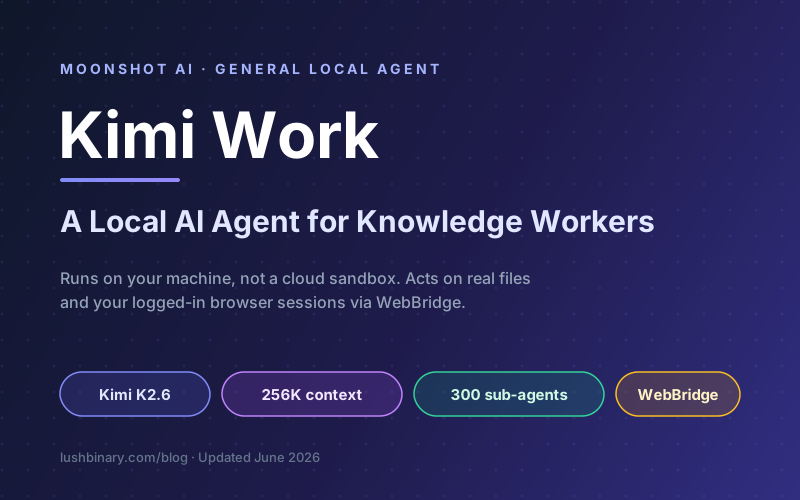
For two years the agent conversation has been dominated by the cloud. You type a goal into a hosted chat, a server somewhere spins up a sandbox, and an agent clicks around a virtual browser it controls. Kimi Work, which Moonshot AI opened for internal testing in June 2026, takes the opposite bet: the agent lives on your machine, works with your real files, and drives the browser you are already logged into.
Moonshot describes Kimi Work as a general local agent for knowledge workers. The pitch is simple. Most of the friction in real office work is not raw reasoning, it is access. The spreadsheet is on your disk, the dashboard is behind a login, the report needs three tools open at once. A cloud agent cannot reach any of that without you handing over credentials. A local agent can, because it runs where your work already lives.
This guide breaks down what Kimi Work actually is, the Kimi K2.6 engine behind it, how its Agent Swarm and WebBridge features work, how it compares to cloud agents like Manus and Kimi Claw, and the security questions any team should answer before pointing a local agent at company data. If you build on the Kimi stack, see our Kimi K2.6 developer guide for the model-level detail.
What This Guide Covers
- What Kimi Work Is and Why It Launched
- Why a Local Agent Matters
- The Kimi K2.6 Engine Behind Kimi Work
- Agent Swarm: 300 Sub-Agents in Parallel
- WebBridge: Driving Your Real Browser
- How the Pieces Fit Together
- Kimi Work vs Cloud Agents
- Real Knowledge-Worker Workflows
- Pricing, Access & Availability
- Security & Governance for Local Agents
- Why Lushbinary for Agentic Workflows
- FAQ
1What Kimi Work Is and Why It Launched
Kimi Work is Moonshot AI's entry into the general local agent category. Rather than a chatbot that answers questions, it is a system that takes a goal, plans the steps, and carries them out on your own computer: reading and writing files, opening applications, searching the web, and operating tools through your browser. Moonshot positioned it specifically for knowledge workers, the analysts, operators, marketers, and project managers whose day is a stack of repetitive multi-tool tasks.
The product opened for internal testing first, which is how Moonshot has rolled out most of its agentic features. That staged release matters for how you should read this guide. The capability set is real and grounded in shipping technology, the Kimi K2.6 model, Agent Swarm, and WebBridge, but the exact packaging, limits, and pricing of Kimi Work as a standalone product can shift between internal testing and general availability.
The word that does the heavy lifting is "local." Kimi already ships cloud agents and a browser-based agent experience. Kimi Work is the version that runs where your data sits. That single design choice changes what the agent can do, what it can see, and what you have to think about before you trust it with anything sensitive.
In one line
Kimi Work is a local, multi-agent assistant that turns your own machine into the workspace, pairing the Kimi K2.6 model with Agent Swarm orchestration and the WebBridge browser bridge so it can act on real files and real logged-in sessions.
2Why a Local Agent Matters
The difference between a local agent and a cloud agent is not a benchmark number. It is a question of reach. Three things become possible when the agent runs on your device:
- Real files, not uploads. A local agent can open the spreadsheet, the PDF, and the folder of exports already on your disk without you uploading them to a server first. For large or sensitive documents, that is the difference between a workflow that runs and one that stalls on a file-size limit.
- Authenticated sessions. Most useful work happens behind a login. A local agent that can use your existing browser session reaches the dashboards, admin panels, and internal tools you are already signed into, without you pasting passwords into a prompt.
- Data residency. Keeping execution on the device means more of the working context, the files being read, the pages being scraped, stays on your machine instead of transiting a third-party sandbox. That is a meaningful story for teams in regulated or privacy-sensitive environments.
The flip side is honest to state. Local execution depends on your hardware and your network. The model inference can still run in the cloud through Moonshot's API while the actions happen locally, so "local agent" describes where the work is performed, not necessarily where the trillion-parameter model is hosted. And because the agent can touch real files and real sessions, the security burden shifts onto you. We cover that in section 10.
This local-first direction is part of a broader industry shift toward agents that own end-to-end tasks rather than single replies. For the wider context, see our 2026 AI trends guide.
3The Kimi K2.6 Engine Behind Kimi Work
Kimi Work's intelligence comes from Kimi K2.6, the native multimodal agentic model Moonshot AI released on April 20, 2026 under a Modified MIT License. K2.6 was built for three jobs that map almost exactly onto what a local work agent needs: long-horizon autonomous execution, coding-driven design, and large-scale agent swarm orchestration.
| Specification | Kimi K2.6 |
|---|---|
| Architecture | ~1T-parameter mixture-of-experts, ~32B active per token |
| Experts | 384 experts, 8 selected per token, 61 layers |
| Context window | 256K tokens (262,144) |
| Modalities | Native text, image, and video input |
| Agent Swarm | Up to 300 sub-agents, 4,000 coordinated steps |
| License | Modified MIT (open weights) |
Two of those specs do the most work for a local agent. The 256K context window lets Kimi Work hold an entire project, a long document, a folder of notes, a multi-step plan, in working memory without constantly losing the thread. And the open weights matter for the local story: because K2.6 ships as a downloadable model that runs on inference frameworks like vLLM, SGLang, and KTransformers, the door is open to running the engine itself on-premises for teams that need full control, not just local actions.
K2.6 also leads agentic and coding benchmarks against frontier closed models in Moonshot's own evaluations, which is the credible basis for putting it behind a tool that has to plan and execute, not just chat. For the full benchmark breakdown and API details, see our Kimi K2.6 developer guide.
4Agent Swarm: 300 Sub-Agents in Parallel
The feature that separates Kimi Work from a single-threaded assistant is Agent Swarm. Instead of one agent grinding through a long task step by step, the system can decompose a goal and spin up a group of specialized sub-agents that work in parallel, then merge their results. With K2.6, Moonshot scaled this to up to 300 sub-agents coordinating across as many as 4,000 steps, up from 100 sub-agents and 1,500 steps in the previous generation.
The mental model Moonshot uses is delegation rather than command. You do not micromanage each worker. A lead agent acts more like a manager that recruits researchers, analysts, and reviewers for the specific job, hands them scoped subtasks, and assembles the output. For a knowledge worker, that maps to tasks like "research these 40 competitors and build a comparison table" or "reconcile these three exports and flag the mismatches," work that is embarrassingly parallel and painfully slow by hand.
A caveat on the big numbers
300 sub-agents is a ceiling, not a default. Fanning out that wide consumes proportionally more tokens and time, and parallel agents can duplicate work or disagree. Treat swarm size as a dial you tune to the task, not a setting you max out. The orchestration quality, how cleanly subtasks are split and merged, matters more than the raw agent count.
If you want to design swarm workflows yourself, our Kimi K2.6 Agent Swarm guide walks through orchestrating sub-agents for complex tasks, and our multi-agent orchestration patterns post covers the architecture tradeoffs in depth.
5WebBridge: Driving Your Real Browser
WebBridge is the piece that makes "local" concrete. It pairs a small local service with a browser extension. The agent sends commands to the local service, which uses the Chrome DevTools Protocol to navigate, click, screenshot, and read pages inside your existing Chrome or Edge, then sends the results back to the agent. Because it drives the browser you already use, it works inside logged-in sessions with your existing cookies and accounts.
That is a fundamentally different model from a cloud agent that spins up a fresh, anonymous browser in a sandbox. A sandboxed browser hits a login wall on every internal tool. WebBridge walks right past it because it is your session. The agent can pull a report from a SaaS dashboard you are signed into, compare prices across sites where you have accounts, or move data between two web apps without you exporting and re-importing by hand.
The power and the risk are the same fact. An agent acting inside your authenticated sessions can do anything you can do in those sessions, including destructive actions, if you let it run unattended. This is exactly why action approval gates and scoped permissions, covered in the security section, are not optional extras for a local agent.
Why this beats a sandboxed browser
No credential sharing, no re-login, and the agent sees the same pages you do, including content behind authentication. The cost is that you must treat the agent like a privileged user of every tool you are signed into.
6How the Pieces Fit Together
Put the components in one picture and the design intent is clear. You hand a goal to a local orchestrator. The orchestrator leans on K2.6 for reasoning and on Agent Swarm to parallelize the work, then both act through the local action layer: WebBridge for the browser, and direct access for files and applications. The result comes back to you, ideally after you approve any sensitive step.
The orchestrator and action layer run on your machine. The K2.6 model inference can run through Moonshot's API or, thanks to the open weights, on hardware you control. That split, local actions plus flexible model hosting, is the core architectural idea behind Kimi Work.
7Kimi Work vs Cloud Agents
Kimi Work does not exist in a vacuum. It sits next to a crowded field of cloud agents, Manus, Moonshot's own Kimi Claw, and self-hosted frameworks like OpenClaw. The right choice depends on whether you value control, convenience, or somewhere in between. The table below frames the tradeoffs.
| Dimension | Kimi Work (local) | Cloud agent (Manus, Kimi Claw) |
|---|---|---|
| Where it runs | Your device, actions executed locally | Vendor servers, hosted sandbox |
| Local files | Direct access, no upload | Upload required |
| Logged-in sites | Uses your real session via WebBridge | Fresh sandbox, login walls block it |
| Runs while you sleep | Tied to your machine being on | 24/7, scheduled, cloud-persistent |
| Setup | Install app + browser extension | Zero install, open a browser |
| Data control | More stays on device | Working data transits the vendor |
| Best for | Sensitive files, internal tools, privacy | Always-on automation, no-setup convenience |
The honest summary: local and cloud agents are not really competing for the same job. A cloud agent like Kimi Claw shines when you want something running on a schedule whether or not your laptop is open. A local agent like Kimi Work shines when the work touches files and tools that should not leave your environment. Many teams will end up using both, a cloud agent for unattended background jobs and a local agent for the sensitive, interactive work.
If you want the deepest control, the open-source route is worth a look. Our guide to running Kimi K2.6 with OpenClaw and Hermes Agent shows how to assemble a fully self-hosted local agent on the same model that powers Kimi Work.
8Real Knowledge-Worker Workflows
The category name, "general local agent for knowledge workers," only means something when you map it to concrete tasks. Here are the kinds of workflows where a local, multi-agent system earns its place.
Competitive research
Point a swarm at a list of competitors, let sub-agents gather pricing, features, and positioning in parallel, and get back a clean comparison table sourced from live pages.
Report assembly
Pull numbers from a dashboard you are logged into, combine them with local spreadsheets, and draft the weekly report without exporting anything to a third-party server.
Data reconciliation
Compare exports from two systems, flag mismatches, and produce a corrected file. The 256K context window keeps the whole dataset in view instead of paging it in and out.
Cross-app data entry
Move records between two web tools you have accounts on, using WebBridge to act inside the real sessions instead of wiring up a brittle integration.
The common thread is that each task is multi-step, spans more than one tool, and touches data that is awkward or unwise to hand to a cloud sandbox. That is the sweet spot for a local agent. For lighter, single-shot questions, a plain chat model is faster and cheaper, do not reach for a 300-agent swarm to summarize one email.
Set expectations
Agents are powerful but not infallible. They misread pages, make wrong assumptions, and occasionally take confident action on bad data. Keep a human in the loop for anything that writes, sends, or deletes, and verify the output before it leaves your hands.
9Pricing, Access & Availability
Kimi Work opened for internal testing first, so treat any pricing here as the surrounding context rather than a fixed Kimi Work price sheet. Access to Kimi's agentic features is gated through Kimi membership, which uses a unified credit model: a single pool of credits is spent across features, and heavier tasks cost more credits than simple ones.
| Tier | Positioning |
|---|---|
| Adagio (Free) | Try Kimi with usage limits, no subscription |
| Moderato | Entry paid tier, more credits and capabilities |
| Allegretto | Mid tier, unlocks heavier agentic usage |
| Vivace | Top tier for power users |
Kimi lists five membership tiers in total, including the free plan, available monthly or annually, with annual billing saving up to $480 a year per Kimi's help center. Separately, the underlying Kimi K2.6 model is available through Moonshot's token-based API and as open weights, which is what enables self-hosting. For the current API price per million tokens, check Moonshot's pricing page directly, since model pricing moves quickly.
The practical takeaway: budget for Kimi Work as a membership cost for most users, and as API or infrastructure cost if you self-host the model for full data control. Pin down the exact figures with Moonshot before you commit a team, because internal-testing products and AI pricing both change often.
10Security & Governance for Local Agents
A local agent that can read your files and act inside your logged-in sessions is, in security terms, a privileged automation account that happens to be driven by a language model. The privacy upside is real, but it does not remove the need for controls. It changes them. Before you point Kimi Work or any local agent at company data, get clear answers on the following.
- Action approval gates. Require explicit confirmation before the agent writes, sends, pays, or deletes. Read actions can run freely, state-changing actions should pause for a human.
- Scoped permissions. Limit which folders the agent can touch and which browser profiles or sites it can drive. An agent that can read one project folder is far safer than one with run of the whole disk.
- Prompt-injection defense. A web page or document the agent reads can contain hidden instructions that try to hijack it. This is the signature risk for any agent that browses, and it matters more when the agent has real permissions.
- Audit logging. Keep a record of what the agent did, which sites it visited, which files it changed, so you can review and roll back. Local execution should not mean invisible execution.
- Data boundaries. Confirm what leaves the device. Even with local actions, the model may receive page content and file contents as context. Know what is sent to the API and what stays home.
Treat untrusted content, anything the agent reads from the web or from inbound documents, as potentially adversarial. That single habit defuses the most common way agents get manipulated. We go deep on this in our prompt injection defense guide and the broader AI agent security guide.
Governance rule of thumb
Give a local agent the narrowest access that still lets it finish the job, log everything it does, and gate every irreversible action behind a human approval. Start with read-only, low-stakes workflows and widen scope only after you trust the behavior.
11Why Lushbinary for Agentic Workflows
Local agents like Kimi Work are a genuine step forward for knowledge work, but getting value from them in a company setting is an engineering and governance problem, not a download. Lushbinary builds and hardens agentic systems for teams that need them to be useful and safe at the same time.
Here is what we bring to a Kimi-based or open-model agent rollout:
- Agent architecture - we design the orchestration, tool access, and approval gates so the agent does real work without running wild.
- Self-hosting the model - because K2.6 ships open weights, we can stand it up on infrastructure you control with vLLM or SGLang for full data residency.
- Security and governance - scoped permissions, audit logging, prompt-injection defenses, and a human-in-the-loop policy mapped to your compliance needs.
- Workflow integration - wiring the agent into the files, dashboards, and internal tools your team actually uses, instead of a generic demo.
- Multi-agent design - swarm workflows that split and merge tasks cleanly, tuned to your jobs rather than maxed out for show.
🚀 Free Consultation
Thinking about putting a local or multi-agent system to work on your team's knowledge tasks? Lushbinary specializes in production AI agents. We'll scope your use case, recommend the right local-versus-cloud split, and design the security guardrails, with no obligation.
12Frequently Asked Questions
What is Kimi Work?
Kimi Work is Moonshot AI's general-purpose local agent for knowledge workers, opened for internal testing in June 2026. Instead of running entirely in the cloud, it executes tasks on your own machine, coordinates multiple sub-agents, and can act on local files and your existing logged-in browser sessions. It is powered by the Kimi K2.6 model.
Which model powers Kimi Work?
Kimi Work runs on Kimi K2.6, Moonshot AI's native multimodal agentic model released April 20, 2026. K2.6 is a roughly 1-trillion-parameter mixture-of-experts model with about 32 billion active parameters per token, a 256K-token context window, and an Agent Swarm system that scales to 300 sub-agents across up to 4,000 coordinated steps.
How is Kimi Work different from cloud agents like Manus or Kimi Claw?
Cloud agents run on the vendor's servers and act through a hosted browser or sandbox. Kimi Work runs locally, so it can touch files on your machine and drive your real browser through Kimi WebBridge using your existing cookies and logged-in sessions. The tradeoff is that local agents depend on your hardware and need their own security controls, while cloud agents trade data control for zero-setup convenience.
How much does Kimi Work cost?
Kimi Work is gated behind Kimi membership. Kimi offers five membership tiers including a free Adagio plan, with paid tiers Moderato, Allegretto, and Vivace, billed monthly or annually. Annual billing saves up to $480 per year. Kimi Work itself launched for internal testing first, so general availability and final pricing may change.
Is a local agent like Kimi Work safe for company data?
A local agent keeps more data on your own device, which is attractive for privacy, but it is not automatically safe. Because it can read local files and act inside authenticated browser sessions, it needs scoped permissions, action approval gates, audit logging, and prompt-injection defenses before it touches sensitive systems. Treat it like a powerful automation account, not a chat window.
📚 Sources
- Kimi - WebBridge: Let Kimi Agent Drive Your Browser
- Kimi - Agent Swarm: 100+ Sub-Agents at Scale
- Cloudflare Changelog - Kimi K2.6 on Workers AI
- Kimi Help Center - Membership Pricing
- Kimi - Membership Credits Model
- Moonshot AI Platform - Use Kimi K2.6 to Set Up an Agent
Content was rephrased for compliance with licensing restrictions. Product details, model specifications, and pricing sourced from official Moonshot AI and Kimi materials and reputable coverage as of June 9, 2026. Kimi Work launched for internal testing, so features, availability, and pricing may change. Always verify on Kimi's official website before making decisions.
Put a Local AI Agent to Work
From Kimi-based local agents to self-hosted open-model deployments, Lushbinary designs agentic systems that are useful, governed, and secure. Let's talk about your workflows.
Ready to Build Something Great?
Get a free 30-minute strategy call. We'll map out your project, timeline, and tech stack - no strings attached.
Prefer email? Reach us directly: